⚠ 這是歷史版本頁面 — 查看 FileZilla 最新版本 →

FileZilla 3.63.2
v 3.63.2
macOS
開源軟體
8.4/10 (33)
- 目前版本3.63.2
- 更新日期2023-02-24
- 檔案大小14.75 MB
- 檔案名稱FileZilla_3.63.2_macosx-x86.app.tar.bz2
- 作業系統macOS 10.13 High Sierra or later
- 支援語系English
- 授權型式開源軟體
- 開發商 FileZilla
- 軟體分類Mac 軟體 / 檔案傳輸與網路
##
編輯短評
FileZilla 是一款歷史悠久且功能完整的免費 FTP 用戶端,專為 macOS 原生打造,讓使用者透過 FTP 及其衍生協定,在區域網路與網際網路上傳、下載與管理遠端檔案。它的介面直覺,涵蓋站台管理、佇列與續傳等實用功能,對初學者或進階使用者都相當友善。這套軟體採開源授權,長期持續維護,更新頻率穩定,在同類工具中屬於熱門首選,使用者評價普遍不錯。
這款軟體特別適合需要定期操作遠端伺服器的家庭用戶、學生或開發者,無論是更新網站內容、備份資料或交換大型檔案,都能派上用場。相較於其他傳輸工具,FileZilla 的優勢在於免費且功能齊全,但代價是僅提供英文介面,對不熟悉英文的使用者稍有門檻。它僅支援 macOS 平台,且為開源軟體,使用上無需付費,但若需要中文介面,可能得另尋替代方案或搭配翻譯工具。
##
翻譯排程處理中,以下暫以英文原文呈現
軟體介紹
FileZilla for Mac is a popular and feature-rich free FTP client that offers users of all technical levels access to a wide range of features and tools for managing and transferring files over the local networks and internet via the popular FTP transmission protocol and its numerous variations.
This software is available for Mac computers as a native app and is designed to enhance the workflow of home users, students, developers, and anyone else who needs to transfer files securely and efficiently.
Today, this app is primarily used for uploading, downloading, and managing files on remote internet servers, but it can also be easily used for FTP connection between any supported modern devices inside the local network.
It fully supports various file transfer protocols such as FTP, SFTP, and FTPS, ensuring secure connection, reliable file transfers, and an easy way to manage a large number of files and directories, with no limits being placed on file size or transfer speeds.
The software also offers advanced features like synchronized directory browsing, directory comparison, remote administration, full IPv6 support, remote search and file editing, extensive local logging, and drag & drop support, making it an indispensable tool for managing files across different platforms.
In addition to Mac, this app can be used on Windows and Linux computers, making it one of the most versatile free FTP clients available on the market.
Main Features
To install this app on a Mac, users can download the Intel or ARM installer version from the official website or secure FileHorse servers and follow a few simple on-screen installation prompts.
The entire installation process is straightforward and requires minimal technical expertise, enabling even complete novices to get this app up and running in a mere minute.
What`s New in latest version 2026
Once inside the app, users can configure this powerful FTP client by specifying a remote IP address, and remote client login details, and connecting to their FTP account on the server.
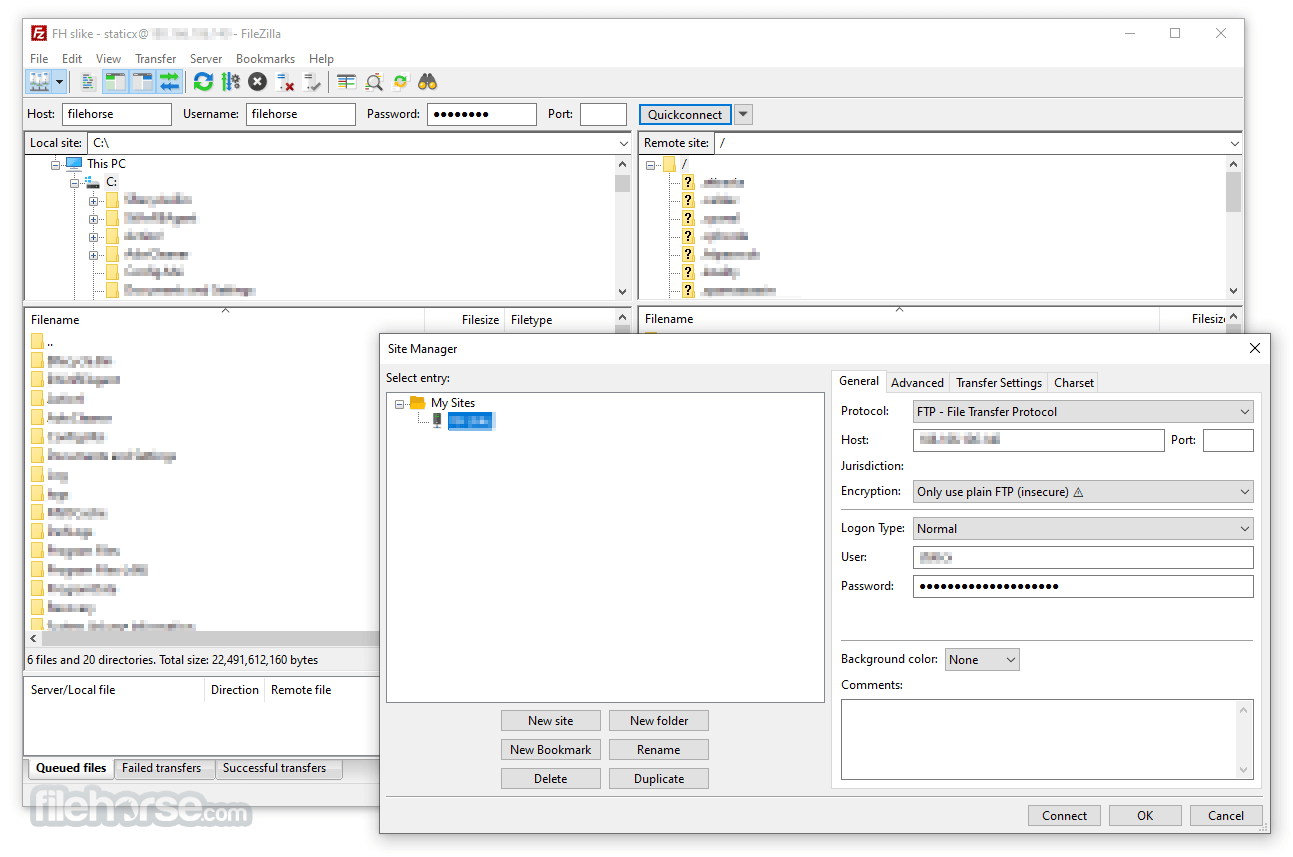
Connections can be made either with the Quick Connect tool or the Site Manager feature that allows users to set up their most often-used connection parameters.
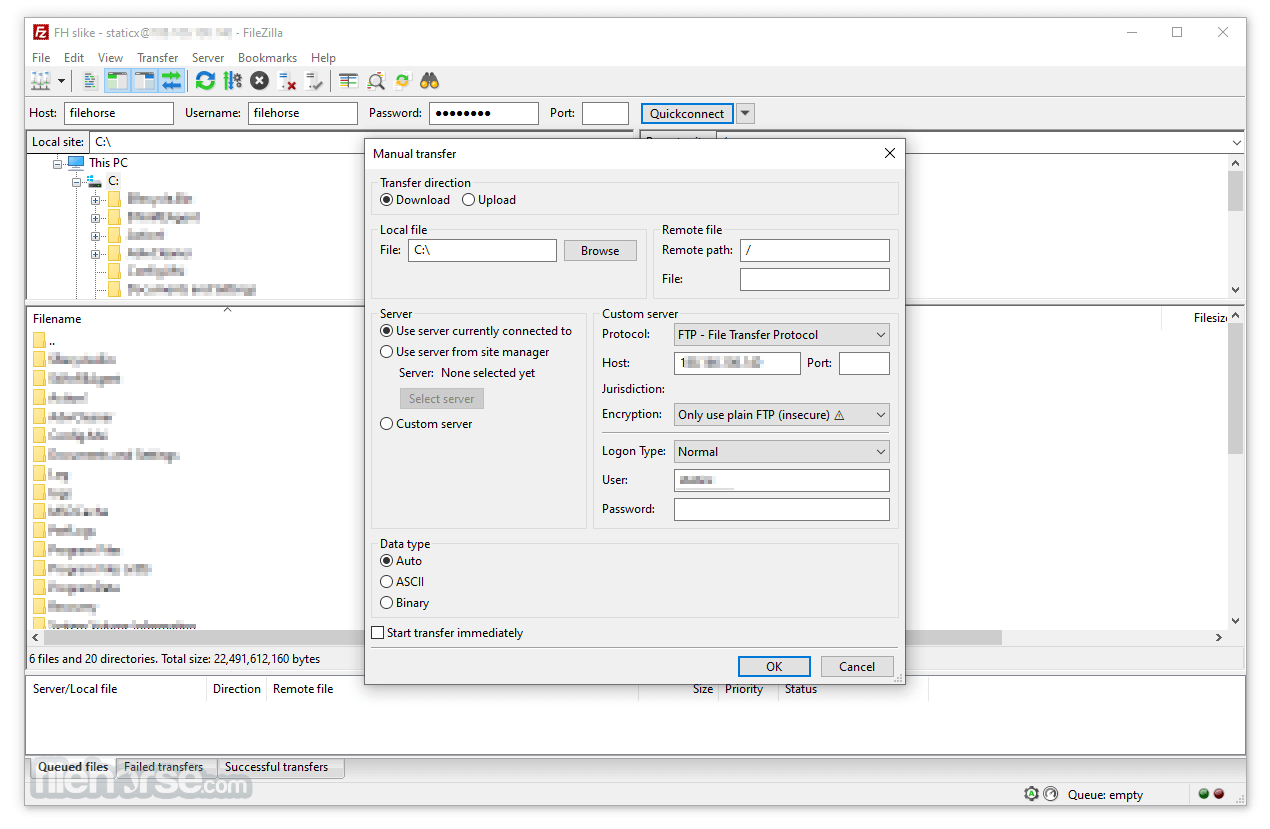
Once connected, users can navigate through both local and remote directories, upload and download files, and manage permissions using the software's intuitive interface.
User Interface
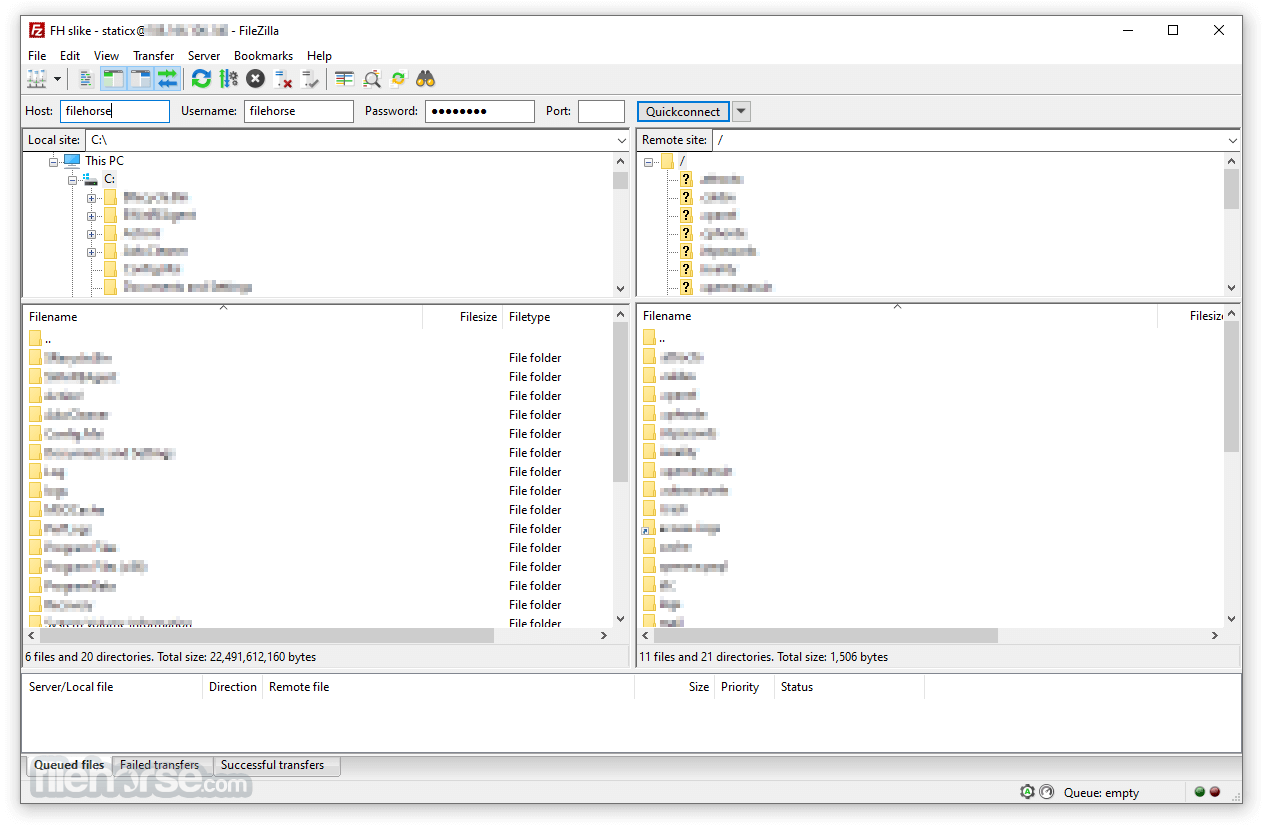
The user interface of this app is designed to be user-friendly and intuitive, promoting four main on-screen modules. The top of the app is home for connection status listing where users can access all their currently active connection data or error codes.
Below are two full sets of file management modules, and on the bottom is a transfer listing module that showcases what files are currently in status of transfer (with three tabs for Queued, Failed, and Successful transfers).
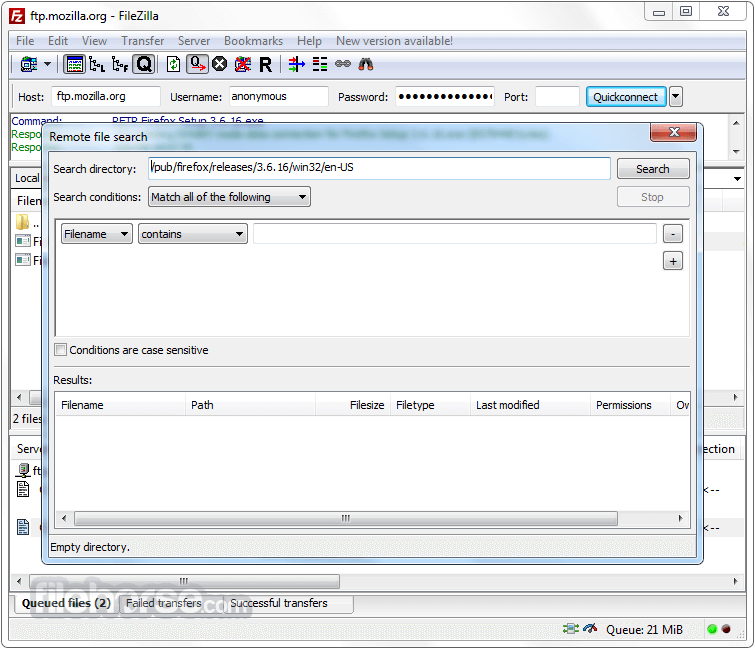
The app also hosts a wide variety of other important tools, such as directory bookmarks, speed limiter, search tool, directory comparison tool, and many others.
FAQ
What is FileZilla?
It is a popular free FTP client available on all modern computing platforms.
Is it safe?
100% yes. This is a safe and secure app created by a large open-source community of experts.
Alternatives
Transmit – A fast and reliable file transfer client that supports FTP, SFTP, and cloud services, allowing users to upload, download, and manage files efficiently.
Cyberduck – A popular FTP, WebDAV, and cloud storage client originally created in 2002.
CuteFTP – A free and commercial FTP client with a wide offering of advanced file transfer services.
Pricing
This app is 100% free.
System Requirements
macOS 10.13.2
The app is optimized for both Intel and Apple Silicon processors.
PROS
FileZilla for Mac is a powerful and versatile FTP client that can allow both newcomers and seasoned professionals full control over their remote FTP connections.
With full support for secure connections and advanced file transfer services, this app represents the best way of establishing FPT connections to any local or remote device.
Note: Requires 64-bit processor. All features are free except those of FileZilla Pro. It includes support for transfers between your PC and popular cloud services.
Also Available: Download FileZilla for Windows
Download FileZilla for Mac Latest Version Why is this app published on FileHorse? (More info)
This software is available for Mac computers as a native app and is designed to enhance the workflow of home users, students, developers, and anyone else who needs to transfer files securely and efficiently.
Today, this app is primarily used for uploading, downloading, and managing files on remote internet servers, but it can also be easily used for FTP connection between any supported modern devices inside the local network.
It fully supports various file transfer protocols such as FTP, SFTP, and FTPS, ensuring secure connection, reliable file transfers, and an easy way to manage a large number of files and directories, with no limits being placed on file size or transfer speeds.
The software also offers advanced features like synchronized directory browsing, directory comparison, remote administration, full IPv6 support, remote search and file editing, extensive local logging, and drag & drop support, making it an indispensable tool for managing files across different platforms.
In addition to Mac, this app can be used on Windows and Linux computers, making it one of the most versatile free FTP clients available on the market.
Main Features
- Comprehensive FTP Client – Complete supports FTP, SFTP, and FTPS protocols for secure file transfers.
- IPv6 Support – Fully compatible with IPv6, ensuring future-proof connectivity.
- Synchronized Directory Browsing – Empowers users to simplify directory navigation when managing multiple devices.
- Directory Comparison – Easily compare the contents of local and remote directories, highlighting differences in file size and modification time.
- Remote Administration – Manage system files, directories, and services remotely.
- Permissions System – Manage remote security access with user and group authentication.
- Large File Support – Reliably transfers larger than 4GB with no speed limits.
- Custom Speed Limits – Set custom speed limits for file transfers to manage real-time bandwidth usage.
To install this app on a Mac, users can download the Intel or ARM installer version from the official website or secure FileHorse servers and follow a few simple on-screen installation prompts.
The entire installation process is straightforward and requires minimal technical expertise, enabling even complete novices to get this app up and running in a mere minute.
What`s New in latest version 2026
- Improved FTP, FTPS, and SFTP connection stability.
- Enhanced transfer speed optimization for large files.
- Updated TLS encryption handling for stronger security.
- Improved site manager with clearer connection profiles.
- Better handling of long file paths and large directories.
- Enhanced resume support for interrupted transfers.
- Improved compatibility with modern server configurations.
- Refined user interface responsiveness on Windows and macOS.
- Updated language files and localization support.
- Bug fixes and overall stability improvements.
Once inside the app, users can configure this powerful FTP client by specifying a remote IP address, and remote client login details, and connecting to their FTP account on the server.
Connections can be made either with the Quick Connect tool or the Site Manager feature that allows users to set up their most often-used connection parameters.
Once connected, users can navigate through both local and remote directories, upload and download files, and manage permissions using the software's intuitive interface.
User Interface
The user interface of this app is designed to be user-friendly and intuitive, promoting four main on-screen modules. The top of the app is home for connection status listing where users can access all their currently active connection data or error codes.
Below are two full sets of file management modules, and on the bottom is a transfer listing module that showcases what files are currently in status of transfer (with three tabs for Queued, Failed, and Successful transfers).
The app also hosts a wide variety of other important tools, such as directory bookmarks, speed limiter, search tool, directory comparison tool, and many others.
FAQ
What is FileZilla?
It is a popular free FTP client available on all modern computing platforms.
Is it safe?
100% yes. This is a safe and secure app created by a large open-source community of experts.
Alternatives
Transmit – A fast and reliable file transfer client that supports FTP, SFTP, and cloud services, allowing users to upload, download, and manage files efficiently.
Cyberduck – A popular FTP, WebDAV, and cloud storage client originally created in 2002.
CuteFTP – A free and commercial FTP client with a wide offering of advanced file transfer services.
Pricing
This app is 100% free.
System Requirements
macOS 10.13.2
The app is optimized for both Intel and Apple Silicon processors.
PROS
- Comprehensive FTP client.
- Advanced tools for file transfers and directory management.
- Remote administration and permissions system.
- User-friendly interface.
- 100% free!
- None.
FileZilla for Mac is a powerful and versatile FTP client that can allow both newcomers and seasoned professionals full control over their remote FTP connections.
With full support for secure connections and advanced file transfer services, this app represents the best way of establishing FPT connections to any local or remote device.
Note: Requires 64-bit processor. All features are free except those of FileZilla Pro. It includes support for transfers between your PC and popular cloud services.
Also Available: Download FileZilla for Windows
Download FileZilla for Mac Latest Version Why is this app published on FileHorse? (More info)
##
畫面截圖
- 2026-06-06 FileZilla 3.70.6 14.84 MB
- 2026-05-08 FileZilla 3.70.5 14.76 MB
- 2026-04-20 FileZilla 3.70.4 14.76 MB
- 2026-02-14 FileZilla 3.69.6 14.91 MB
- 2025-11-12 FileZilla 3.69.5 14.91 MB
- 2025-08-01 FileZilla 3.69.3 14.87 MB
- 2025-07-18 FileZilla 3.69.2 14.89 MB
- 2025-04-23 FileZilla 3.69.1 14.7 MB