⚠ 這是歷史版本頁面 — 查看 Final Draft 最新版本 →

- 目前版本12.0.11
- 更新日期2024-05-04
- 檔案大小128 MB
- 檔案名稱finaldraft12011Mac.zip
- 作業系統macOS 10.15 Catalina or later
- 支援語系English
- 授權型式商業試用
- 開發商 Final Draft Inc
- 軟體分類Mac 軟體 / 辦公商務
##
編輯短評
Final Draft 是劇本寫作領域的專業工具,主要解決編劇在格式排版上的痛點,讓劇本自動符合好萊塢產業標準格式。它內建超過三百種範本,涵蓋電影、電視、漫畫、舞台劇等類型,並支援腦力激盪、故事大綱整理與協作功能,是業界使用率極高的主流首選,開發商持續更新維護,評價普遍不錯。
這套軟體適合以寫劇本為主的編劇、影視從業人員或相關科系學生,需要產出符合業界規格的劇本時會特別實用。與 Microsoft Office 等一般文書軟體相比,它專注於劇本格式與故事開發流程,但代價是學習曲線較陡,且僅提供英文介面。目前為試用版授權,macOS 與 Windows 皆有版本,行動版 App 則需另外購買,使用前需留意這些限制。
##
翻譯排程處理中,以下暫以英文原文呈現
軟體介紹
With Final Draft for Mac, you can brainstorm, visualize, report, tag, collaborate and customize your writing environment like never before. The app paginates your script to entertainment industry formats and used by 95% of the entertainment industry.
Over 300 templates for screenplays, teleplays, comics, immersive storytelling, graphic novels, and stage plays. Write using Windows, Macintosh, or in the Final Draft Mobile app for iPhone & iPad (app sold separately).
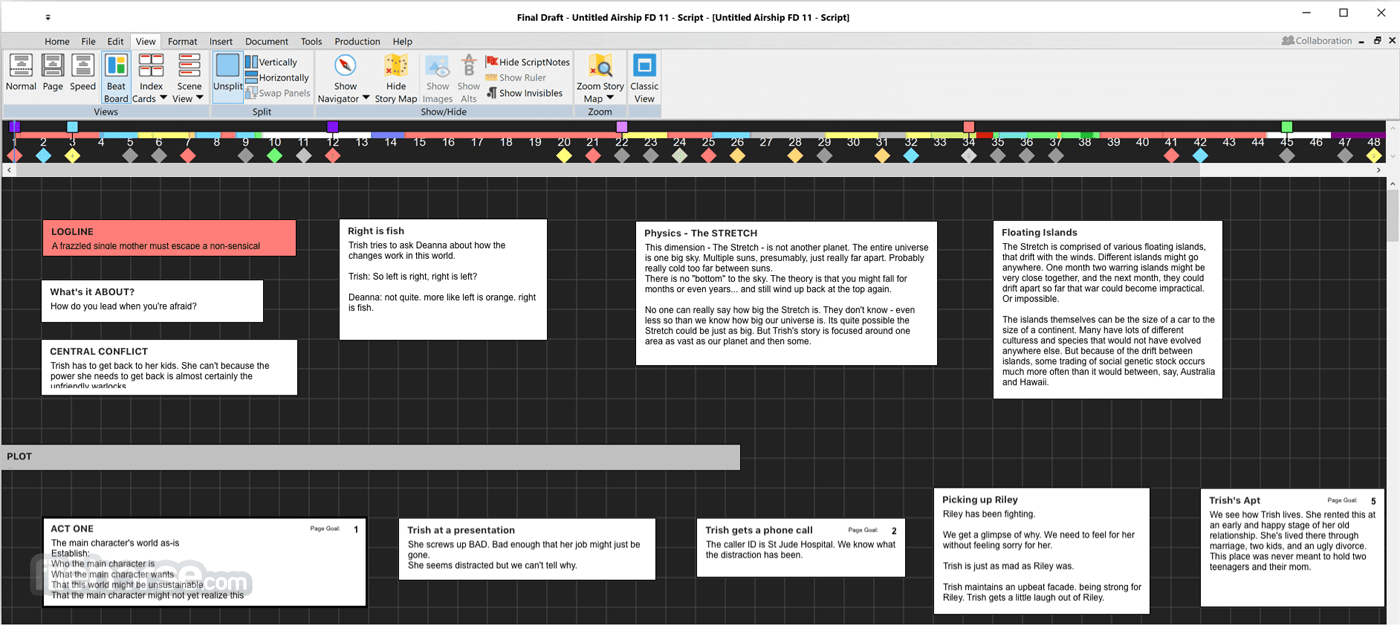
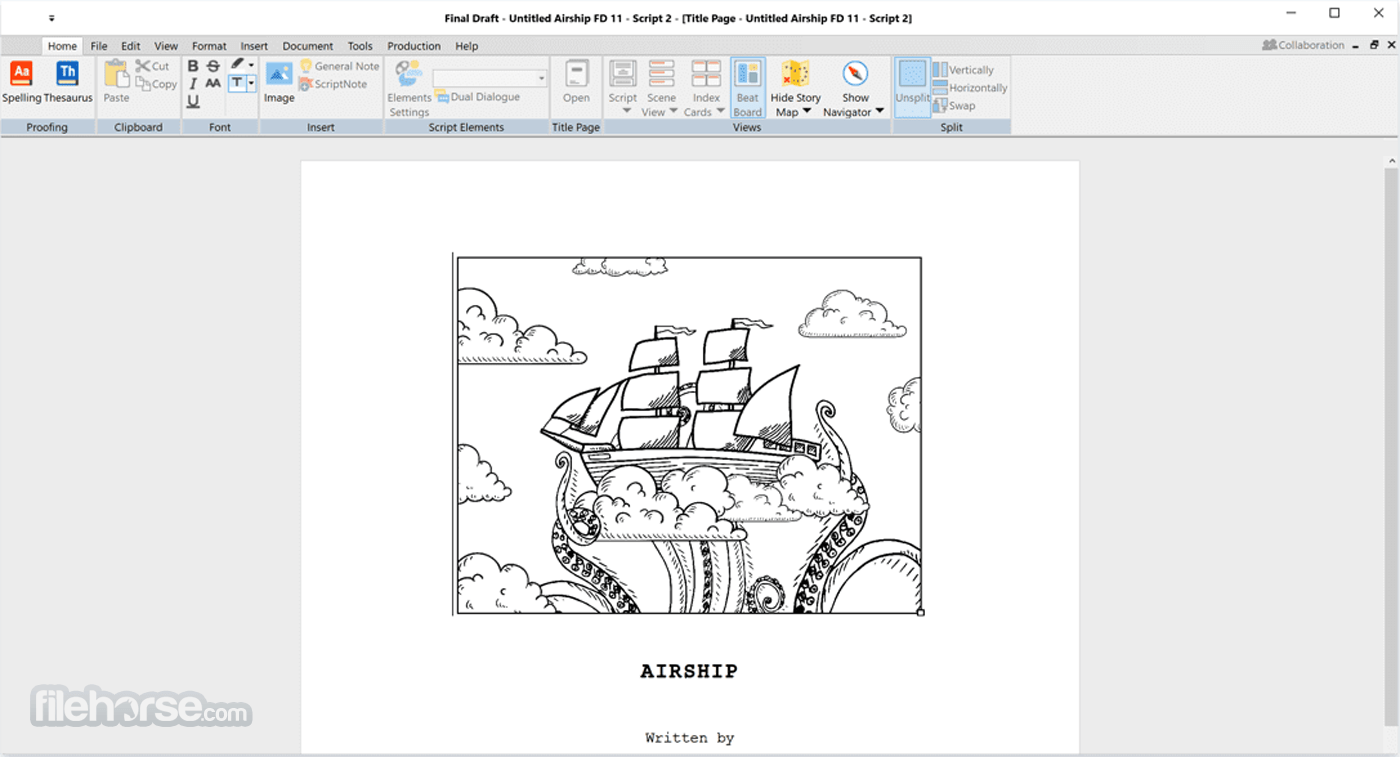
Use SmartType to cut down on keystrokes by auto-filling commonly used names, locations, and more. Insert images on title pages, in the script or even in the Beat Board to help visualize your story.
Use Alternate Dialogue to store as many different versions of lines as you can imagine. Eliminate distractions and get down to business with night mode.
Use your creative energy to focus on your story and characters — let FinalDraft for macOS take care of the rest.
Title Page
All Final Draft templates come with industry standard title pages that are easy to modify, save, and print or save to PDF.
Tab & Enter
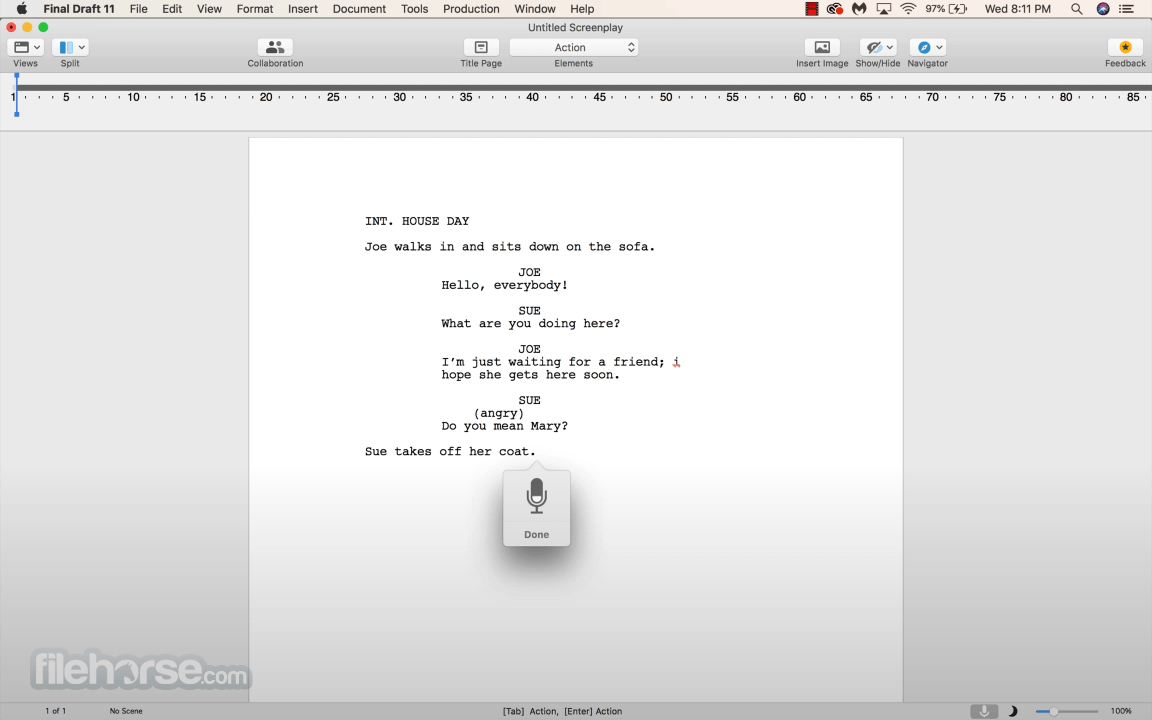
Use just the Tab and Enter keys to write your script quickly and easily.
Format Assistant
Be confident your script is professionally formatted before you print or email it.
Reformat Tool
Speed through the reformatting process when importing different file types.
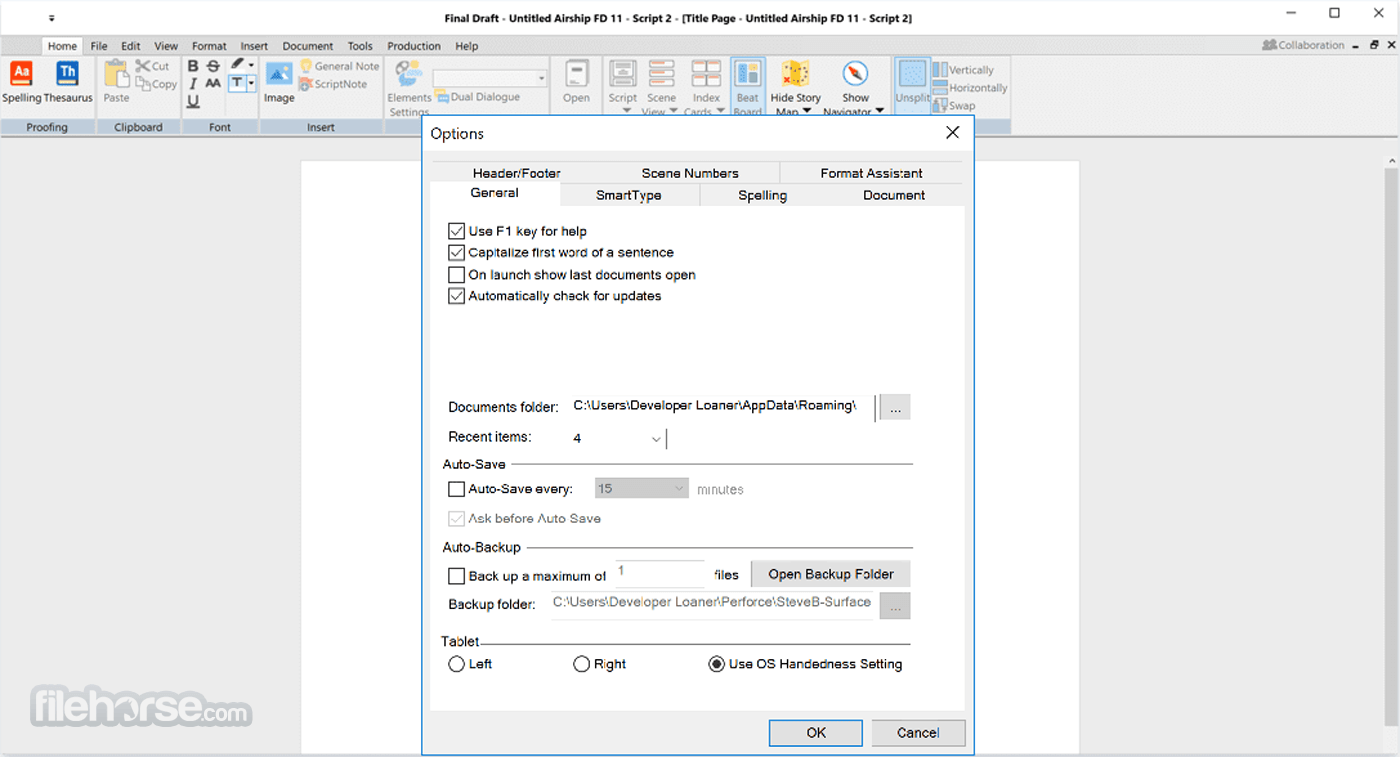
Automatic Backup Folder
Protect your work with automatic file backups.
Unicode Support
It ships with fonts which support over 97 different languages. Users can also add their own fonts to type in additional languages.
Pagination & Page Management
Automatically format and paginate to industry standards. Meet page count requirements using FinalDraft custom formatting tools.
Keyboard Shortcuts
Customize your workflow and save time.
How to Use
macOS 10.15 Catalina or later
Intel or Apple Silicon (M1/M2) processor
Minimum 2 GB RAM
60 MB free disk space
Internet connection for activation
PROS
Also Available: Download Final Draft for Windows
Download Final Draft for Mac Latest Version Why is this app published on FileHorse? (More info)
Over 300 templates for screenplays, teleplays, comics, immersive storytelling, graphic novels, and stage plays. Write using Windows, Macintosh, or in the Final Draft Mobile app for iPhone & iPad (app sold separately).
- Organize and navigate your story
- Rapidly paginate and format your plays using more than 100 templates
- Write scripts that look exactly the same on multiple platforms
- Inbuilt tool for checking for common formatting errors
- Generate a wide array of screenplay reports
- Split screen script editing
- Powerful pagination engine
- Support for Retina screens and Full-screen mode
- Dictation support
Use SmartType to cut down on keystrokes by auto-filling commonly used names, locations, and more. Insert images on title pages, in the script or even in the Beat Board to help visualize your story.
Use Alternate Dialogue to store as many different versions of lines as you can imagine. Eliminate distractions and get down to business with night mode.
Use your creative energy to focus on your story and characters — let FinalDraft for macOS take care of the rest.
Title Page
All Final Draft templates come with industry standard title pages that are easy to modify, save, and print or save to PDF.
Tab & Enter
Use just the Tab and Enter keys to write your script quickly and easily.
Format Assistant
Be confident your script is professionally formatted before you print or email it.
Reformat Tool
Speed through the reformatting process when importing different file types.
Automatic Backup Folder
Protect your work with automatic file backups.
Unicode Support
It ships with fonts which support over 97 different languages. Users can also add their own fonts to type in additional languages.
Pagination & Page Management
Automatically format and paginate to industry standards. Meet page count requirements using FinalDraft custom formatting tools.
Keyboard Shortcuts
Customize your workflow and save time.
How to Use
- Launch the application and create a new script
- Select script type (screenplay, stageplay, etc.)
- Use templates or start with a blank page
- Write using industry-standard formatting
- Use the Navigator to manage scenes and characters
- Enable SmartType for auto-fill of names/locations
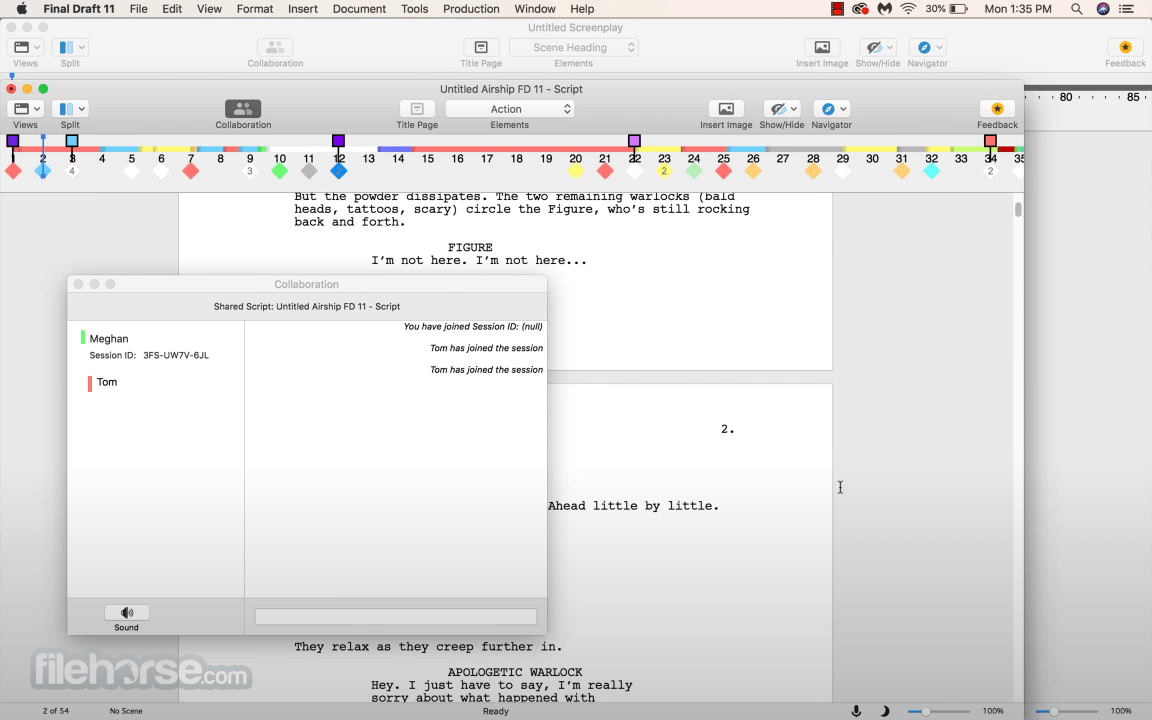
- Collaborate using real-time collaboration tools
- Use Beat Board to visually plan story structure
- Export your script to PDF or Final Draft format
macOS 10.15 Catalina or later
Intel or Apple Silicon (M1/M2) processor
Minimum 2 GB RAM
60 MB free disk space
Internet connection for activation
PROS
- Industry-standard formatting tools
- Real-time collaboration features
- Beat Board for visual story planning
- SmartType speeds up writing
- Navigator helps structure scripts easily
- High one-time purchase cost
- Limited font customization options
- Collaboration needs internet access
- Occasional bugs on macOS updates
Also Available: Download Final Draft for Windows
Download Final Draft for Mac Latest Version Why is this app published on FileHorse? (More info)
##
畫面截圖
- 2026-08-04 Final Draft 13.3.4 124 MB
- 2026-07-09 Final Draft 13.3.3 124 MB
- 2026-06-05 Final Draft 13.3.2 122 MB
- 2026-01-28 Final Draft 13.3.0 121 MB
- 2025-08-08 Final Draft 13.2.5 119 MB
- 2025-06-04 Final Draft 13.2.4 118.07 MB
- 2025-03-12 Final Draft 13.2.2 117.65 MB
- 2024-11-23 Final Draft 13.2.1 117.65 MB