⚠ 這是歷史版本頁面 — 查看 Free Download Manager 最新版本 →

- 目前版本6.29.1
- 更新日期2025-08-03
- 檔案大小53.35 MB
- 檔案名稱fdm.dmg
- 作業系統macOS 13.0 Ventura or later
- 支援語系English
- 授權型式開源軟體
- 開發商 FDM Team
- 軟體分類Mac 軟體 / 檔案傳輸與網路
##
編輯短評
Free Download Manager 是一款免費、開源的下載加速與管理工具,主要解決下載速度不穩、檔案管理繁瑣的問題。它最顯眼的特色是支援從影片網站抓取影片、用 HTML Spider 整站下載,還能排程與調整流量,介面簡潔直觀。開發團隊持續維護,近一年更新相當頻繁,在同類工具中屬於中上位置;雖然評分人數不多,但使用者評價普遍不錯。
這套軟體適合需要大量下載、想節省頻寬或備份整站內容的人,尤其常用於抓取串流影片或排程夜間下載。相較於同類熱門工具,它主打開源免費與功能完整,但僅提供英文介面,且目前只支援 macOS,使用前需留意語系與平台限制。授權為 GPL,可安心使用,但若需要中文介面或跨平台支援,就得考慮其他替代方案。
##
翻譯排程處理中,以下暫以英文原文呈現
軟體介紹
What is Free Download Manager for Mac? It is a powerful, easy-to-use and absolutely free download accelerator and manager. Moreover, FDM is 100% safe, open-source software distributed under GPL license.
In addition, Free Download Manager for macOS allows you to: adjust traffic usage; to organize and schedule downloads; download video from video sites; download whole web sites with HTML Spider; operate the program remotely, via the internet, and more! Download faster & safe with the best Free Download Manager for Mac!
Featuring an elegant, straightforward interface, Free Download Manager offers a unique set of best features and capabilities that allow you to speed up your internet downloads and get the files you want as effectively as possible.
Features and Highlights
Boost all your internet downloads up to 10 times
Multi-threaded acceleration lets Free Download Manager simultaneously download different parts of the same file on the internet, which allows you to get files up to ten times faster and more accurately.
Fast YouTube downloads
Try the integrated YouTube and flash video downloader Free Download Manager comes with. To download high-rated YouTube videos in one click, choose tracks of the best available quality and format, copy their URLs and Free Download Manager will do the rest for you.
Google Chrome, Mozilla Firefox, Internet Explorer
Just apply for the powerful web browser extension Free Download Manager features to catch downloads of any specific files in the most streamlined way. Free Download Manager increases the speed of your internet downloads and helps you download all or selected files on a page.
How to Use
Open the downloaded .dmg file and install the app
Launch the app from Applications folder
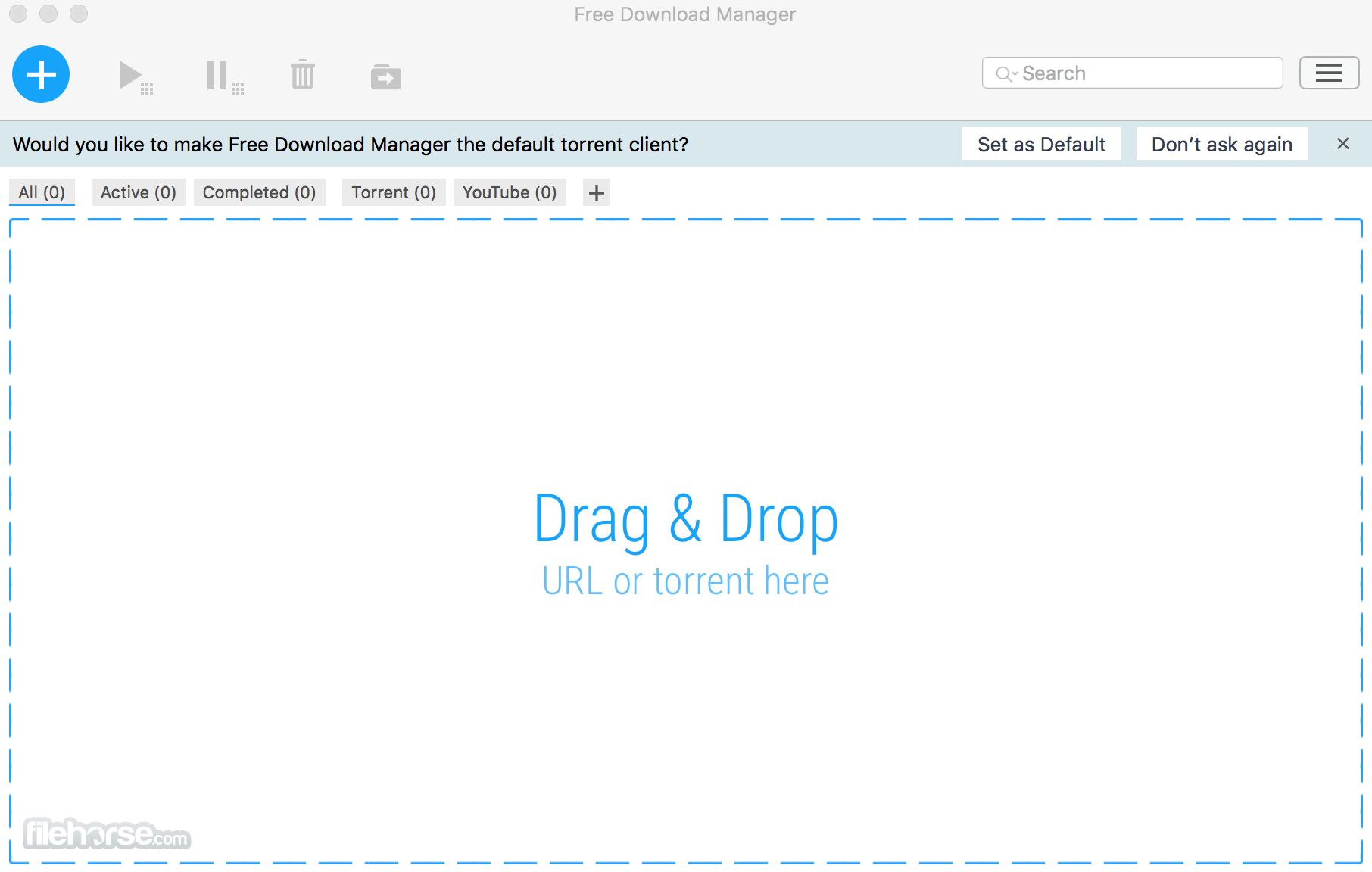
Add a download link using the plus button
Choose download location and confirm download
Monitor progress in the main interface
Pause, resume or schedule downloads as needed
Use settings to adjust speed, limits, and more
System Requirements
Download Free Download Manager for Mac Latest Version Why is this app published on FileHorse? (More info)
In addition, Free Download Manager for macOS allows you to: adjust traffic usage; to organize and schedule downloads; download video from video sites; download whole web sites with HTML Spider; operate the program remotely, via the internet, and more! Download faster & safe with the best Free Download Manager for Mac!
Featuring an elegant, straightforward interface, Free Download Manager offers a unique set of best features and capabilities that allow you to speed up your internet downloads and get the files you want as effectively as possible.
Features and Highlights
Boost all your internet downloads up to 10 times
Multi-threaded acceleration lets Free Download Manager simultaneously download different parts of the same file on the internet, which allows you to get files up to ten times faster and more accurately.
Fast YouTube downloads
Try the integrated YouTube and flash video downloader Free Download Manager comes with. To download high-rated YouTube videos in one click, choose tracks of the best available quality and format, copy their URLs and Free Download Manager will do the rest for you.
Google Chrome, Mozilla Firefox, Internet Explorer
Just apply for the powerful web browser extension Free Download Manager features to catch downloads of any specific files in the most streamlined way. Free Download Manager increases the speed of your internet downloads and helps you download all or selected files on a page.
How to Use
Open the downloaded .dmg file and install the app
Launch the app from Applications folder
Add a download link using the plus button
Choose download location and confirm download
Monitor progress in the main interface
Pause, resume or schedule downloads as needed
Use settings to adjust speed, limits, and more
System Requirements
- macOS 10.12 (Sierra) or later
- Intel or Apple Silicon (M1/M2) processor
- 100 MB free disk space for installation
- Active internet connection
- 2 GB RAM or more recommended
- Supports torrent and regular downloads
- Allows download scheduling and queuing
- Resumes broken or interrupted downloads
- Built-in media preview before completion
- Lightweight and easy to use interface
- Interface can feel outdated to some users
- Occasional bugs or crashes on macOS
- Limited browser integration options
- Advanced features may confuse beginners
- May flag false positives in antivirus tools
Download Free Download Manager for Mac Latest Version Why is this app published on FileHorse? (More info)
##
畫面截圖
- 2026-07-18 Free Download Manager 6.34.3 54.6 MB
- 2026-07-03 Free Download Manager 6.34.2 55.31 MB
- 2026-06-03 Free Download Manager 6.34.1 55.28 MB
- 2026-05-14 Free Download Manager 6.34.0 55.16 MB
- 2026-03-25 Free Download Manager 6.33.2 55.05 MB
- 2026-02-19 Free Download Manager 6.33.1 54.98 MB
- 2026-01-20 Free Download Manager 6.33.0 54.91 MB
- 2025-12-02 Free Download Manager 6.31.0 54.97 MB