⚠ 這是歷史版本頁面 — 查看 FreeFileSync 最新版本 →

- 目前版本14.0
- 更新日期2025-01-18
- 檔案大小31.99 MB
- 檔案名稱FreeFileSync_14.0_macOS.zip
- 作業系統Mac OS X 10.8 or later
- 支援語系English
- 授權型式開源軟體
- 開發商 Zenju
- 軟體分類Mac 軟體 / 備份還原
##
編輯短評
FreeFileSync 是一套免費開源的檔案同步工具,主要解決跨資料夾、跨裝置的檔案比對與備份問題。它最鮮明的特色是提供雙向同步與鏡像同步兩種模式,讓使用者能依照需求選擇單向備份或雙向合併,而且沒有同步檔案數量的限制,實際運作時僅受記憶體容量影響。這套軟體在 macOS 平台上的更新相當頻繁,屬於長期維護中的熱門選擇,雖然評分人數不多,但評價普遍不錯,在備份還原同類工具中算是穩健的實用選項。
這套工具適合需要定期備份大量檔案、或習慣手動控制同步流程的人,特別是在外接硬碟、NAS 或雲端資料夾之間維持檔案一致性時很實用。與 RAR、Disk Drill 等商業軟體相比,FreeFileSync 完全免費且開源,沒有試用期或功能限制,但介面僅提供英文,對不熟悉英文操作介面的使用者來說需要一些適應時間。macOS 版本與 Windows 版功能一致,若你原本就在多平台間切換使用,這套軟體可以維持相同的操作習慣。
##
翻譯排程處理中,以下暫以英文原文呈現
軟體介紹
FreeFileSync for Mac is a free Open Source software that helps you synchronize files and synchronize folders for Windows, Linux, and macOS.
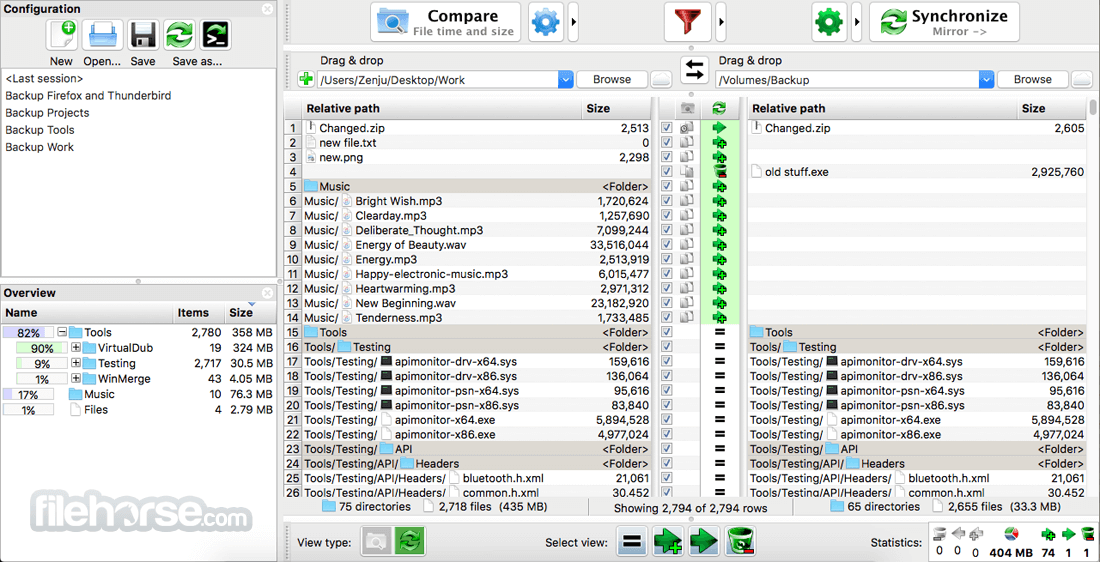
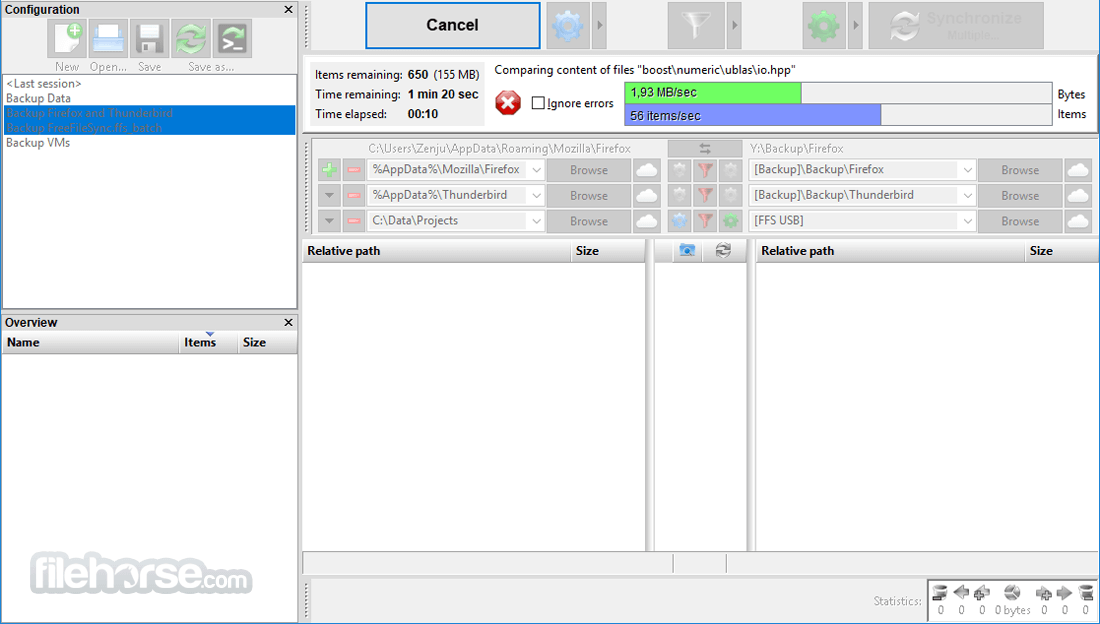
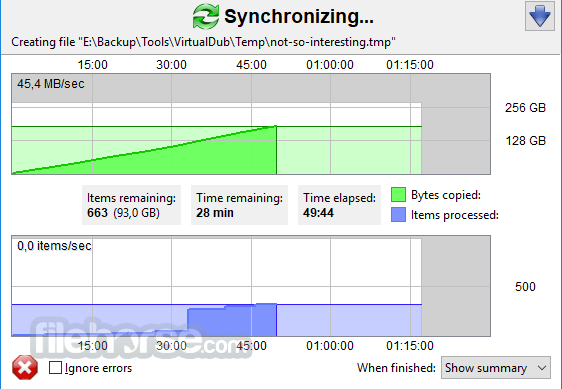
It is designed to save your time setting up and running backup jobs while having nice visual feedback along the way.
FreeFileSync for macOS imposes no artificial limitations on how many files you can sync. Practically speaking, the only limiting factor for extremely large sync jobs is the amount of free memory available: For each 1 GB of RAM, FreeFileSync can synchronize roughly 1.7 million file pairs at a time.
Main Features
Two-Way and Mirror Synchronization – Supports bi-directional syncing to keep files updated on both locations or one-way mirroring for backups.
Real-Time Synchronization – Monitors file changes and updates synced locations instantly.
Batch Automation – Automates synchronization tasks using scripts and scheduled tasks.
Versioning and Conflict Detection – Saves deleted or modified files to avoid data loss.
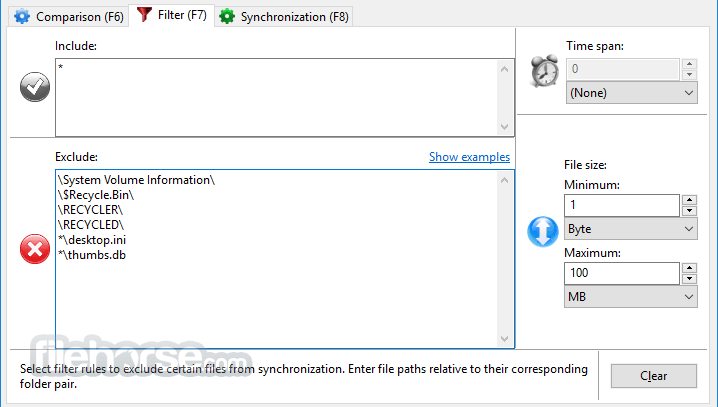
Filter and Exclude Options – Customizable filters for file types, timestamps, and folder exclusions.
Cloud Storage Integration – Supports Google Drive, OneDrive, and other cloud services.
Fast Performance with Parallel Processing – Uses multiple threads for faster sync speeds.
Drag-and-Drop Interface – Easy file and folder selection.
Cross-Platform Compatibility – Runs on Windows, macOS, and Linux.
No File Size Limits – Handles large data transfers without restrictions.
Pricing
Free Version – Includes essential features with no ads.
Donation Edition – Offers premium features like parallel file copy and auto-updates in exchange for a voluntary donation.
How to Use
Install the app by dragging it to Applications
Launch the app and select two folders to sync
Choose sync variant: Two-way, Mirror, or Update
Click "Compare" to analyze folder differences
Review changes and confirm synchronization
Use "Batch Job" to automate recurring sync tasks
Save configurations for future sync sessions
System Requirements
Also Available: Download FreeFileSync for Windows
Download FreeFileSync for Mac Latest Version Why is this app published on FileHorse? (More info)
It is designed to save your time setting up and running backup jobs while having nice visual feedback along the way.
FreeFileSync for macOS imposes no artificial limitations on how many files you can sync. Practically speaking, the only limiting factor for extremely large sync jobs is the amount of free memory available: For each 1 GB of RAM, FreeFileSync can synchronize roughly 1.7 million file pairs at a time.
Main Features
Two-Way and Mirror Synchronization – Supports bi-directional syncing to keep files updated on both locations or one-way mirroring for backups.
Real-Time Synchronization – Monitors file changes and updates synced locations instantly.
Batch Automation – Automates synchronization tasks using scripts and scheduled tasks.
Versioning and Conflict Detection – Saves deleted or modified files to avoid data loss.
Filter and Exclude Options – Customizable filters for file types, timestamps, and folder exclusions.
Cloud Storage Integration – Supports Google Drive, OneDrive, and other cloud services.
Fast Performance with Parallel Processing – Uses multiple threads for faster sync speeds.
Drag-and-Drop Interface – Easy file and folder selection.
Cross-Platform Compatibility – Runs on Windows, macOS, and Linux.
No File Size Limits – Handles large data transfers without restrictions.
Pricing
Free Version – Includes essential features with no ads.
Donation Edition – Offers premium features like parallel file copy and auto-updates in exchange for a voluntary donation.
How to Use
Install the app by dragging it to Applications
Launch the app and select two folders to sync
Choose sync variant: Two-way, Mirror, or Update
Click "Compare" to analyze folder differences
Review changes and confirm synchronization
Use "Batch Job" to automate recurring sync tasks
Save configurations for future sync sessions
System Requirements
- macOS 10.10 Yosemite or later
- Intel or Apple Silicon (M1/M2) processor
- Minimum 2 GB RAM
- 100 MB free disk space
- Internet connection for updates (optional)
- Fast and efficient file synchronization
- Supports real-time folder sync
- Cross-platform compatibility
- Highly customizable sync settings
- Free and open-source software
- Interface may feel outdated
- No built-in cloud sync support
- Learning curve for new users
- Occasional permission issues on macOS
- No official tech support available
Also Available: Download FreeFileSync for Windows
Download FreeFileSync for Mac Latest Version Why is this app published on FileHorse? (More info)
##
畫面截圖
- 2026-08-12 FreeFileSync 14.11 26.26 MB
- 2026-06-29 FreeFileSync 14.10 31.13 MB
- 2026-03-30 FreeFileSync 14.9 30.2 MB
- 2026-02-23 FreeFileSync 14.8 29.64 MB
- 2026-01-22 FreeFileSync 14.7 28.95 MB
- 2025-12-03 FreeFileSync 14.6 29.44 MB
- 2025-10-03 FreeFileSync 14.5 28.52 MB
- 2025-07-27 FreeFileSync 14.4 29.34 MB