⚠ 這是歷史版本頁面 — 查看 HandBrake 最新版本 →

- 目前版本1.5.1
- 更新日期2022-01-11
- 檔案大小35.91 MB
- 檔案名稱HandBrake-1.5.1.dmg
- 作業系統macOS 10.13 High Sierra or later
- 支援語系English
- 授權型式開源軟體
- 開發商 Handbrake Team
- 軟體分類Mac 軟體 / 影片軟體
##
編輯短評
HandBrake 是一款免費開源的影片轉檔工具,能將幾乎任何格式的影片轉換為現代且廣泛支援的編碼格式。它最為人熟知的特色,是能輕鬆將相機拍攝的影片,轉換成可在 iPhone、iPad、Apple TV、Android 手機與平板等裝置上播放的檔案,同時也完整支援將 DVD 電影轉為 MPEG-4 檔案存進硬碟。此軟體由 Handbrake Team 長期維護,更新相當活躍,在同類工具中屬於主流首選,使用者評價普遍不錯。
這套軟體適合需要批次轉檔、或想將影片轉到特定裝置播放的一般使用者,尤其常用於備份 DVD 或調整影片相容性。與 Adobe Premiere Pro 或 After Effects 這類專業剪輯軟體相比,HandBrake 專注於轉檔而非剪輯,操作更單純、資源需求也更低。它採用開源授權,可免費使用,提供 macOS 與 Windows 版本,但介面僅有英文,不熟悉英文操作介面的使用者需要稍加適應。
##
翻譯排程處理中,以下暫以英文原文呈現
軟體介紹
HandBrake for Mac is a free and open source tool for converting video files from nearly any format to a selection of modern, widely supported codecs.
It enables anyone to easily prepare their camera videos to be played on a wide variety of devices, including all versions of iPhones, iPads, Apple TVs, Android phones, Android tables and more.
Of course, the app fully supports one of the most popular video conversion processes of all time -transfer of movies from your DVDs to your hard drive by converting them to files in the MPEG-4 format. You can apply many great video filters (grayscale, detelecine, decomb, deinterlace, denoise, deblock), as well as set the video codec, quality and framerate, audio codec, mixdown, sample frequency rate and bitrate.
HandBrake was originally created in 2003 by the Eric Petit who made this app exclusively for the shortly lived BeOS operating system, but was shortly after ported to Windows, macOS and Linux (Ubuntu).
Petit continued being active on the development of the app until 2006 when he left and enabled its community to continue working on updates (originally made under the name “MediaFork”, but later renamed back to the app).
Today, after so many years and turbulent state of development, Handbrake for macOS still represents one of the most popular video conversion programs on the market, with support for many features that make conversion process easy and intuitive.
Even still, the tool remains to be 100% free and with regular updates continues to expand its capability to work with all currently popular video and audio codecs on the market.
Just a few of the reasons we think you'll love Handbrake:
Built-in Device Presets
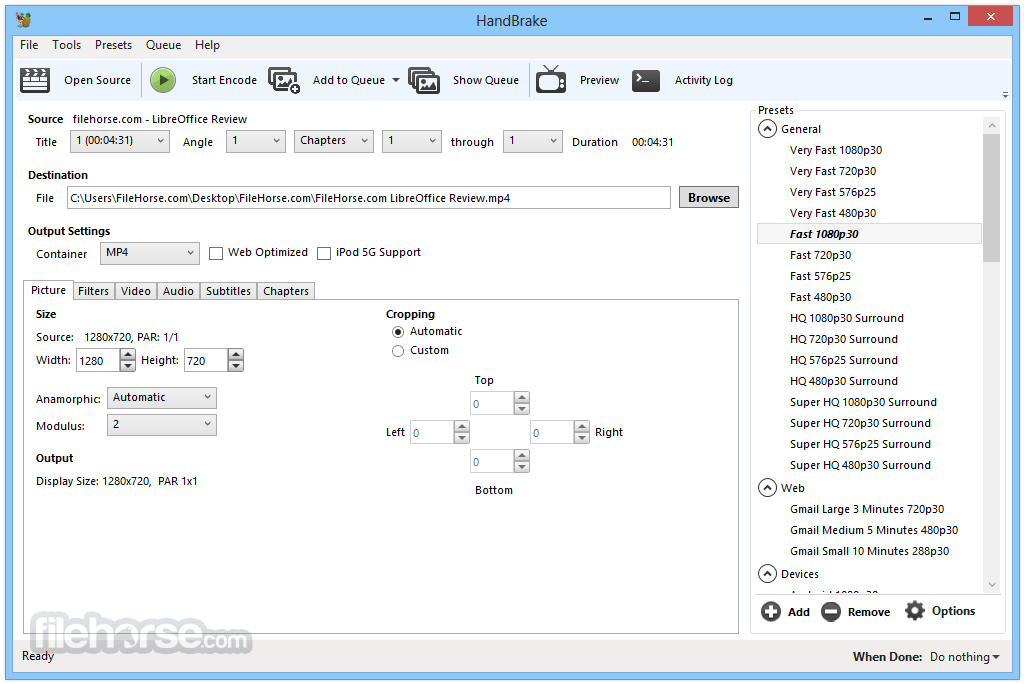
Get started with the app in seconds by choosing a profile optimized for your device, or choose a universal profile for standard or high quality conversions. Simple, easy, fast. For those that want more choice, tweak many basic and advanced options to improve yours encodes.
Supported Input Sources
Hand brake can process most common multimedia files and any DVD or BluRay sources that do not contain any kind of copy protection.
Outputs
Install by dragging the app to the Applications folder
Open HandBrake and load a video file
Choose a preset or customize encoding settings
Select output format and destination
Click "Start" to begin the conversion
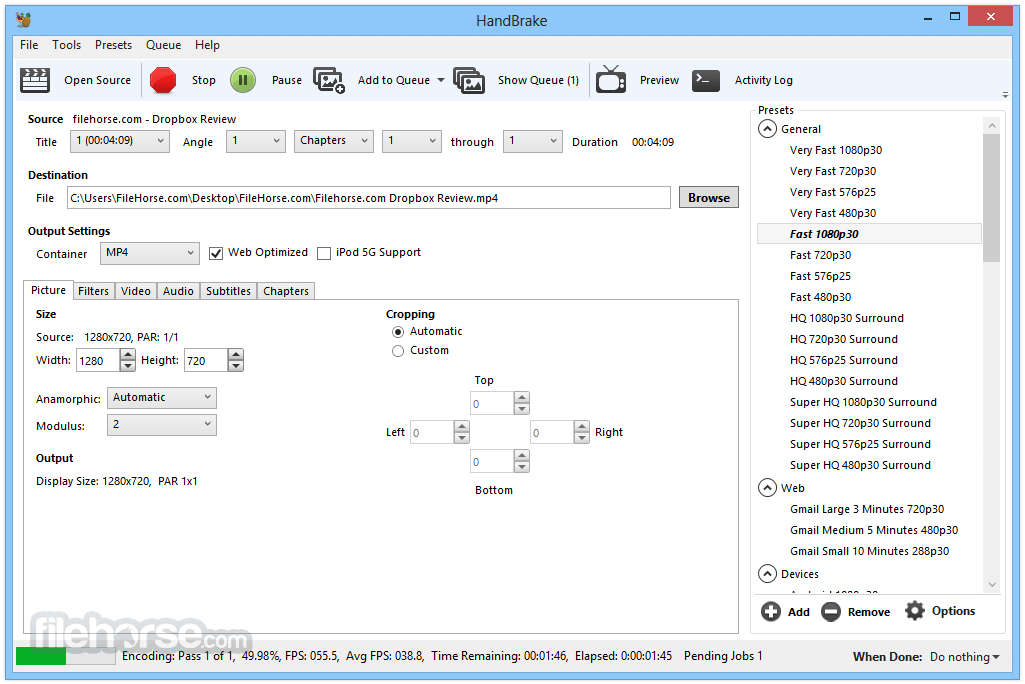
Monitor progress in the bottom status bar
System Requirements
macOS 10.13 High Sierra or later
64-bit Intel or Apple Silicon (M1/M2) processor
At least 2 GB of RAM
100 MB of disk space for installation
Additional space for output files
PROS
Also Available: Download HandBrake for Windows
Download HandBrake for Mac Latest Version Why is this app published on FileHorse? (More info)
It enables anyone to easily prepare their camera videos to be played on a wide variety of devices, including all versions of iPhones, iPads, Apple TVs, Android phones, Android tables and more.
Of course, the app fully supports one of the most popular video conversion processes of all time -transfer of movies from your DVDs to your hard drive by converting them to files in the MPEG-4 format. You can apply many great video filters (grayscale, detelecine, decomb, deinterlace, denoise, deblock), as well as set the video codec, quality and framerate, audio codec, mixdown, sample frequency rate and bitrate.
HandBrake was originally created in 2003 by the Eric Petit who made this app exclusively for the shortly lived BeOS operating system, but was shortly after ported to Windows, macOS and Linux (Ubuntu).
Petit continued being active on the development of the app until 2006 when he left and enabled its community to continue working on updates (originally made under the name “MediaFork”, but later renamed back to the app).
Today, after so many years and turbulent state of development, Handbrake for macOS still represents one of the most popular video conversion programs on the market, with support for many features that make conversion process easy and intuitive.
Even still, the tool remains to be 100% free and with regular updates continues to expand its capability to work with all currently popular video and audio codecs on the market.
Just a few of the reasons we think you'll love Handbrake:
Built-in Device Presets
Get started with the app in seconds by choosing a profile optimized for your device, or choose a universal profile for standard or high quality conversions. Simple, easy, fast. For those that want more choice, tweak many basic and advanced options to improve yours encodes.
Supported Input Sources
Hand brake can process most common multimedia files and any DVD or BluRay sources that do not contain any kind of copy protection.
Outputs
- File Containers: .MP4(.M4V) and .MKV
- Video Encoders: H.264(x264), MPEG-4 and MPEG-2 (libav), and Theora(libtheora)
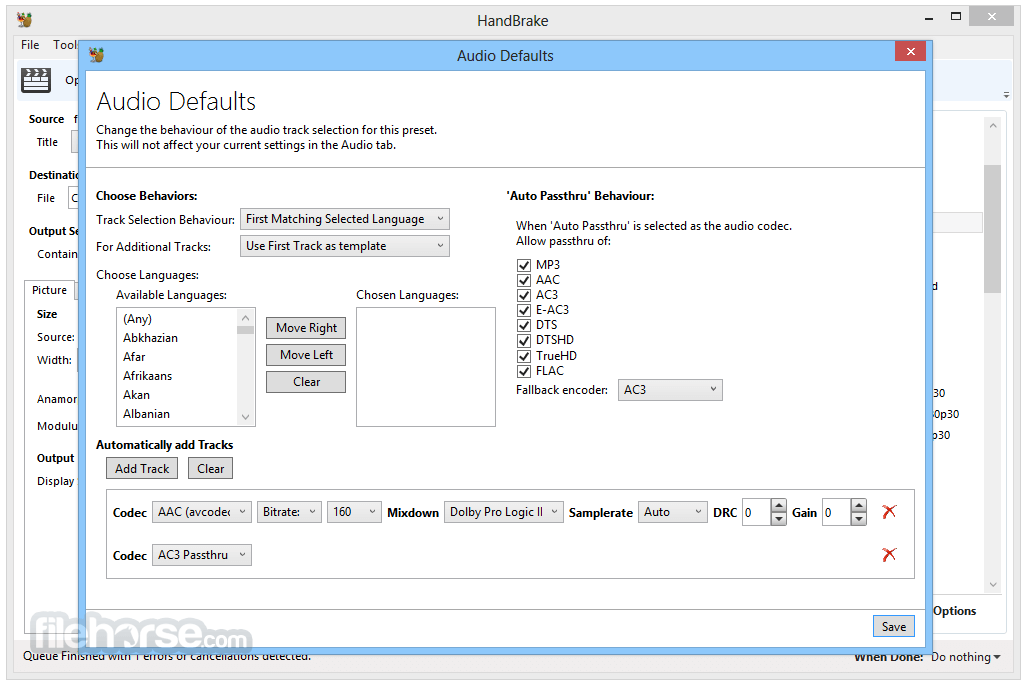
- Audio Encoders: AAC, CoreAudio AAC/HE-AAC (OS X Only), MP3, Flac, AC3, or Vorbis
- Audio Pass-thru: AC-3, DTS, DTS-HD, AAC and MP3 tracks
- Title / Chapter selection
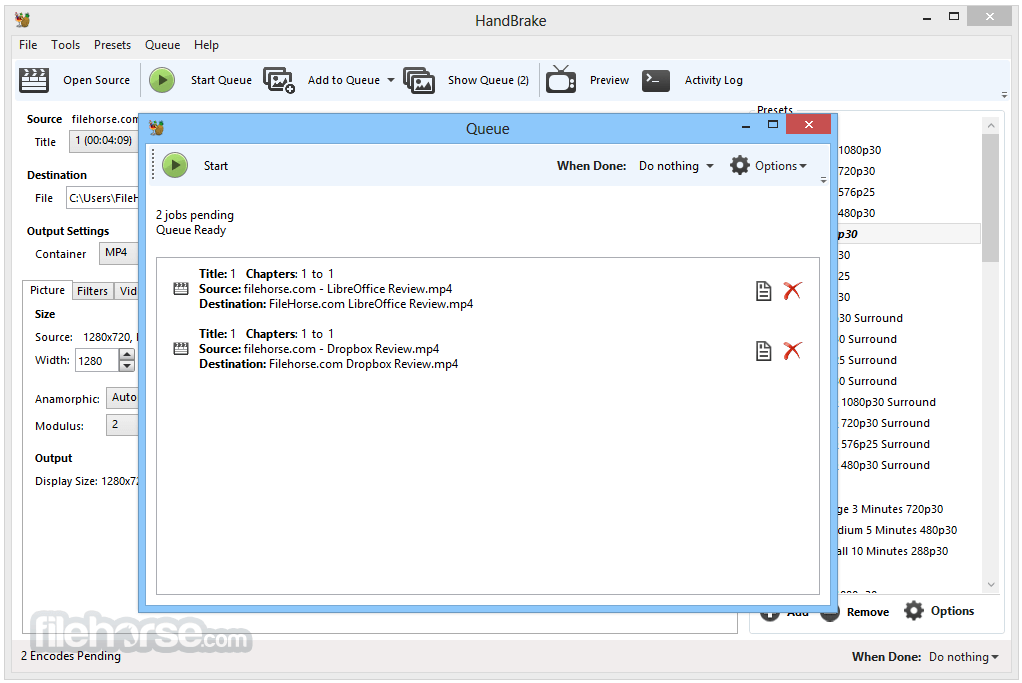
- Queue up multiple encodes
- Chapter Markers
- Subtitles (VobSub, Closed Captions CEA-608, SSA, SRT)
- Constant Quality or Average Bitrate Video Encoding
- Support for VFR, CFR and VFR
- Video Filters: Deinterlacing, Decomb, Detelecine, Deblock, Grayscale, Cropping and scaling
- Live Video Preview
Install by dragging the app to the Applications folder
Open HandBrake and load a video file
Choose a preset or customize encoding settings
Select output format and destination
Click "Start" to begin the conversion
Monitor progress in the bottom status bar
System Requirements
macOS 10.13 High Sierra or later
64-bit Intel or Apple Silicon (M1/M2) processor
At least 2 GB of RAM
100 MB of disk space for installation
Additional space for output files
PROS
- Supports many video formats
- Free and open-source software
- Batch encoding capability
- Advanced encoding settings available
- Regularly updated and maintained
- No built-in DVD decryption
- Interface may confuse beginners
- Limited video editing tools
- Encoding can be time-consuming
- Some presets may not fit all devices
Also Available: Download HandBrake for Windows
Download HandBrake for Mac Latest Version Why is this app published on FileHorse? (More info)
##
畫面截圖
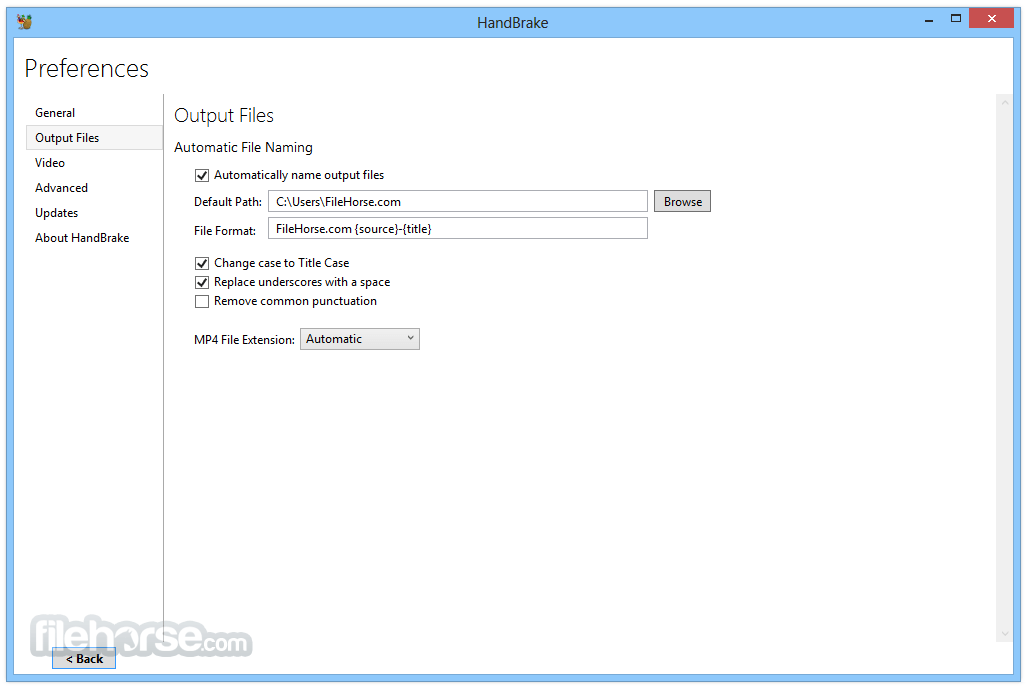
- 2026-06-08 HandBrake 1.11.2 45.76 MB
- 2026-03-23 HandBrake 1.11.1 46.87 MB
- 2026-03-09 HandBrake 1.11.0 46.87 MB
- 2025-09-07 HandBrake 1.10.2 41.63 MB
- 2025-08-24 HandBrake 1.10.1 41.62 MB
- 2025-08-11 HandBrake 1.10.0 41.6 MB
- 2025-02-24 HandBrake 1.9.2 40.38 MB
- 2025-02-13 HandBrake 1.9.1 40.38 MB