⚠ 這是歷史版本頁面 — 查看 iZip 最新版本 →

- 目前版本3.6
- 更新日期2019-10-26
- 檔案大小18.41 MB
- 檔案名稱izip.dmg
- 作業系統macOS 12.0 Monterey or later
- 支援語系English
- 授權型式免費軟體
- 開發商 Codeius Pty Ltd.
- 軟體分類Mac 軟體 / 備份還原
##
編輯短評
iZip 是 macOS 上一套老牌的壓縮與解壓縮工具,主要解決 Mac 使用者面對常見壓縮格式時的開啟與打包需求。它最大的特色是深度整合 Finder,讓你可以把壓縮檔當成一般資料夾來瀏覽、拖放檔案,甚至直接將文件儲存到 zip 檔內,操作直覺且貼近 macOS 原生體驗。這套軟體自推出以來持續維護,近年更新仍算活躍,不過在備份還原分類中屬於小眾選擇,評分人數不多,整體評價中等。
如果你習慣用 Finder 管理檔案,又不想為了開壓縮檔另外學習複雜介面,iZip 會是順手的免費方案。與 WinZip Mac Edition 或 RAR 等熱門替代工具相比,iZip 的優勢在於免費且輕量,但功能相對單純,進階的加密或分割選項可能不如付費軟體完整。需要注意的是,它僅支援英文介面,且目前只提供 macOS 版本,使用前最好確認你的檔案格式在支援清單內,以免遇到無法開啟的狀況。
##
翻譯排程處理中,以下暫以英文原文呈現
軟體介紹
iZip is a simple to use, the effective and powerful utility built from the ground up for Mac users like you!
With the latest in compression and encryption technology built right in, iZip for Mac allows you to compress, secure and share your files with ease.
Features and Highlights
Zip and unzip files
Use the familiar Mac Finder to easily manage the contents of the most common archive file formats such is those created by WinZip, WinRAR and others. It's so easy treating archive files as removable storage, you can save your documents directly to your zip file or even drag-and-drop files between archives.
No more having to extract the whole contents of a large zip file just to get at one or two files! iZip for macOS is developed by engineers dedicated to the Mac platform and due to it's tight integration with the Mac Operating System you are able to enjoy seamless management of your archives.
Imagine being able to zip and encrypt all your photos and videos from a trip abroad, then sharing the large zip file with a friend (and not having to worry about email attachment size limits) all in a few clicks...
If your friend also has the app, imagine them browsing your photos and videos in Cover Flow mode, viewing a slideshow and even playing your videos - all without having to extract anything from the file you sent them. Due to iZip's tight Mac integration all of this is easily possible!
Encrypt files
Secure your confidential data with powerful AES encryption. Keep unwanted eyes away from your personal information by encrypting your zip files using the powerful security features of the app.
The tool features up to 256 bit AES zip encryption so you can rest assured unauthorized users will not be able to view any of your confidential information.
Share files
Tired of hitting email attachment size limits or getting a bounce notification after spending half an hour or longer waiting for an email message to go through?
Never waste time worrying about whether your file got through ever again! With the tool, you have the ability to share your archive in a few clicks using the tight integration with the wonderful, fast and secure files.com file sharing service. Securely send and receive files amongst your friends and colleagues - even those running Windows or Linux!
iZip Features:
Install by dragging iZip to the Applications folder
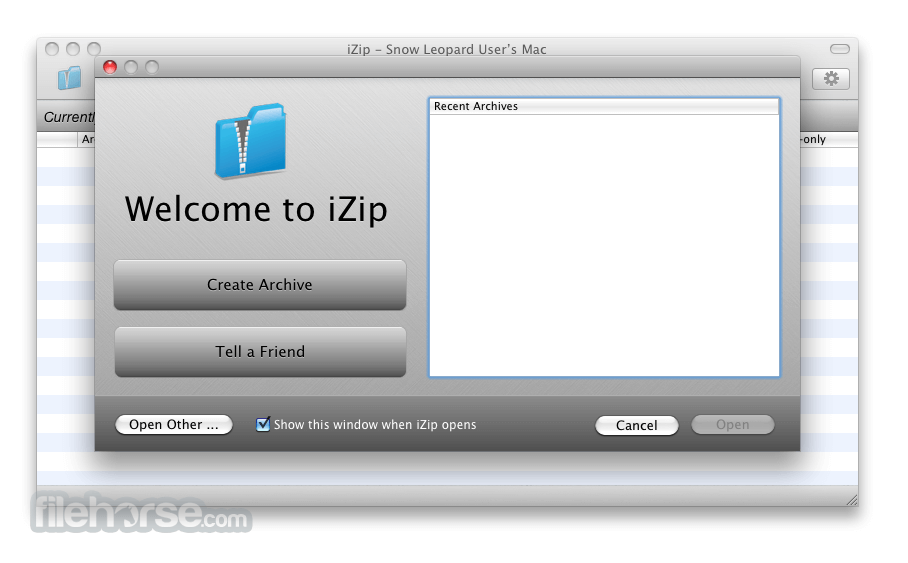
Launch iZip and choose "Create Archive" or "Open Archive"
Add files or folders to your archive
Select output format (ZIP, ZIPX, etc.)
Click "Create" to generate the archive
To extract, open a ZIP file and click "Extract"
Choose destination folder and confirm extraction
System Requirements
Download iZip for Mac Latest Version Why is this app published on FileHorse? (More info)
With the latest in compression and encryption technology built right in, iZip for Mac allows you to compress, secure and share your files with ease.
Features and Highlights
Zip and unzip files
Use the familiar Mac Finder to easily manage the contents of the most common archive file formats such is those created by WinZip, WinRAR and others. It's so easy treating archive files as removable storage, you can save your documents directly to your zip file or even drag-and-drop files between archives.
No more having to extract the whole contents of a large zip file just to get at one or two files! iZip for macOS is developed by engineers dedicated to the Mac platform and due to it's tight integration with the Mac Operating System you are able to enjoy seamless management of your archives.
Imagine being able to zip and encrypt all your photos and videos from a trip abroad, then sharing the large zip file with a friend (and not having to worry about email attachment size limits) all in a few clicks...
If your friend also has the app, imagine them browsing your photos and videos in Cover Flow mode, viewing a slideshow and even playing your videos - all without having to extract anything from the file you sent them. Due to iZip's tight Mac integration all of this is easily possible!
Encrypt files
Secure your confidential data with powerful AES encryption. Keep unwanted eyes away from your personal information by encrypting your zip files using the powerful security features of the app.
The tool features up to 256 bit AES zip encryption so you can rest assured unauthorized users will not be able to view any of your confidential information.
Share files
Tired of hitting email attachment size limits or getting a bounce notification after spending half an hour or longer waiting for an email message to go through?
Never waste time worrying about whether your file got through ever again! With the tool, you have the ability to share your archive in a few clicks using the tight integration with the wonderful, fast and secure files.com file sharing service. Securely send and receive files amongst your friends and colleagues - even those running Windows or Linux!
iZip Features:
- Archives appear as removable storage
- Encryption and large files supported
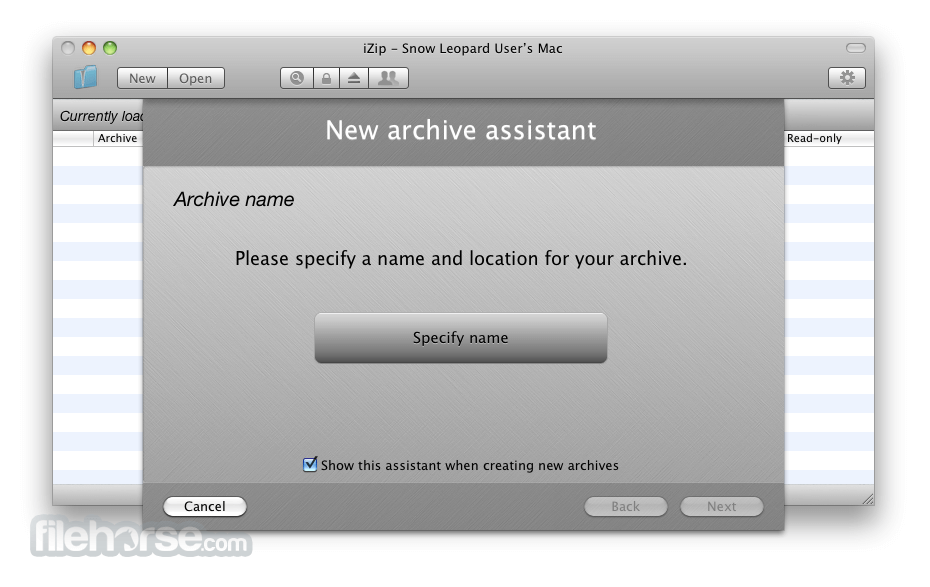
- New archive assistant
- Secure sharing
- Automatic updates
- Currently supports ZIP, ZIPX, RAR, TAR, TAR.GZ and 7ZIP files with more to come!
Install by dragging iZip to the Applications folder
Launch iZip and choose "Create Archive" or "Open Archive"
Add files or folders to your archive
Select output format (ZIP, ZIPX, etc.)
Click "Create" to generate the archive
To extract, open a ZIP file and click "Extract"
Choose destination folder and confirm extraction
System Requirements
- macOS 10.10 (Yosemite) or later
- Intel or Apple Silicon (M1/M2) processor
- Minimum 2 GB RAM
- 50 MB free disk space
- Internet connection for updates
- Simple and intuitive interface
- Supports popular archive formats
- Free with no ads or in-app purchases
- Seamless macOS Finder integration
- Fast compression and extraction
- Limited advanced compression settings
- No password recovery feature
- Doesn’t support RAR file creation
- Lacks built-in cloud storage support
- Occasional crashes on large files
Download iZip for Mac Latest Version Why is this app published on FileHorse? (More info)
##
畫面截圖
- 2026-07-08 iZip 26.07 6.4 MB
- 2026-01-05 iZip 26.01 9.89 MB
- 2025-12-13 iZip 25.12 9.89 MB
- 2025-11-04 iZip 25.11 9.88 MB
- 2025-01-13 iZip 5.0.53 10.71 MB
- 2024-09-18 iZip 4.9.51 5.51 MB
- 2024-09-06 iZip 4.4.49 5.5 MB
- 2023-01-02 iZip 4.3.43 5.57 MB