- 目前版本2017-001
- 更新日期2026-01-05
- 檔案大小48.73 MB
- 檔案名稱javaforosx.dmg
- 作業系統Mac OS X 10.7 or later
- 支援語系English
- 授權型式免費軟體
- 開發商 Apple Inc
- 軟體分類Mac 軟體 / 瀏覽器與外掛
##
翻譯排程處理中,以下暫以英文原文呈現
軟體介紹
Java for Mac is a standalone utility that can provide seamless execution of legacy software created before the arrival of modern Java packages that are natively supported on all the latest Macs.
This lightweight tool is distributed for older versions of macOS (ranging from 10.7 Lion to 10.13 High Sierra), enabling full compatibility with Java 6 runtime.
While newer Java apps may require the presence of the newest versions of Java JRE, this package is exclusively offered for users who want access to legacy software via a deprecated version of the program that was present in releases 2014-001 and 2013-005.
Key Features
To get this tool up and running on any modern Mac, users simply must download the installer from the secure FileHorse servers and start the installation procedure by dragging the icon to the Application folder.
How to Use
Once installed, this service provides automatic execution of Java software.
User Interface
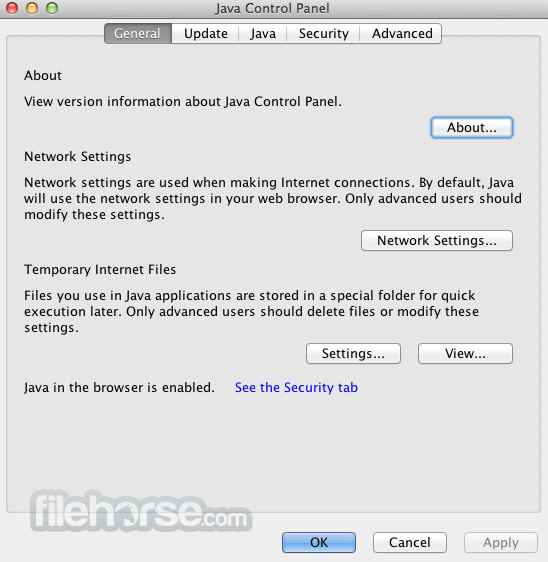
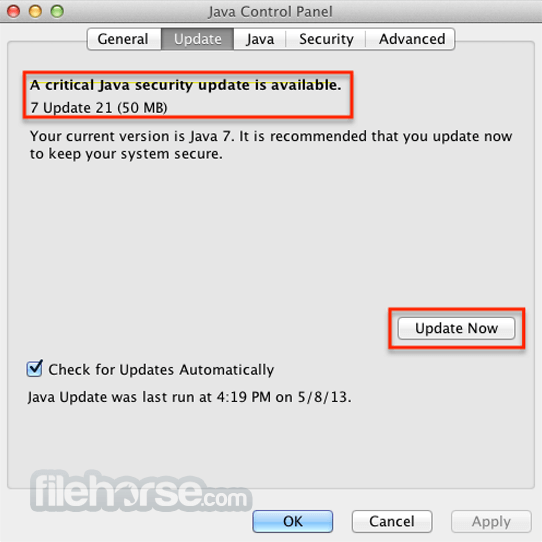
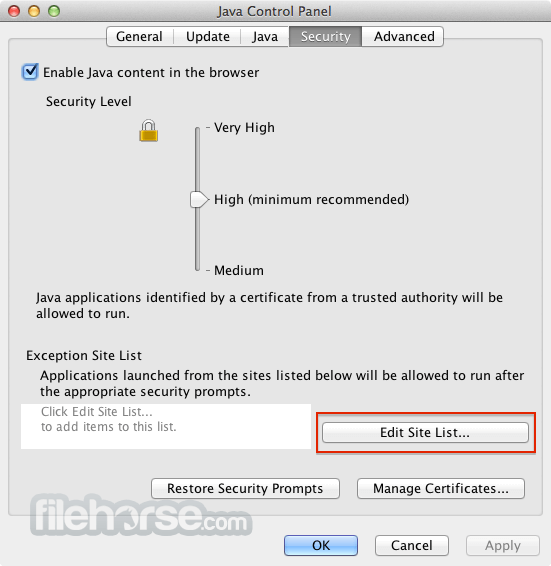
UI of this app consists of a single configuration dashboard called “Java Control Panel” that features five main navigation tabs (General, Update, Java, Security, and Advanced).
FAQs
What is this app?
It is a legacy OS utility that enables the reliable and secure execution of Java software.
Is it safe?
This version of the Java SE package was released in 2007. Users are recommended to use it only if their specific Java software requires it.
Alternatives
Java SE 23 - The latest version of the Java software platform from early 2024.
Eclipse - A popular third-party IDE for the creation of Java applications.
Pricing
This tool is free.
System Requirements
This tool is compatible with all Intel-based Macs.
PROS
Java for Mac is a legacy tool developed by Oracle that deploys all necessary resources for the execution of old Java apps on modern Mac OS releases.
Download Java for Mac Latest Version Why is this app published on FileHorse? (More info)
This lightweight tool is distributed for older versions of macOS (ranging from 10.7 Lion to 10.13 High Sierra), enabling full compatibility with Java 6 runtime.
While newer Java apps may require the presence of the newest versions of Java JRE, this package is exclusively offered for users who want access to legacy software via a deprecated version of the program that was present in releases 2014-001 and 2013-005.
Key Features
- Java 6 (2017-001) support for macOS.
- Stable execution of legacy Java apps.
- Wide macOS compatibility.
- Automatic removal of the default macOS browser Java applet.
To get this tool up and running on any modern Mac, users simply must download the installer from the secure FileHorse servers and start the installation procedure by dragging the icon to the Application folder.
How to Use
Once installed, this service provides automatic execution of Java software.
User Interface
UI of this app consists of a single configuration dashboard called “Java Control Panel” that features five main navigation tabs (General, Update, Java, Security, and Advanced).
FAQs
What is this app?
It is a legacy OS utility that enables the reliable and secure execution of Java software.
Is it safe?
This version of the Java SE package was released in 2007. Users are recommended to use it only if their specific Java software requires it.
Alternatives
Java SE 23 - The latest version of the Java software platform from early 2024.
Eclipse - A popular third-party IDE for the creation of Java applications.
Pricing
This tool is free.
System Requirements
This tool is compatible with all Intel-based Macs.
PROS
- Safe and reliable execution of Java apps.
- Compatible with a wide selection of macOS releases.
- Legacy software with more than 10 newer releases.
Java for Mac is a legacy tool developed by Oracle that deploys all necessary resources for the execution of old Java apps on modern Mac OS releases.
Download Java for Mac Latest Version Why is this app published on FileHorse? (More info)
##
畫面截圖