⚠ 這是歷史版本頁面 — 查看 Kodi 最新版本 →

- 目前版本18.8
- 更新日期2020-08-04
- 檔案大小68.5 MB
- 檔案名稱kodi-18.8-Leia-x86_64.dmg
- 作業系統Mac OS X 10.9 or later
- 支援語系English
- 授權型式開源軟體
- 開發商 XBMC Foundation
- 軟體分類Mac 軟體 / 影片軟體
##
編輯短評
Kodi 是一款開源的多媒體播放器與串流應用程式,源自知名的 XBMC 專案,主要解決大型本地媒體庫的整理與播放問題,同時也能透過自訂外掛擴充串流來源。它最具辨識度的特色在於高度彈性的外掛生態,讓使用者能依需求加入不同來源的內容,而不只是單純的播放器。這套軟體在跨平台領域累積了相當高的知名度,評價普遍不錯,屬於同類工具中的熱門選擇,不過近年更新頻率不算密集,屬於長期維護但步調穩定的專案。
Kodi 適合需要集中管理大量影片、音樂或照片的使用者,尤其是想將電腦或電視盒打造成家庭劇院中心的情境。與 VLC 這類輕量播放器相比,Kodi 功能更豐富但學習曲線較陡,而與 Adobe 系列的專業剪輯軟體則定位完全不同,並非用於創作而是播放與管理。需要注意的是,目前官方僅提供英文介面,中文使用者可能需要自行尋找語言套件;授權為開源免費,macOS 版本可直接下載使用,但若想發揮完整串流功能,仍需花時間熟悉外掛安裝流程。
##
翻譯排程處理中,以下暫以英文原文呈現
軟體介紹
Kodi for Mac is an open-source media player and streaming application that has gained immense popularity across various platforms for its ability to not only easily reproduce content from large local libraries of media, but also expand its streaming potential by adding custom plugins for P2P media sources.
Designed as a successor of a popular media player XBMC, this multi-platform home-theater software hosts an incredible variety of tools for effortless access, organization, and streaming of multimedia content from various sources, including local files, network shares, and online streaming services.
With built-in support for all modern multimedia file formats and codecs, extensive customization of the user interface, and tools for the management of large content libraries, this tool quickly built a reputation as one of the best versatile solutions for media enthusiasts.
This app also includes hosting services, enabling users to re-route its multimedia features to nearby connected devices such as smartphones, smart TVs, Android TVs, and others.
Best yet, this app and its powerful home-theater feature set are available to everyone for free!
Key Features
Installing this app on a Mac is a very straightforward process. While the app is not offered for download on the official App Store, users can easily get it up and running on their home computers by getting the official installer from the app’s main website or the secure FileHorse servers.
Once fully installed the app does not require any additional setup as it does not require users to log in with any account credentials, ensuring free and unrestricted use both offline and online.
How to Use
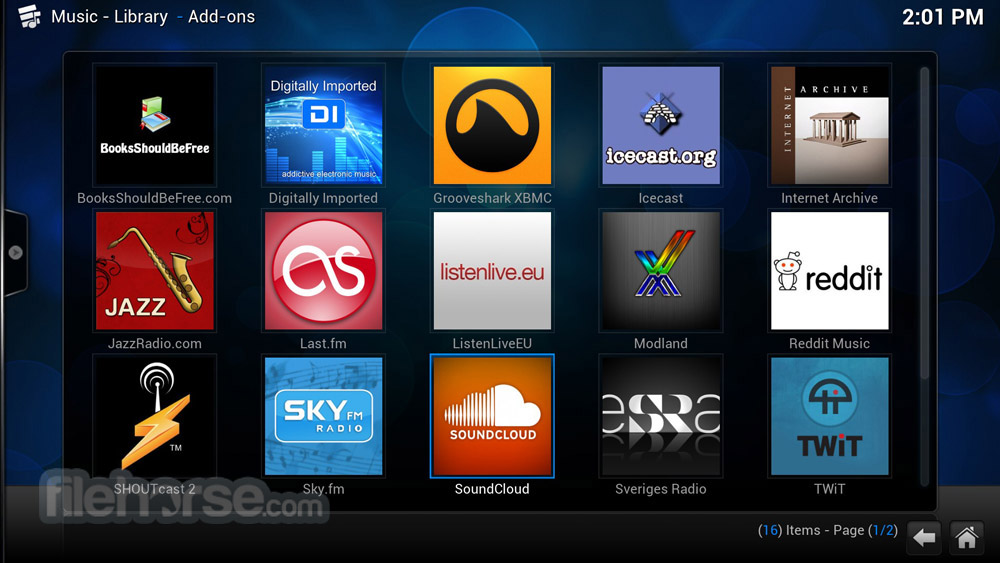
Upon starting the app, users can browse its interface and discover extensive customization options.
The app can handle the reproduction and management of both local and online content libraries, with an easy way to start the reproduction of video and audio files.
However, due to the complexity of the in-app plugin system, newcomers are recommended to learn about the capabilities of this app via official documentation and community-created tutorials.
Remote command over this home theater platform can be achieved via the official Kodi Remote app that is distributed on the App Store.
User Interface
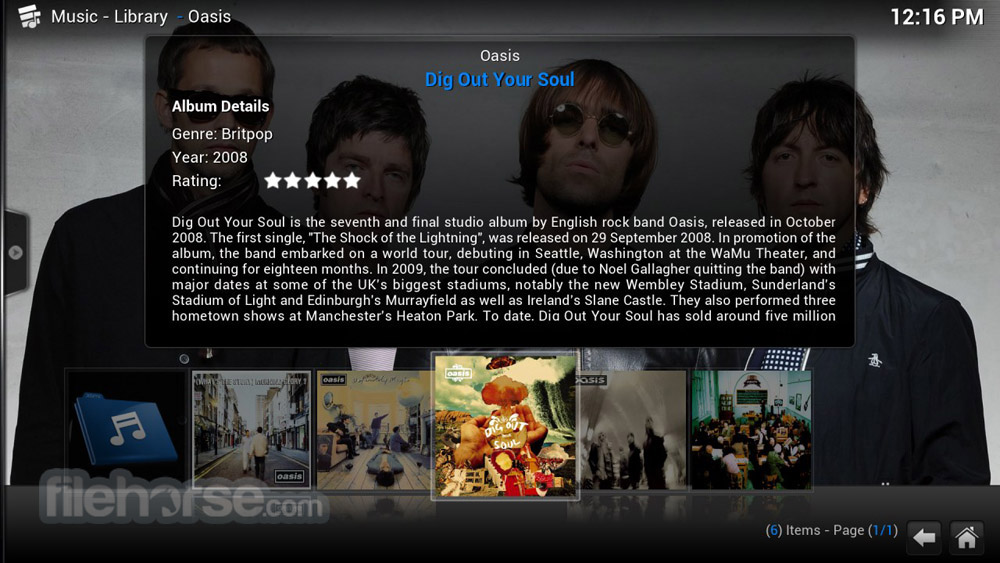
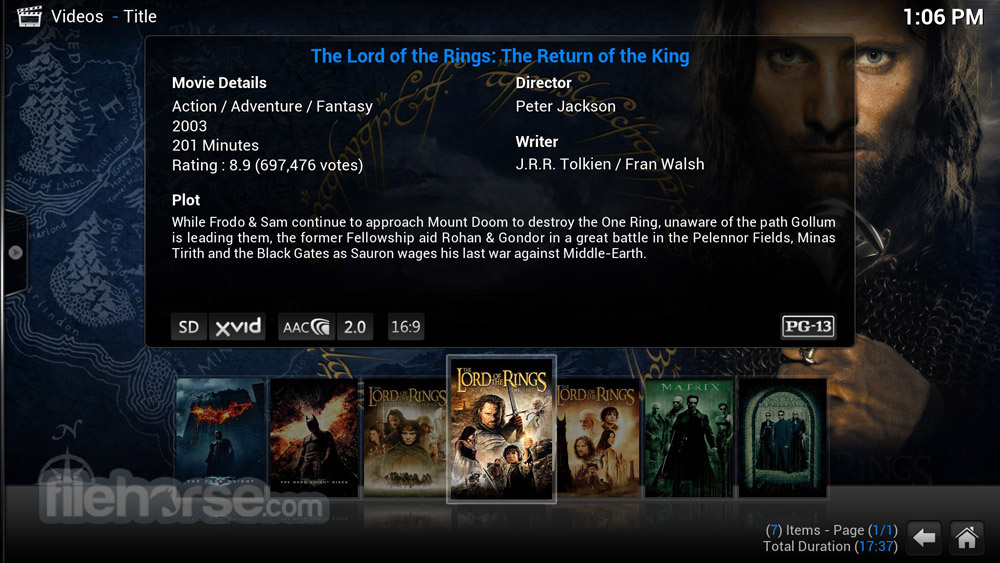
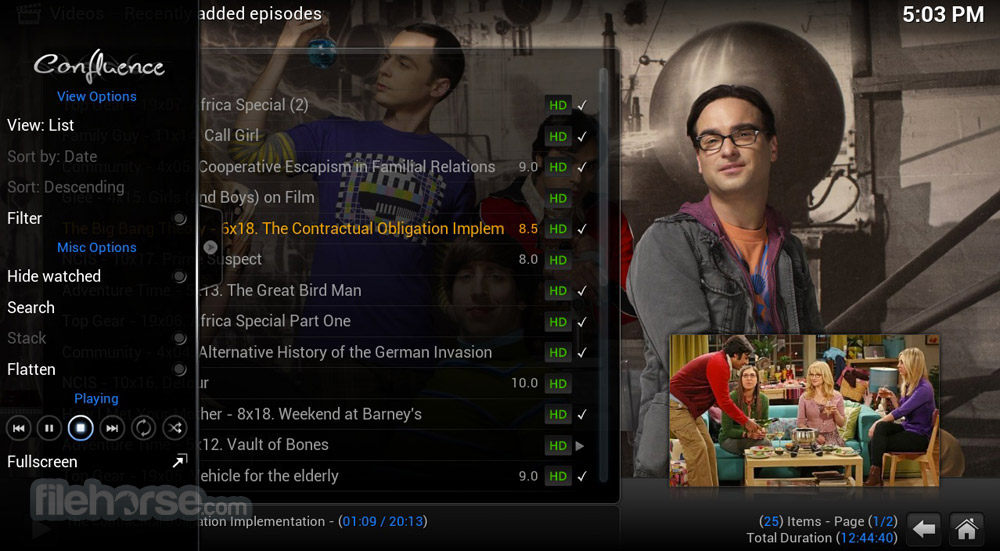
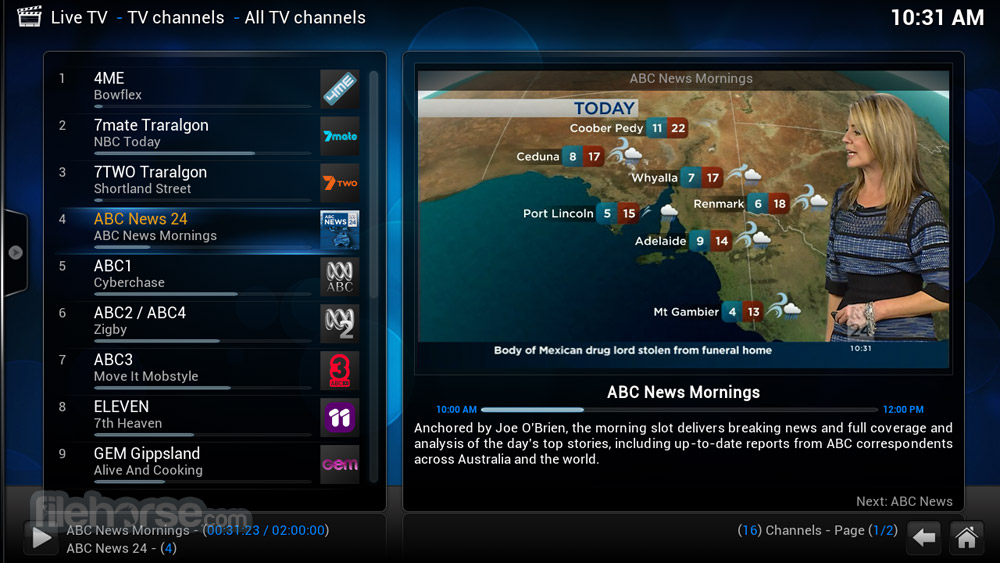
Kodi's user interface is highly customizable, allowing users to personalize the layout and appearance of the app. The main dashboard provides easy access access to various sections, including Videos, Music, Pictures, and Settings.
Users can add media sources by clicking the "Add Video" or "Add Music" buttons and selecting the desired files or folders, commanding the app to automatically index the content and make it available for playback.
While the default interface is clean and intuitive, with clear labels and easy-to-use controls, some newcomers may find it overwhelming.
FAQ
What is Kodi?
It is a free and open-source media-streaming application that allows users to manage and play multimedia content across multiple devices.
Is it safe?
Yes, if it is downloaded from a secure source. Users should also be cautious when installing add-ons and plugins from unknown sources.
Alternatives
Plex – A popular media server application for in-home streaming and large media library management.
Elmedia Player – A robust media player for Mac with built-in support for in-home streaming.
Emby – A media server platform that organizes, streams, and manages personal media content across devices with easy access and remote control features.
Pricing
This app is 100% free.
System Requirements
OS X 10.13
(older versions of the app can be used on macOS 10.8 or later)
PROS
Kodi for Mac is a powerful and versatile media-streaming application with extensive options for user expandability via plugins and a highly modular user interface.
While it may have a steep learning curve and limited support for iOS devices, its flexibility, multi-platform support, and free nature make it an attractive option for media enthusiasts who want to unify their streaming services and local file playback into a single app.
Note: Kodi does not provide any media itself. Users must provide their own content or manually point Kodi to third party online services. The Kodi project does not provide any support for bootleg video content.
Also Available: Download Kodi for Windows
Download Kodi for Mac Latest Version Why is this app published on FileHorse? (More info)
Designed as a successor of a popular media player XBMC, this multi-platform home-theater software hosts an incredible variety of tools for effortless access, organization, and streaming of multimedia content from various sources, including local files, network shares, and online streaming services.
With built-in support for all modern multimedia file formats and codecs, extensive customization of the user interface, and tools for the management of large content libraries, this tool quickly built a reputation as one of the best versatile solutions for media enthusiasts.
This app also includes hosting services, enabling users to re-route its multimedia features to nearby connected devices such as smartphones, smart TVs, Android TVs, and others.
Best yet, this app and its powerful home-theater feature set are available to everyone for free!
Key Features
- Home Theatre – Transform any modern or legacy Mac into a highly versatile home theater media player.
- Extensive Media Library Management – Organize and manage large media collections, including videos, music, and images.
- Streaming and Online Content – Connect to various online media streaming platforms, including Netflix, Hulu, and others.
- Custom Media Sources – Manage plugins for accessing P2P media content.
- Highly Customizable Interface – Take full control of not only built-in tools and services, but also complete UI layouts, colors, icons, menu structures, and visual themes.
- Multi-Platform Support – Avaiable for all major OS and hardware platforms, including smart TVs and mobile devices.
Installing this app on a Mac is a very straightforward process. While the app is not offered for download on the official App Store, users can easily get it up and running on their home computers by getting the official installer from the app’s main website or the secure FileHorse servers.
Once fully installed the app does not require any additional setup as it does not require users to log in with any account credentials, ensuring free and unrestricted use both offline and online.
How to Use
Upon starting the app, users can browse its interface and discover extensive customization options.
The app can handle the reproduction and management of both local and online content libraries, with an easy way to start the reproduction of video and audio files.
However, due to the complexity of the in-app plugin system, newcomers are recommended to learn about the capabilities of this app via official documentation and community-created tutorials.
Remote command over this home theater platform can be achieved via the official Kodi Remote app that is distributed on the App Store.
User Interface
Kodi's user interface is highly customizable, allowing users to personalize the layout and appearance of the app. The main dashboard provides easy access access to various sections, including Videos, Music, Pictures, and Settings.
Users can add media sources by clicking the "Add Video" or "Add Music" buttons and selecting the desired files or folders, commanding the app to automatically index the content and make it available for playback.
While the default interface is clean and intuitive, with clear labels and easy-to-use controls, some newcomers may find it overwhelming.
FAQ
What is Kodi?
It is a free and open-source media-streaming application that allows users to manage and play multimedia content across multiple devices.
Is it safe?
Yes, if it is downloaded from a secure source. Users should also be cautious when installing add-ons and plugins from unknown sources.
Alternatives
Plex – A popular media server application for in-home streaming and large media library management.
Elmedia Player – A robust media player for Mac with built-in support for in-home streaming.
Emby – A media server platform that organizes, streams, and manages personal media content across devices with easy access and remote control features.
Pricing
This app is 100% free.
System Requirements
OS X 10.13
(older versions of the app can be used on macOS 10.8 or later)
PROS
- Wide range of media playback features.
- Support for online media streaming.
- Highly customizable Interface.
- Multi-Platform Support.
- Free and Open-Source.
- The steep learning curve for newcomers.
- Complicated add-on and plugin Management.
Kodi for Mac is a powerful and versatile media-streaming application with extensive options for user expandability via plugins and a highly modular user interface.
While it may have a steep learning curve and limited support for iOS devices, its flexibility, multi-platform support, and free nature make it an attractive option for media enthusiasts who want to unify their streaming services and local file playback into a single app.
Note: Kodi does not provide any media itself. Users must provide their own content or manually point Kodi to third party online services. The Kodi project does not provide any support for bootleg video content.
Also Available: Download Kodi for Windows
Download Kodi for Mac Latest Version Why is this app published on FileHorse? (More info)
##
畫面截圖