⚠ 這是歷史版本頁面 — 查看 MacPilot 最新版本 →

- 目前版本16.2
- 更新日期2024-12-31
- 檔案大小68.84 MB
- 檔案名稱macpilot.dmg
- 作業系統macOS 13.0 Ventura or later
- 支援語系English
- 授權型式商業試用
- 開發商 Koingo Software
- 軟體分類Mac 軟體 / 系統優化
##
編輯短評
MacPilot 是一款 macOS 系統優化工具,主要讓不熟悉命令列的使用者也能輕鬆操作 UNIX 底層功能。它提供圖形化介面,一口氣解鎖超過上千項系統隱藏設定,像是顯示 Finder 隱藏檔案、關閉開機提示聲、調整 Dock 間距、變更截圖格式等。軟體由 Koingo Software 開發,近年更新相當活躍,雖然評分人數不多,但使用者評價普遍正面,屬於小眾但實用的選擇。
這套工具適合喜歡深入調整系統的進階用戶,或是想省去記指令時間的開發者。與 CleanMyMac X 這類整合型優化軟體相比,MacPilot 更專注於細部設定,但沒有清理或防護功能;而相較免費的 OnyX,它的功能數量更豐富,介面也更直覺。要注意的是,它僅提供英文介面,且為試用版,需要付費才能完整使用。若你習慣中文環境,可能需要稍微適應。
##
翻譯排程處理中,以下暫以英文原文呈現
軟體介紹
MacPilot gives you the power of UNIX and the simplicity of Macintosh, which means a phenomenal amount of untapped power in your hands! Use MacPilot to unlock over 1,200 features, and access them all with the easy and familiar Macintosh user interface.
No command line tools or complicated file operations!
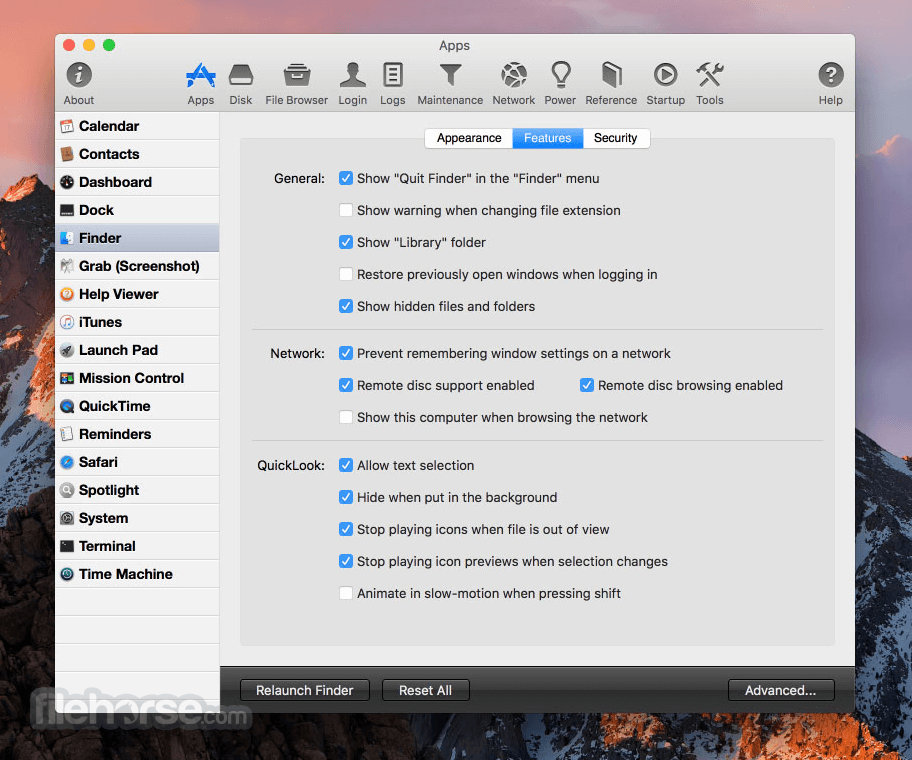
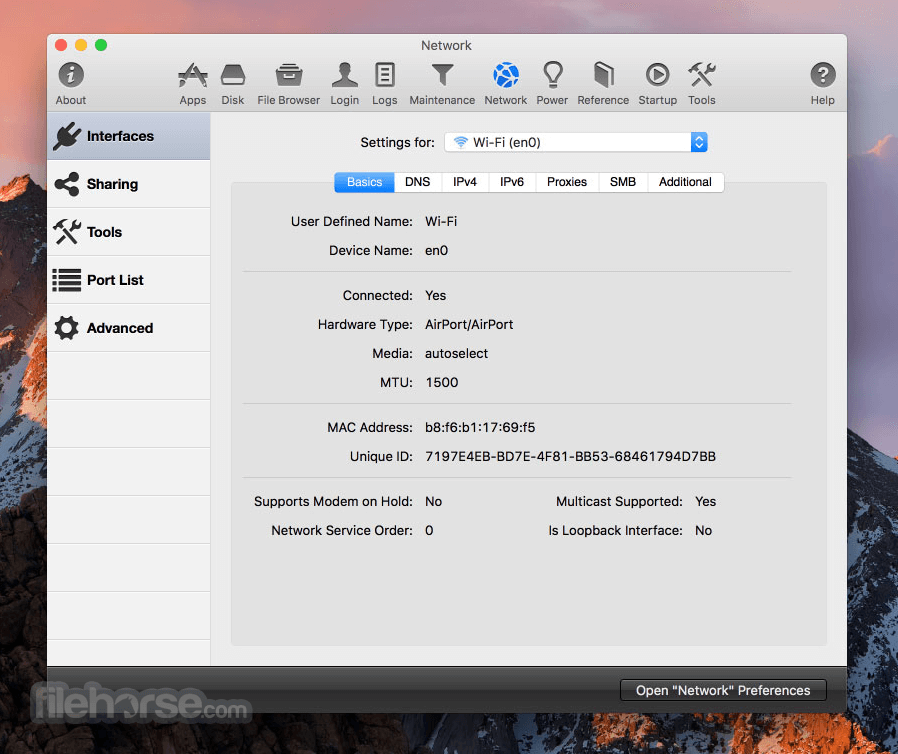
Display hidden files in the Finder, disable the startup chime, add spacers and stacks to the Dock, change the screenshot file format, run maintenance tools, tweak network settings, force empty the Trash, and tons more.
Keep yourself in awe and busy for days as you discover how much macOS has "under the hood".
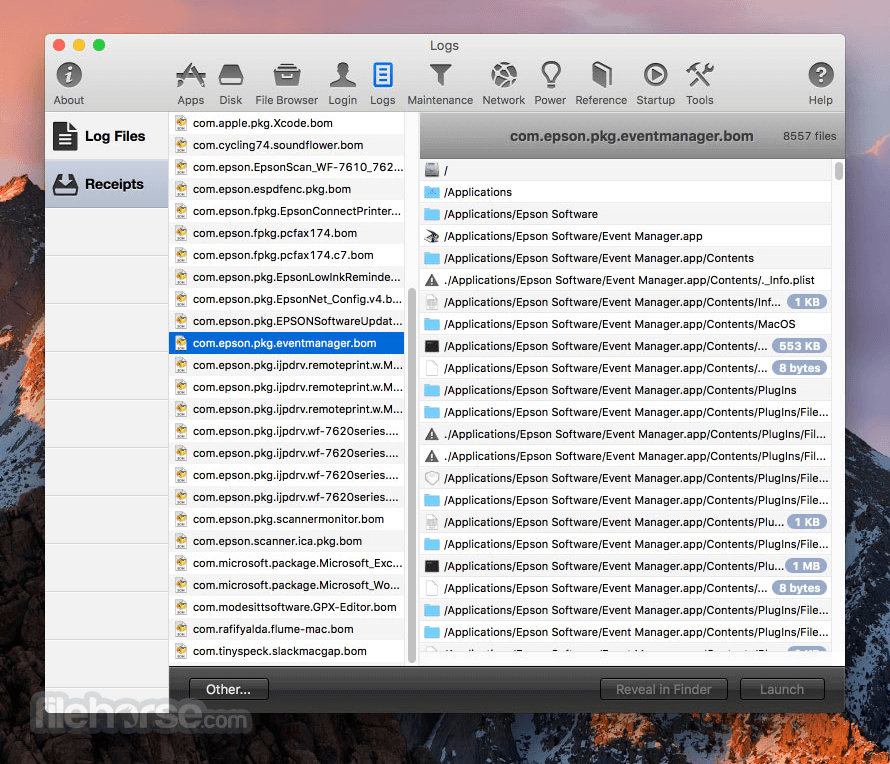
Get out of the passenger seat and take control of your Mac. Set your login window picture, use the screensaver as your Desktop, modify advanced file permissions (ACL), change the system welcome message, enable simultaneous recordings in QuickTime, view system logs, or enable the Debug menu in numerous apps.
Features and Highlights
System Profile
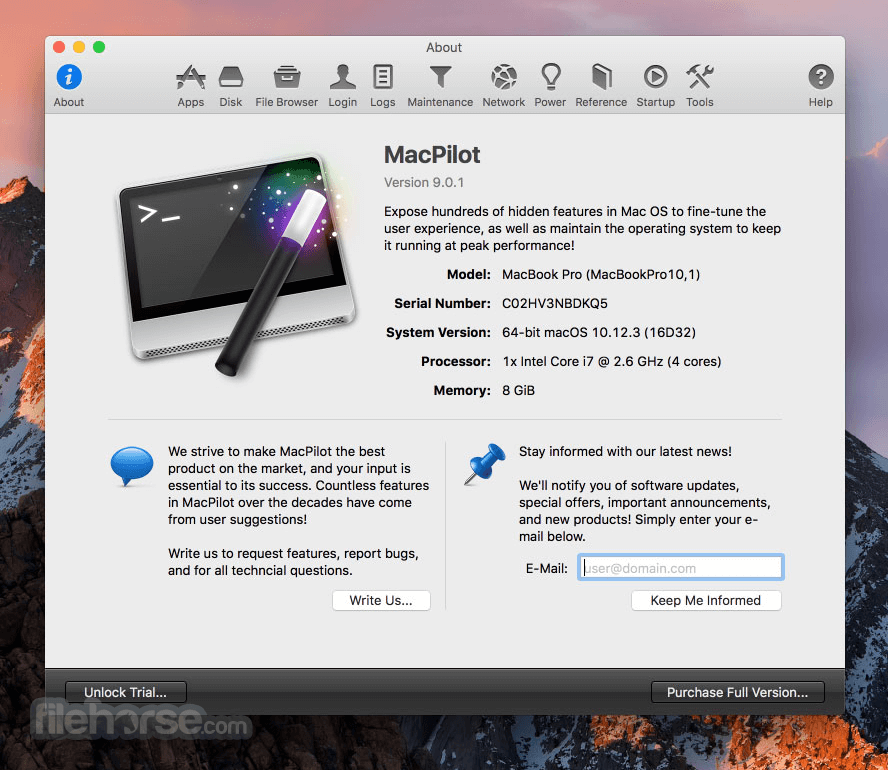
A beautiful system profile that outlines advanced system information. Everything from the graphics card and RAM bus speeds to the system serial number and processor info.
Reference
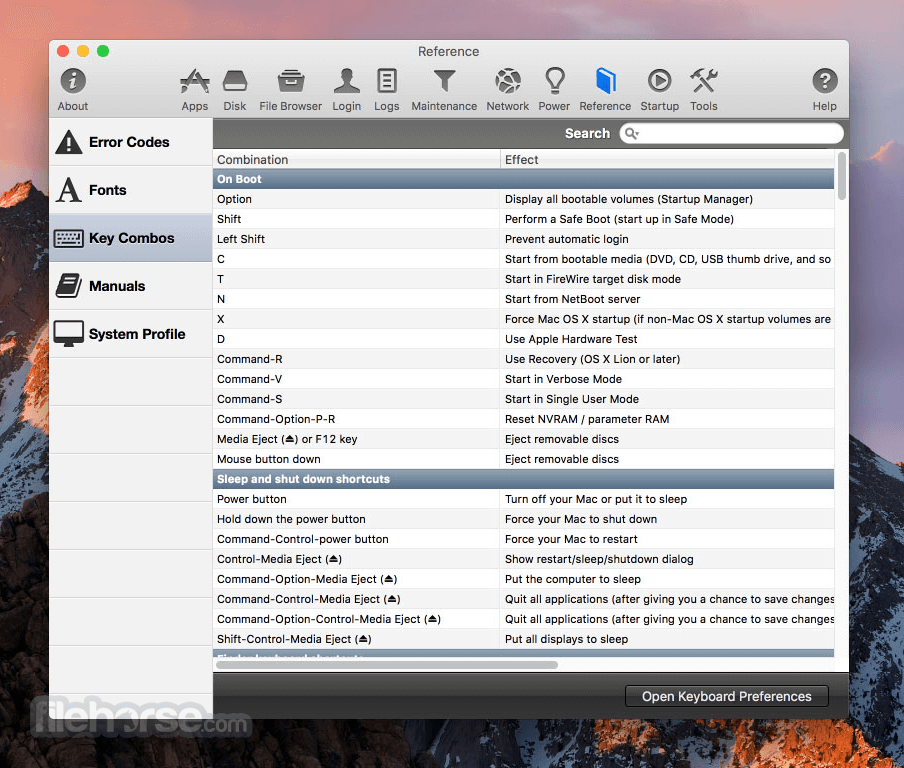
View a complete list of network ports, error codes, and key combos. Or, quickly browse and preview fonts or lookup UNIX command manuals.
Disk Details
View advanced disk information and statistics such as UNIX node path, free blocks, device block size, file count, folder count, mount point, file system type, solid state status, and a plethora of other BSD-level informational trinkets.
Maintenance
Optimize and repair your system by running common maintenance scripts such as cron, launch services, and prebinding. Reset the download quarantine list, force empty the trash, rotate system logs and reclaim inactive system RAM.
Single-Click Access
Easily access the Bluetooth, Certificate, Directory, RAID, Printing System assistants that are normally buried deep in the system.
File Browser
Browse the computer while showing all invisible and system files. View incredibly detailed file specifications, and edit advanced settings such as extended attributes, POSIX and ACL Permissions, and hard locks that make files un-deletable.
What`s New
New Feature: AutoBoot on lid wake on Intel Macs added.
Enhancement: Added more information in into the Errors database.
Bug Fix: Fixed wrong default column widths and other UI issues in the Power pane.
Bug Fix: Removed some LaunchPad features which no longer work in the latest macOS.
Alternatives
CleanMyMac – All-in-one Mac cleaner and optimizer.
MacKeeper – Security, cleaning, and performance tools.
Combo Cleaner for Mac – Antivirus and disk cleaner.
MacCleanse – Deep junk removal and privacy protection.
Avast Cleanup for Mac – Automated junk and cache cleaner.
System Requirements
Minimum OS: macOS 10.15 (Catalina)
Maximum OS: macOS 15 (Sequoia)
All current versions of Koingo apps are compatible with the latest version of macOS or Windows (when applicable), Apple Silicon, support 64-bit architecture, and are optimized for Retina (HiDPI) Display.
PROS
Download MacPilot Latest Version Why is this app published on FileHorse? (More info)
No command line tools or complicated file operations!
Display hidden files in the Finder, disable the startup chime, add spacers and stacks to the Dock, change the screenshot file format, run maintenance tools, tweak network settings, force empty the Trash, and tons more.
Keep yourself in awe and busy for days as you discover how much macOS has "under the hood".
Get out of the passenger seat and take control of your Mac. Set your login window picture, use the screensaver as your Desktop, modify advanced file permissions (ACL), change the system welcome message, enable simultaneous recordings in QuickTime, view system logs, or enable the Debug menu in numerous apps.
Features and Highlights
System Profile
A beautiful system profile that outlines advanced system information. Everything from the graphics card and RAM bus speeds to the system serial number and processor info.
Reference
View a complete list of network ports, error codes, and key combos. Or, quickly browse and preview fonts or lookup UNIX command manuals.
Disk Details
View advanced disk information and statistics such as UNIX node path, free blocks, device block size, file count, folder count, mount point, file system type, solid state status, and a plethora of other BSD-level informational trinkets.
Maintenance
Optimize and repair your system by running common maintenance scripts such as cron, launch services, and prebinding. Reset the download quarantine list, force empty the trash, rotate system logs and reclaim inactive system RAM.
Single-Click Access
Easily access the Bluetooth, Certificate, Directory, RAID, Printing System assistants that are normally buried deep in the system.
File Browser
Browse the computer while showing all invisible and system files. View incredibly detailed file specifications, and edit advanced settings such as extended attributes, POSIX and ACL Permissions, and hard locks that make files un-deletable.
What`s New
New Feature: AutoBoot on lid wake on Intel Macs added.
Enhancement: Added more information in into the Errors database.
Bug Fix: Fixed wrong default column widths and other UI issues in the Power pane.
Bug Fix: Removed some LaunchPad features which no longer work in the latest macOS.
Alternatives
CleanMyMac – All-in-one Mac cleaner and optimizer.
MacKeeper – Security, cleaning, and performance tools.
Combo Cleaner for Mac – Antivirus and disk cleaner.
MacCleanse – Deep junk removal and privacy protection.
Avast Cleanup for Mac – Automated junk and cache cleaner.
System Requirements
Minimum OS: macOS 10.15 (Catalina)
Maximum OS: macOS 15 (Sequoia)
All current versions of Koingo apps are compatible with the latest version of macOS or Windows (when applicable), Apple Silicon, support 64-bit architecture, and are optimized for Retina (HiDPI) Display.
PROS
- Extensive macOS Customization
- Unlocks Hidden System Features
- User-Friendly Interface
- No Terminal Commands Needed
- One-Time Purchase Option
- Overwhelming for Beginners
- No Real-Time System Monitoring
- Occasional Compatibility Issues
- Limited Customer Support
Download MacPilot Latest Version Why is this app published on FileHorse? (More info)
##
畫面截圖
- 2026-01-08 MacPilot 17.5 70.8 MB
- 2026-01-05 MacPilot 17.4.2 70.35 MB
- 2025-12-20 MacPilot 17.4 70.58 MB
- 2025-12-15 MacPilot 17.3 70.53 MB
- 2025-12-12 MacPilot 17.2 69.67 MB
- 2025-07-14 MacPilot 17.0 68.5 MB
- 2025-01-28 MacPilot 16.8 69.13 MB
- 2025-01-20 MacPilot 16.7 69.14 MB