⚠ 這是歷史版本頁面 — 查看 Apache NetBeans 最新版本 →

- 目前版本17.0
- 更新日期2023-02-21
- 檔案大小454.1 MB
- 檔案名稱Apache-NetBeans-17-bin-macosx.dmg
- 作業系統Mac OS X
- 支援語系English
- 授權型式開源軟體
- 開發商 Apache Software Foundation
- 軟體分類Mac 軟體 / 開發者工具
##
編輯短評
Apache NetBeans 是一套開放原始碼的整合開發環境(IDE),主要為軟體開發者提供撰寫 Java、C/C++、PHP、JavaScript 等語言所需的完整工具,涵蓋桌面、企業、網頁與行動應用開發。它最大的辨識度在於開箱即用、跨平台支援(macOS、Windows、Linux 等),並內建 Java Shell 的 REPL 互動式環境,方便快速測試程式碼片段。由 Apache 軟體基金會長期維護,更新步調不算頻繁但持續穩定,在同類開發工具中屬於主流選擇,使用者評價普遍不錯。
這套軟體特別適合 Java 開發者,尤其是剛入門或偏好免設定、直接開始寫程式的使用者;也適合需要同時處理多種語言專案的工程師。與 IntelliJ IDEA 或 Eclipse 等替代方案相比,NetBeans 的優勢是免費開源、上手門檻低,但外掛生態系與深度客製化彈性相對保守。需要注意的是,目前官方僅提供英文介面,macOS 使用者下載時應留意版本相容性;授權為開源免費,無需擔心授權費用,但若習慣中文操作環境,可能需要額外尋找語言套件。
##
翻譯排程處理中,以下暫以英文原文呈現
軟體介紹
A free, open-source Integrated Development Environment for software developers. You get all the tools you need to create professional desktop, enterprise, web, and mobile applications with the Java language, C/C++, and even dynamic languages such as PHP, JavaScript, Groovy, and Ruby.
Apache NetBeans for Mac is easy to install and use straight out of the box and runs on many platforms including Windows, Linux, Mac OS X and Solaris.
Java Shell is a new tool included in JDK9 defined in JEP 222 to introduce REPL (read-eval-print-loop) capabilities to Java. The program provides integrated console-like UI for the Java Shell, leveraging the tool editor capabilities.
The app can support the tool with the user project configuration, so the Java Shell is set up to work with project classes and libraries, providing autocompletion out of the box in the editor.
Also, the app greatly extends the capabilities of the commandline tool. Apache NetBeans for macOS can execute the shell as an agent, similar to a debugging agent, on the debugged or run application (currently only J2SE applications are supported, both Ant and Maven-based).
Snippets written in JShell can be redefined and tested, even against a running code. When the prototype is ready, it can be saved to a regular Java source file and integrated with the project.
Features and Highlights
Java
JDK 8 support: tools and editor enhancements for working with Profiles, Lambdas, and Streams. Java SE Embedded support to deploy, run, debug or profile Java SE applications on an embedded device, such as Raspberry PI, directly from the Net Beans IDE. Java ME Embedded 8 support.
Java EE
New PrimeFaces code generators, to generate complete PrimeFaces skeleton CRUD applications with connection to databases. Tomcat 8.0 and TomEE support, including out-of-box JPA, JSF and JAXRS configuration and data sources. More flexibility for JPA hints, which can be disabled, enabled, and warning level changed.
Maven
New Maven graph layout switcher. Navigator shows POM goals and improved Maven performance when re-running Web applications. Improved Maven performance of "Apply Code Changes" while debugging.
JavaScript
AngularJS navigation via hyperlinking from view to controllers. Many enhancements for AngularJS in code completion between artifacts, such as code completion in the view to properties defined in controllers. Debugging of JavaScript code executed in Nashorn (JDK 8+) script engine is supported.
HTML5
Android 4.4 WebKit debugging supported for Cordova 3.3+. New Karma test runner support and New Grunt build support. Avatar.js is available in the Plugin Manager, via Tools | Plugins. After installation, you're able to create Avatar.js projects.
PHP
Support for PHP 5.5. Enhancements for Twig, Latte, and Neon. Composer supported by New Project Wizard.
C/C++
New Breadcrumbs feature for navigation in the editor. New GDB Console to enable usage of command line GDB mode. New hints and code completions. Improved remote performance.
User Interface
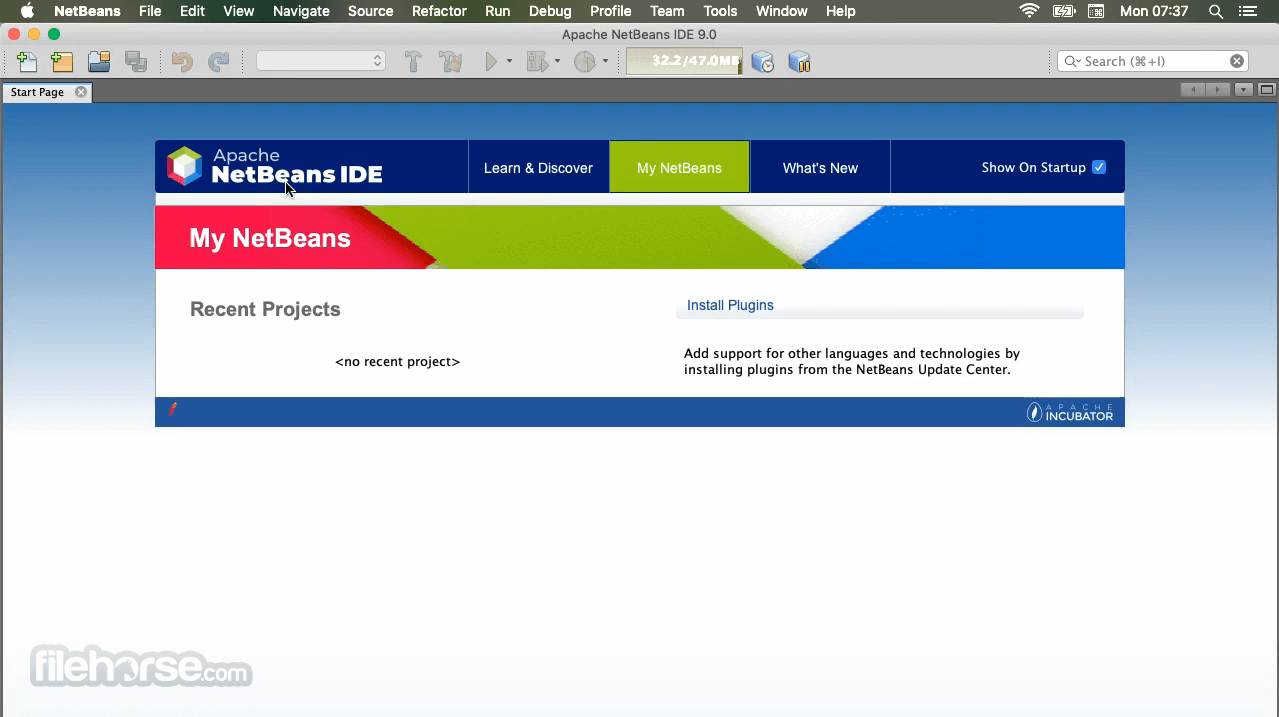
It offers an intuitive and user-friendly interface. The IDE features a clean, organized layout with a menu bar, toolbars, and multiple customizable Mac for source code editing, project management, and output monitoring.
The dark and light themes cater to different preferences, making it easy on the eyes during long coding sessions. The drag-and-drop GUI builder is a standout feature, simplifying UI design.
Installation and Setup
Installing the IDE is straightforward. You can download the installer from the official website and follow the step-by-step instructions provided in the installer wizard. The installation process usually takes only a few minutes.
During installation, you can choose the desired plugins and extensions to include, tailoring the IDE to your specific needs.
How to Use
Creating a New Project
Is Apache NetBeans for Mac completely FREE to use?
Yes, Apache NetBeans is open-source and FREE to use, with no licensing fees.
Can I use Apache NetBeans for non-Java programming languages?
Yes, it supports multiple programming languages, including PHP, HTML5, and C/C++.
Are there any limitations to the FREE version of NetBeans for PC?
No, there are no limitations; it offers full functionality out of the box.
How can I update or install additional plugins in NetBeans?
You can access the plugin manager under "Tools" > "Plugins" to install, update, or remove plugins.
Is NetBeans suitable for professional software development?
Yes, NetBeans is widely used by professional developers for various types of projects.
Alternatives
Visual Studio Code: A lightweight, open-source code editor with extensive language support and a large collection of extensions. Ideal for web development and scripting.
Eclipse IDE: Another popular open-source IDE that supports various programming languages, including Java, C/C++, and Python. It offers a vast plugin ecosystem and strong community support.
Pricing
The IDE software is completely FREE and open-source, with no associated costs for usage or support.
This makes it an attractive choice for individuals, students, and organizations on a budget.
System Requirements
Download Apache NetBeans for Mac Latest Version Why is this app published on FileHorse? (More info)
Apache NetBeans for Mac is easy to install and use straight out of the box and runs on many platforms including Windows, Linux, Mac OS X and Solaris.
Java Shell is a new tool included in JDK9 defined in JEP 222 to introduce REPL (read-eval-print-loop) capabilities to Java. The program provides integrated console-like UI for the Java Shell, leveraging the tool editor capabilities.
The app can support the tool with the user project configuration, so the Java Shell is set up to work with project classes and libraries, providing autocompletion out of the box in the editor.
Also, the app greatly extends the capabilities of the commandline tool. Apache NetBeans for macOS can execute the shell as an agent, similar to a debugging agent, on the debugged or run application (currently only J2SE applications are supported, both Ant and Maven-based).
Snippets written in JShell can be redefined and tested, even against a running code. When the prototype is ready, it can be saved to a regular Java source file and integrated with the project.
Features and Highlights
Java
JDK 8 support: tools and editor enhancements for working with Profiles, Lambdas, and Streams. Java SE Embedded support to deploy, run, debug or profile Java SE applications on an embedded device, such as Raspberry PI, directly from the Net Beans IDE. Java ME Embedded 8 support.
Java EE
New PrimeFaces code generators, to generate complete PrimeFaces skeleton CRUD applications with connection to databases. Tomcat 8.0 and TomEE support, including out-of-box JPA, JSF and JAXRS configuration and data sources. More flexibility for JPA hints, which can be disabled, enabled, and warning level changed.
Maven
New Maven graph layout switcher. Navigator shows POM goals and improved Maven performance when re-running Web applications. Improved Maven performance of "Apply Code Changes" while debugging.
JavaScript
AngularJS navigation via hyperlinking from view to controllers. Many enhancements for AngularJS in code completion between artifacts, such as code completion in the view to properties defined in controllers. Debugging of JavaScript code executed in Nashorn (JDK 8+) script engine is supported.
HTML5
Android 4.4 WebKit debugging supported for Cordova 3.3+. New Karma test runner support and New Grunt build support. Avatar.js is available in the Plugin Manager, via Tools | Plugins. After installation, you're able to create Avatar.js projects.
PHP
Support for PHP 5.5. Enhancements for Twig, Latte, and Neon. Composer supported by New Project Wizard.
C/C++
New Breadcrumbs feature for navigation in the editor. New GDB Console to enable usage of command line GDB mode. New hints and code completions. Improved remote performance.
User Interface
It offers an intuitive and user-friendly interface. The IDE features a clean, organized layout with a menu bar, toolbars, and multiple customizable Mac for source code editing, project management, and output monitoring.
The dark and light themes cater to different preferences, making it easy on the eyes during long coding sessions. The drag-and-drop GUI builder is a standout feature, simplifying UI design.
Installation and Setup
Installing the IDE is straightforward. You can download the installer from the official website and follow the step-by-step instructions provided in the installer wizard. The installation process usually takes only a few minutes.
During installation, you can choose the desired plugins and extensions to include, tailoring the IDE to your specific needs.
How to Use
Creating a New Project
- Launch the program and click on "File" > "New Project."
- Select the project type and configure project settings.
- Click "Finish" to create the project.
- Open source files in the editor.
- Use code templates, code completion, and error highlighting for efficient coding.
- Click "Run" to build and execute your project.
- Debug and profile your code as needed.
- Navigate to "Tools" > "Plugins" to access the plugin manager.
- Install, update, or remove plugins to extend functionality.
- Integrate your project with version control systems.
- Perform commits, updates, and other VCS operations from within the IDE.
Is Apache NetBeans for Mac completely FREE to use?
Yes, Apache NetBeans is open-source and FREE to use, with no licensing fees.
Can I use Apache NetBeans for non-Java programming languages?
Yes, it supports multiple programming languages, including PHP, HTML5, and C/C++.
Are there any limitations to the FREE version of NetBeans for PC?
No, there are no limitations; it offers full functionality out of the box.
How can I update or install additional plugins in NetBeans?
You can access the plugin manager under "Tools" > "Plugins" to install, update, or remove plugins.
Is NetBeans suitable for professional software development?
Yes, NetBeans is widely used by professional developers for various types of projects.
Alternatives
Visual Studio Code: A lightweight, open-source code editor with extensive language support and a large collection of extensions. Ideal for web development and scripting.
Eclipse IDE: Another popular open-source IDE that supports various programming languages, including Java, C/C++, and Python. It offers a vast plugin ecosystem and strong community support.
Pricing
The IDE software is completely FREE and open-source, with no associated costs for usage or support.
This makes it an attractive choice for individuals, students, and organizations on a budget.
System Requirements
- Operating System: macOS
- Processor: 1.5 GHz or faster
- RAM: 2 GB minimum (4 GB recommended)
- Disk Space: 1.5 GB free space
- Open-source and free of charge
- Extensive plugin ecosystem
- Multi-language support
- Visual GUI designer
- Version control integration
- Cross-platform compatibility
- May have a steeper learning curve for beginners
- Slower startup compared to some other IDEs
Download Apache NetBeans for Mac Latest Version Why is this app published on FileHorse? (More info)
##
畫面截圖
- 2026-02-24 Apache NetBeans 29.0 708.6 MB
- 2025-05-21 Apache NetBeans 26.0 705.18 MB
- 2024-12-12 Apache NetBeans 24.0 492.64 MB
- 2024-09-20 Apache NetBeans 23.0 485.69 MB
- 2024-02-22 Apache NetBeans 21.0 475.68 MB
- 2023-12-03 Apache NetBeans 20.0 474.34 MB
- 2023-09-11 Apache NetBeans 19.0 469.15 MB
- 2023-05-30 Apache NetBeans 18.0 465.93 MB