- 目前版本6.0.5
- 更新日期2026-08-06
- 檔案大小95.2 MB
- 檔案名稱pdfsam-basic-6.0.5-macos-x64.dmg
- 作業系統Mac OS X 10.10 or later
- 支援語系English
- 授權型式開源軟體
- 開發商 Andrea Vacondio
- 軟體分類Mac 軟體 / 辦公商務
##
翻譯排程處理中,以下暫以英文原文呈現
軟體介紹
PDFsam Basic for Mac is a free, open source, multi-platform software designed to split, merge, extract pages, mix and rotate PDF files, PDFsam Basic will cover most of your PDF related needs.
Download and install PDFsam Basic for macOS, it's free and open source!
Features and Highlights
Merge PDF
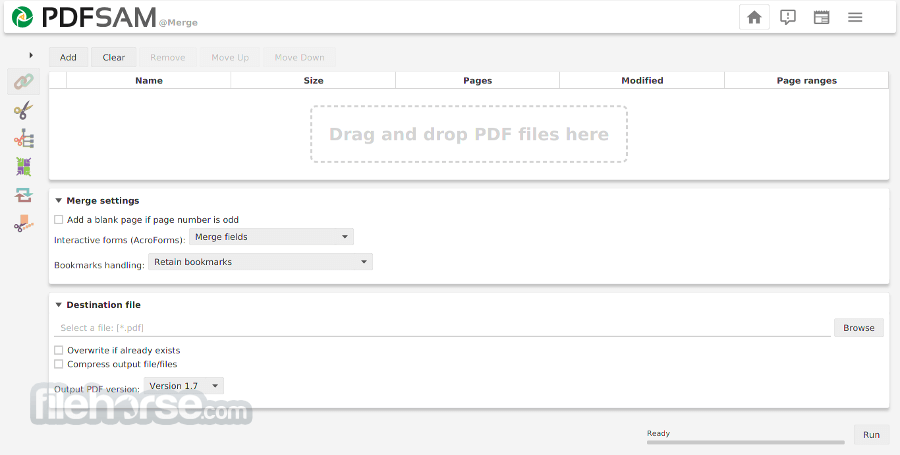
PDF merge probably is the most used PDF sam module and lets you combine PDF files together.
PDF Split
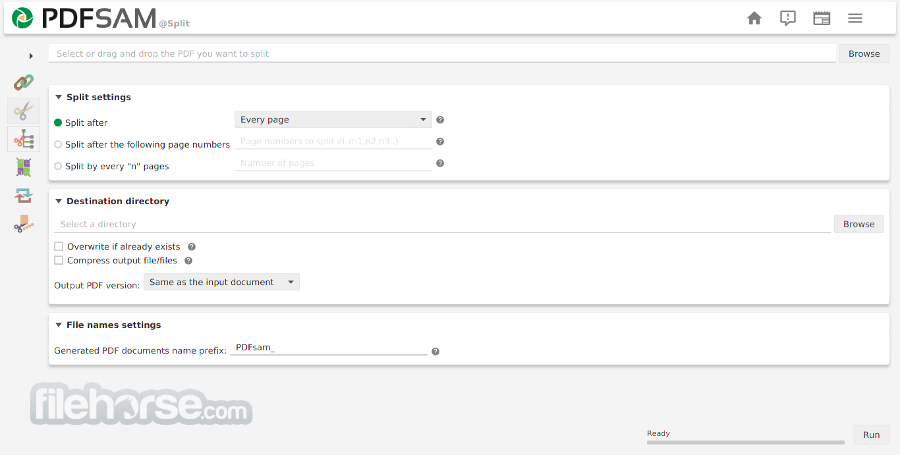
The Split module lets you split PDF files at predefined or specified page numbers.
Mix PDF
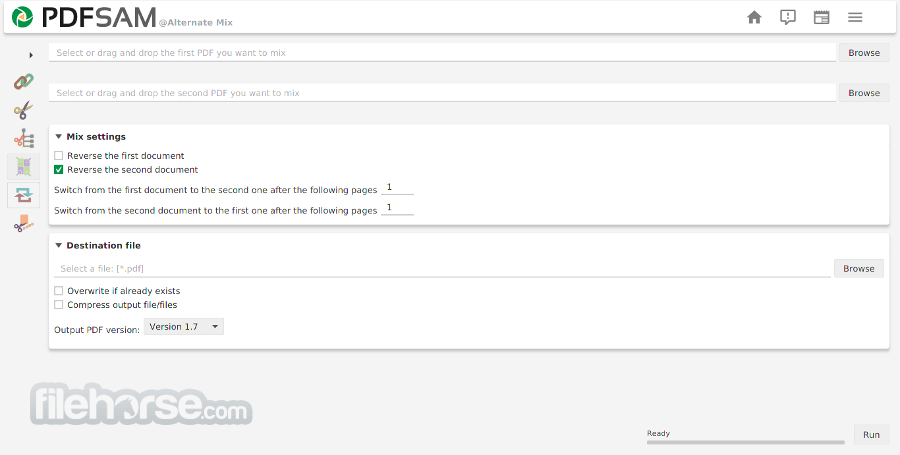
The PDF mix module lets you merge two PDF files taking pages alternately in straight or revers order. The perfect solution if you have two documents containing even and odd pages respectively and you want to rebuild the original document.
Rotate PDF
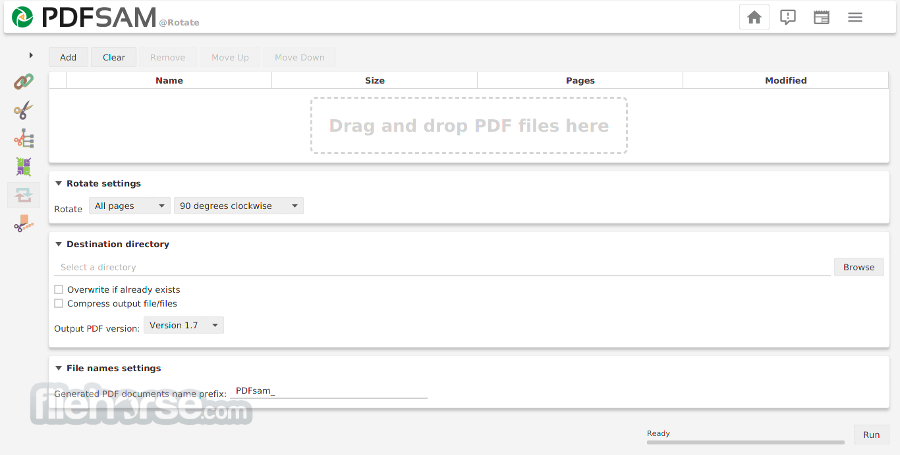
The Rotate module lets you rotate PDF files by simply selecting the PDF documents you want to rotate and apply a rotation of 90, 180 or 270 degrees to their pages.
Extract PDF pages
The Extract module lets you extract pages from a PDF file. Single pages or page ranges can be selected to create a new PDF file containing only the pages you need.
How to Use
Launch the app and choose the desired PDF module
Drag and drop PDFs into the module window
Configure settings such as page range or output folder
Click "Run" to process and save the new PDF file
System Requirements
Also Available: Download PDFsam Basic for Windows
Download PDFsam Basic for Mac Latest Version Why is this app published on FileHorse? (More info)
Download and install PDFsam Basic for macOS, it's free and open source!
Features and Highlights
Merge PDF
PDF merge probably is the most used PDF sam module and lets you combine PDF files together.
PDF Split
The Split module lets you split PDF files at predefined or specified page numbers.
Mix PDF
The PDF mix module lets you merge two PDF files taking pages alternately in straight or revers order. The perfect solution if you have two documents containing even and odd pages respectively and you want to rebuild the original document.
Rotate PDF
The Rotate module lets you rotate PDF files by simply selecting the PDF documents you want to rotate and apply a rotation of 90, 180 or 270 degrees to their pages.
Extract PDF pages
The Extract module lets you extract pages from a PDF file. Single pages or page ranges can be selected to create a new PDF file containing only the pages you need.
How to Use
Launch the app and choose the desired PDF module
Drag and drop PDFs into the module window
Configure settings such as page range or output folder
Click "Run" to process and save the new PDF file
System Requirements
- macOS 10.13 High Sierra or later
- At least 4 GB RAM
- 200 MB of available disk space
- Java Runtime Environment (JRE) 11 or higher
- 64-bit Intel or Apple Silicon processor
- Free and open-source
- Split, merge, rotate, and extract features
- Simple and clean user interface
- Batch processing supported
- No internet required for processing
- Requires Java to run
- No OCR or advanced editing
- Limited features compared to Pro version
- Interface not fully modernized
- No real-time preview during edits
Also Available: Download PDFsam Basic for Windows
Download PDFsam Basic for Mac Latest Version Why is this app published on FileHorse? (More info)
##
畫面截圖