- 目前版本24.3.1
- 更新日期2025-02-24
- 檔案大小1.2 GB
- 檔案名稱PortraitProTrialSetup64.pkg
- 作業系統macOS 10.14 Mojave or later
- 支援語系English
- 授權型式試用版
- 開發商 Anthropics Technology
- 軟體分類Mac 軟體 / 影像設計
##
翻譯排程處理中,以下暫以英文原文呈現
軟體介紹
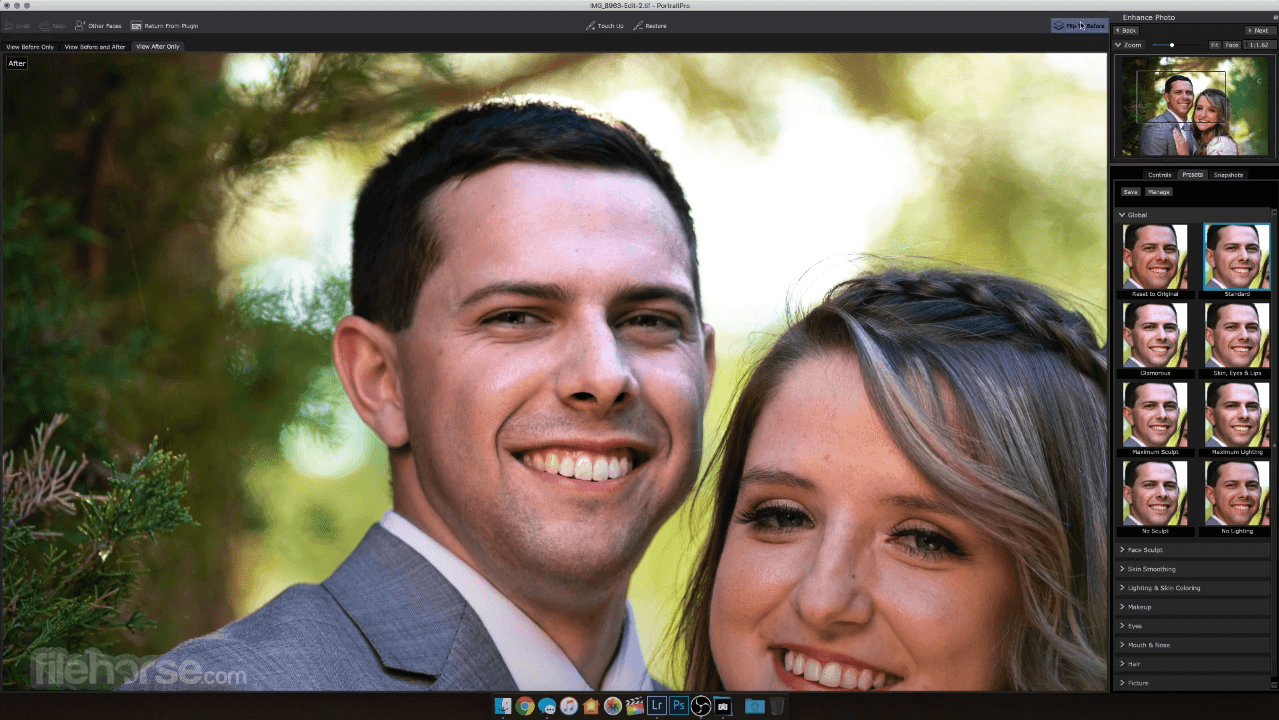
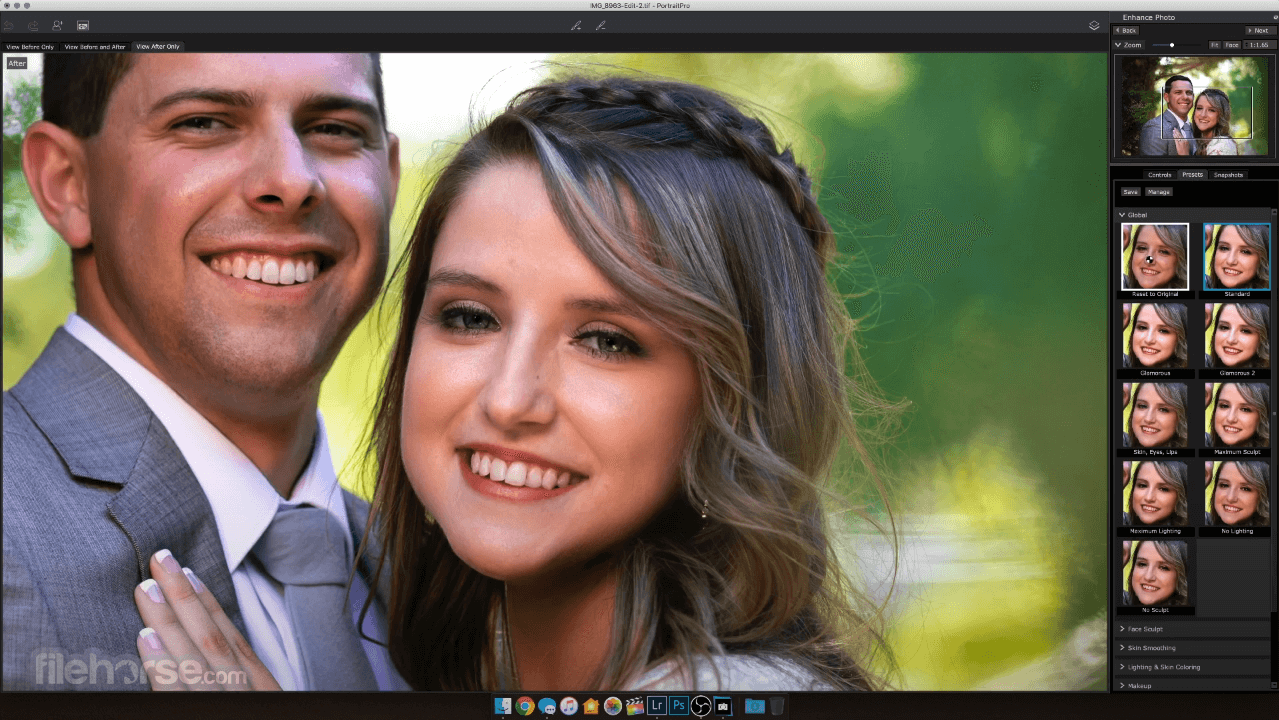
PortraitPro for Mac works in a completely different way to ordinary airbrushing and photo editing software. The software is trained in human beauty, so you can edit your photo as much as required.
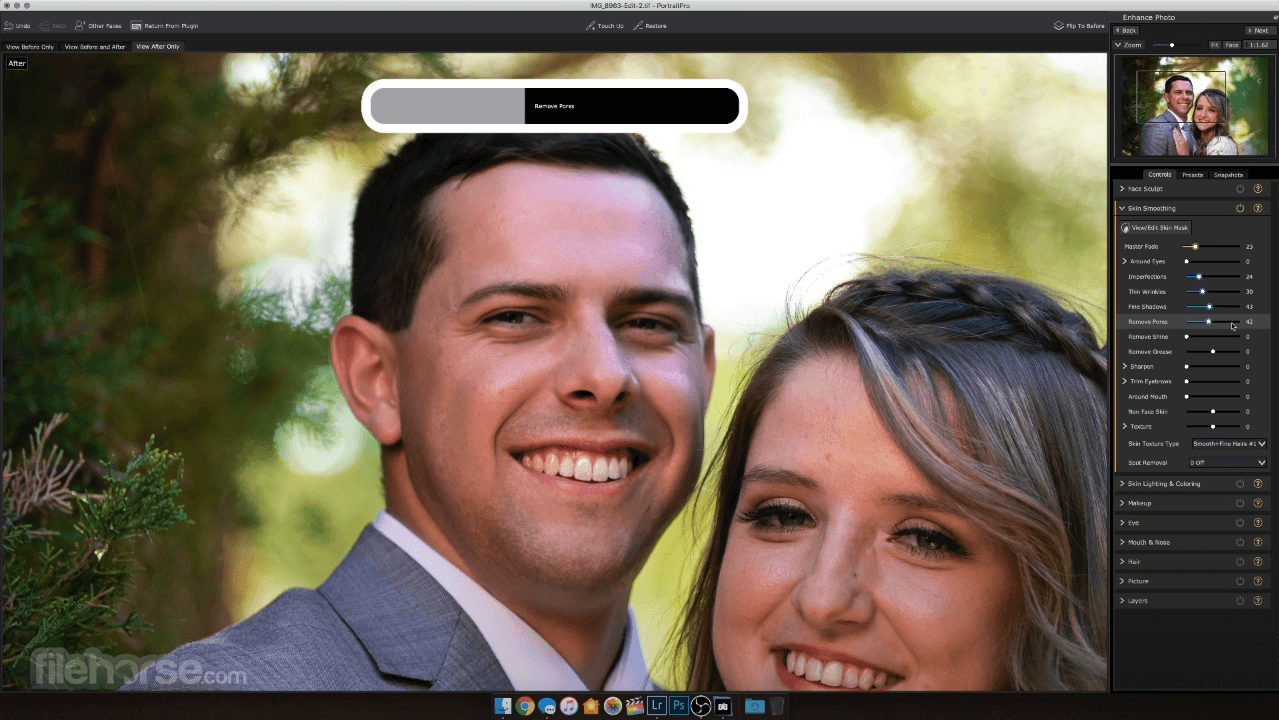
Expert photo editing can be achieved by unskilled users in minutes. With PortraitPro for macOS, you can enhance faces as much as you want simply by moving sliders.
Portrait Pro is the world's best-selling retouching program app. Fast and intuitive, It edits your portrait photos for beautiful results. Give your portraits a professional finish by inserting backgrounds, adding your logo or watermark, or creating artistic double exposures.
It uses exclusive ClearSkin 4 technology to smooth skin without that plastic ‘Photoshopped’ finish. The Touch-Up brush gives you the option to target blemishes and problem areas directly, instead of having to apply excessive smoothing to the whole face. Advanced Layers functionality gives better background control, plus add your logo, watermark, stickers and more with new overlays.
It comes in three editions to suit your needs. For keen amateurs, the Studio includes new Smart Filter functionality for Photoshop as well as handling RAW files directly and supporting different color spaces.
Using the latest developments in deep learning, image recognition and artificial intelligence, It offers the most accurate feature finding of any retouching software. Remove all edits from a selected area by adjusting the Effects Mask. Perfect for complex portraits involving accessories or props.
FACE SCULPTING
PortraitPro’s face sculpting technology is based on hundreds of hours of training in human aesthetics. Rather than dragging or warping the face, as you might in other software, Portrait Pro uses a slider interface to sculpt and refine your subject’s features.
The program now comes with a full range of digital makeup. Based on years of research into real cosmetics, you can create fashionable and flattering makeup looks in a huge variety of styles.
‘The windows to the soul’. As the eyes are probably the focus of your portrait, It makes it easier to give them the finishing touch.
Children require very little retouching and a much more subtle hand, which is why they have their very own mode in Portrait Pro. Removing unneeded tools to clear your workspace, Child Mode focuses on natural retouching such as enhancing eyes and smiles.
Features and Highlights
Launch and load a portrait photo
Choose gender and face orientation
Use sliders to enhance facial features
Apply skin smoothing and lighting effects
Adjust background or use presets
Export the edited image to desired format
System Requirements
Also Available: Download PortraitPro for Windows
Download PortraitPro for Mac Latest Version Why is this app published on FileHorse? (More info)
Expert photo editing can be achieved by unskilled users in minutes. With PortraitPro for macOS, you can enhance faces as much as you want simply by moving sliders.
Portrait Pro is the world's best-selling retouching program app. Fast and intuitive, It edits your portrait photos for beautiful results. Give your portraits a professional finish by inserting backgrounds, adding your logo or watermark, or creating artistic double exposures.
It uses exclusive ClearSkin 4 technology to smooth skin without that plastic ‘Photoshopped’ finish. The Touch-Up brush gives you the option to target blemishes and problem areas directly, instead of having to apply excessive smoothing to the whole face. Advanced Layers functionality gives better background control, plus add your logo, watermark, stickers and more with new overlays.
It comes in three editions to suit your needs. For keen amateurs, the Studio includes new Smart Filter functionality for Photoshop as well as handling RAW files directly and supporting different color spaces.
Using the latest developments in deep learning, image recognition and artificial intelligence, It offers the most accurate feature finding of any retouching software. Remove all edits from a selected area by adjusting the Effects Mask. Perfect for complex portraits involving accessories or props.
FACE SCULPTING
PortraitPro’s face sculpting technology is based on hundreds of hours of training in human aesthetics. Rather than dragging or warping the face, as you might in other software, Portrait Pro uses a slider interface to sculpt and refine your subject’s features.
- Widen eyes.
- Correct wide-angle distortion.
- Simulate tilting the subject’s head forward to sculpt the jaw.
- Enhance smile or expression.
- And more.
The program now comes with a full range of digital makeup. Based on years of research into real cosmetics, you can create fashionable and flattering makeup looks in a huge variety of styles.
- Enhance eyes with false eyelashes, eyeliner, eyeshadow and mascara.
- Use highlighter and bronzer to contour the face.
- Use blusher to give a natural glow.
- Add lipstick of your choice in a range of realistic textures.
- Create subtle, romantic looks or dramatic high-fashion styles.
‘The windows to the soul’. As the eyes are probably the focus of your portrait, It makes it easier to give them the finishing touch.
- Change the iris color or add colored contacts.
- Sharpen, brighten and whiten eyes.
- Make the pupils bigger and darker.
- Add catch-lights.
Children require very little retouching and a much more subtle hand, which is why they have their very own mode in Portrait Pro. Removing unneeded tools to clear your workspace, Child Mode focuses on natural retouching such as enhancing eyes and smiles.
Features and Highlights
- NEW - Greatly improved A.I. powered image recognition
- NEW - Add logos or stickers to images
- Background replacement
- Fix skin blemishes
- Reduce wrinkles
- Makeup controls
- Remove grease, sweat or shine
- Reshape any aspect of the face
- Enhance the eyes and mouth
- Smooth, recolor and thicken hair
- Change the lighting on the face
- Detects the face, age and gender.
- Locates features, skin, hair and background areas.
- Automatically retouches the photo with customizable presets.
- Fully adjustable retouching using sliders.
- Make-up, relighting and face sculpting controls for complete creative control.
- Edit or replace the background and add stickers, logos or overlays.
- Over 600,000 Portrait Pro users around the world.
- Download the free trial and see what it can do.
Launch and load a portrait photo
Choose gender and face orientation
Use sliders to enhance facial features
Apply skin smoothing and lighting effects
Adjust background or use presets
Export the edited image to desired format
System Requirements
- macOS 10.13 or later
- Intel or Apple Silicon processor
- 4 GB RAM minimum (8 GB recommended)
- 1 GB free disk space
- OpenGL 2.0 compatible graphics
- Advanced facial retouching tools
- Real-time editing with instant preview
- AI-based face and feature detection
- Customizable lighting and makeup effects
- Batch processing for multiple portraits
- Interface can feel cluttered
- High RAM usage during editing
- Limited support for non-human subjects
- Not ideal for full-body edits
- Export options can lack flexibility
Also Available: Download PortraitPro for Windows
Download PortraitPro for Mac Latest Version Why is this app published on FileHorse? (More info)
##
畫面截圖