- 目前版本4.5.6
- 更新日期2026-07-20
- 檔案大小506 MB
- 檔案名稱processing-4.5.6-macos-x64.dmg
- 作業系統Mac OS X 10.7 or later
- 支援語系English
- 授權型式開源軟體
- 開發商 Ben Fry and Casey Reas
- 軟體分類Mac 軟體 / 開發者工具
##
翻譯排程處理中,以下暫以英文原文呈現
軟體介紹
Processing for Mac is a flexible software sketchbook and a language for learning how to code within the context of the visual arts. Since 2001, Processing has promoted software literacy within the visual arts and visual literacy within technology.
There are tens of thousands of students, artists, designers, researchers, and hobbyists who use Processing for macOS for learning and prototyping.
Processing is an open-source programming language and integrated development environment (IDE) built for visual artists, designers, and creative coders.
Developed by Ben Fry and Casey Reas, it aims to make coding accessible to those with little to no programming experience, particularly in the realm of visual arts and creative expression.
It simplifies the complexities of programming by providing a user-friendly interface and a rich set of libraries tailored for creative projects.
Highlights
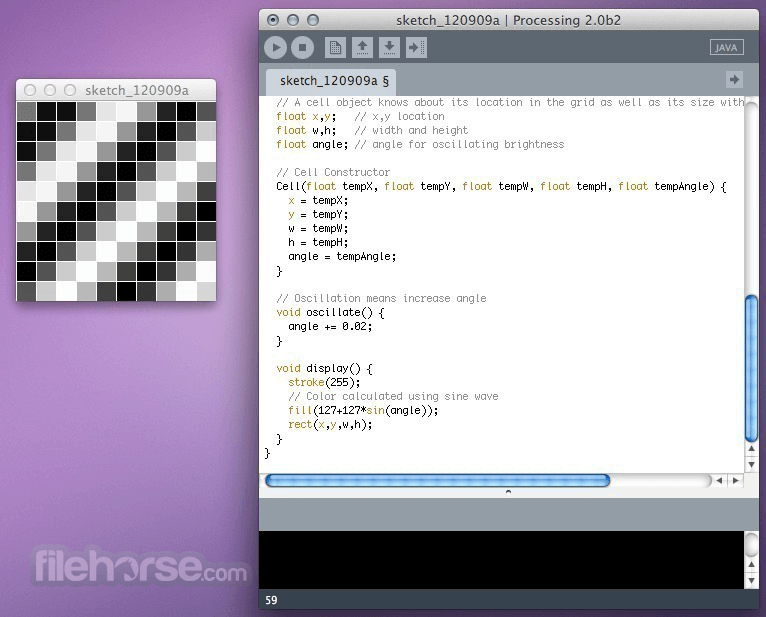
It features a straightforward and intuitive user interface, with a code editor, console, and canvas for visual output.
The editor includes syntax highlighting, auto-completion, and error detection to assist users in writing code effectively.
Installation and Setup
Installation of Processing is straightforward. Users can download the software from the official website or FileHorse and follow the on-screen instructions to install it on their system.
Once installed, users can launch the IDE and start coding immediately.
How to Use
To create a new project in the app, users can open the IDE and start writing code in the editor window.
They can use built-in functions and libraries to create visual elements, apply transformations, and handle user input.
It provides extensive documentation and examples to help users get started with their projects.
FAQ
Can I export my Processing sketches as standalone applications?
Yes, it allows users to export their sketches as executable files for distribution.
Is Processing suitable for professional projects?
While Processing is often used for prototyping and experimentation, it can also be used for professional projects, especially in fields such as data visualization, digital art, and interactive installations.
Does Processing support 3D graphics?
Yes, it includes libraries for creating 3D graphics and animations.
Can I use external libraries with Processing?
Yes, it supports the use of external libraries, allowing users to extend its functionality as needed.
Is Processing for Mac free to use?
Yes, Processing is open-source and free to download and use.
System Requirements
The system requirements for this program are minimal, making it compatible with a wide range of hardware configurations.
It runs smoothly on most modern Mac computers, including those with limited resources.
PROS
Download Processing for Mac Latest Version Why is this app published on FileHorse? (More info)
There are tens of thousands of students, artists, designers, researchers, and hobbyists who use Processing for macOS for learning and prototyping.
Processing is an open-source programming language and integrated development environment (IDE) built for visual artists, designers, and creative coders.
Developed by Ben Fry and Casey Reas, it aims to make coding accessible to those with little to no programming experience, particularly in the realm of visual arts and creative expression.
It simplifies the complexities of programming by providing a user-friendly interface and a rich set of libraries tailored for creative projects.
Highlights
- Free to download and open source
- Interactive programs with 2D, 3D or PDF output
- OpenGL integration for accelerated 2D and 3D
- For GNU/Linux, macOS, and Windows
- Over 100 libraries extend the core software
- Well documented, with many books available
- Simple Syntax: It utilizes a simplified syntax, making it easy for beginners to grasp fundamental programming concepts.
- Visual Rendering: The software offers powerful tools for creating dynamic visualizations, animations, and interactive graphics.
- Rich Libraries: It comes with a wide range of libraries for various tasks, including image processing, data visualization, and interaction design.
- Cross-Platform Compatibility: The app is compatible with multiple operating systems, including Windows, macOS, and Linux.
- Community Support: The community is vibrant and active, providing ample resources, tutorials, and examples to support users.
It features a straightforward and intuitive user interface, with a code editor, console, and canvas for visual output.
The editor includes syntax highlighting, auto-completion, and error detection to assist users in writing code effectively.
Installation and Setup
Installation of Processing is straightforward. Users can download the software from the official website or FileHorse and follow the on-screen instructions to install it on their system.
Once installed, users can launch the IDE and start coding immediately.
How to Use
To create a new project in the app, users can open the IDE and start writing code in the editor window.
They can use built-in functions and libraries to create visual elements, apply transformations, and handle user input.
It provides extensive documentation and examples to help users get started with their projects.
FAQ
Can I export my Processing sketches as standalone applications?
Yes, it allows users to export their sketches as executable files for distribution.
Is Processing suitable for professional projects?
While Processing is often used for prototyping and experimentation, it can also be used for professional projects, especially in fields such as data visualization, digital art, and interactive installations.
Does Processing support 3D graphics?
Yes, it includes libraries for creating 3D graphics and animations.
Can I use external libraries with Processing?
Yes, it supports the use of external libraries, allowing users to extend its functionality as needed.
Is Processing for Mac free to use?
Yes, Processing is open-source and free to download and use.
System Requirements
The system requirements for this program are minimal, making it compatible with a wide range of hardware configurations.
It runs smoothly on most modern Mac computers, including those with limited resources.
PROS
- Easy to learn and use, especially for beginners
- Rich set of libraries for visual arts and creative coding
- Active community and extensive documentation
- Cross-platform compatibility
- Free and open-source
- Limited scalability for large-scale projects
- Performance may be a concern for complex animations and simulations
Download Processing for Mac Latest Version Why is this app published on FileHorse? (More info)
##
畫面截圖