- 目前版本Ray Browser
- 更新日期2025-06-26
- 檔案大小1 MB
- 檔案名稱RayInstaller.pkg
- 作業系統macOS 13.0 Ventura or later
- 支援語系English
- 授權型式免費軟體
- 開發商 Ray Browser Ltd.
- 軟體分類Mac 軟體 / 瀏覽器與外掛
##
翻譯排程處理中,以下暫以英文原文呈現
軟體介紹
Ray Browser for Mac is a modern, gaming-optimized web browser designed to enhance the online experience for both casual and hardcore gamers.
Tailored for Mac users, it combines essential browsing tools with unique game-focused features—making it an all-in-one platform for gameplay, content discovery, and web navigation.
Built on the Chromium engine, Ray Browser for macOS (also known as PlayOnRay) retains full compatibility with modern web standards while introducing tools specifically crafted for gamers—such as a built-in game library, integrated launcher, and advanced WebGL performance tuning.
Whether you're gaming in-browser or managing standalone titles, Ray Browser delivers speed, simplicity, and functionality right from your Mac desktop.
Main Features
Built-in Game Browser – Access a curated selection of free-to-play web games without any downloads.
Integrated Game Launcher – Launch browser-based or external games from one streamlined interface.
Raybux Rewards System – Earn virtual currency by playing games and participating in challenges.
WebGL Optimizations – Up to 30% faster graphics rendering compared to Chrome or Opera.
Cloud Streaming Integration – Direct access to Amazon Luna and Xbox Cloud gaming platforms.
Chromium Core – Full support for Chrome extensions and all standard browsing features.
Ad Blocking & Privacy Tools – Stop intrusive ads and trackers by default.
Lightweight Performance – Minimal resource usage while gaming or browsing.
Cross-Platform Sync – Sync your bookmarks and game progress between your Mac and other devices.
User Interface
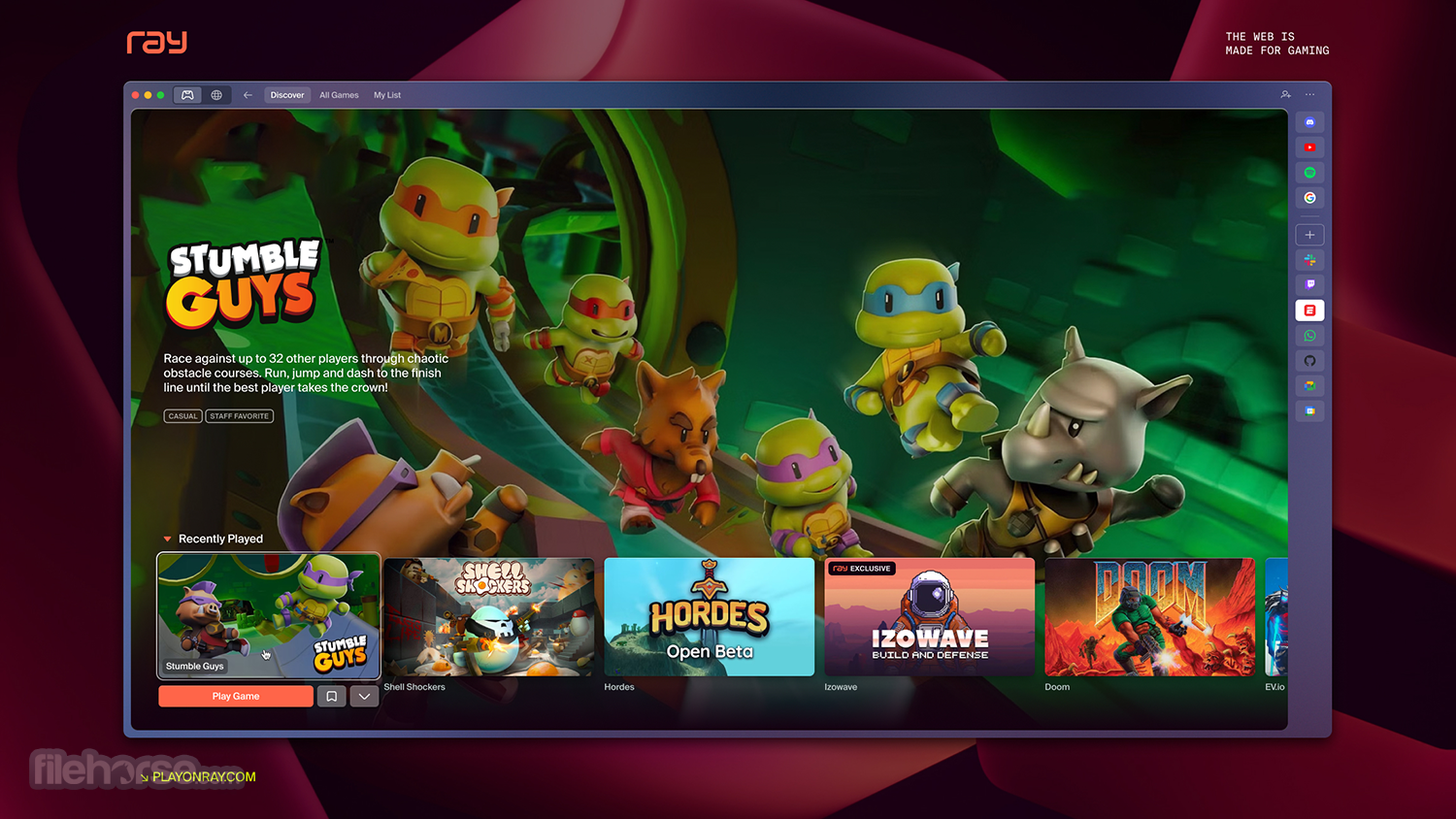
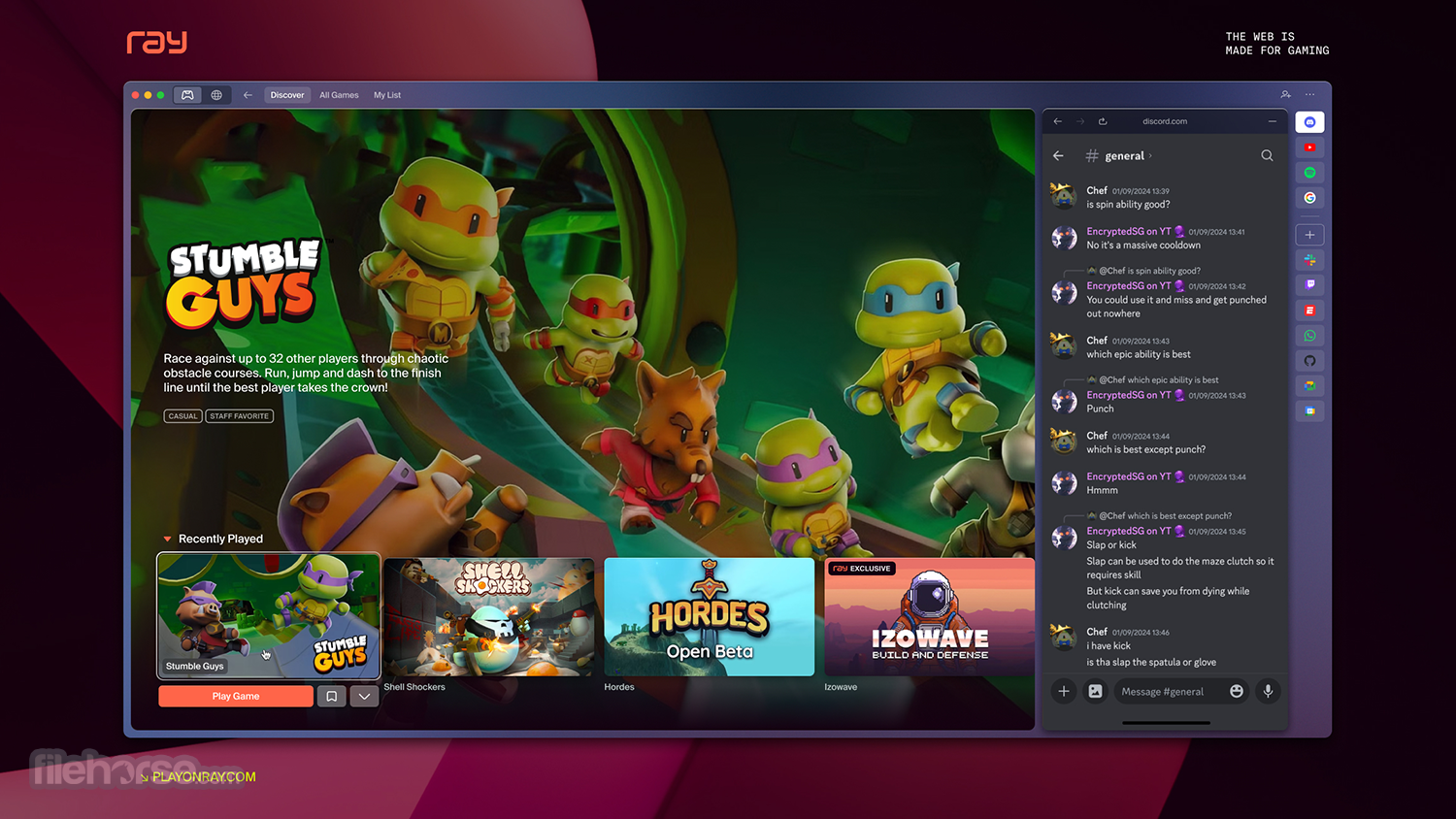
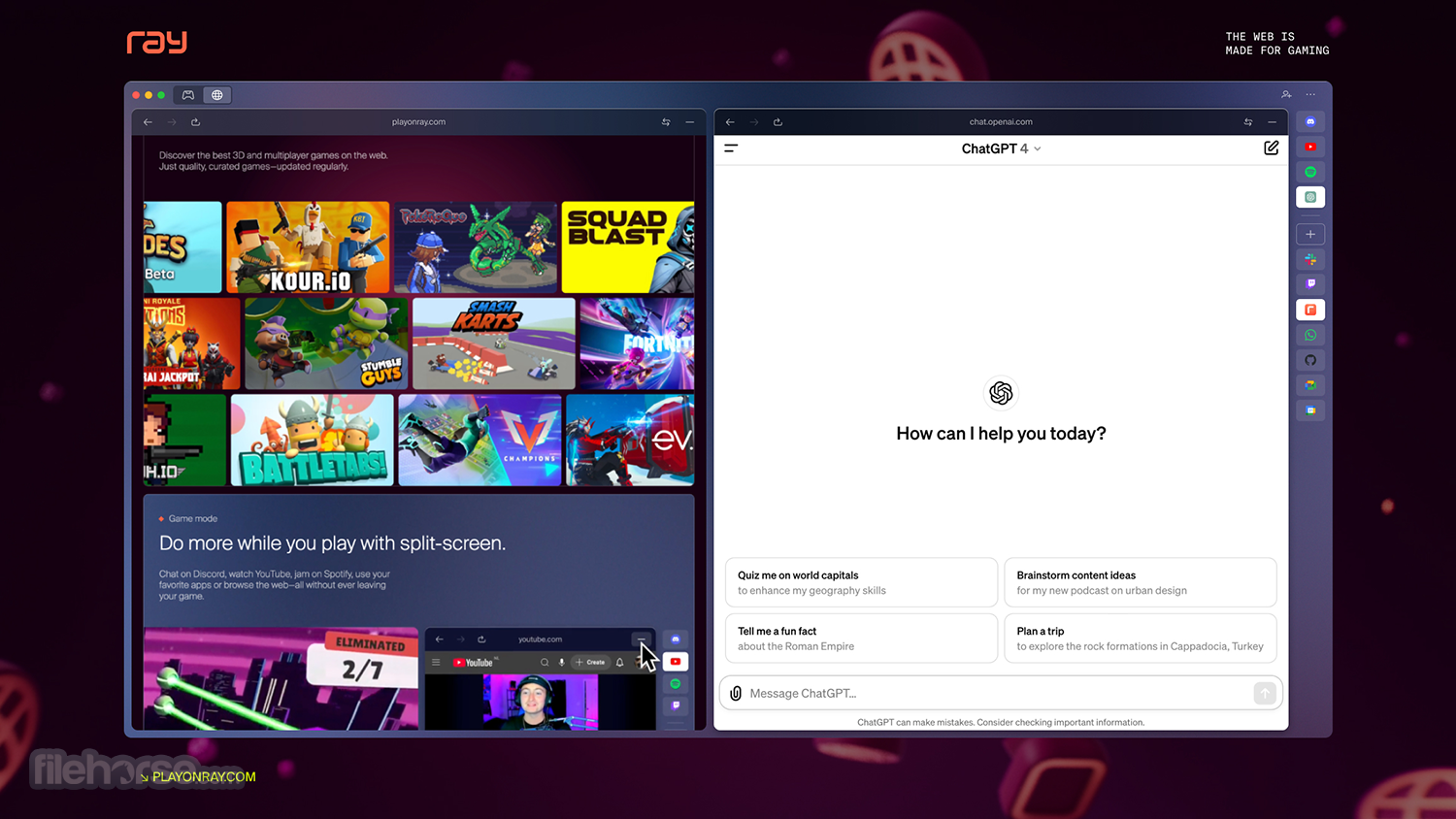
Ray Browser’s interface is sleek and dark-themed by default, which helps reduce eye strain during long gaming sessions. It includes a collapsible sidebar that provides fast access to your game library, Raybux dashboard, and settings menu.
Navigation follows a familiar layout with tabs, a unified address/search bar, and Chromium-based controls—ensuring Mac users switching from Chrome or Safari feel right at home.
How to Set Up Ray Browser
Installation and Setup
To install Ray Browser on macOS:
Upon launch, this app presents a familiar browsing layout powered by Chromium. The left-hand sidebar is your gateway to the game world—featuring a searchable game library, launcher access, and the Raybux rewards system.
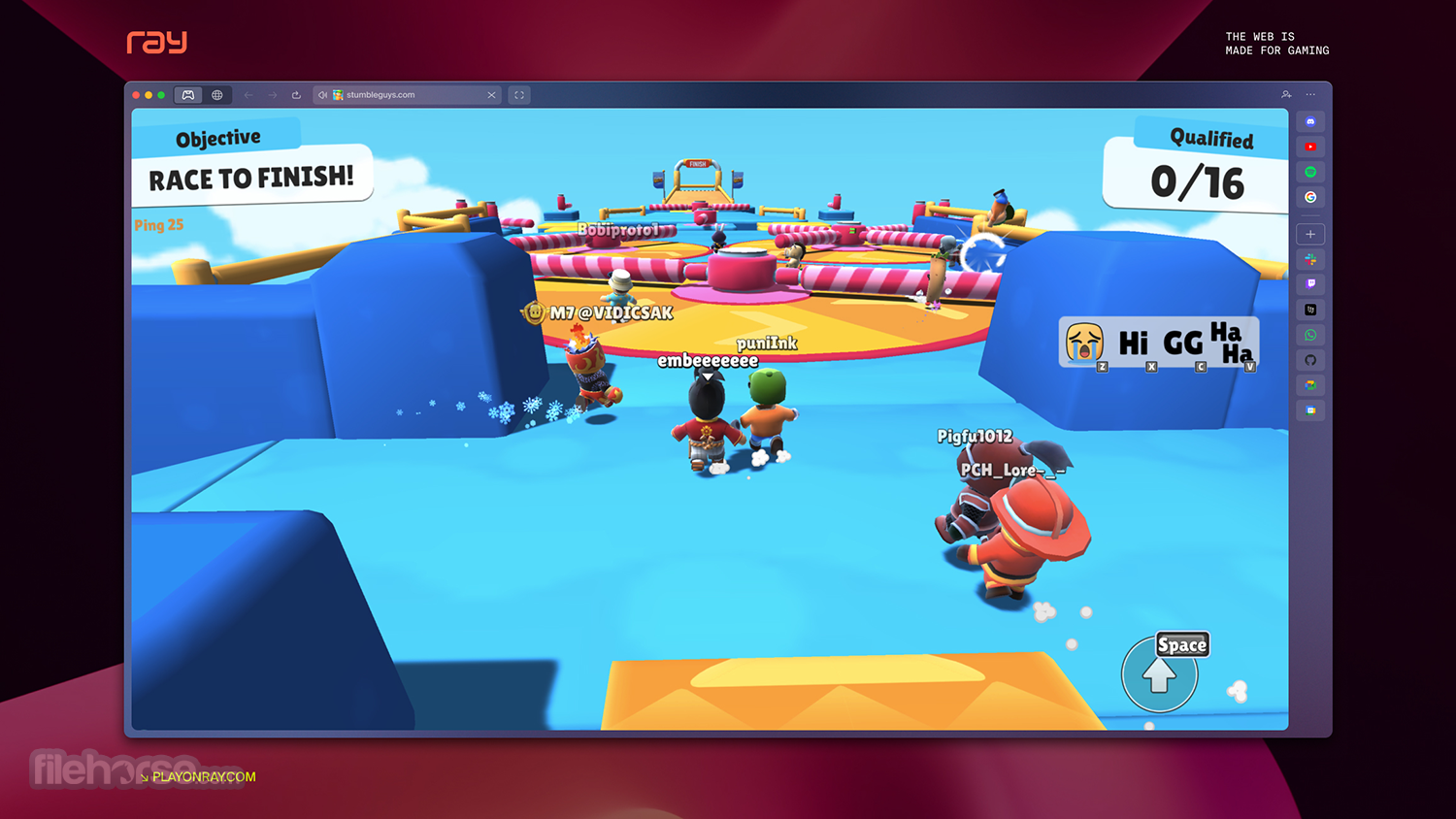
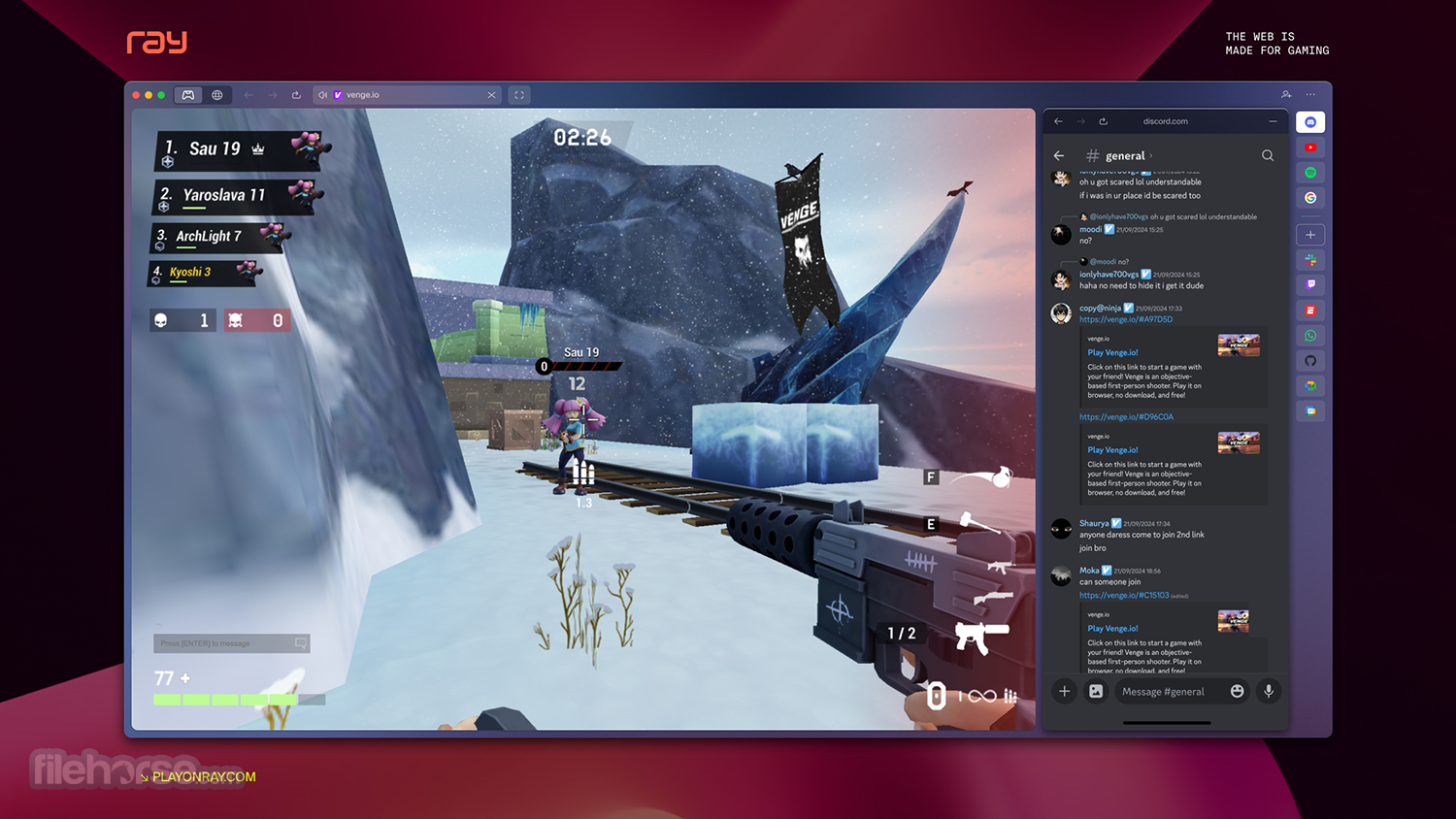
Playing games, earning points, and managing your account happens directly inside the browser. Outside of gaming, it functions as a fully-featured browser—complete with tabbed browsing, extension support, and even a split-screen mode for multitasking.
FAQs
What is Ray Browser?
A gaming-focused web browser for Mac and PC with built-in game access and enhanced performance features.
Is it secure?
Yes. It uses the Chromium engine and includes built-in security features like HTTPS and tracker blocking.
How do I install it on my Mac?
Download the official .dmg file and install it like any standard macOS application.
Can I use it for regular browsing?
Absolutely. It supports all modern web standards and Chrome extensions.
Are the games free?
Yes. All games in the built-in library are free-to-play.
Is Raybux real currency?
No. It’s an in-browser rewards system used for unlocking in-game items and bonuses.
Is it available for Intel and Apple Silicon Macs?
Yes. It supports both chip architectures natively.
Do I need to create an account?
No account is needed to browse, but one is recommended for saving progress and using Raybux.
Pricing
Ray Browser is completely FREE. There are no hidden costs, subscriptions, or paywalls. All services and games are accessible at no charge.
System Requirements
OS: macOS 12.14 or later
RAM: Minimum 4GB (8GB recommended for gaming)
CPU: Intel or Apple Silicon (M1/M2/M3)
GPU: WebGL-compatible graphics (macOS native support)
Storage: 200MB installation size, more for cached game content
PROS
Ray Browser for Mac successfully blends gaming and browsing into a unified experience. With its optimized performance, curated game hub, and integrated reward mechanics, it’s a compelling choice for Mac gamers and casual users alike.
Although still in early development, it shows great promise as a free, gamer-friendly browser alternative that doesn’t sacrifice speed, security, or usability. Mac users looking for a browser with personality—and purpose—will find Ray Browser worth trying.
Also Available: Download Ray Browser for Windows
Download Ray Browser for Mac Latest Version Why is this app published on FileHorse? (More info)
Tailored for Mac users, it combines essential browsing tools with unique game-focused features—making it an all-in-one platform for gameplay, content discovery, and web navigation.
Built on the Chromium engine, Ray Browser for macOS (also known as PlayOnRay) retains full compatibility with modern web standards while introducing tools specifically crafted for gamers—such as a built-in game library, integrated launcher, and advanced WebGL performance tuning.
Whether you're gaming in-browser or managing standalone titles, Ray Browser delivers speed, simplicity, and functionality right from your Mac desktop.
Main Features
Built-in Game Browser – Access a curated selection of free-to-play web games without any downloads.
Integrated Game Launcher – Launch browser-based or external games from one streamlined interface.
Raybux Rewards System – Earn virtual currency by playing games and participating in challenges.
WebGL Optimizations – Up to 30% faster graphics rendering compared to Chrome or Opera.
Cloud Streaming Integration – Direct access to Amazon Luna and Xbox Cloud gaming platforms.
Chromium Core – Full support for Chrome extensions and all standard browsing features.
Ad Blocking & Privacy Tools – Stop intrusive ads and trackers by default.
Lightweight Performance – Minimal resource usage while gaming or browsing.
Cross-Platform Sync – Sync your bookmarks and game progress between your Mac and other devices.
User Interface
Ray Browser’s interface is sleek and dark-themed by default, which helps reduce eye strain during long gaming sessions. It includes a collapsible sidebar that provides fast access to your game library, Raybux dashboard, and settings menu.
Navigation follows a familiar layout with tabs, a unified address/search bar, and Chromium-based controls—ensuring Mac users switching from Chrome or Safari feel right at home.
How to Set Up Ray Browser
Installation and Setup
To install Ray Browser on macOS:
- Download the macOS version from the official website or trusted platforms like FileHorse.
- The browser supports both Intel-based Macs and Apple Silicon (M1/M2/M3 chips).
- Run the .dmg installer and drag the app icon into your Applications folder.
- Launch the app and import bookmarks from your previous browser if desired.
- You don’t need to create an account to begin. However, for syncing data and using Raybux, signing in may be required later.
Upon launch, this app presents a familiar browsing layout powered by Chromium. The left-hand sidebar is your gateway to the game world—featuring a searchable game library, launcher access, and the Raybux rewards system.
Playing games, earning points, and managing your account happens directly inside the browser. Outside of gaming, it functions as a fully-featured browser—complete with tabbed browsing, extension support, and even a split-screen mode for multitasking.
FAQs
What is Ray Browser?
A gaming-focused web browser for Mac and PC with built-in game access and enhanced performance features.
Is it secure?
Yes. It uses the Chromium engine and includes built-in security features like HTTPS and tracker blocking.
How do I install it on my Mac?
Download the official .dmg file and install it like any standard macOS application.
Can I use it for regular browsing?
Absolutely. It supports all modern web standards and Chrome extensions.
Are the games free?
Yes. All games in the built-in library are free-to-play.
Is Raybux real currency?
No. It’s an in-browser rewards system used for unlocking in-game items and bonuses.
Is it available for Intel and Apple Silicon Macs?
Yes. It supports both chip architectures natively.
Do I need to create an account?
No account is needed to browse, but one is recommended for saving progress and using Raybux.
Pricing
Ray Browser is completely FREE. There are no hidden costs, subscriptions, or paywalls. All services and games are accessible at no charge.
System Requirements
OS: macOS 12.14 or later
RAM: Minimum 4GB (8GB recommended for gaming)
CPU: Intel or Apple Silicon (M1/M2/M3)
GPU: WebGL-compatible graphics (macOS native support)
Storage: 200MB installation size, more for cached game content
PROS
- Tailored for gaming on macOS.
- Smooth WebGL rendering and speed boosts.
- Built-in ad-blocker and privacy tools.
- F2P game library with cloud gaming access.
- Rewards system with no premium restrictions.
- Still in early alpha stage.
- Limited library of supported games.
Ray Browser for Mac successfully blends gaming and browsing into a unified experience. With its optimized performance, curated game hub, and integrated reward mechanics, it’s a compelling choice for Mac gamers and casual users alike.
Although still in early development, it shows great promise as a free, gamer-friendly browser alternative that doesn’t sacrifice speed, security, or usability. Mac users looking for a browser with personality—and purpose—will find Ray Browser worth trying.
Also Available: Download Ray Browser for Windows
Download Ray Browser for Mac Latest Version Why is this app published on FileHorse? (More info)
##
影片介紹
##
畫面截圖