- 目前版本3.3.6
- 更新日期2025-02-19
- 作業系統Mac OS X 10.10 or later
- 支援語系English
- 授權型式未分類
- 開發商 Synium Software
- 軟體分類Mac 軟體 / 影片軟體
##
翻譯排程處理中,以下暫以英文原文呈現
軟體介紹
Screenium for Mac is a screen capture utility that allows users to create live movies of a Mac's display, capturing the desktop, applications, mouse movements, and voiceover audio in high-quality, real-time screencasts.
Record exactly what you see on the screen and turn it into a screencast in next to no time. The tool lets you record at 60 frames per second, offering optimum performance for your tutorials, gameplay recordings or any other screen content you wish to record.
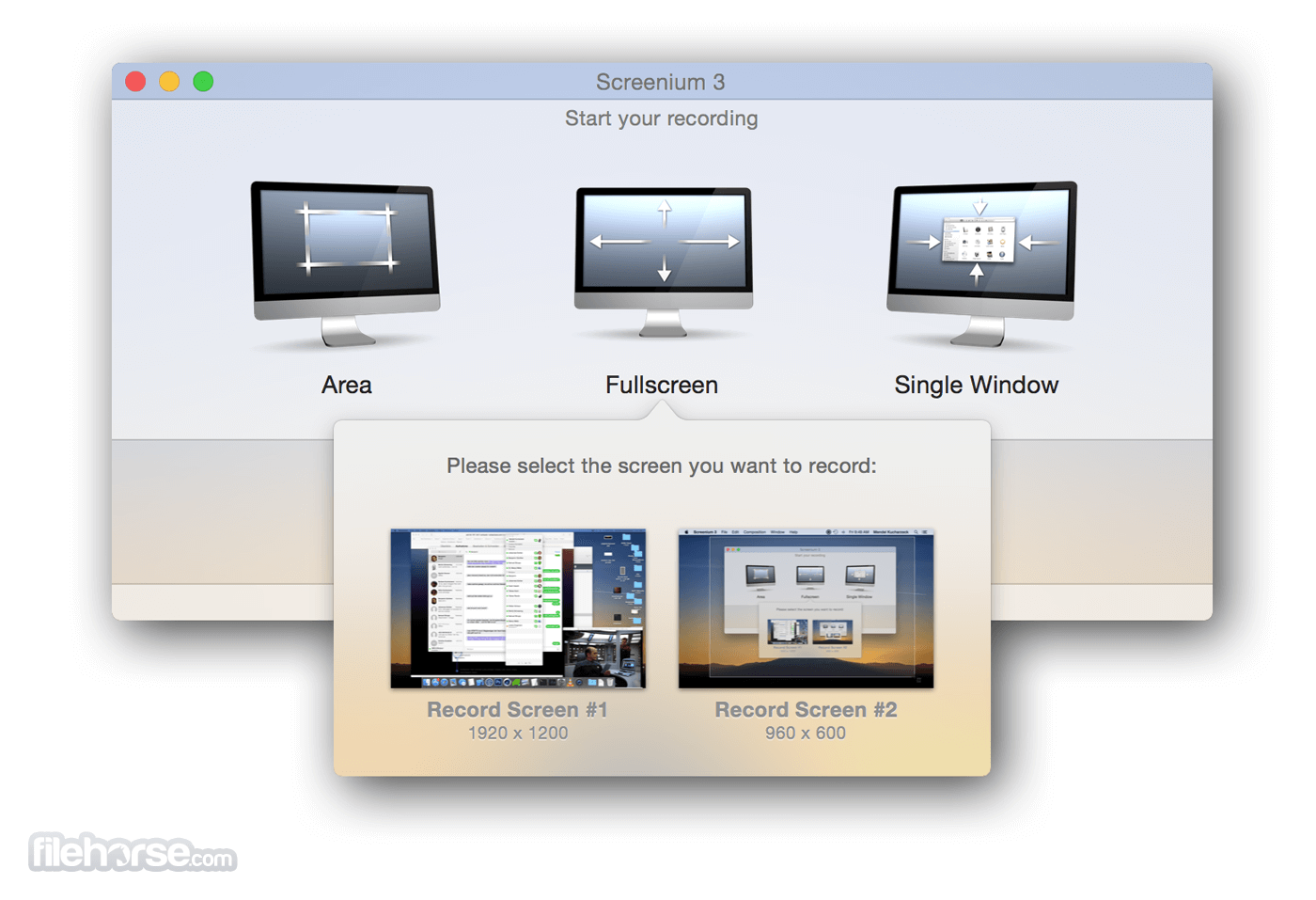
Not only If you work with an ultra-high resolution 4K or 5K display or a Retina Mac, the tool puts you on the safe side as it creates the smoothest video quality possible for these types of devices. Screenium offers three different recording modes: Record full screen, individual windows, or any selected area.
Screenium for macOS's powerful video editor comes with a comprehensive tool kit that helps you create the most sophisticated screencasts. You won't need any additional software to edit screencasts like a professional or produce impressive films.
The video editor turns your footage into perfect videos - use it for cutting, transitions, text embedding, audio editing, or add effects or animations.
Your screencast alone will speak louder than words and explaining and clarifying your video's most important points will become a breeze with the tool's convenient features such as mouse pointer visualization and smart zooming into important or highlighted areas.
If you want to make an appearance as a presenter or show a flip chart or similar content, you can do so by embedding picture-in-picture clips from webcams such as the Facetime/iSight camera.
Done with cutting? Proceed to exporting your project as a film and share it with your parents, friends, clients or coworkers. In addition, the app supports direct export to YouTube, Vimeo, Facebook, and Flickr and lets you share your projects via your Mac's Messages and Mail apps.
Languages
This app is available in 13 languages. The user interface, including all buttons, labels and menu entries, automatically adapts to the language settings in your Mac's System Preferences. Currently, the following languages are available:
System Requirements
It requires a Mac running OS X 10.10 Yosemite or later. We recommend using macOS 11 Big Sur, macOS 12 Monterey, macOS 13 Ventura or macOS 14 Sonoma.
Recording iOS devices requires iOS 8 as well as an iOS device with a Lightning connector. Screenium is completely optimized for the new M1-, M2- and M3-based Macs.
PROS
Download Screenium for Mac Latest Version Why is this app published on FileHorse? (More info)
Record exactly what you see on the screen and turn it into a screencast in next to no time. The tool lets you record at 60 frames per second, offering optimum performance for your tutorials, gameplay recordings or any other screen content you wish to record.
Not only If you work with an ultra-high resolution 4K or 5K display or a Retina Mac, the tool puts you on the safe side as it creates the smoothest video quality possible for these types of devices. Screenium offers three different recording modes: Record full screen, individual windows, or any selected area.
Screenium for macOS's powerful video editor comes with a comprehensive tool kit that helps you create the most sophisticated screencasts. You won't need any additional software to edit screencasts like a professional or produce impressive films.
The video editor turns your footage into perfect videos - use it for cutting, transitions, text embedding, audio editing, or add effects or animations.
Your screencast alone will speak louder than words and explaining and clarifying your video's most important points will become a breeze with the tool's convenient features such as mouse pointer visualization and smart zooming into important or highlighted areas.
If you want to make an appearance as a presenter or show a flip chart or similar content, you can do so by embedding picture-in-picture clips from webcams such as the Facetime/iSight camera.
Done with cutting? Proceed to exporting your project as a film and share it with your parents, friends, clients or coworkers. In addition, the app supports direct export to YouTube, Vimeo, Facebook, and Flickr and lets you share your projects via your Mac's Messages and Mail apps.
Languages
This app is available in 13 languages. The user interface, including all buttons, labels and menu entries, automatically adapts to the language settings in your Mac's System Preferences. Currently, the following languages are available:
System Requirements
It requires a Mac running OS X 10.10 Yosemite or later. We recommend using macOS 11 Big Sur, macOS 12 Monterey, macOS 13 Ventura or macOS 14 Sonoma.
Recording iOS devices requires iOS 8 as well as an iOS device with a Lightning connector. Screenium is completely optimized for the new M1-, M2- and M3-based Macs.
PROS
- High-Quality Recording – Captures in 4K at 60fps
- Multiple Recording Modes – Full screen, area, or device
- Built-in Editor – Includes basic video editing tools
- Intuitive Interface – User-friendly and easy to navigate
- Smooth Performance – Minimal lag during recordings
- Limited Export Formats – Lacks some professional options
- Basic Editing Tools – Not a full-featured video editor
- Occasional Bugs – Some users report stability issues
Download Screenium for Mac Latest Version Why is this app published on FileHorse? (More info)
##
畫面截圖