- 目前版本2026.3.1
- 更新日期2026-07-23
- 作業系統macOS 11.0 Big Sur or later
- 支援語系English
- 授權型式未分類
- 開發商 TechSmith Corporation
- 軟體分類Mac 軟體 / 影像設計
##
翻譯排程處理中,以下暫以英文原文呈現
軟體介紹
Visuals help clarify your message and get you hours back in your work day. Snagit for Mac is the premium tool for screen capture and screen recording on Windows and Mac. Combining traditional screenshots, videos, and image editing to help you share important information with the people who need it most.
Snagit’s image and video capture is powerful, but not complex. You’re in control of everything you capture, right down to the pixel. All-in-One Capture® grabs your entire desktop, a region, a window, or a scrolling window from any webpage or application—all with a single hotkey or click.
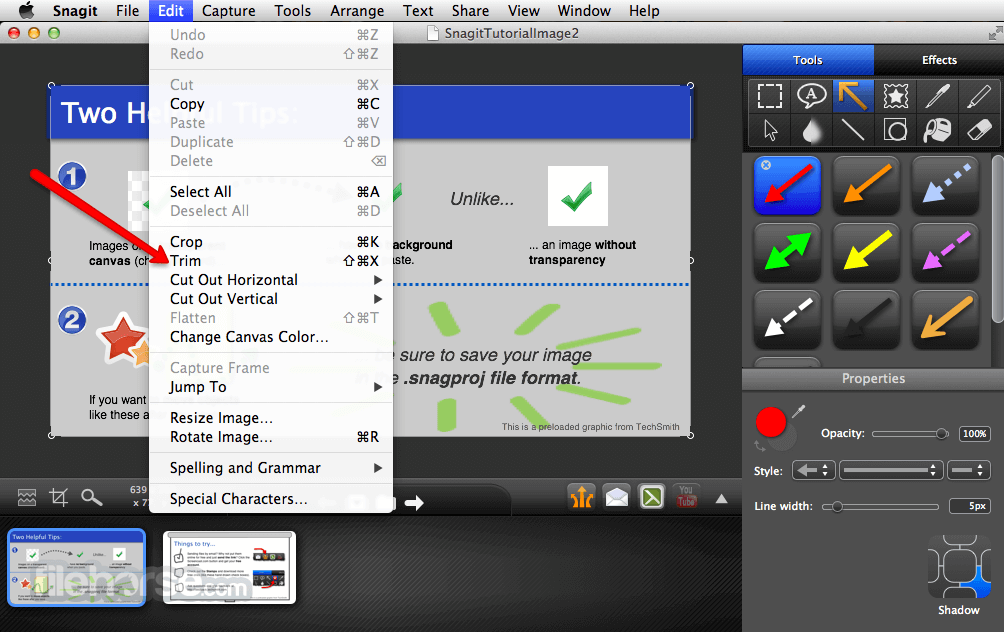
Showing team members is a lot easier than telling them. The apphas a dynamic editor that lets you turn plain screenshots or screengrabs into clear, concise communication. Comment over screenshots using text boxes. Point out your ideas with arrows and shapes. Or simply highlight key areas. And Snagit's toolbar is completely customizable so all of your favorite tools stay front and center.
Context is everything. Recording a video lets the person on the other end actually hear your voice. So the next time a webpage, PDF, or video edit is sent to you for feedback, consider dropping the red pen and record a video instead. With Snagit for macOS 2025, there’s no waiting. You can record your video, and share it within seconds.
How it works
Capture a process
Show customers and coworkers how to do something with screenshots and screen recordings.
Add your explanation
Mark up your screenshots, or talk through a process and answer questions with a quick video.
Create visual instructions
Create custom how-to guides, tutorials, and quick videos right within this app.
Features and Highlights
Tame your inbox
Leave coworkers and clients wondering how you responded so quickly. Reply with marked up images and quick videos rather than text to drastically reduce your email back-and-forth.
Save time
Visuals are vital to online communication. Images and videos let you clearly get your point across so you can spend less time communicating and more time getting work done.
Capture key information
Save pieces from online articles, web pages, or documents. Highlight and take notes on top of your capture, organize your research by keyword, and share out crucial information.
Scrolling capture
Quickly capture a full-page screenshot even if it's not showing on the screen. Grab the horizontal, vertical, or entire scrolling area with just a click.
Panoramic capture
Capture wide, horizontal scrolls, infinitely scrolling webpages, and everything in between. Capture once, instead of taking individual captures and manually editing them together.
Animated GIF
Turn any short recording into an animated GIF. Perfect for showing off quick tasks and workflows.
FAQ
Is there a free version of Snagit?
Snagit doesn’t offer a completely free version, but it does provide a fully-functional trial. This allows you to use all the features of the paid version at no cost for 15 days.
Can I share images and videos from Snagit?
Yes, sharing your screen recordings and images with this software is easy and flexible. With just one click, a shareable link is copied to your clipboard, making it ready to send to anyone. You can also effortlessly upload your captures and recordings to popular platforms like YouTube, Google Drive, and Dropbox.
What is a screen capture tool?
A screen capture tool enables you to take a snapshot or record a video of what’s displayed on your screen. While many built-in and free tools are available for basic screen capturing, it stands out for those who require extensive screenshot capabilities and powerful editing features, making it the ideal choice for comprehensive screen capture and recording.
Alternatives
Lightshot - A simple and intuitive screenshot tool focused on easy capturing and quick sharing, perfect for beginners.
System Requirements
macOS Sonoma (14)
macOS Ventura (13) or later is required for:
Also Available: Download Snagit for Windows
Download Snagit for Mac Latest Version Why is this app published on FileHorse? (More info)
Snagit’s image and video capture is powerful, but not complex. You’re in control of everything you capture, right down to the pixel. All-in-One Capture® grabs your entire desktop, a region, a window, or a scrolling window from any webpage or application—all with a single hotkey or click.
Showing team members is a lot easier than telling them. The apphas a dynamic editor that lets you turn plain screenshots or screengrabs into clear, concise communication. Comment over screenshots using text boxes. Point out your ideas with arrows and shapes. Or simply highlight key areas. And Snagit's toolbar is completely customizable so all of your favorite tools stay front and center.
Context is everything. Recording a video lets the person on the other end actually hear your voice. So the next time a webpage, PDF, or video edit is sent to you for feedback, consider dropping the red pen and record a video instead. With Snagit for macOS 2025, there’s no waiting. You can record your video, and share it within seconds.
How it works
Capture a process
Show customers and coworkers how to do something with screenshots and screen recordings.
Add your explanation
Mark up your screenshots, or talk through a process and answer questions with a quick video.
Create visual instructions
Create custom how-to guides, tutorials, and quick videos right within this app.
Features and Highlights
Tame your inbox
Leave coworkers and clients wondering how you responded so quickly. Reply with marked up images and quick videos rather than text to drastically reduce your email back-and-forth.
Save time
Visuals are vital to online communication. Images and videos let you clearly get your point across so you can spend less time communicating and more time getting work done.
Capture key information
Save pieces from online articles, web pages, or documents. Highlight and take notes on top of your capture, organize your research by keyword, and share out crucial information.
Scrolling capture
Quickly capture a full-page screenshot even if it's not showing on the screen. Grab the horizontal, vertical, or entire scrolling area with just a click.
Panoramic capture
Capture wide, horizontal scrolls, infinitely scrolling webpages, and everything in between. Capture once, instead of taking individual captures and manually editing them together.
Animated GIF
Turn any short recording into an animated GIF. Perfect for showing off quick tasks and workflows.
FAQ
Is there a free version of Snagit?
Snagit doesn’t offer a completely free version, but it does provide a fully-functional trial. This allows you to use all the features of the paid version at no cost for 15 days.
Can I share images and videos from Snagit?
Yes, sharing your screen recordings and images with this software is easy and flexible. With just one click, a shareable link is copied to your clipboard, making it ready to send to anyone. You can also effortlessly upload your captures and recordings to popular platforms like YouTube, Google Drive, and Dropbox.
What is a screen capture tool?
A screen capture tool enables you to take a snapshot or record a video of what’s displayed on your screen. While many built-in and free tools are available for basic screen capturing, it stands out for those who require extensive screenshot capabilities and powerful editing features, making it the ideal choice for comprehensive screen capture and recording.
Alternatives
Lightshot - A simple and intuitive screenshot tool focused on easy capturing and quick sharing, perfect for beginners.
System Requirements
macOS Sonoma (14)
macOS Ventura (13) or later is required for:
- Video recording toolbars and controls to he hidden in final recordings
- Camera swap
- User-Friendly Interface
- Advanced Editing Tools
- Scrolling Capture Feature
- Seamless Cloud Integration
- Supports Multiple Formats
- Occasional Performance Issues
- Limited Video Editing Options
Also Available: Download Snagit for Windows
Download Snagit for Mac Latest Version Why is this app published on FileHorse? (More info)
##
畫面截圖