- 目前版本3.53.4
- 更新日期2026-07-25
- 檔案大小4.3 MB
- 檔案名稱sqlite-tools-osx-x64-3530400.zip
- 作業系統Mac OS X
- 支援語系English
- 授權型式免費軟體
- 開發商 Richard Hipp
- 軟體分類Mac 軟體 / 開發者工具
##
翻譯排程處理中,以下暫以英文原文呈現
軟體介紹
SQLite for Mac is an in-process library that implements a self-contained, serverless, zero-configuration, transactional SQL database engine.
The code for SQLite is in the public domain and is thus free for use for any purpose, commercial or private.
SQLite for macOS is the most widely deployed database in the world with more applications than we can count, including several high-profile projects.
Features and Highlights
Download SQLite for Mac Latest Version Why is this app published on FileHorse? (More info)
The code for SQLite is in the public domain and is thus free for use for any purpose, commercial or private.
SQLite for macOS is the most widely deployed database in the world with more applications than we can count, including several high-profile projects.
Features and Highlights
- Transactions are atomic, consistent, isolated, and durable (ACID) even after system crashes and power failures.
- Zero-configuration - no setup or administration needed.
- Full SQL implementation with advanced features like partial indexes and common table expressions. (Omitted features)
- A complete database is stored in a single cross-platform disk file. Great for use as an application file format.
- Supports terabyte-sized databases and gigabyte-sized strings and blobs. (See limits.html.)
- Small code footprint: less than 500KiB fully configured or much less with optional features omitted.
- Simple, easy to use API.
- Written in ANSI-C. TCL bindings included. Bindings for dozens of other languages available separately.
- Well-commented source code with 100% branch test coverage.
- Available as a single ANSI-C source-code file that is easy to compile and hence is easy to add into a larger project.
- Self-contained: no external dependencies.
- Cross-platform: Android, *BSD, iOS, Linux, Mac, Solaris, VxWorks, and Windows (Win32, WinCE, WinRT) are supported out of the box. Easy to port to other systems.
- Sources are in the public domain. Use for any purpose.
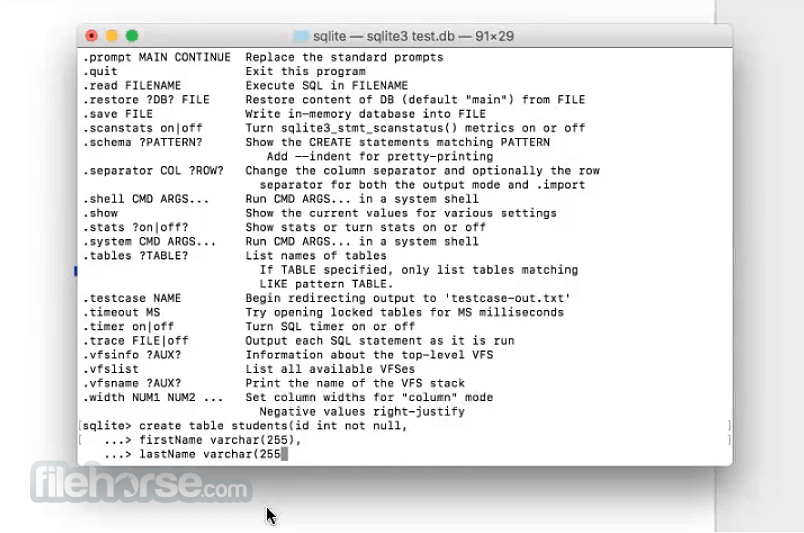
- Comes with a standalone command-line interface (CLI) client that can be used to administer SQ Lite databases.
- Download SQLite precompiled binary for macOS
- Extract and move the sqlite3 file to /usr/local/bin
- Open Terminal to check SQLite installation
- Use sqlite3 command to start SQLite shell
- Create a new database with sqlite3 mydb.db
- Use SQL commands to create and manage tables
- Read data using SELECT statements
- Use .tables to list all database tables
- Use .schema to view table schema
- Exit SQLite shell with .exit or Ctrl+D
- macOS 10.13 High Sierra or later
- Intel or Apple Silicon processor
- At least 100MB of free disk space
- Terminal access and command line basics
- Optional: Homebrew for easy installation
- Lightweight and fast
- No server setup needed
- Easy to embed in apps
- Full SQL support
- Cross-platform compatibility
- No built-in user management
- Limited concurrency support
- Lacks advanced security features
- Not ideal for large-scale apps
- Manual backup and sync needed
Download SQLite for Mac Latest Version Why is this app published on FileHorse? (More info)
##
畫面截圖