- 目前版本7.0.9
- 更新日期2026-08-06
- 檔案大小144 MB
- 檔案名稱tsetup.7.0.9.dmg
- 作業系統macOS 10.12 Sierra or later
- 支援語系English
- 授權型式開源軟體
- 開發商 Telegram Team
- 軟體分類Mac 軟體 / 社群通訊
##
翻譯排程處理中,以下暫以英文原文呈現
軟體介紹
Telegram for Mac is a cloud-based messaging app that enables users both at home and on the go to access secure and fast text, voice, and video chat features with ease.
It offers advanced features such as end-to-end encryption, secret chats, and self-destructing messages inside an easy-to-use interface that promotes seamless tool discovery.
In addition to one-on-one chats, this platform has built much of its popularity on the support for large chat groups (that can house up to 200 thousand members!), a secure data-sharing operation, and easily expandable functionality via an open API offering.
Today, this app is available for macOS and offers a seamless experience across all supported devices (such as Windows, Linux, iOS, Android, and Web).
What`s New in latest version 2026
To install this app on any modern Mac, users must download the software from the App Store, the official website, or the secure FileHorse servers.
After installation, simply open the app and follow the on-screen instructions to register and log in. Like many similar chat apps, this platform also manages user accounts via their primary SIM number, enabling an easy way to build large friend groups by simply scanning the connected phone number list.
In addition to the automated installer, this app is also officially distributed as a portable app where users must download a compressed archive and unpack it anywhere on their local storage (including portable USB drives).
How to Use
After starting the app for the first time, users will be required to create a new account that is tied to their SIM phone number. Users who want to create accounts directly on a Mac will have to provide their phone number and enter the security code sent via SMS.
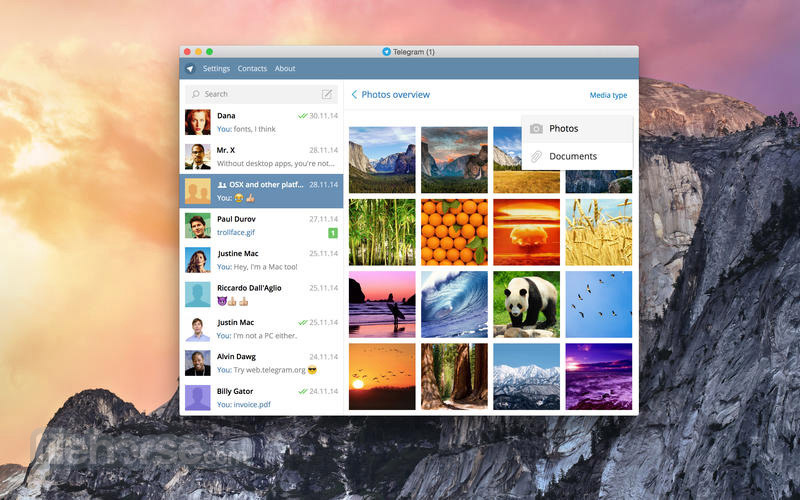
Once inside the app, users can easily browse friend lists, initiate one-on-one or group chats, start audio/video calls, and share files via simple built-in tools.
User Interface
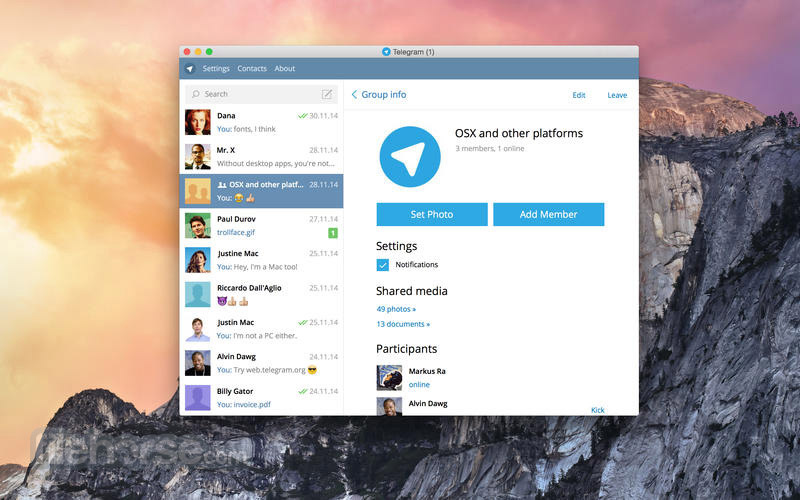
The app’s user interface is designed to be simple and user-friendly, with the basic layout resembling many similar chat apps such as Viber or WhatsApp.
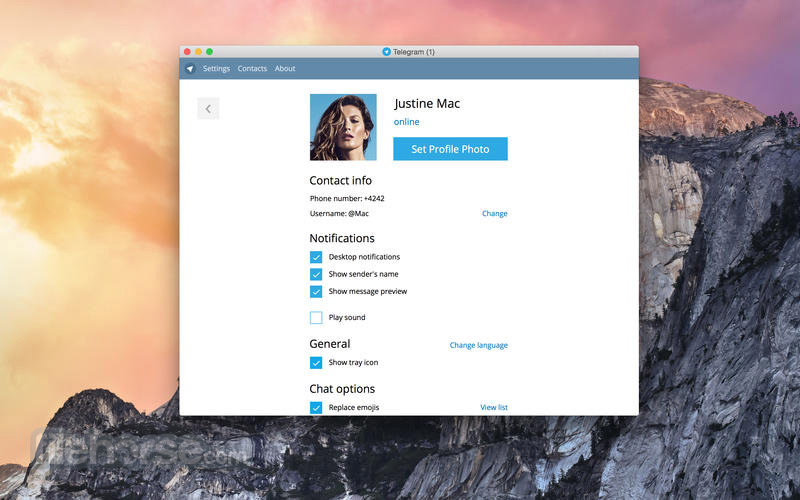
The main dashboard includes a welcome screen with the user’s recent chats, a settings menu for customizing your experience, and a search bar for finding specific conversations.
All in all, new users can learn to master this app within seconds of the first time using it.
FAQ
What is Telegram?
It is a cloud-based messaging app that is focused on the speed and reliability of chat service, offering end-to-end encryption, secret chats, and self-destructing messages.
Is it safe?
Yes. The app is secure from malicious software and data leaks. Developers have included a combination of 256-bit symmetric AES encryption and other security features to safeguard chat data against unauthorized access.
Alternatives
WhatsApp for Mac – One of the world’s most popular chat platforms, featuring extensive support for text, audio, and video chats.
Viber for Mac – A fully featured chat tool with functionality like those of Telegram, Singal, and WhatsApp.
Discord for Mac – A communication platform that offers voice, video, and text chat, designed for creating communities and collaborating in real-time across multiple devices.
Pricing
This app is 100% FREE.
System Requirements
Telegram requires macOS 10.13 or later and 120 MB of free storage space.
PROS
Telegram for Mac is a secure and feature-rich messaging app that offers a range of features for both personal and professional use.
It places a strong focus on security and privacy, and perfect compatibility with all modern personal, school, business, and portable computing platforms. Its ease of use, strong security features, and versatility make it a great choice for users looking for a reliable messaging app.
Note: Requires 64-bit processor.
Also Available: Download Telegram for Windows
Download Telegram for Mac Latest Version Why is this app published on FileHorse? (More info)
It offers advanced features such as end-to-end encryption, secret chats, and self-destructing messages inside an easy-to-use interface that promotes seamless tool discovery.
In addition to one-on-one chats, this platform has built much of its popularity on the support for large chat groups (that can house up to 200 thousand members!), a secure data-sharing operation, and easily expandable functionality via an open API offering.
Today, this app is available for macOS and offers a seamless experience across all supported devices (such as Windows, Linux, iOS, Android, and Web).
What`s New in latest version 2026
- New four-tab bottom navigation bar (Chats, Contacts, Settings, Profile) replacing the old menu.
- AI-powered summaries for long channel posts and Instant View pages.
- Crafting system for collectible gifts to combine and create rarer versions.
- Colored buttons for bots to improve interaction.
- Expanded Stories feature for sharing short content (including reactions).
- AI chatbot threading and streaming responses for smarter conversations.
- Live comments and reactions in group calls.
- Private notes for contacts and suggested birthdays.
- Passkeys support for instant login without SMS.
- New profile color customizations and gift display options.
- More transparent interface elements and layouts for a unified look across devices.
- End-to-end encryption for one-to-one calls and messages.
- Secret Chats with self-destructing messages.
- Group chats with up to 200,000 members.
- Extensive support for emojis, stickers, avatars, and other expressive media.
- Support for sharing of large videos, documents, and other files.
- Customizable themes and stickers.
- Open-source API for developers.
- Cross-platform support for all modern computing devices.
To install this app on any modern Mac, users must download the software from the App Store, the official website, or the secure FileHorse servers.
After installation, simply open the app and follow the on-screen instructions to register and log in. Like many similar chat apps, this platform also manages user accounts via their primary SIM number, enabling an easy way to build large friend groups by simply scanning the connected phone number list.
In addition to the automated installer, this app is also officially distributed as a portable app where users must download a compressed archive and unpack it anywhere on their local storage (including portable USB drives).
How to Use
After starting the app for the first time, users will be required to create a new account that is tied to their SIM phone number. Users who want to create accounts directly on a Mac will have to provide their phone number and enter the security code sent via SMS.
Once inside the app, users can easily browse friend lists, initiate one-on-one or group chats, start audio/video calls, and share files via simple built-in tools.
User Interface
The app’s user interface is designed to be simple and user-friendly, with the basic layout resembling many similar chat apps such as Viber or WhatsApp.
The main dashboard includes a welcome screen with the user’s recent chats, a settings menu for customizing your experience, and a search bar for finding specific conversations.
All in all, new users can learn to master this app within seconds of the first time using it.
FAQ
What is Telegram?
It is a cloud-based messaging app that is focused on the speed and reliability of chat service, offering end-to-end encryption, secret chats, and self-destructing messages.
Is it safe?
Yes. The app is secure from malicious software and data leaks. Developers have included a combination of 256-bit symmetric AES encryption and other security features to safeguard chat data against unauthorized access.
Alternatives
WhatsApp for Mac – One of the world’s most popular chat platforms, featuring extensive support for text, audio, and video chats.
Viber for Mac – A fully featured chat tool with functionality like those of Telegram, Singal, and WhatsApp.
Discord for Mac – A communication platform that offers voice, video, and text chat, designed for creating communities and collaborating in real-time across multiple devices.
Pricing
This app is 100% FREE.
System Requirements
Telegram requires macOS 10.13 or later and 120 MB of free storage space.
PROS
- End-to-end encryption for one-to-one calls and messages.
- Secret Chats with self-destructing messages.
- Group chats with up to 200,000 members.
- Customizable themes and stickers.
- Translated into 7 international languages.
- Not all chats and calls are end-to-end encrypted.
Telegram for Mac is a secure and feature-rich messaging app that offers a range of features for both personal and professional use.
It places a strong focus on security and privacy, and perfect compatibility with all modern personal, school, business, and portable computing platforms. Its ease of use, strong security features, and versatility make it a great choice for users looking for a reliable messaging app.
Note: Requires 64-bit processor.
Also Available: Download Telegram for Windows
Download Telegram for Mac Latest Version Why is this app published on FileHorse? (More info)
##
畫面截圖