- 目前版本2.0.23
- 更新日期2025-02-13
- 檔案大小17.2 MB
- 檔案名稱TextMate_2.0.23.tbz
- 作業系統macOS 10.12 Sierra or later
- 支援語系English
- 授權型式商業試用
- 開發商 MacroMates
- 軟體分類Mac 軟體 / 辦公商務
##
翻譯排程處理中,以下暫以英文原文呈現
軟體介紹
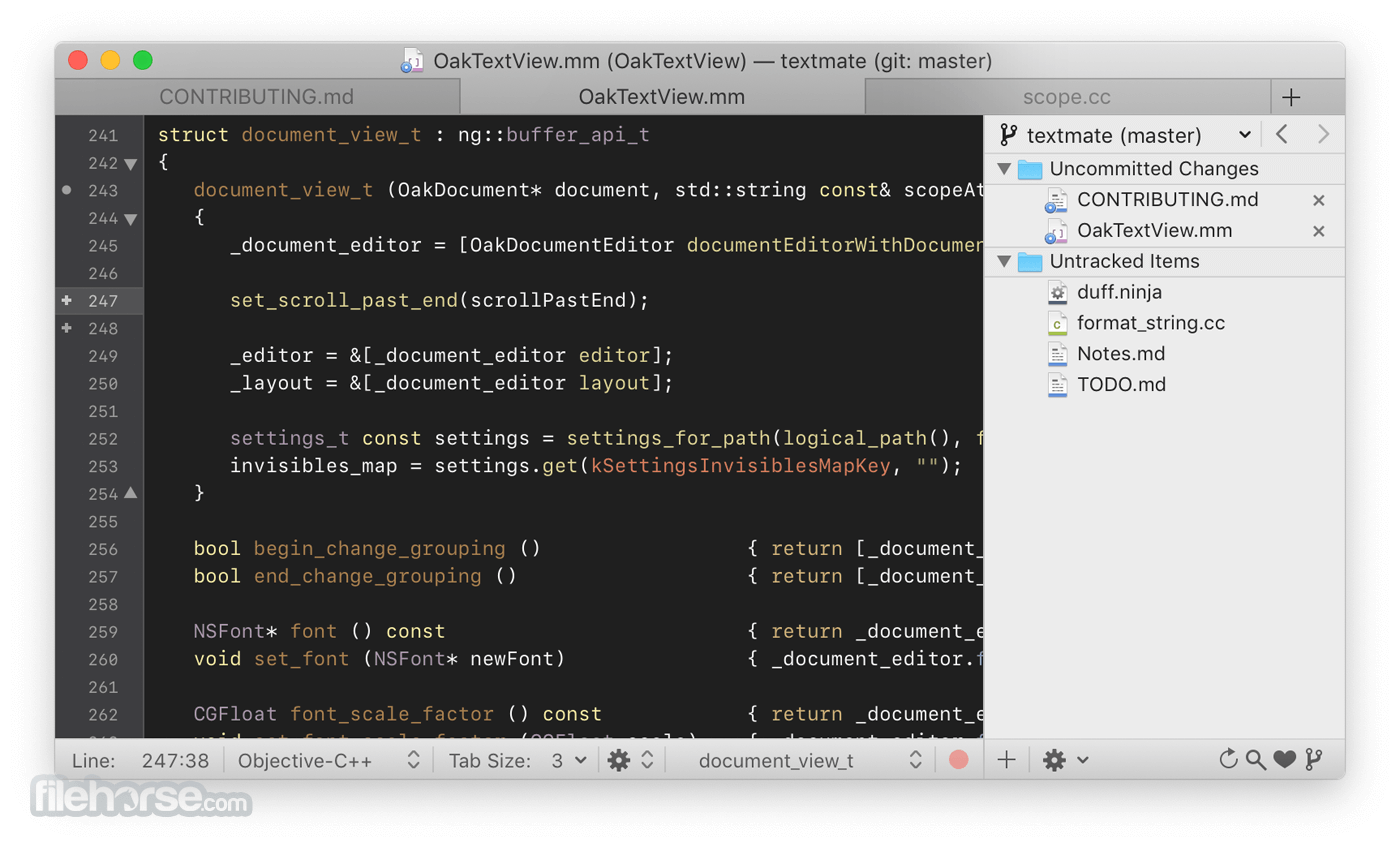
TextMate for Mac brings Apple's approach to operating systems into the world of text editors. By bridging UNIX underpinnings and GUI, TextMate cherry-picks the best of both worlds to the benefit of expert scripters and novice users alike.
Whether you are a programmer or a designer, the production of code and markup is hard work. Without an editor dedicated to the task, it is also often cumbersome, overwhelming, and repetitive. Especially when you are dealing with a lot of files at once — like most projects do.
The tool puts you back in control, reduces the mental overhead, and turns manual work into something the computer does.
Created by a closet UNIX geek who was lured to the Mac platform by its ease of use and elegance, TextMate for macOS has been referred to as the culmination of Emacs and macOS and has resulted in countless requests for both a Windows and Linux port, but the app remains exclusive for the Mac, and that is how we like it!
Text Mate for Mac is not an IDE but by using its powerful snippets, macros, and unique scoping system, it can often provide features that even a language specific IDE lacks.
It has enough project management features to keep most users happy but is otherwise kept lightweight with a clean and minimalistic GUI.
Features and Highlights
If you are looking for TextMate for Mac alternatives, we recommend you to download Visual Studio Code for Mac or Atom for Mac.
System Requirements
Requires macOS 10.12 or later.
PROS
Download TextMate for Mac Latest Version Why is this app published on FileHorse? (More info)
Whether you are a programmer or a designer, the production of code and markup is hard work. Without an editor dedicated to the task, it is also often cumbersome, overwhelming, and repetitive. Especially when you are dealing with a lot of files at once — like most projects do.
The tool puts you back in control, reduces the mental overhead, and turns manual work into something the computer does.
Created by a closet UNIX geek who was lured to the Mac platform by its ease of use and elegance, TextMate for macOS has been referred to as the culmination of Emacs and macOS and has resulted in countless requests for both a Windows and Linux port, but the app remains exclusive for the Mac, and that is how we like it!
Text Mate for Mac is not an IDE but by using its powerful snippets, macros, and unique scoping system, it can often provide features that even a language specific IDE lacks.
It has enough project management features to keep most users happy but is otherwise kept lightweight with a clean and minimalistic GUI.
Features and Highlights
- Ability to Search and Replace in a Project
- Auto-Indent for Common Actions Like Pasting Text
- Auto-Pairing of Brackets and Other Characters
- Clipboard History
- Column Selections and Column Typing
- Completion of Words from Current Document
- CSS-like Selectors to Pinpoint the Scope of Actions and Settings
- Declarative Language Grammars for Graceful Mixing and Hacking
- Dynamic Outline for Working With Multiple Files
- Expand Trigger Words to Code Blocks With Tab-able Placeholders
- File Tabs when Working With Projects
- Foldable Code Blocks
- Function Pop-up for Quick Overview and Navigation
- Plug-able Through Your Favorite Scripting Language
- Recordable Macros With No Programming Required
- Regular Expression Search and Replace (grep)
- Run Shell Commands from Within a Document
- Support for Darcs, Perforce, SVK, and Subversion
- Support for More Than 50 Languages
- Switch Between Files in Projects With a Minimum of Key Strokes
- Themable Syntax Highlight Colors
- Visual Bookmarks to Jump Between Places in a File
- Works As External Editor for (s)ftp Programs
- Works Together With Xcode and Can Build Xcode Projects
If you are looking for TextMate for Mac alternatives, we recommend you to download Visual Studio Code for Mac or Atom for Mac.
System Requirements
Requires macOS 10.12 or later.
PROS
- Lightweight & Fast – Minimal resource usage.
- Powerful Mac Integration – Optimized for macOS.
- Extensible with Plugins – Customizable features.
- Multiple Cursors – Efficient text editing.
- Strong Syntax Highlighting – Supports many languages.
- Mac-Only – No Windows or Linux support.
- Limited Built-in Features – Needs extensions.
- No Real-time Collaboration – Lacks live sharing.
- Occasional Stability Issues – Can crash at times.
- Not Actively Updated – Slower feature additions.
Download TextMate for Mac Latest Version Why is this app published on FileHorse? (More info)
##
畫面截圖