- 目前版本1.12.2
- 更新日期2025-11-01
- 作業系統macOS 10.15 Catalina or later
- 支援語系English
- 授權型式未分類
- 開發商 Andrejs Boguckis
- 軟體分類Mac 軟體 / 辦公商務
##
翻譯排程處理中,以下暫以英文原文呈現
軟體介紹
TextSniper for Mac is a simple and easy to use text recognition (OCR) app that helps instantly extract text from images, PDFs, slides, Zoom meetings, or even YouTube videos.
Just hit CMD+SHIFT+2, select the screen area and the text will be recognized and copied to the clipboard. You can have TextSniper even speak the recognized text whenever you need it.
Working With TextSniper is Simple
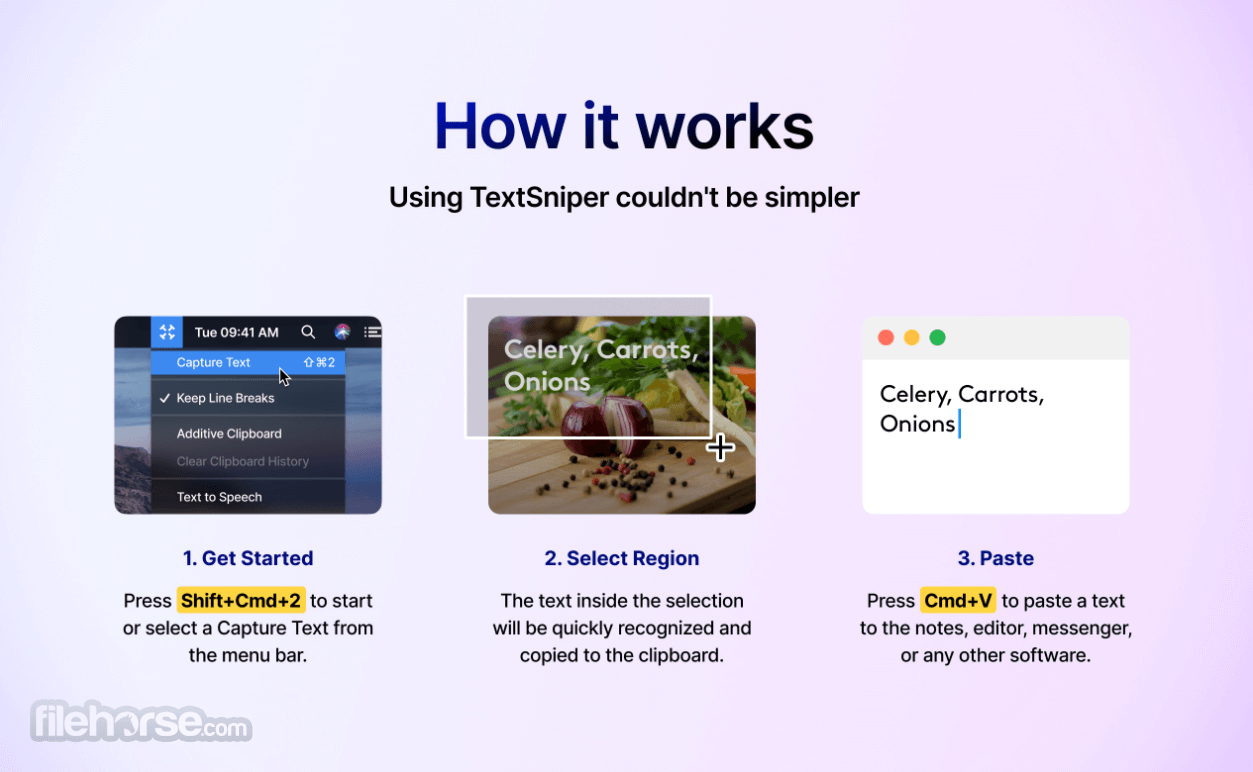
1. Start
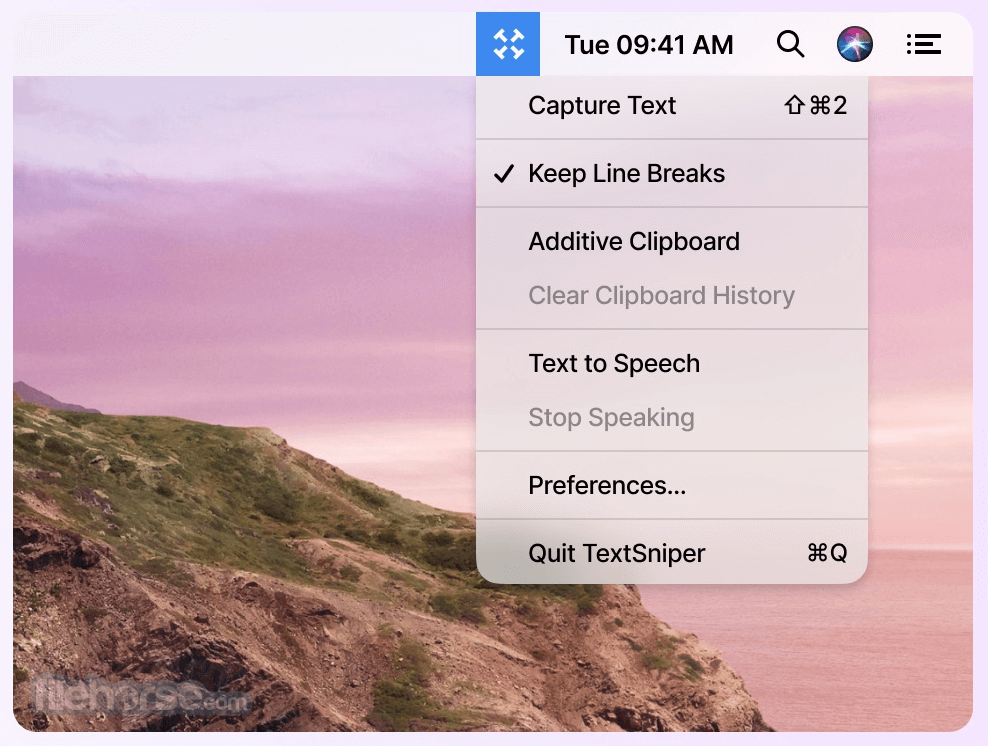
Press CMD+Shift+2 to start or select Capture Text from the menu bar.
2. Select screen area
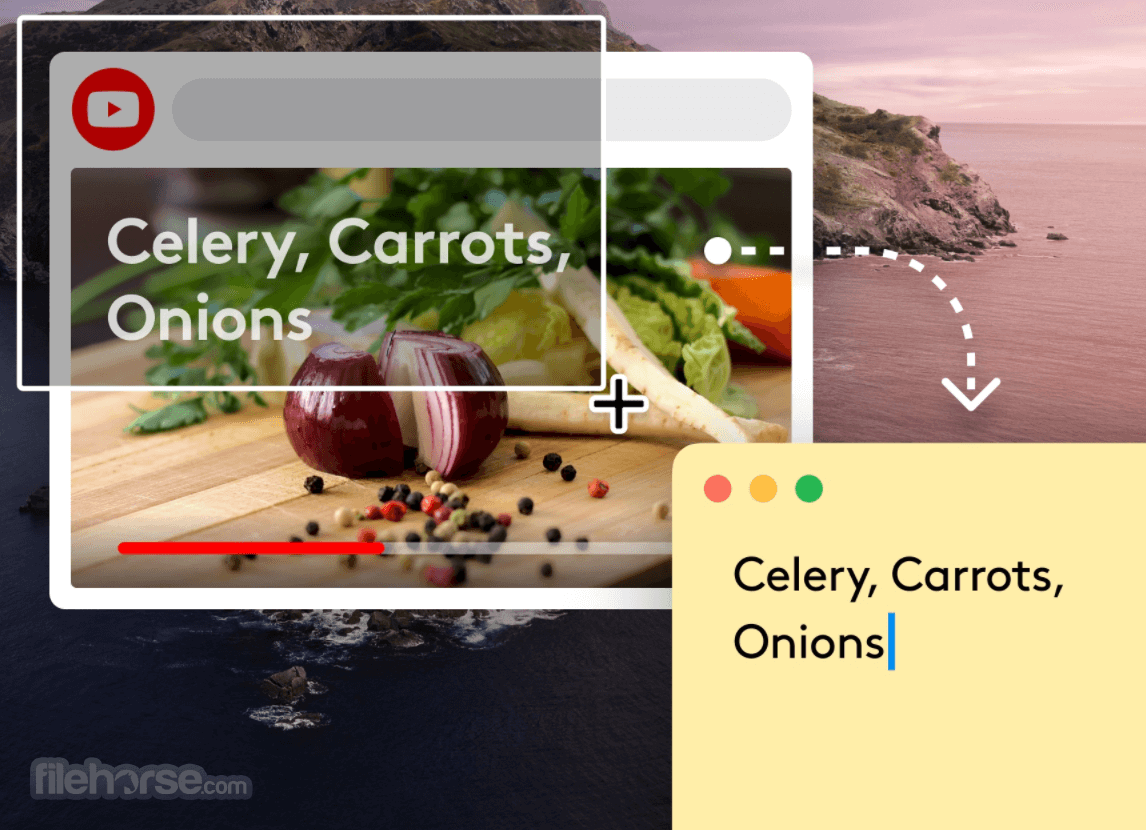
The text inside the selection will be quickly recognized and copied to the clipboard.
3. Paste
Press CMD+V to paste a text to the notes, editor, messenger, or any other software.
Features and Highlights
Unnoticed - until you need it
The app is always at hand with customizable shortcut. The app does not clutter macOS dock and is easily accessible in the menu bar.
Lightning fast
TextSniper instantly recognizes text within the selection area using advanced OCR technology.
Text to Speech
You can have TextSniper for macOS speak the recognized text whenever you need it. A worthy addition for foreign language learners or people who have trouble reading text on their screen. The text to speech feature is also a powerful assistive technology for those with dyslexia.
QR code and barcode reader
Capture, extract, and convert to text any QR code or barcode in a snap.
You can try TextSniper and 200+ additional apps like CleanMyMac, Ulysses, Bartender, free for a week. Purchasing directly from the website, you will have a 7-day money-back guarantee. So feel free to give the app a try!
How to Use
Open TextSniper for macOS from the menu bar
Press Command + Shift + 2 to activate
Select the area with text on the screen
Wait for TextSniper to extract the text
Paste the copied text wherever needed
System Requirements
Download TextSniper for Mac Latest Version Why is this app published on FileHorse? (More info)
Just hit CMD+SHIFT+2, select the screen area and the text will be recognized and copied to the clipboard. You can have TextSniper even speak the recognized text whenever you need it.
- The app is extremely fast and does not require an internet connection
- No collecting or sharing any user data
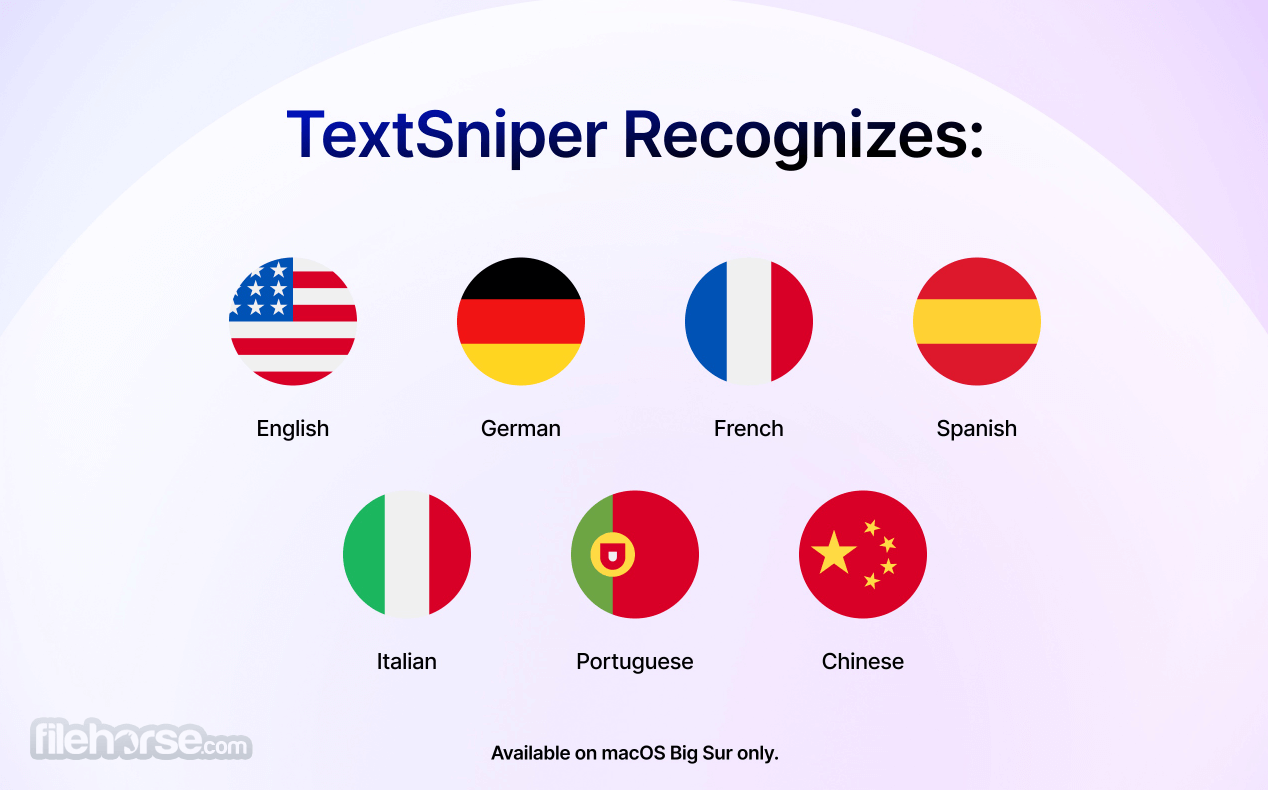
- Recognize English, German, Italian, French, Spanish, Portuguese, and Chinese languages
- Big Sur Ready! Supports Apple newest M1 Mac's
Working With TextSniper is Simple
1. Start
Press CMD+Shift+2 to start or select Capture Text from the menu bar.
2. Select screen area
The text inside the selection will be quickly recognized and copied to the clipboard.
3. Paste
Press CMD+V to paste a text to the notes, editor, messenger, or any other software.
Features and Highlights
Unnoticed - until you need it
The app is always at hand with customizable shortcut. The app does not clutter macOS dock and is easily accessible in the menu bar.
Lightning fast
TextSniper instantly recognizes text within the selection area using advanced OCR technology.
Text to Speech
You can have TextSniper for macOS speak the recognized text whenever you need it. A worthy addition for foreign language learners or people who have trouble reading text on their screen. The text to speech feature is also a powerful assistive technology for those with dyslexia.
QR code and barcode reader
Capture, extract, and convert to text any QR code or barcode in a snap.
You can try TextSniper and 200+ additional apps like CleanMyMac, Ulysses, Bartender, free for a week. Purchasing directly from the website, you will have a 7-day money-back guarantee. So feel free to give the app a try!
How to Use
Open TextSniper for macOS from the menu bar
Press Command + Shift + 2 to activate
Select the area with text on the screen
Wait for TextSniper to extract the text
Paste the copied text wherever needed
System Requirements
- macOS 10.15 Catalina or later
- Apple Silicon or Intel-based Mac
- At least 50MB of free disk space
- Internet not required after install
- Works with both Light and Dark Mode
- Very fast text recognition
- Works offline without internet
- Supports QR code and barcode scanning
- Clean and minimal interface
- No subscription required
- Only available for macOS
- No PDF or document scanning
- No multi-language OCR support
- Limited editing features
- No Windows or mobile version
Download TextSniper for Mac Latest Version Why is this app published on FileHorse? (More info)
##
影片介紹
##
畫面截圖