- 目前版本5.10.0
- 更新日期2026-07-15
- 檔案大小58.4 MB
- 檔案名稱TunnelBear.zip
- 作業系統macOS 10.12 Sierra or later
- 支援語系English
- 授權型式試用版
- 開發商 TunnelBear Inc.
- 軟體分類Mac 軟體 / VPN
##
翻譯排程處理中,以下暫以英文原文呈現
軟體介紹
TunnelBear VPN for Mac is a user-friendly virtual private network (VPN) service for macOS designed to provide secure and anonymous internet browsing.
Developed by TunnelBear Inc., this software aims to make online privacy accessible to everyone. With a playful and approachable bear-themed design, it brings simplicity to the world of VPNs, offering protection without the complexity.
Features for all your privacy needs
Enhance Security Measures
The VPN app thwarts hackers attempting to pilfer your passwords and sensitive data, especially on unsecured public WiFi networks.
Unlock Global Access
It enables you to access content that may be restricted to specific regions by altering your virtual location, giving you the freedom to view it from anywhere.
Bypass Regional Censorship
The VPN circumvents government-imposed restrictions on popular websites and applications by altering your virtual location, ensuring you have unrestricted access.
Shield Your Online Activity
With TunnelBear active, network administrators and internet service providers are unable to monitor your online activities, providing you with complete privacy.
Block IP-Based Tracking
The app thwarts advertising services that use your IP address to track your online behavior, offering you a new IP address to protect your privacy.
Additional Features
It goes beyond the basics, allowing you to enjoy new gaming servers, avoid speed throttling, and effortlessly unblock applications and websites even on restricted school and workplace networks.
Key Highlights
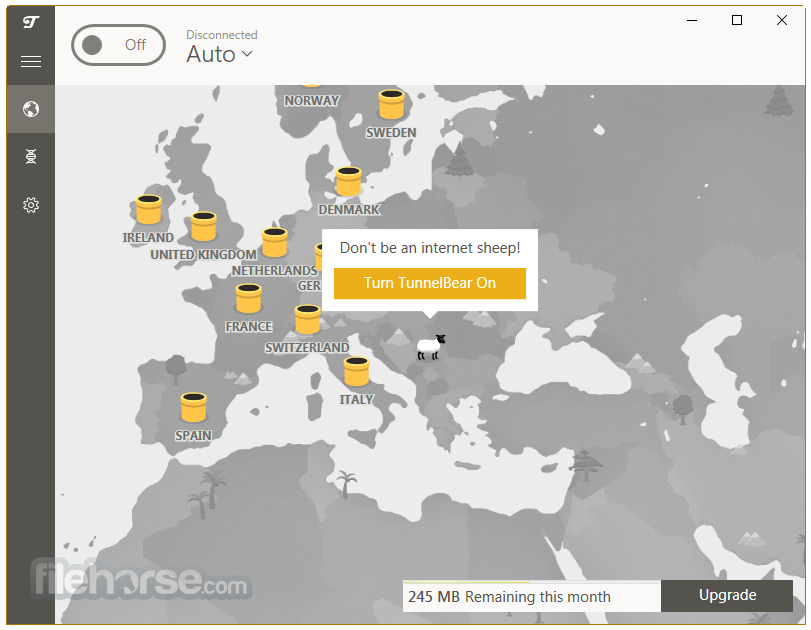
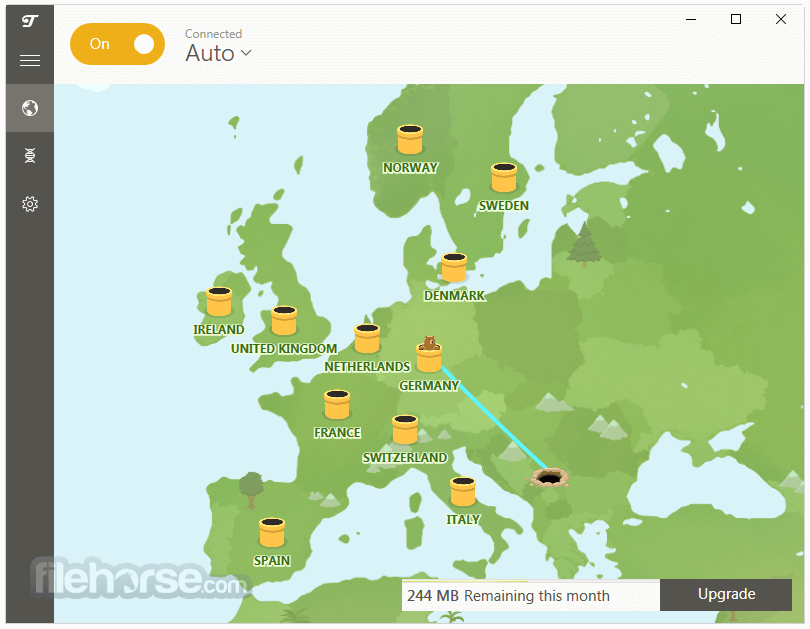
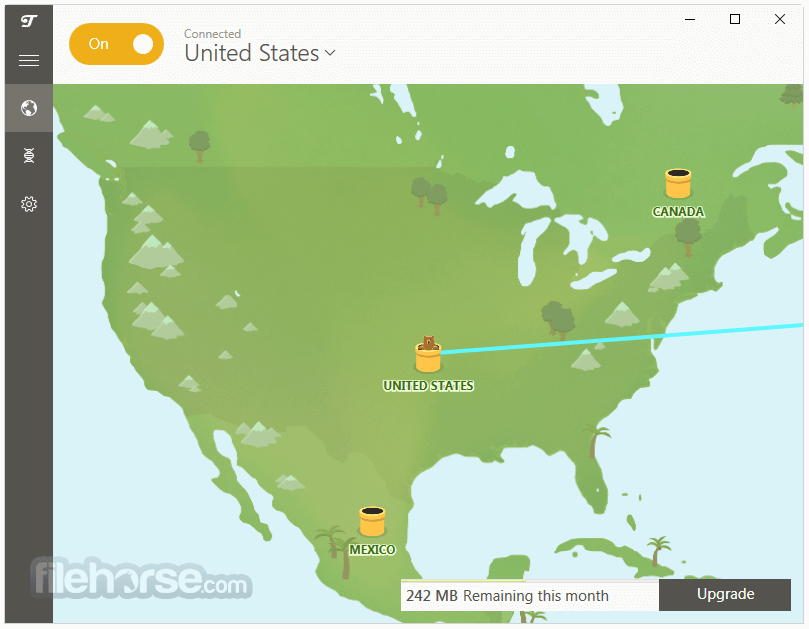
Easy-to-Use Interface: TunnelBear's user interface is straightforward, featuring a world map with various server locations represented by cute bear icons. Connecting to a server is as simple as clicking on one of these bears.
Global Server Network: It offers servers in over 40 countries, allowing users to bypass geo-restrictions and access content from around the world.
VigilantBear (Kill Switch): This feature ensures your online activities remain private by automatically disconnecting your internet if the VPN connection drops, preventing data leaks.
GhostBear (Obfuscation Technology): GhostBear disguises VPN traffic as regular internet traffic, making it harder for websites and governments to detect and block VPN usage.
No-Logs Policy: The app is committed to user privacy, maintaining a strict no-logs policy, which means they don't record your online activities.
AES 256-Bit Encryption: The software uses top-notch encryption to secure your data, ensuring your online presence remains private and secure.
Multi-Platform Support: The VPN software is available on various platforms, including Windows, macOS, Android, iOS, and browser extensions for Chrome and Firefox.
Installation and Setup
Installing the VPN is a breeze. Simply visit their website, sign up for an account, and download the appropriate version for your device. The installation wizard guides you through the process step by step.
Once installed, log in to your account, and you're ready to start using the VPN.
How to Use
Is TunnelBear VPN for Mac FREE?
Yes, it offers a limited free plan with 500MB of data per month. They also have affordable paid plans with unlimited data and more features.
Can I use TunnelBear to access Netflix libraries from different countries?
Yes, TunnelBear's global server network allows you to access Netflix libraries from various regions.
Does TunnelBear work in China?
While the app is known for its obfuscation technology (GhostBear), it's not guaranteed to work in highly restrictive countries like China.
How many devices can I connect to TunnelBear simultaneously?
With a paid account, you can connect up to 10 devices simultaneously.
Is TunnelBear suitable for torrenting?
Yes, it allows torrenting on some of its servers. Be sure to check their policy and server list for torrent-friendly options.
How does TunnelBear work?
It employs encryption to secure both the data entering and leaving your device. This means that if an internet service provider, network administrator, or even a malicious hacker attempts to monitor your online actions, all they will encounter is a jumble of indecipherable information.
Why do I need a VPN?
The motivations for utilizing a VPN are subjective and vary from person to person. Some individuals employ VPNs to overcome app limitations and maintain communication with family and friends while journeying through nations with stringent censorship.
Others rely on VPNs to bolster their security while using public Wi-Fi networks.
Then there are those who simply appreciate the reassurance of knowing that their internet service provider cannot monitor their online browsing activities each time they connect to the internet.
Alternatives
ExpressVPN - Connect to any one of over 3,000 secure servers in 160 locations!
NordVPN - Extra protection 24/7 - Fastest VPN experience.
PrivadoVPN - Stay Safe & Secure, No Matter Where You Are.
Hotspot Shield - Protect Your Privacy. Secure Your Data. Unblock Websites!
SurfShark VPN - Enjoy everything good that the Internet has to offer, worry-free!
Pricing
FREE Plan: 2GB of data per month, limited server locations.
Unlimited Plan: $3.33/month (billed annually)
TunnelBear VPN is available on various platforms, including Windows, macOS, Android, iOS, and browser extensions. It is compatible with most modern devices and operating systems.
PROS
Also Available: Download TunnelBear for Windows
Download TunnelBear for Mac Latest Version Why is this app published on FileHorse? (More info)
Developed by TunnelBear Inc., this software aims to make online privacy accessible to everyone. With a playful and approachable bear-themed design, it brings simplicity to the world of VPNs, offering protection without the complexity.
Features for all your privacy needs
Enhance Security Measures
The VPN app thwarts hackers attempting to pilfer your passwords and sensitive data, especially on unsecured public WiFi networks.
Unlock Global Access
It enables you to access content that may be restricted to specific regions by altering your virtual location, giving you the freedom to view it from anywhere.
Bypass Regional Censorship
The VPN circumvents government-imposed restrictions on popular websites and applications by altering your virtual location, ensuring you have unrestricted access.
Shield Your Online Activity
With TunnelBear active, network administrators and internet service providers are unable to monitor your online activities, providing you with complete privacy.
Block IP-Based Tracking
The app thwarts advertising services that use your IP address to track your online behavior, offering you a new IP address to protect your privacy.
Additional Features
It goes beyond the basics, allowing you to enjoy new gaming servers, avoid speed throttling, and effortlessly unblock applications and websites even on restricted school and workplace networks.
Key Highlights
Easy-to-Use Interface: TunnelBear's user interface is straightforward, featuring a world map with various server locations represented by cute bear icons. Connecting to a server is as simple as clicking on one of these bears.
Global Server Network: It offers servers in over 40 countries, allowing users to bypass geo-restrictions and access content from around the world.
VigilantBear (Kill Switch): This feature ensures your online activities remain private by automatically disconnecting your internet if the VPN connection drops, preventing data leaks.
GhostBear (Obfuscation Technology): GhostBear disguises VPN traffic as regular internet traffic, making it harder for websites and governments to detect and block VPN usage.
No-Logs Policy: The app is committed to user privacy, maintaining a strict no-logs policy, which means they don't record your online activities.
AES 256-Bit Encryption: The software uses top-notch encryption to secure your data, ensuring your online presence remains private and secure.
Multi-Platform Support: The VPN software is available on various platforms, including Windows, macOS, Android, iOS, and browser extensions for Chrome and Firefox.
Installation and Setup
Installing the VPN is a breeze. Simply visit their website, sign up for an account, and download the appropriate version for your device. The installation wizard guides you through the process step by step.
Once installed, log in to your account, and you're ready to start using the VPN.
How to Use
- Open the application.
- Click on the bear icon on the world map to connect to the nearest server automatically or choose a specific server location.
- The bear will tunnel through the map, and once it reaches the selected location, you're securely connected.
- To disconnect, click the bear again.
Is TunnelBear VPN for Mac FREE?
Yes, it offers a limited free plan with 500MB of data per month. They also have affordable paid plans with unlimited data and more features.
Can I use TunnelBear to access Netflix libraries from different countries?
Yes, TunnelBear's global server network allows you to access Netflix libraries from various regions.
Does TunnelBear work in China?
While the app is known for its obfuscation technology (GhostBear), it's not guaranteed to work in highly restrictive countries like China.
How many devices can I connect to TunnelBear simultaneously?
With a paid account, you can connect up to 10 devices simultaneously.
Is TunnelBear suitable for torrenting?
Yes, it allows torrenting on some of its servers. Be sure to check their policy and server list for torrent-friendly options.
How does TunnelBear work?
It employs encryption to secure both the data entering and leaving your device. This means that if an internet service provider, network administrator, or even a malicious hacker attempts to monitor your online actions, all they will encounter is a jumble of indecipherable information.
Why do I need a VPN?
The motivations for utilizing a VPN are subjective and vary from person to person. Some individuals employ VPNs to overcome app limitations and maintain communication with family and friends while journeying through nations with stringent censorship.
Others rely on VPNs to bolster their security while using public Wi-Fi networks.
Then there are those who simply appreciate the reassurance of knowing that their internet service provider cannot monitor their online browsing activities each time they connect to the internet.
Alternatives
ExpressVPN - Connect to any one of over 3,000 secure servers in 160 locations!
NordVPN - Extra protection 24/7 - Fastest VPN experience.
PrivadoVPN - Stay Safe & Secure, No Matter Where You Are.
Hotspot Shield - Protect Your Privacy. Secure Your Data. Unblock Websites!
SurfShark VPN - Enjoy everything good that the Internet has to offer, worry-free!
Pricing
FREE Plan: 2GB of data per month, limited server locations.
Unlimited Plan: $3.33/month (billed annually)
- Unlimited secure browsing
- Unlimited devices
- Premium VPN servers
- City-level server selection
- Priority customer support
- Unlimited secure browsing
- Unlimited devices
- Premium VPN servers
- City-level server selection
- Priority customer support
- Centralized team billing
- Admin & account manager tools
TunnelBear VPN is available on various platforms, including Windows, macOS, Android, iOS, and browser extensions. It is compatible with most modern devices and operating systems.
PROS
- User-friendly interface.
- Playful design.
- Global server network.
- Strong encryption and privacy features.
- No-logs policy.
- Free plan available.
- Affordable paid plans.
- Limited FREE data.
- Not the fastest VPN service.
- May not work in highly restricted countries.
Also Available: Download TunnelBear for Windows
Download TunnelBear for Mac Latest Version Why is this app published on FileHorse? (More info)
##
畫面截圖