⚠ 這是歷史版本頁面 — 查看 VirtualBox 7.2.14 Build 最新版本 →

- 目前版本169112
- 更新日期2025-06-04
- 檔案大小151 MB
- 檔案名稱VirtualBox-7.1.10-169112-OSX.dmg
- 作業系統Mac OS X
- 支援語系English
- 授權型式開源軟體
- 開發商 Oracle
- 軟體分類Mac 軟體 / 開發者工具
##
編輯短評
VirtualBox 是 Oracle 推出的跨平台虛擬機器軟體,讓你在 Mac 上同時運行 Windows、Linux 等多個作業系統,不必重開機就能切換環境。它最大的辨識度在於「開源且免費」——同類產品中少見的專業級選擇,功能完整度不輸商業軟體,且長期維持活躍更新,是同類工具中的主流首選,使用者評價普遍不錯。
這套軟體特別適合開發者、系統管理員,或需要測試不同作業環境的人;想嘗鮮新版系統又怕影響主力工作機,用它開個虛擬機器最省事。與 Parallels Desktop 相比,VirtualBox 免費但介面較樸素、圖形效能略遜一籌,取捨明顯。要注意它僅提供英文介面,macOS 版本在 Apple Silicon 晶片上的相容性需特別留意,安裝前建議先確認官方文件。
##
翻譯排程處理中,以下暫以英文原文呈現
軟體介紹
The world’s most popular cross-platform virtualization software enables you to run multiple operating systems on your Mac, PC, Linux, or Oracle Solaris machine.
Oracle VM VirtualBox for Mac is a general-purpose full virtualizer for x86 and AMD64/Intel64 hardware, targeted at server, desktop and embedded use.
Not only is the tool an extremely feature rich, high performance product for enterprise customers, it is also the only professional solution that is freely available as Open Source Software.
Some of the new features of Oracle VM VirtualBox are:
Paravirtualization support for modern Windows and Linux guests
Oracle VM VirtualBox for macOS is able to expose a paravirtualization interface to facilitate accurate and efficient execution of software. Once the virtual machine platform is defined, the app improves guest OS performances by leveraging built-in virtualization support (KVM on Linux guests and Hyper-V on Windows guests).
xHCI controller to support USB 3.0 devices
Guest operating systems are now able to directly recognize USB 3.0 devices and operate at full 3.0 speeds. Guest can now be configured to use USB 1.1, 2.0 and 3.0 devices.
Improved Drag & Drop support
Starting from the app improved the support of a bi-directional drag&drop between guest and host operating system; drag and drop support is available with latest guest-additions installed.
Disk image encryption
The software allows for encrypted virtual disk images by leveraging AES algorithm in XTS mode (128-bit or 256-bit); since the DEK is stored as part of the virtual machine configuration file, encryption introduces a further security feature that will ask for a password while starting the virtual machine.
Headless and Detachable start options
Oracle VM Virtual Box now supports starting virtual machines in the background with a separate front-end process that can be closed while the virtual machine continues to work.
How to Use
Download VirtualBox for Mac Latest Version Why is this app published on FileHorse? (More info)
Oracle VM VirtualBox for Mac is a general-purpose full virtualizer for x86 and AMD64/Intel64 hardware, targeted at server, desktop and embedded use.
Not only is the tool an extremely feature rich, high performance product for enterprise customers, it is also the only professional solution that is freely available as Open Source Software.
Some of the new features of Oracle VM VirtualBox are:
Paravirtualization support for modern Windows and Linux guests
Oracle VM VirtualBox for macOS is able to expose a paravirtualization interface to facilitate accurate and efficient execution of software. Once the virtual machine platform is defined, the app improves guest OS performances by leveraging built-in virtualization support (KVM on Linux guests and Hyper-V on Windows guests).
xHCI controller to support USB 3.0 devices
Guest operating systems are now able to directly recognize USB 3.0 devices and operate at full 3.0 speeds. Guest can now be configured to use USB 1.1, 2.0 and 3.0 devices.
Improved Drag & Drop support
Starting from the app improved the support of a bi-directional drag&drop between guest and host operating system; drag and drop support is available with latest guest-additions installed.
Disk image encryption
The software allows for encrypted virtual disk images by leveraging AES algorithm in XTS mode (128-bit or 256-bit); since the DEK is stored as part of the virtual machine configuration file, encryption introduces a further security feature that will ask for a password while starting the virtual machine.
Headless and Detachable start options
Oracle VM Virtual Box now supports starting virtual machines in the background with a separate front-end process that can be closed while the virtual machine continues to work.
How to Use
- Install VirtualBox on your Mac
- Download the desired guest OS ISO file
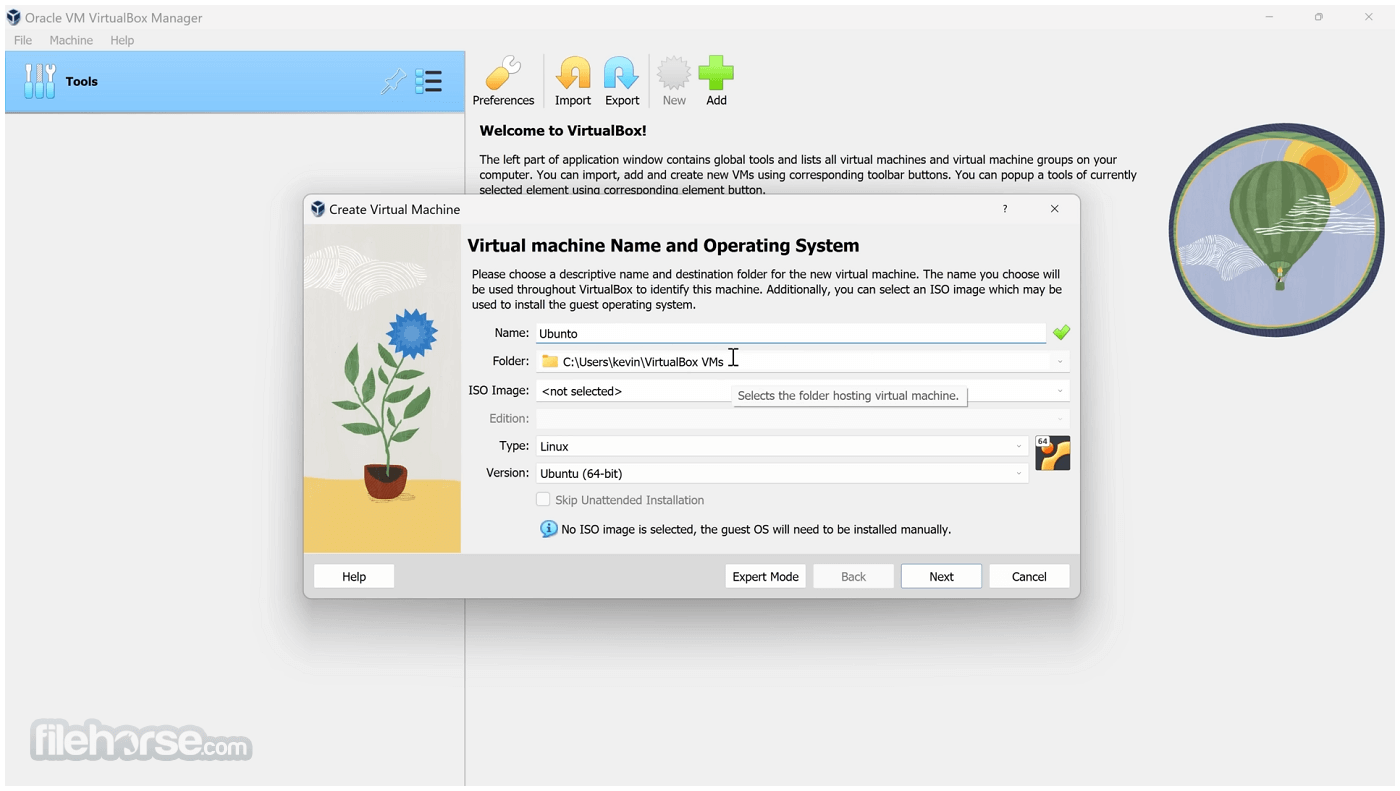
- Create a new virtual machine in VirtualBox
- Assign memory and virtual hard disk size
- Select and mount the guest OS ISO
- Start the virtual machine and install OS
- Install VirtualBox Guest Additions
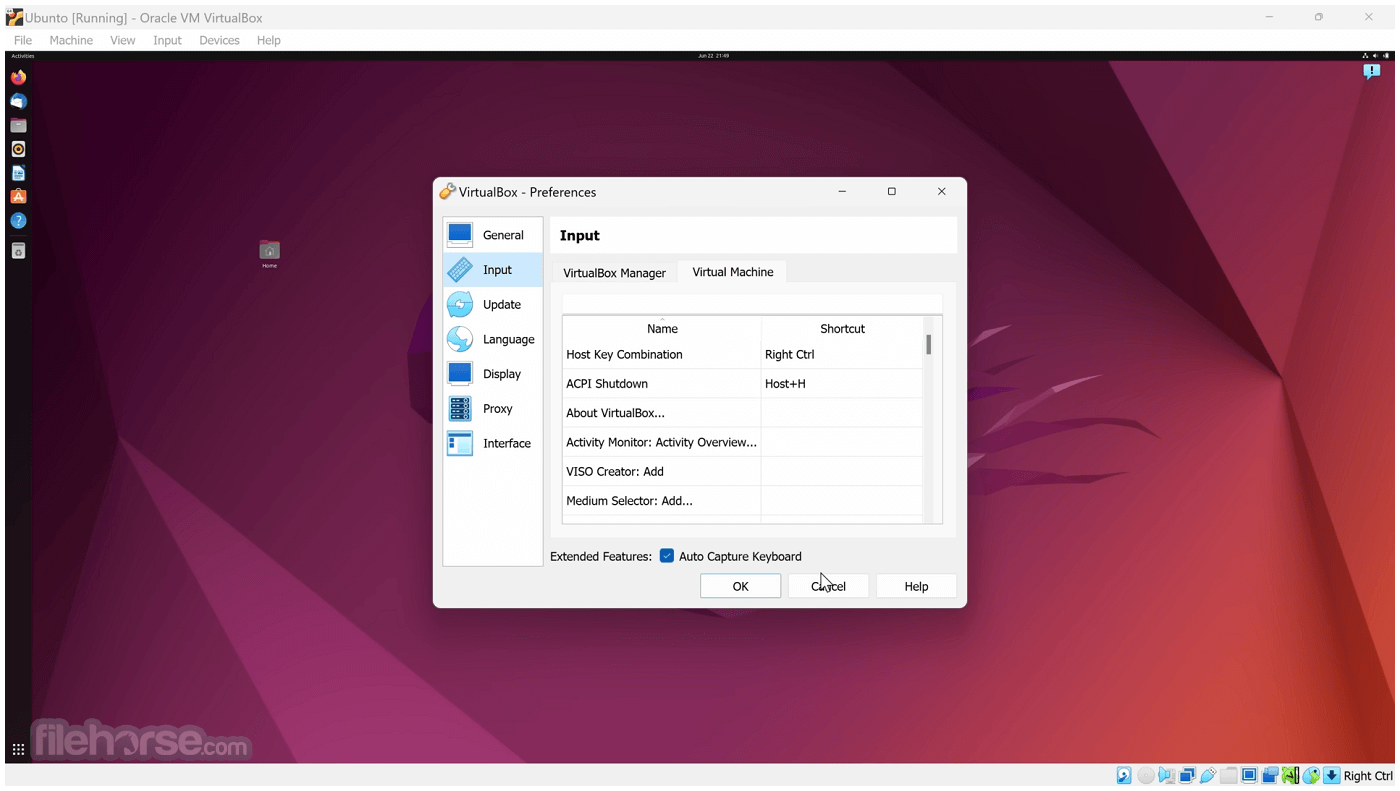
- Adjust settings like display, network, etc.
- Start using your virtual OS environment
- macOS 12 (Monterey) or later
- 64-bit Intel or Apple Silicon with Rosetta 2
- At least 4GB of RAM (8GB recommended)
- Minimum 10GB free disk space
- Administrative access to install software
- Free and open-source virtualization tool
- Supports wide range of guest OS
- Snapshot feature for easy backups
- Cross-platform compatibility
- Active community and regular updates
- Lower performance vs native apps
- Limited 3D graphics support
- May require manual setup tweaks
- USB device passthrough can be tricky
- Interface not as polished as rivals
Download VirtualBox for Mac Latest Version Why is this app published on FileHorse? (More info)
##
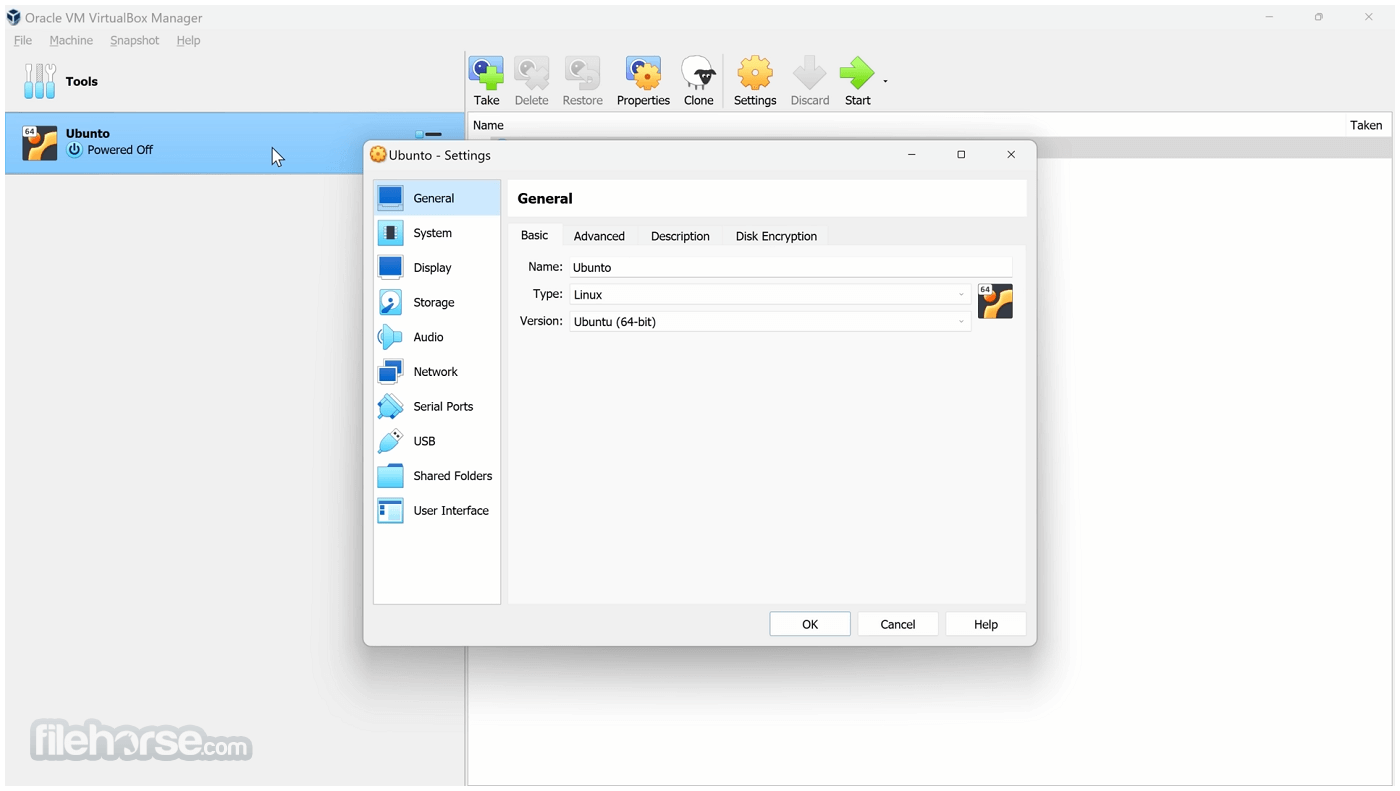
畫面截圖
- 2026-07-22 VirtualBox 7.2.14 Build 174565 143 MB
- 2026-07-01 VirtualBox 7.2.12 Build 174389 143 MB
- 2026-06-17 VirtualBox 7.2.10 Build 174163 143 MB
- 2026-04-21 VirtualBox 7.2.8 Build 173730 143 MB
- 2026-01-29 VirtualBox 7.2.6 Build 172322 143 MB
- 2025-10-21 VirtualBox 7.2.4 Build 170995 143 MB
- 2025-09-11 VirtualBox 7.2.2 Build 170484 143 MB
- 2025-08-15 VirtualBox 7.2.0 Build 170228 143 MB