⚠ 這是歷史版本頁面 — 查看 Vuze 最新版本 →

- 目前版本5.6.2.0
- 更新日期2015-08-08
- 檔案大小32.61 MB
- 檔案名稱Vuze_5620_Installer_Java7.dmg
- 作業系統Mac OS X 10.11 or later
- 支援語系English
- 授權型式開源軟體
- 開發商 Azureus Software, Inc
- 軟體分類Mac 軟體 / 檔案傳輸與網路
##
編輯短評
Vuze 是一款老牌的 BitTorrent 下載工具,前身是 Azureus,專為 macOS 設計,也提供 Windows 版本。它主打輕量與快速,能在不拖慢系統效能的情況下完成 torrent 下載,並內建搜尋功能,方便從追蹤網站、磁力連結等來源找到檔案。雖然近期更新並不頻繁,但在同類軟體中仍屬熱門選擇,使用者評價普遍不錯。
這套軟體適合需要穩定下載 torrent 的 Mac 使用者,尤其是習慣從各種來源取得種子或磁力連結的人。與 uTorrent 等替代方案相比,Vuze 是開源軟體,但僅提供英文介面,且更新步調較慢,若你偏好頻繁更新或中文支援,可能需要考慮其他選項。授權為開源,可免費使用,但要注意它僅支援 macOS 與 Windows,其他平台需另尋工具。
##
翻譯排程處理中,以下暫以英文原文呈現
軟體介紹
The Vuze Bittorrent Client for Mac (previously Azureus) is an end-to-end software application for all your torrent needs. Although it is a complete bittorrent downloader, the Vuze program maintains a lightweight footprint, doesn't slow your computer down, and quickly downloads torrents.
The Vuze torrent downloader for Mac makes it easy for you to find torrents online, whether you are downloading torrents from a tracker site, from a friend via magnet links, or anywhere else on the web.
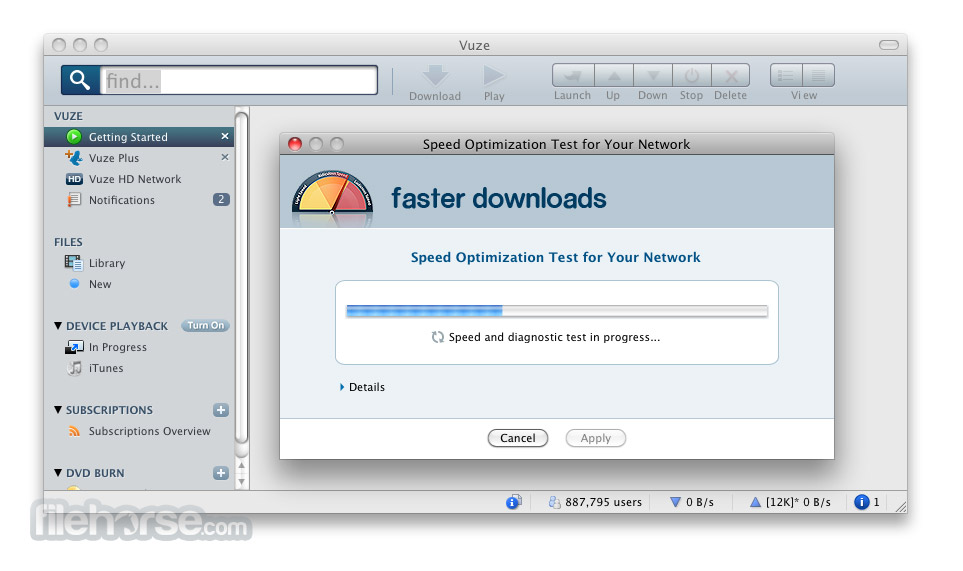
Once you find a torrent the Vuze for macOS Bittorrent Client makes it simple to download torrents and automatically optimizes torrent download speeds.
The built-in Vuze torrent download manager lets you view the status of each of your bittorrent downloads. Once your downloaded torrents are finished the app makes it straightforward and simple to watch and listen to the content you downloaded. The app simply covers anything you'll run into when downloading bittorrent torrents.
Download the best torrent client and downloader in one today!
Features and Highlights
Torrent Search Engine: It includes a built-in search engine that allows users to find torrents without leaving the application. This feature saves time and provides a more integrated experience.
Magnet Link Support: The software supports magnet links, which are a type of hyperlink that enables users to download torrents without needing a .torrent file.
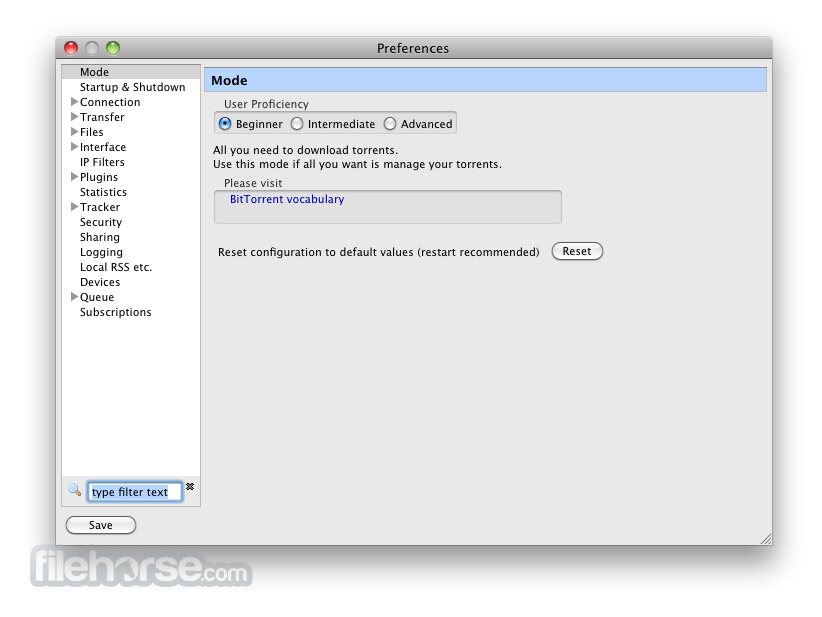
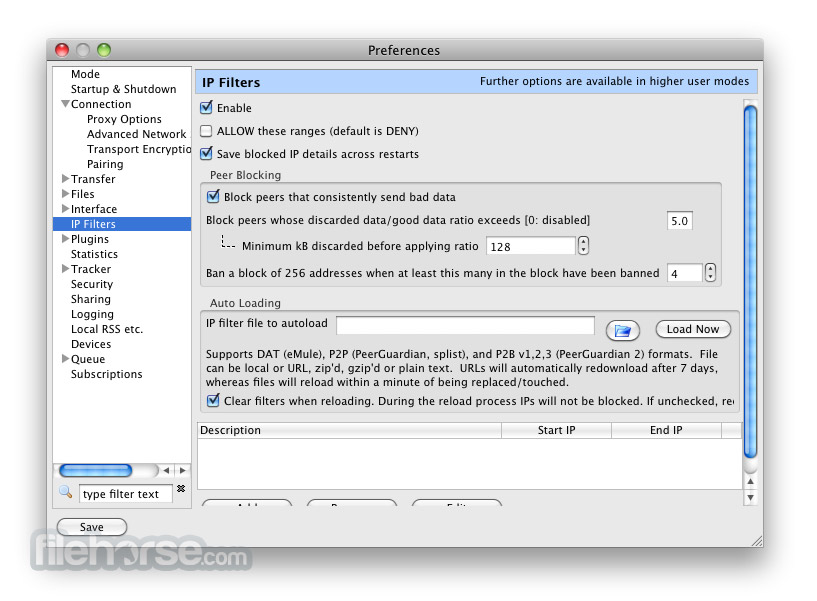
Advanced Settings: It offers a wide range of advanced settings, including bandwidth management, queuing, and prioritization of downloads. Users can tweak these settings to optimize their download speeds.
Built-in Media Player: It has an integrated media player that supports various formats, enabling users to play videos and audio files directly within the application.
RSS Subscription: Users can subscribe to RSS feeds of their favorite torrent sites and have Vuze automatically download new content as it becomes available.
Device Integration: It can easily transfer downloaded media to various devices, including smartphones, tablets, and game consoles. This feature simplifies the process of moving content to portable devices.
Plugins and Extensions: The software supports a wide range of plugins and extensions, allowing users to enhance its functionality according to their needs.
Remote Control: The Remote allows users to manage their torrents from any web browser or mobile device. This feature is particularly useful for users who need to manage their downloads while away from their Mac.
User Interface
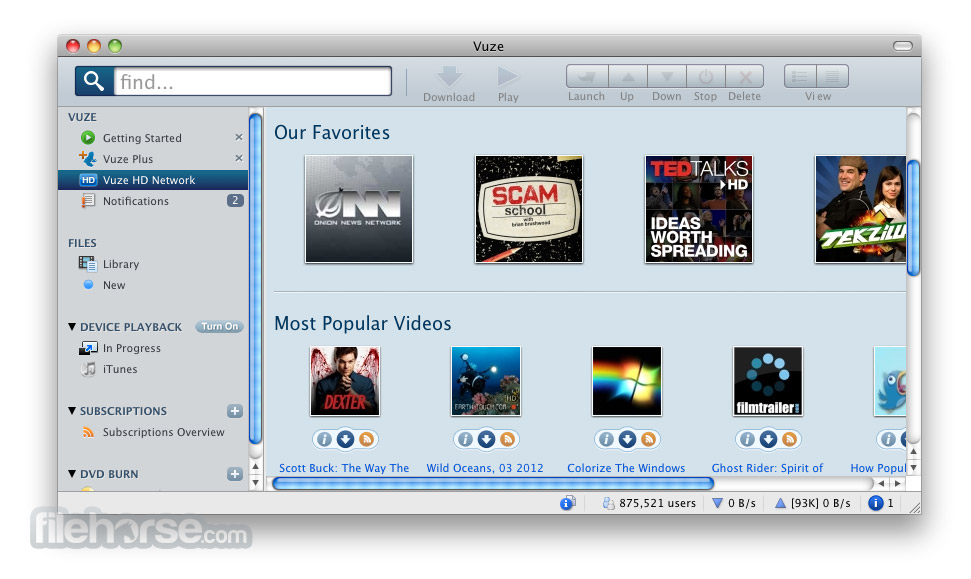
Dashboard: The dashboard provides an overview of the user's torrent activity, including current downloads, uploads, and seeding torrents. It also displays real-time statistics, such as download and upload speeds.
Library: The library section organizes all downloaded content, making it easy to find and manage files. Users can sort files by name, size, date added, and other criteria.
Search Bar: The search bar allows users to find torrents directly within the application. It supports keyword searches and provides quick access to popular torrent sites.
Playback Controls: The built-in media player includes standard playback controls, such as play, pause, stop, and volume adjustment. It also supports subtitle files and allows users to take screenshots of their videos.
Device Integration Panel: This panel displays connected devices and provides options for transferring media files to them.
Installation and Setup
Searching for Torrents: Use the built-in search bar to find torrents. Enter keywords related to the content you want to download, and the app will display a list of relevant results.
Adding Torrents: Click on a torrent from the search results to open the torrent details page. Here, you can review information about the torrent, such as file size, seeders, and leechers. Click "Download" to add the torrent to your download queue.
Managing Downloads: The dashboard provides an overview of your current downloads. You can pause, resume, or cancel downloads as needed. It also allows you to prioritize certain torrents and allocate more bandwidth to them.
Playing Media: Once a download is complete, you can play the media file directly within the app. Navigate to the library section, select the file, and click "Play."
Transferring to Devices: To transfer media files to a connected device, select the file from your library, choose the target device, and click "Transfer." It will handle the rest, ensuring the file is compatible with your device.
FAQ
Is Vuze free to use?
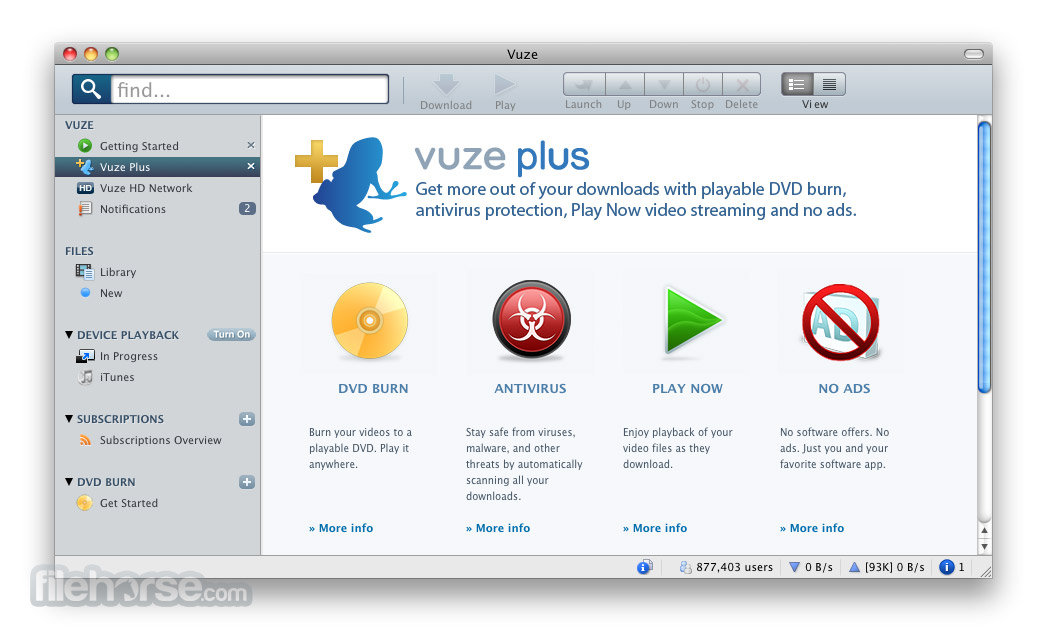
Yes, it offers a free version with basic features. There is also a paid version called Vuze Plus that includes additional features such as DVD burning and antivirus protection.
How can I increase my download speed?
You can increase download speed by adjusting bandwidth allocation in the settings menu, ensuring you have a high number of seeders for the torrent, and prioritizing downloads.
Can I use Vuze on multiple devices?
Yes, it supports multiple devices. You can transfer downloaded media to smartphones, tablets, and game consoles using the device integration feature.
Is it safe to download torrents with Vuze?
Downloading torrents can be risky if you download from untrusted sources. Vuze Plus includes antivirus protection to help mitigate this risk. Always ensure you download from reputable sources and scan files for malware.
How do I subscribe to RSS feeds in Vuze?
To subscribe to an RSS feed, go to the Subscriptions menu, click "Add Subscription," and enter the URL of the RSS feed. Vuze will automatically download new content from the feed.
Alternatives
uTorrent: Known for its lightweight design and efficiency, uTorrent is a popular alternative. It offers similar features, including a search engine, RSS feed support, and remote control.
qBittorrent: An open-source alternative, qBittorrent is free and ad-free. It provides a clean interface, advanced features, and good performance.
BitTorrent: The original BitTorrent client, it offers basic torrenting features and a simple interface. It’s suitable for users who need a straightforward and easy-to-use client.
Transmission: Known for its simplicity and low resource usage, Transmission is a good choice for users who prefer a minimalist approach. It’s available for various operating systems, including Linux and macOS.
Pricing
Vuze Free: The basic version is free to download and use (with ads). It includes all essential features for downloading and managing torrents.
Vuze Plus: The premium version costs $3.99 per month. It includes additional features such as DVD burning, play downloads still in progress, antivirus protection, faster downloads, and an ad-free experience.
Vuze Plus Full Features:
Also Available: Download Vuze for Windows
Download Vuze for Mac Latest Version Why is this app published on FileHorse? (More info)
The Vuze torrent downloader for Mac makes it easy for you to find torrents online, whether you are downloading torrents from a tracker site, from a friend via magnet links, or anywhere else on the web.
Once you find a torrent the Vuze for macOS Bittorrent Client makes it simple to download torrents and automatically optimizes torrent download speeds.
The built-in Vuze torrent download manager lets you view the status of each of your bittorrent downloads. Once your downloaded torrents are finished the app makes it straightforward and simple to watch and listen to the content you downloaded. The app simply covers anything you'll run into when downloading bittorrent torrents.
Download the best torrent client and downloader in one today!
Features and Highlights
- Access to Vuze torrent bundles
- Magnet link support
- Media playback
- Integrated meta search for content discovery
- Access to plug-in library for customization options
- Robust settings and options for ultimate torrent control
- Remote control via web or mobile app
- Device Playback (Media device detection and video conversion)
- Swarm Discoveries (advanced content discovery)
- Burn DVDs from directly within product (Vuze Free allows one free trial burn)
Torrent Search Engine: It includes a built-in search engine that allows users to find torrents without leaving the application. This feature saves time and provides a more integrated experience.
Magnet Link Support: The software supports magnet links, which are a type of hyperlink that enables users to download torrents without needing a .torrent file.
Advanced Settings: It offers a wide range of advanced settings, including bandwidth management, queuing, and prioritization of downloads. Users can tweak these settings to optimize their download speeds.
Built-in Media Player: It has an integrated media player that supports various formats, enabling users to play videos and audio files directly within the application.
RSS Subscription: Users can subscribe to RSS feeds of their favorite torrent sites and have Vuze automatically download new content as it becomes available.
Device Integration: It can easily transfer downloaded media to various devices, including smartphones, tablets, and game consoles. This feature simplifies the process of moving content to portable devices.
Plugins and Extensions: The software supports a wide range of plugins and extensions, allowing users to enhance its functionality according to their needs.
Remote Control: The Remote allows users to manage their torrents from any web browser or mobile device. This feature is particularly useful for users who need to manage their downloads while away from their Mac.
User Interface
Dashboard: The dashboard provides an overview of the user's torrent activity, including current downloads, uploads, and seeding torrents. It also displays real-time statistics, such as download and upload speeds.
Library: The library section organizes all downloaded content, making it easy to find and manage files. Users can sort files by name, size, date added, and other criteria.
Search Bar: The search bar allows users to find torrents directly within the application. It supports keyword searches and provides quick access to popular torrent sites.
Playback Controls: The built-in media player includes standard playback controls, such as play, pause, stop, and volume adjustment. It also supports subtitle files and allows users to take screenshots of their videos.
Device Integration Panel: This panel displays connected devices and provides options for transferring media files to them.
Installation and Setup
- Download: Visit the official website and download the installer for your operating system.
- Run the Installer: Open the downloaded file and follow the on-screen instructions to install the software. The installer will guide you through the necessary steps, including accepting the license agreement and choosing the installation directory.
- Initial Setup: Once installed, launch the app. The initial setup wizard will help you configure basic settings, such as your preferred language, download folder, and connection settings.
- Customization: After the initial setup, you can further customize this software by accessing the settings menu. Here, you can adjust advanced options, such as bandwidth allocation, queue management, and plugin settings.
Searching for Torrents: Use the built-in search bar to find torrents. Enter keywords related to the content you want to download, and the app will display a list of relevant results.
Adding Torrents: Click on a torrent from the search results to open the torrent details page. Here, you can review information about the torrent, such as file size, seeders, and leechers. Click "Download" to add the torrent to your download queue.
Managing Downloads: The dashboard provides an overview of your current downloads. You can pause, resume, or cancel downloads as needed. It also allows you to prioritize certain torrents and allocate more bandwidth to them.
Playing Media: Once a download is complete, you can play the media file directly within the app. Navigate to the library section, select the file, and click "Play."
Transferring to Devices: To transfer media files to a connected device, select the file from your library, choose the target device, and click "Transfer." It will handle the rest, ensuring the file is compatible with your device.
FAQ
Is Vuze free to use?
Yes, it offers a free version with basic features. There is also a paid version called Vuze Plus that includes additional features such as DVD burning and antivirus protection.
How can I increase my download speed?
You can increase download speed by adjusting bandwidth allocation in the settings menu, ensuring you have a high number of seeders for the torrent, and prioritizing downloads.
Can I use Vuze on multiple devices?
Yes, it supports multiple devices. You can transfer downloaded media to smartphones, tablets, and game consoles using the device integration feature.
Is it safe to download torrents with Vuze?
Downloading torrents can be risky if you download from untrusted sources. Vuze Plus includes antivirus protection to help mitigate this risk. Always ensure you download from reputable sources and scan files for malware.
How do I subscribe to RSS feeds in Vuze?
To subscribe to an RSS feed, go to the Subscriptions menu, click "Add Subscription," and enter the URL of the RSS feed. Vuze will automatically download new content from the feed.
Alternatives
uTorrent: Known for its lightweight design and efficiency, uTorrent is a popular alternative. It offers similar features, including a search engine, RSS feed support, and remote control.
qBittorrent: An open-source alternative, qBittorrent is free and ad-free. It provides a clean interface, advanced features, and good performance.
BitTorrent: The original BitTorrent client, it offers basic torrenting features and a simple interface. It’s suitable for users who need a straightforward and easy-to-use client.
Transmission: Known for its simplicity and low resource usage, Transmission is a good choice for users who prefer a minimalist approach. It’s available for various operating systems, including Linux and macOS.
Pricing
Vuze Free: The basic version is free to download and use (with ads). It includes all essential features for downloading and managing torrents.
Vuze Plus: The premium version costs $3.99 per month. It includes additional features such as DVD burning, play downloads still in progress, antivirus protection, faster downloads, and an ad-free experience.
Vuze Plus Full Features:
- Burn DVDs from directly within product
- No Ads
- Play media while downloading
- Access to torrent bundles
- Magnet link support
- Media playback
- Integrated meta search for content discovery
- Access to plug-in library for customization options
- Robust settings and options for ultimate torrent control
- Remote control via web or mobile app
- Device Playback (Media device detection and video conversion)
- Operating System: macOS 10.13+
- Processor: 1 GHz or faster
- RAM: 1 GB or more
- Hard Drive Space: 50 MB for installation, additional space for downloads
- Feature-rich with advanced settings
- Built-in search engine and media player
- Device integration for easy file transfer
- Support for plugins and extensions
- Ad-supported in the free version
- Can be resource-intensive on older systems
- Some features require the paid plus version
Also Available: Download Vuze for Windows
Download Vuze for Mac Latest Version Why is this app published on FileHorse? (More info)
##
畫面截圖
- 2025-02-13 Vuze 5.7.7.0 66.15 MB
- 2017-11-02 Vuze 5.7.6.0 47.6 MB
- 2017-03-01 Vuze 5.7.5.0 34.29 MB
- 2016-11-22 Vuze 5.7.4.0 34.27 MB
- 2016-08-10 Vuze 5.7.3.0 33.68 MB
- 2016-05-12 Vuze 5.7.2.0 33.56 MB
- 2016-02-23 Vuze 5.7.1.0 33.43 MB
- 2015-11-14 Vuze 5.7.0.0 33.07 MB