- 目前版本2.1.4.174
- 更新日期2025-05-14
- 檔案大小13.3 MB
- 檔案名稱WD_Security_MACOS.zip
- 作業系統macOS 10.14 Mojave or later
- 支援語系English
- 授權型式免費軟體
- 開發商 Western Digital
- 軟體分類Mac 軟體 / 系統優化
##
翻譯排程處理中,以下暫以英文原文呈現
軟體介紹
WD Security for Mac is useful if you have Western Digital drives and want to add password protection to them. That way, you don’t have to worry about unauthorized access to your WD drives.
You can easily secure data on these drives with WD Security for macOS. All it takes is a couple of clicks.
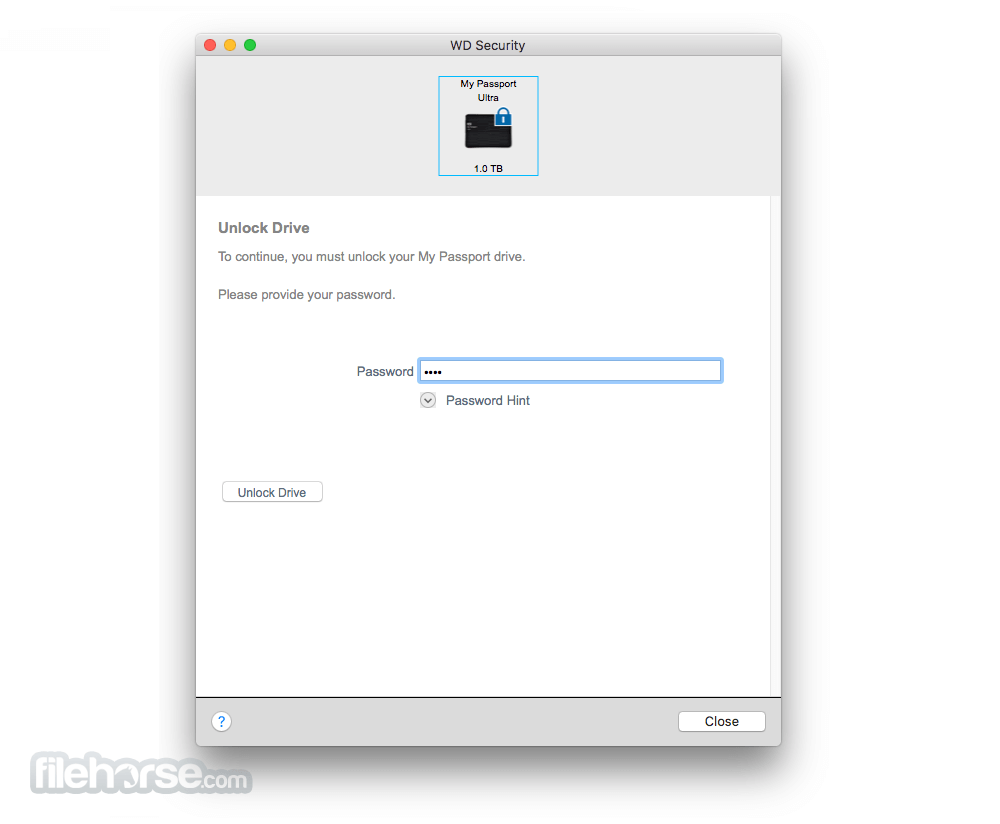
Once the application is installed, take your compatible WD drive and attach it to your computer. It can automatically detect its compatibility after it’s attached. The main window will display the security settings, drive letter, name, and storage capacity of the drive.
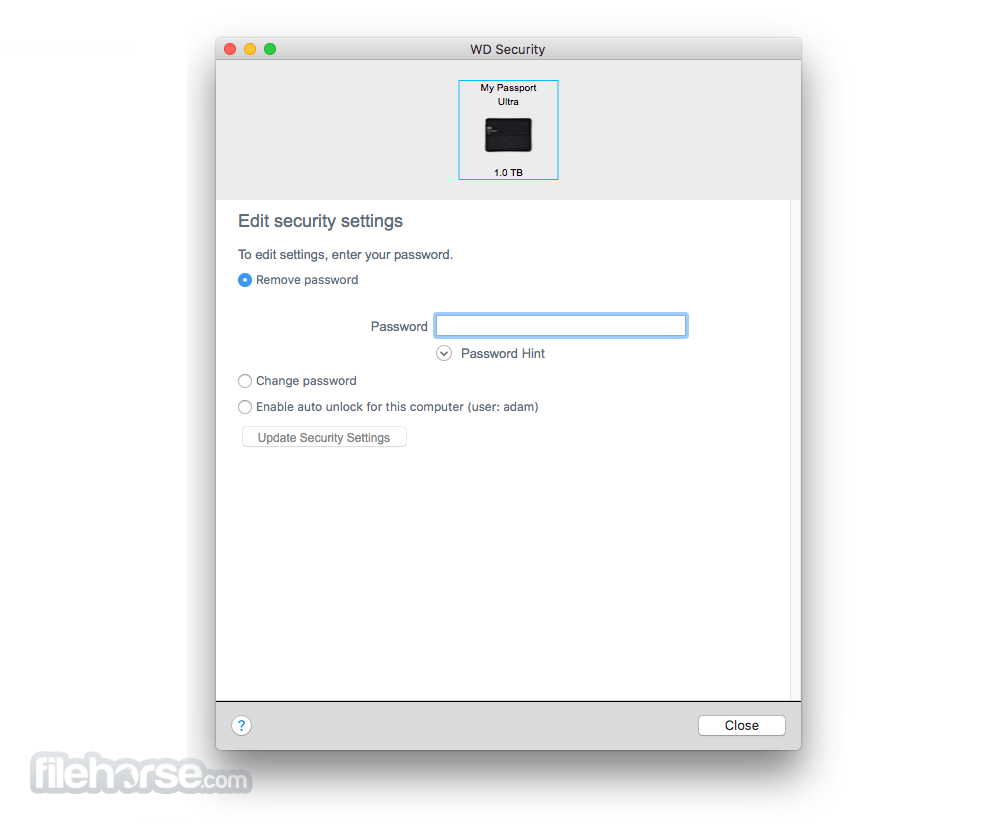
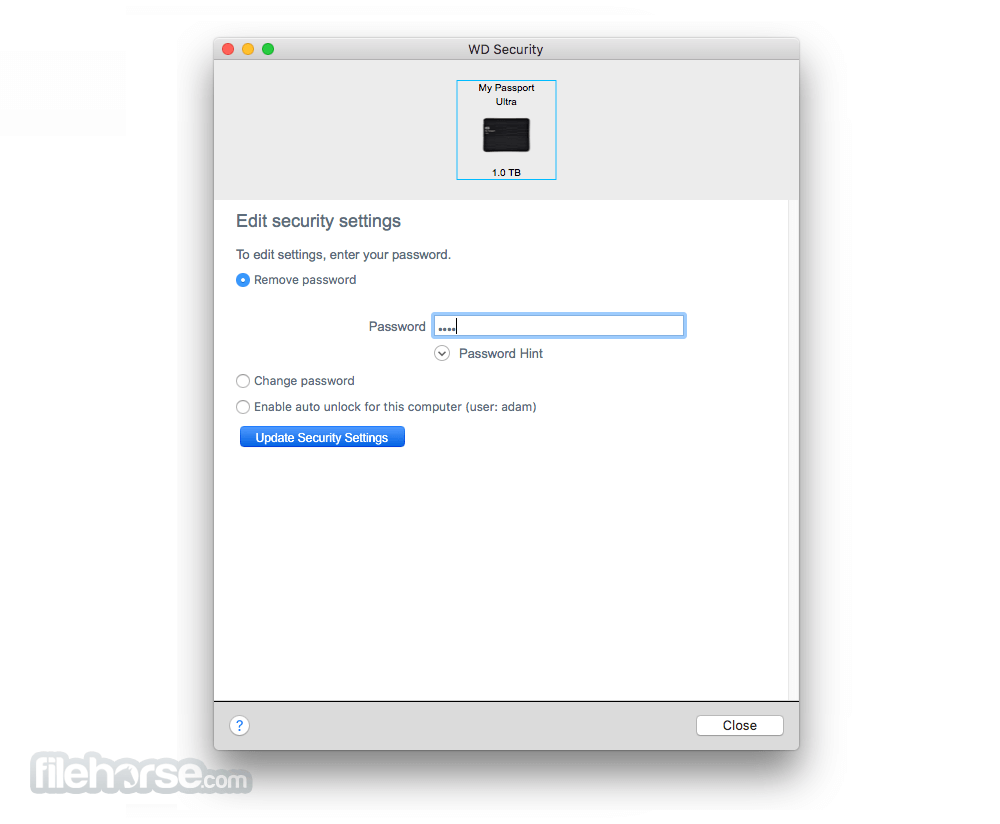
If you want to automatically unlock the WD drive, choose the “auto unlock” choice in your settings.
Instructions
It is so easy for a new password to be configured. In the appropriate fields, type in the security key that you want as your password. Then choose “save.”
Make sure you write down or remember this password. WD Security app for Mac does not have a “lost password” option if you forget. The only thing you can do is set a password hint. If that doesn’t help you remember your password, then you’ll have no way to access your data.
When you create a password with Western Digital Security for your WD drive, the data on the drive will also be encrypted. This makes it impossible for anyone else to retrieve your personal documents and files.
Applicable Products
My Book, My Book for Mac, My Book Duo, My Book, My Book Duo, My Passport Air, My Passport Ultra Metal, My Passport Ultra (WD Backup), My Passport for Mac, My Passport, My Passport for Mac, My Passport SSD, My Passport Ultra, My Passport Ultra (USB-C), My Passport Ultra for Mac (USB-C).
How to Use
Install the application and launch it on your Mac
Connect your compatible WD drive to your Mac
Set a strong password for your external WD drive
Enable auto-unlock on trusted computers if desired
Use the app to change or remove password anytime
To disable security, remove password via the app
Uninstall the app if no longer needed
System Requirements
Also Available: Download WD Security for Windows
Download WD Security for Mac Latest Version Why is this app published on FileHorse? (More info)
You can easily secure data on these drives with WD Security for macOS. All it takes is a couple of clicks.
Once the application is installed, take your compatible WD drive and attach it to your computer. It can automatically detect its compatibility after it’s attached. The main window will display the security settings, drive letter, name, and storage capacity of the drive.
If you want to automatically unlock the WD drive, choose the “auto unlock” choice in your settings.
Instructions
It is so easy for a new password to be configured. In the appropriate fields, type in the security key that you want as your password. Then choose “save.”
Make sure you write down or remember this password. WD Security app for Mac does not have a “lost password” option if you forget. The only thing you can do is set a password hint. If that doesn’t help you remember your password, then you’ll have no way to access your data.
When you create a password with Western Digital Security for your WD drive, the data on the drive will also be encrypted. This makes it impossible for anyone else to retrieve your personal documents and files.
Applicable Products
My Book, My Book for Mac, My Book Duo, My Book, My Book Duo, My Passport Air, My Passport Ultra Metal, My Passport Ultra (WD Backup), My Passport for Mac, My Passport, My Passport for Mac, My Passport SSD, My Passport Ultra, My Passport Ultra (USB-C), My Passport Ultra for Mac (USB-C).
How to Use
Install the application and launch it on your Mac
Connect your compatible WD drive to your Mac
Set a strong password for your external WD drive
Enable auto-unlock on trusted computers if desired
Use the app to change or remove password anytime
To disable security, remove password via the app
Uninstall the app if no longer needed
System Requirements
- macOS 10.13 High Sierra or later
- Compatible WD external drives (e.g., My Passport)
- At least 50 MB of free disk space
- USB port for drive connection
- Administrator privileges for installation
- Easy-to-use drive encryption
- Protects data with strong password
- Auto-unlock option for trusted devices
- Supports multiple WD drive models
- Minimal system resource usage
- Only works with WD drives
- No recovery if password is forgotten
- Limited to basic encryption features
- Outdated interface design
- No backup or cloud integration
Also Available: Download WD Security for Windows
Download WD Security for Mac Latest Version Why is this app published on FileHorse? (More info)
##
畫面截圖