Multi Commander 16.1.0 Build 3200 (64-bit)
v 3200 (64-bit)
Windows
免費軟體
7.66/10 (51)
- 目前版本3200 (64-bit)
- 更新日期2026-07-25
- 檔案大小10.8 MB
- 檔案名稱MultiCommander_x64_(16.1.0.3200).exe
- 作業系統Windows 7 64 / Windows 8 64 / Windows 10 64 / Windows 11
- 支援語系English
- 授權型式免費軟體
- 開發商 Mathias Svensson
- 軟體分類Windows 軟體 / 檔案傳輸與網路
##
翻譯排程處理中,以下暫以英文原文呈現
軟體介紹
Multi Commander is a robust, feature-rich file manager for Windows that offers an alternative to the default File Explorer.
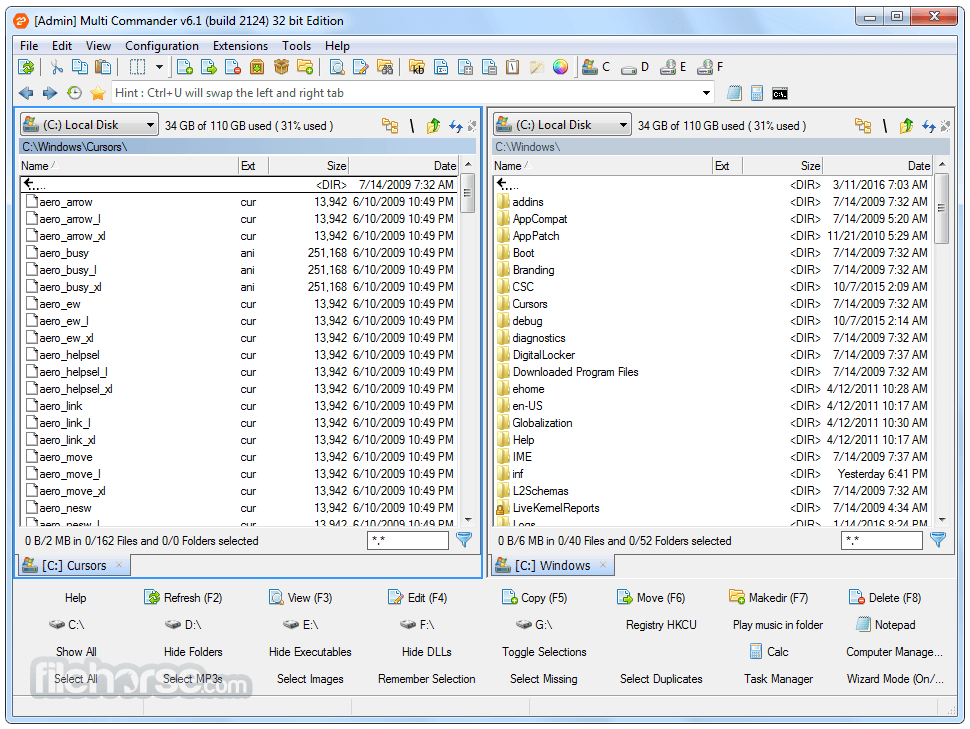
Designed for power users, it provides a dual-panel interface that enhances file management efficiency.
With extensive customization options, keyboard shortcuts, and scripting capabilities, Multi Commander for PC is an excellent choice for users who need more control over their file operations.
Main Features
Dual-Panel Interface: Easily manage files across two directories simultaneously.
Tabbed Browsing: Open multiple folders in tabs for quick access.
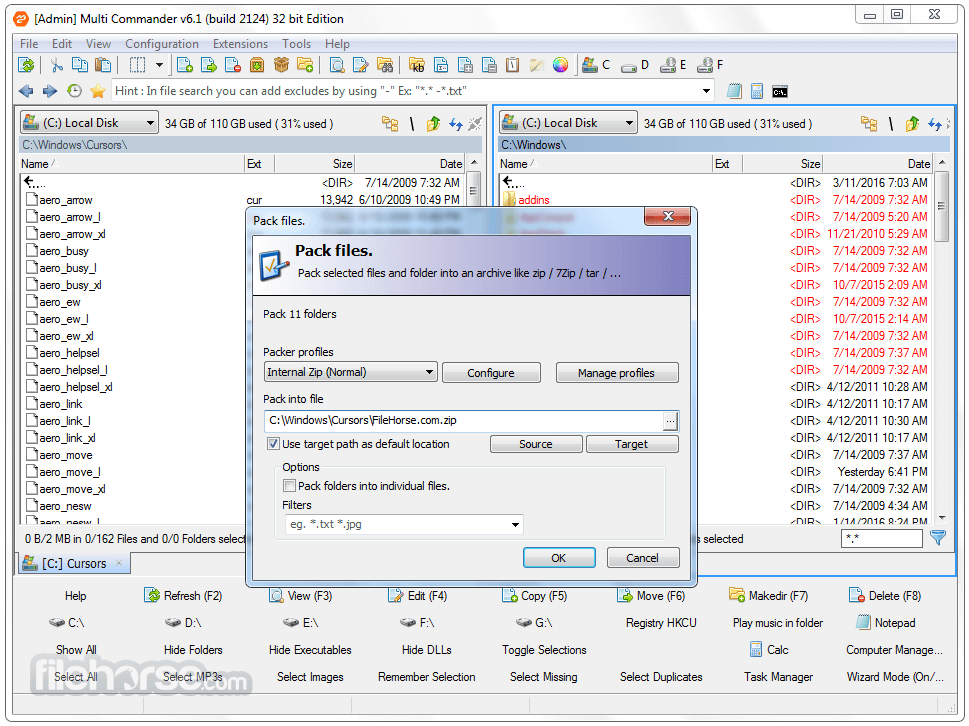
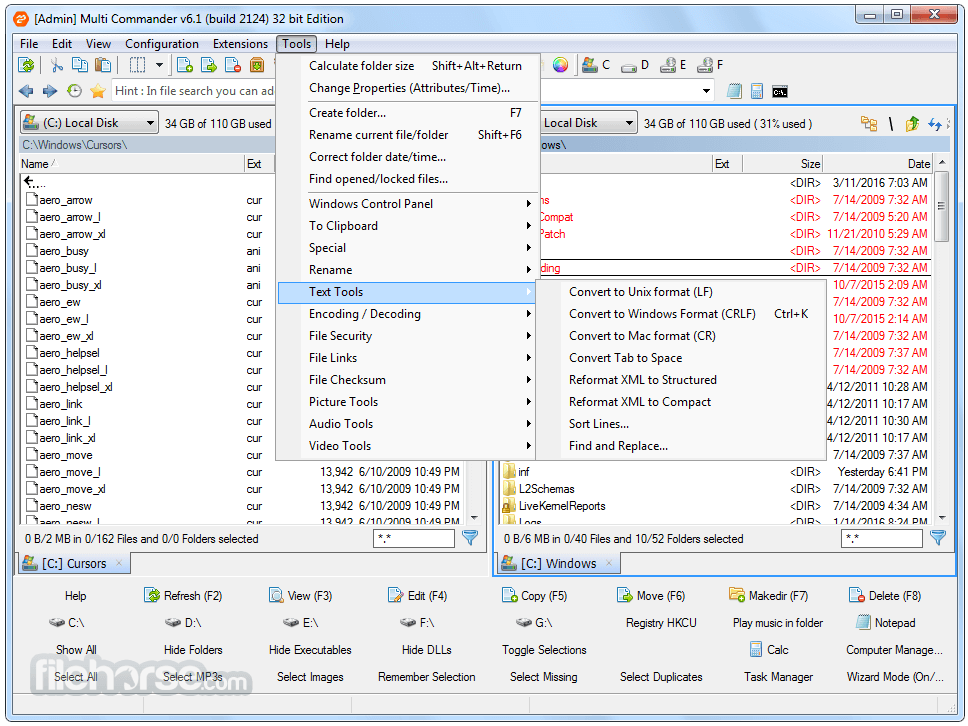
Advanced File Operations: Includes batch renaming, copy/move queuing, and file comparisons.
Built-in Tools: Features a registry editor, FTP support, and an archive manager.
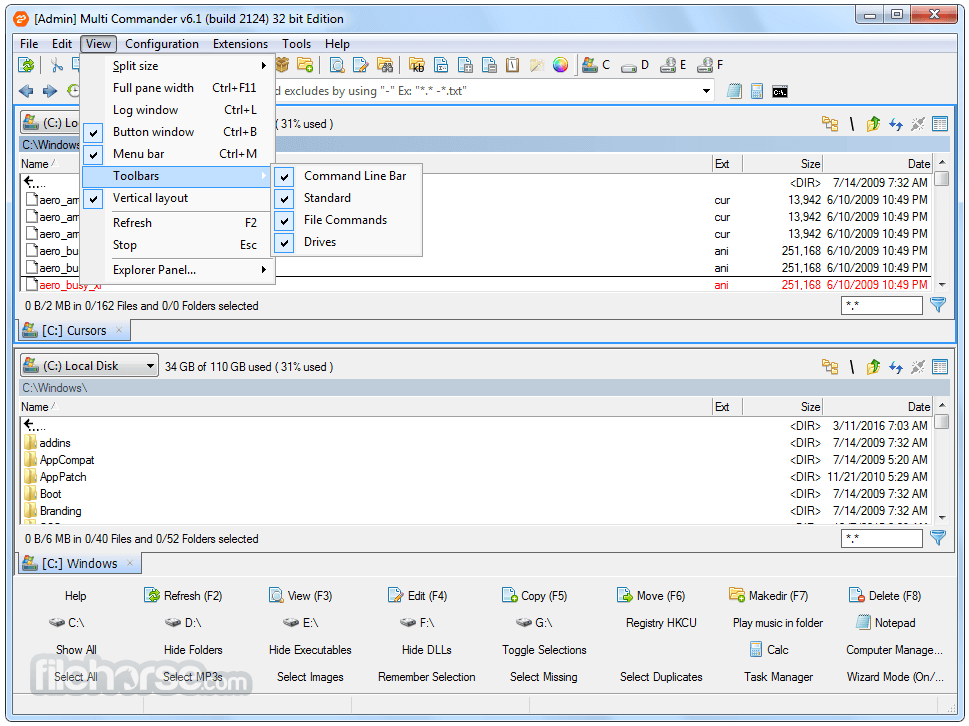
Customizable UI: Adjust toolbars, themes, and keyboard shortcuts to fit your workflow.
Scripting Support: Automate tasks using MultiScript or external scripting languages.
File Preview & Metadata Viewing: Supports various file formats, including media files.
User Interface
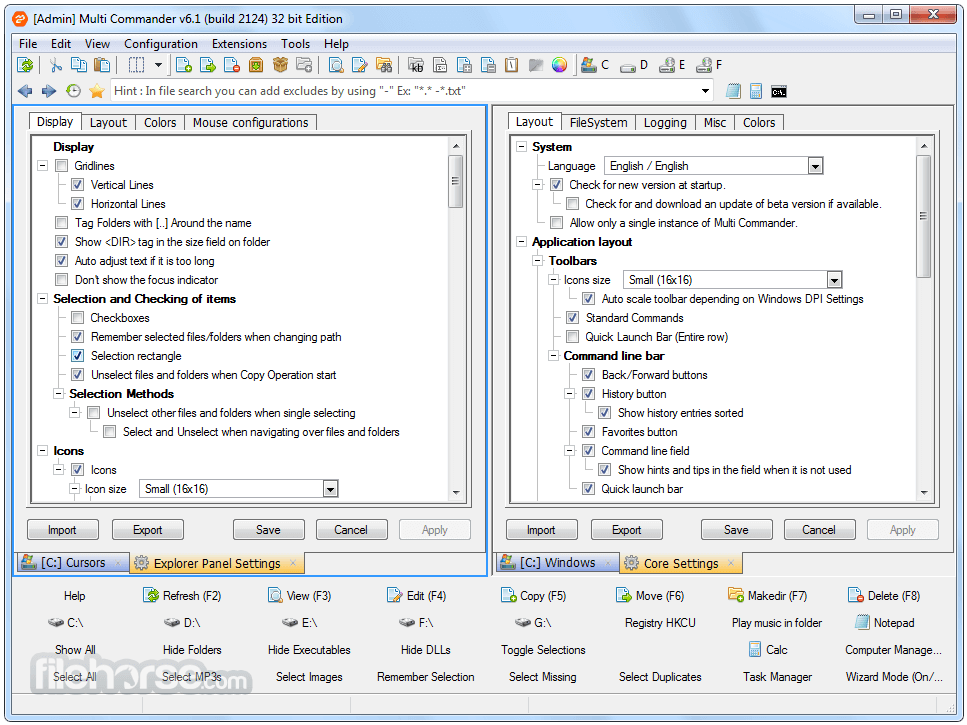
Multi Commander’s UI is highly customizable, allowing users to configure panels, toolbars, and color themes.
The dual-panel layout is intuitive for advanced users but may require a learning curve for those accustomed to Windows Explorer.
Installation and Setup
The software is lightweight and installs quickly on Windows. It offers both an installer and a portable version for flexibility. The setup process includes options for customizing default settings.
How to Use
Is Multi Commander free?
Yes, it is completely free to use without restrictions.
Does Multi Commander support cloud storage?
It supports FTP but does not have built-in integration for cloud services like Google Drive or OneDrive.
Can I use keyboard shortcuts?
Yes, it has extensive shortcut support, and users can customize them.
Does it support scripting?
Yes, Multi Commander includes MultiScript for automation and external script support.
Can I use it as a portable application?
Yes, there is a portable version available that does not require installation.
Alternatives
Total Commander: A premium dual-pane file manager with extensive plugin support.
Directory Opus: A feature-rich file manager with a polished UI but at a higher price.
FreeCommander: A lightweight, free alternative with similar features.
XYplorer: A tab-based file manager with advanced features but not dual-pane by default.
Far Manager: A text-based file manager popular among developers.
System Requirements
Multi Commander is a powerful and efficient file manager that caters to advanced users who need more control over their file operations. Its dual-panel interface, scripting support, and extensive customization make it an excellent choice for professionals.
Download Multi Commander Latest Version Why is this app published on FileHorse? (More info)
Designed for power users, it provides a dual-panel interface that enhances file management efficiency.
With extensive customization options, keyboard shortcuts, and scripting capabilities, Multi Commander for PC is an excellent choice for users who need more control over their file operations.
Main Features
Dual-Panel Interface: Easily manage files across two directories simultaneously.
Tabbed Browsing: Open multiple folders in tabs for quick access.
Advanced File Operations: Includes batch renaming, copy/move queuing, and file comparisons.
Built-in Tools: Features a registry editor, FTP support, and an archive manager.
Customizable UI: Adjust toolbars, themes, and keyboard shortcuts to fit your workflow.
Scripting Support: Automate tasks using MultiScript or external scripting languages.
File Preview & Metadata Viewing: Supports various file formats, including media files.
User Interface
Multi Commander’s UI is highly customizable, allowing users to configure panels, toolbars, and color themes.
The dual-panel layout is intuitive for advanced users but may require a learning curve for those accustomed to Windows Explorer.
Installation and Setup
The software is lightweight and installs quickly on Windows. It offers both an installer and a portable version for flexibility. The setup process includes options for customizing default settings.
How to Use
- Launch this desktop program and configure the interface.
- Use the dual-pane view to navigate directories.
- Utilize built-in tools for file operations such as copying, renaming, or archiving.
- Customize keyboard shortcuts and scripting for automation.
- Use the built-in FTP manager to access remote files.
Is Multi Commander free?
Yes, it is completely free to use without restrictions.
Does Multi Commander support cloud storage?
It supports FTP but does not have built-in integration for cloud services like Google Drive or OneDrive.
Can I use keyboard shortcuts?
Yes, it has extensive shortcut support, and users can customize them.
Does it support scripting?
Yes, Multi Commander includes MultiScript for automation and external script support.
Can I use it as a portable application?
Yes, there is a portable version available that does not require installation.
Alternatives
Total Commander: A premium dual-pane file manager with extensive plugin support.
Directory Opus: A feature-rich file manager with a polished UI but at a higher price.
FreeCommander: A lightweight, free alternative with similar features.
XYplorer: A tab-based file manager with advanced features but not dual-pane by default.
Far Manager: A text-based file manager popular among developers.
System Requirements
- OS: Windows 7, 8, 10, and 11 (32-bit and 64-bit)
- RAM: 1GB minimum
- Storage: 50MB free disk space
- Processor: Any modern CPU
- Free and lightweight
- Powerful file management tools
- Highly customizable interface
- Supports scripting and automation
- Portable version available
- Can be overwhelming for new users
- Lacks native cloud storage integration
- UI feels outdated compared to premium alternatives
Multi Commander is a powerful and efficient file manager that caters to advanced users who need more control over their file operations. Its dual-panel interface, scripting support, and extensive customization make it an excellent choice for professionals.
Download Multi Commander Latest Version Why is this app published on FileHorse? (More info)
##
畫面截圖