
- 目前版本5.0.77
- 更新日期2009-02-18
- 檔案大小29.51MB
- 檔案名稱mysql-essential-5.0.77-win32.msi
- 作業系統Windows 7 64 / Windows 8 64 / Windows 10 64 / Windows 11
- 支援語系English
- 授權型式開源軟體
- 開發商 Oracle
- 軟體分類Windows 軟體 / 開發者工具
編輯短評
MySQL 是一套開源且由社群驅動的關聯式資料庫管理系統,主要用來儲存、管理與檢索數據,並以速度快、可靠性高和易於使用著稱。它最鮮明的特色在於具備高度的可擴展性,能從小型應用一路撐起大型企業系統,同時提供最佳化的查詢執行與索引技術,確保資料處理效率;安全性方面也內建多種驗證與加密機制,並支援複寫與叢集以達成高可用性。目前由 Oracle 持續維護,更新相當活躍,在同類開發者工具中屬於主流首選,使用者評價普遍不錯,累積的評分人數也相當可觀。
這套軟體適合需要建構資料驅動應用程式的開發者,無論是網站後端、企業內部系統或數據分析平台,都能派上用場。它主要透過命令列介面運作,對熟悉指令的進階使用者較友善,但市面上有許多第三方圖形介面工具可補足操作門檻。與同分類的 BlueStacks、Turbo C++ 或 VMware 等工具相比,MySQL 專注於資料庫核心服務,並非整合開發環境或虛擬化方案,取捨上更偏向純粹的資料層需求。授權為開源軟體,提供 Windows 與 macOS 版本,但介面僅支援英文,使用前需留意語系與操作習慣。
軟體介紹
它以速度快、可靠性高且易於使用而聞名,使其成為小型應用程式與大型企業系統的理想選擇。
由 Oracle Corporation 開發,MySQL Community Server 提供了一套完整的工具與功能,讓開發者能夠輕鬆建構動態且由數據驅動的應用程式。
Key Features
Scalability
它能處理海量數據,並可毫不費力地擴展以滿足日益增長的需求。
Performance
憑藉優化的 Query Execution 與 Indexing 技術,它能確保快速的數據檢索與處理速度。
Security
它提供多種 Authentication 機制與 Encryption 選項,以保護敏感數據的安全。
High Availability
它支援 Replication 與 Clustering,可實現冗餘備援並確保數據的持續可用性。
Flexibility
MySQL 相容於多種作業系統並支援多種程式語言,具有極高的通用性。
User Interface
MySQL Database Server 主要透過 Command-line Interface (CLI) 運作,適合經驗豐富的使用者與開發者。
然而,許多第三方工具提供了 Graphical User Interface (GUI),簡化了資料庫管理任務,例如建立表格、執行查詢以及監控效能。
常見的 GUI 選項包括 phpMyAdmin, MySQL Workbench 以及 Navicat。
Installation and Setup
它為 Windows, macOS 與 Linux 等主流作業系統提供安裝套件。
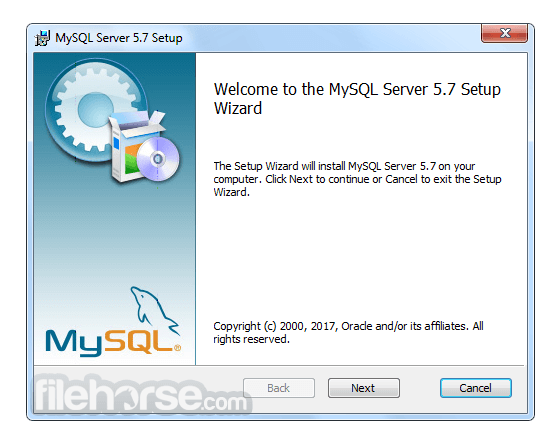
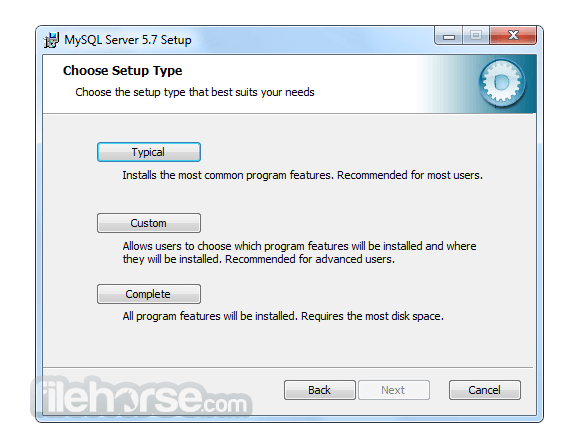
安裝過程非常簡單,通常只需執行安裝程式並按照提示操作即可。
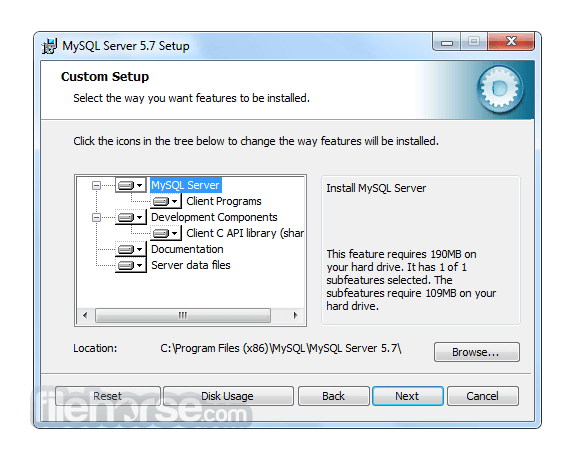
在設定過程中,使用者可以配置資料庫設定、定義存取權限以及指定儲存選項。
此外,它也可以作為 Web 開發 Stack 的一部分(例如 XAMPP 或 WAMP)進行安裝,以建立完整的開發環境。
How to Use
為了有效地使用 MySQL,使用者應對 SQL (Structured Query Language) 以及資料庫管理原則有基本的了解。
它提供豐富的 SQL 指令集用於建立、檢索、更新與刪除數據。開發者可以使用專用的 Connector 與 Library 將 MySQL 整合至其選擇的程式語言中,例如 Java 的 MySQL Connector/J 或 Python 的 MySQL Connector/Python。
目前有大量的官方文件與線上資源可幫助使用者學習並精通 MySQL 的功能。
FAQ
Q: 我可以將現有的資料庫遷移到 MySQL Community Server 嗎?
A: 可以,它提供了將資料庫從其他 RDBMS(如 Oracle, SQL Server 和 PostgreSQL)遷移的工具與公用程式。
Q: MySQL 適合大型應用程式嗎?
A: 絕對適合!MySQL 的 Scalability 與 Performance 使其成為管理企業級應用程式數據的絕佳選擇。
Q: 免費開源版本的 MySQL 有任何限制嗎?
A: 開源版本提供了豐富的功能,但若需要進階功能(如即時分析與企業級支援),使用者可以考慮訂閱制且功能更強大的 MySQL Enterprise Edition。
Q: 我可以防止未經授權的存取來保護我的 MySQL 資料庫嗎?
A: 可以,它提供了強大的安全功能,包括 User Authentication、Access Control 與 Encryption 機制,以保護您的數據免於未經授權的存取。
Q: MySQL 支援 Stored Procedures 和 Triggers 嗎?
A: 是的,它支援 Stored Procedures, Triggers 以及 Functions,允許開發者在資料庫內執行複雜的操作並自動化任務。
Alternatives
雖然 MySQL Database Server 在 RDBMS 市場佔據主導地位,但仍有其他替代方案可供選擇,且各有其獨特功能與優勢。值得關注的替代產品包括:
Microsoft SQL Server: 針對 Windows 平台設計,提供強大的企業級功能、與 Microsoft 產品的無縫整合以及卓越的 Scalability。
PostgreSQL: 以注重標準合規性與進階功能著稱,是一款適用於複雜數據場景的強大開源 DBMS。
Oracle Database: 作為商業 RDBMS,提供極高性能、進階安全性和廣泛的管理工具,適合大型企業級應用。
SQLite: 理想的小型輕量化應用選擇,是一款 Serverless DBMS,在簡便性、可移植性與零配置部署方面表現出色。
Pricing
MySQL 主要分為兩個版本:Community Edition (免費開源) 與 Enterprise Edition (商業版,提供額外功能與支援)。
Community Edition 是大多數使用者的熱門選擇,而 Enterprise Edition 則需要訂閱,並提供量身打造的企業級進階功能。
此外,他們還提供以下產品:
- MySQL HeatWave
- MySQL Enterprise Edition
- MySQL Standard Edition
- MySQL Classic Edition
- MySQL Cluster CGE
- MySQL Embedded (OEM/ISV)
MySQL 的系統需求依據所使用的作業系統與版本而異。
一般而言,它支援 Windows, macOS 以及各種 Linux 發行版。
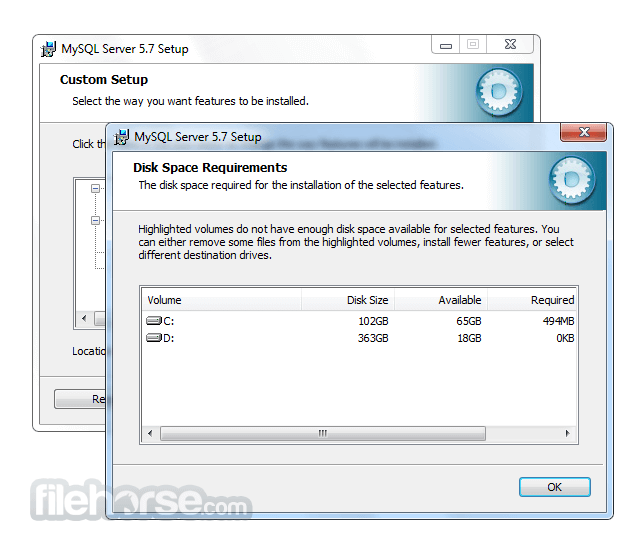
根據資料庫的大小與複雜程度,需要充足的磁碟空間、記憶體與處理能力。
PROS
- 開源且免費的 Community Server Edition
- 高效能與高 Scalability
- 強大的安全功能
- 豐富的文件紀錄與活躍的社群支援
- 相容於多種程式語言
- Command-line Interface 對初學者來說可能較具挑戰性
- 部分進階功能僅限於 Enterprise Edition
- 複雜的設定可能需要額外的配置與優化
MySQL Community Server 是一款可靠且功能豐富的 RDBMS,在管理關聯式資料庫方面享有盛名。其速度、Scalability 與通用性使其適用於從小型專案到企業級系統的各種應用。
雖然 Command-line Interface 對初學者而言可能需要一定的學習曲線,但 GUI 工具的出現簡化了資料庫管理流程。憑藉龐大的社群與詳盡的文件,它將繼續作為軟體開發生態系統中的核心工具。無論您是開發者、數據分析師還是企業主,MySQL 都能讓您高效地組織與存取數據,為您的專案與計畫帶來成功。
Also Available: MySQL for Mac
Download MySQL Latest Version Why is this app published on FileHorse? (More info)
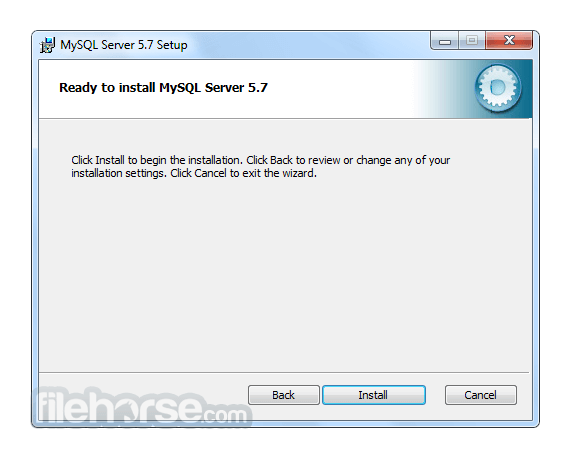
畫面截圖
更新日誌
5.0.77 This is a bugfix release for the current production release family. It replaces MySQL 5.0.67 (binary) and 5.0.75 (source-only).
Functionality added or changed:
*
Security Enhancement: To enable stricter control over the location from which user-defined functions can be loaded, the plugin_dir system variable has been backported from MySQL 5.1. If the value is non-empty, user-defined function object files can be loaded only from the directory named by this variable. If the value is empty, the behavior that is used prior to the inclusion of plugin_dir applies: The UDF object files must be located in a directory that is searched by your system's dynamic linker. (Bug#37428)
*
A new status variable, Queries, indicates the number of statements executed by the server. This includes statements executed within stored programs, unlike the Questions variable which includes only statements sent to the server by clients. (Bug#41131)
*
Previously, index hints did not work for FULLTEXT searches. Now they work as follows:
For natural language mode searches, index hints are silently ignored. For example, IGNORE INDEX(i) is ignored with no warning and the index is still used.
For boolean mode searches, index hints are honored. (Bug#38842)
Bugs fixed:
*
Important Change: Security Fix: Additional corrections were made for the symlink-related privilege problem originally addressed in MySQL 5.0.60. The original fix did not correctly handle the data directory path name if it contained symlinked directories in its path, and the check was made only at table-creation time, not at table-opening time later. (Bug#32167, CVE-2008-2079)
See also Bug#39277.
*
Security Enhancement: The server consumed excess memory while parsing statements with hundreds or thousands of nested boolean conditions (such as OR (OR ... (OR ... ))). This could lead to a server crash or incorrect statement execution, or cause other client statements to fail due to lack of memory. The latter result constitutes a denial of service. (Bug#38296)
*
Incompatible Change: There were some problems using DllMain() hook functions on Windows that automatically do global and per-thread initialization for libmysqld.dll:
o
Per-thread initialization: MySQL internally counts the number of active threads, which causes a delay in my_end() if not all threads have exited. But there are threads that can be started either by Windows internally (often in TCP/IP scenarios) or by users. Those threads do not necessarily use libmysql.dll functionality but still contribute to the open-thread count. (One symptom is a five-second delay in times for PHP scripts to finish.)
o
Process-initialization: my_init() calls WSAStartup that itself loads DLLs and can lead to a deadlock in the Windows loader.
To correct these problems, DLL initialization code now is not invoked from libmysql.dll by default. To obtain the previous behavior (DLL initialization code will be called), set the LIBMYSQL_DLLINIT environment variable to any value. This variable exists only to prevent breakage of existing Windows-only applications that do not call mysql_thread_init() and work okay today. Use of LIBMYSQL_DLLINIT is discouraged and is removed in MySQL 6.0. (Bug#37226, Bug#33031)
*
Incompatible Change: SHOW STATUS took a lot of CPU time for calculating the value of the Innodb_buffer_pool_pages_latched status variable. Now this variable is calculated and included in the output of SHOW STATUS only if the UNIV_DEBUG symbol is defined at MySQL build time. (Bug#36600)
*
Incompatible Change: In connection with view creation, the server created arc directories inside database directories and maintained useless copies of .frm files there. Creation and renaming procedures of those copies as well as creation of arc directories has been discontinued.
This change does cause a problem when downgrading to older server versions which manifests itself under these circumstances:
1.
Create a view v_orig in MySQL 5.0.72 or higher.
2.
Rename the view to v_new and then back to v_orig.
3.
Downgrade to an older 5.0.x server and run mysql_upgrade.
4.
Try to rename v_orig to v_new again. This operation fails.
As a workaround to avoid this problem, use either of these approaches:
o
Dump your data using mysqldump before downgrading and reload the dump file after downgrading.
o
Instead of renaming a view after the downgrade, drop it and recreate it.
The downgrade problem introduced by the fix for this bug has been addressed as Bug#40021. (Bug#17823)
*
Replication: When rotating relay log files, the slave deletes relay log files and then edits the relay log index file. Formerly, if the slave shut down unexpectedly between these two events, the relay log index file could then reference relay logs that no longer existed. Depending on the circumstances, this could when restarting the slave cause either a race condition or the failure of replication. (Bug#38826, Bug#39325)
*
In example option files provided in MySQL distributions, the thread_stack value was increased from 64K to 128K. (Bug#41577)
*
SET PASSWORD caused a server crash if the account name was given as CURRENT_USER(). (Bug#41456)
*
The INFORMATION_SCHEMA.SCHEMA_PRIVILEGES table was limited to 7680 rows. (Bug#41079)
*
In debug builds, obsolete debug code could be used to crash the server. (Bug#41041)
*
CHECK TABLE ... FOR UPGRADE did not check for incompatible collation changes made in MySQL 5.0.48 (Bug#27562, Bug#29461, Bug#29499). This also affects mysqlcheck and mysql_upgrade, which cause that statement to be executed. See Section 2.18.3, “Checking Whether Table Indexes Must Be Rebuiltâ€. (Bug#40984)
See also Bug#39585.
*
Some queries that used a “range checked for each record†scan could return incorrect results. (Bug#40974)
*
Certain SELECT queries could fail with a Duplicate entry error. (Bug#40953)
*
The FEDERATED handler had a memory leak. (Bug#40875)
*
IF(..., CAST(longtext_val AS UNSIGNED), signed_val) as an argument to an aggregate function could cause an assertion failure. (Bug#40761)
*
Prepared statements allowed invalid dates to be inserted when the ALLOW_INVALID_DATES SQL mode was not enabled. (Bug#40365)
*
mc.exe is no longer needed to compile MySQL on Windows. This makes it possible to build MySQL from source using Visual Studio Express 2008. (Bug#40280)
*
Support for the revision field in .frm files has been removed. This addresses the downgrading problem introduced by the fix for Bug#17823. (Bug#40021)
*
If the operating system is configured to return leap seconds from OS time calls or if the MySQL server uses a time zone definition that has leap seconds, functions such as NOW() could return a value having a time part that ends with :59:60 or :59:61. If such values are inserted into a table, they would be dumped as is by mysqldump but considered invalid when reloaded, leading to backup/restore problems.
Now leap second values are returned with a time part that ends with :59:59. This means that a function such as NOW() can return the same value for two or three consecutive seconds during the leap second. It remains true that literal temporal values having a time part that ends with :59:60 or :59:61 are considered invalid.
For additional details about leap-second handling, see Section 9.7.2, “Time Zone Leap Second Supportâ€. (Bug#39920)
*
The server could crash during a sort-order optimization of a dependent subquery. (Bug#39844)
*
With the ONLY_FULL_GROUP_BY SQL mode enabled, the check for non-aggregated columns in queries with aggregate functions, but without a GROUP BY clause was treating all the parts of the query as if they were in the select list. This is fixed by ignoring the non-aggregated columns in the WHERE clause. (Bug#39656)
*
The server crashed if an integer field in a CSV file did not have delimiting quotes. (Bug#39616)
*
CHECK TABLE failed for MyISAM INFORMATION_SCHEMA tables. (Bug#39541)
*
For a TIMESTAMP column in an InnoDB table, testing the column with multiple conditions in the WHERE clause caused a server crash. (Bug#39353)
*
The server returned a column type of VARBINARY rather than DATE as the result from the COALESCE(), IFNULL(), IF(), GREATEST(), or LEAST() functions or CASE expression if the result was obtained using filesort in an anonymous temporary table during the query execution. (Bug#39283)
*
References to local variables in stored procedures are replaced with NAME_CONST(name, value) when written to the binary log. However, an “illegal mix of collation†error might occur when executing the log contents if the value's collation differed from that of the variable. Now information about the variable collation is written as well. (Bug#39182)
*
Some recent releases for Solaris 10 were built on Solaris 10 U5, which included a new version of libnsl.so that does not work on U4 or earlier. To correct this, Solaris 10 builds now are created on machines that do not have that upgraded libnsl.so, so that they will work on Solaris 10 installations both with and without the upgraded libnsl.so. (Bug#39074)
*
With binary logging enabled CREATE VIEW was subject to possible buffer overwrite and a server crash. (Bug#39040)
*
Queries of the form SELECT ... REGEXP BINARY NULL could lead to a hung or crashed server. (Bug#39021)
*
Statements of the form INSERT ... SELECT .. ON DUPLICATE KEY UPDATE col_name = DEFAULT could result in a server crash. (Bug#39002)
*
Column names constructed due to wild-card expansion done inside a stored procedure could point to freed memory if the expansion was performed after the first call to the stored procedure. (Bug#38823)
*
Repeated CREATE TABLE ... SELECT statements, where the created table contained an AUTO_INCREMENT column, could lead to an assertion failure. (Bug#38821)
*
If delayed insert failed to upgrade the lock, it did not free the temporary memory storage used to keep newly constructed BLOB values in memory, resulting in a memory leak. (Bug#38693)
*
A server crash resulted from concurrent execution of a multiple-table UPDATE that used a NATURAL or USING join together with FLUSH TABLES WITH READ LOCK or ALTER TABLE for the table being updated. (Bug#38691)
*
On ActiveState Perl, mysql-test-run.pl --start-and-exit started but did not exit. (Bug#38629)
*
Server-side cursors were not initialized properly, which could cause a server crash. (Bug#38486)
*
Stored procedures involving substrings could crash the server on certain platforms due to invalid memory reads. (Bug#38469)
*
A server crash or Valgrind warnings could result when a stored procedure selected from a view that referenced a function. (Bug#38291)
*
Incorrect handling of aggregate functions when loose index scan was used caused a server crash. (Bug#38195)
*
Queries containing a subquery with DISTINCT and ORDER BY could cause a server crash. (Bug#38191)
*
Queries with a HAVING clause could return a spurious row. (Bug#38072)
*
Use of spatial data types in prepared statements could cause memory leaks or server crashes. (Bug#37956, Bug#37671)
*
The server crashed if an argument to a stored procedure was a subquery that returned more than one row. (Bug#37949)
*
When analyzing the possible index use cases, the server was incorrectly reusing an internal structure, leading to a server crash. (Bug#37943)
*
A SELECT with a NULL NOT IN condition containing a complex subquery from the same table as in the outer select caused an assertion failure. (Bug#37894)
*
For InnoDB tables, ORDER BY ... DESC sometimes returned results in ascending order. (Bug#37830)
*
If a table has a BIT NOT NULL column c1 with a length shorter than 8 bits and some additional NOT NULL columns c2, ..., and a SELECT query has a WHERE clause of the form (c1 = constant) AND c2 ..., the query could return an unexpected result set. (Bug#37799)
*
Nesting of IF() inside of SUM() could cause an extreme server slowdown. (Bug#37662)
*
The MONTHNAME() and DAYNAME() functions returned a binary string, so that using LOWER() or UPPER() had no effect. Now MONTHNAME() and DAYNAME() return a value in character_set_connection character set. (Bug#37575)
*
TIMEDIFF() was erroneously treated as always returning a positive result. Also, CAST() of TIME values to DECIMAL dropped the sign of negative values. (Bug#37553)
*
mysqlcheck used SHOW FULL TABLES to get the list of tables in a database. For some problems, such as an empty .frm file for a table, this would fail and mysqlcheck then would neglect to check other tables in the database. (Bug#37527)
*
The <=> operator could return incorrect results when comparing NULL to DATE, TIME, or DATETIME values. (Bug#37526)
*
Updating a view with a subquery in the CHECK option could cause an assertion failure. (Bug#37460)
*
Statements that displayed the value of system variables (for example, SHOW VARIABLES) expect variable values to be encoded in character_set_system. However, variables set from the command line such as basedir or datadir were encoded using character_set_filesystem and not converted correctly. (Bug#37339)
*
For a MyISAM table with CHECKSUM = 1 and ROW_FORMAT = DYNAMIC table options, a data consistency check (maximum record length) could fail and cause the table to be marked as corrupted. (Bug#37310)
*
The max_length result set metadata value was calculated incorrectly under some circumstances. (Bug#37301)
*
CREATE INDEX could crash with InnoDB plugin 1.0.1. (Bug#37284)
*
Certain boolean-mode FULLTEXT searches that used the truncation operator did not return matching records and calculated relevance incorrectly. (Bug#37245)
*
The NO_BACKSLASH_ESCAPES SQL mode was ignored for LOAD DATA INFILE and SELECT INTO ... OUTFILE. The setting is taken into account now. (Bug#37114)
*
On a 32-bit server built without big tables support, the offset argument in a LIMIT clause might be truncated due to a 64-bit to 32-bit cast. (Bug#37075)
*
If the server failed to expire binary log files at startup, it could crash. (Bug#37027)
*
The code for the ut_usectime() function in InnoDB did not handle errors from the gettimeofday() system call. Now it retries gettimeofday() several times and updates the value of the Innodb_row_lock_time_max status variable only if ut_usectime() was successful. (Bug#36819)
*
Use of CONVERT() with GROUP BY to convert numeric values to CHAR could return truncated results. (Bug#36772)
*
A query which had an ORDER BY DESC clause that is satisfied with a reverse range scan could cause a server crash for some specific CPU/compiler combinations. (Bug#36639)
*
Dumping information about locks in use by sending a SIGHUP signal to the server or by invoking the mysqladmin debug command could lead to a server crash in debug builds or to undefined behavior in production builds. (Bug#36579)
*
The mysql client, when built with Visual Studio 2005, did not display Japanese characters. (Bug#36279)
*
When the fractional part in a multiplication of DECIMAL values overflowed, the server truncated the first operand rather than the longest. Now the server truncates so as to produce more precise multiplications. (Bug#36270)
*
A read past the end of the string could occur while parsing the value of the --innodb-data-file-path option. (Bug#36149)
*
Host name values in SQL statements were not being checked for '@', which is illegal according to RFC952. (Bug#35924)
*
The UUID() function returned UUIDs with the wrong time; this was because the offset for the time part in UUIDs was miscalculated. (Bug#35848)
*
SHOW CREATE TABLE did not display a printable value for the default value of BIT columns. (Bug#35796)
*
mysql_install_db failed on machines that had the host name set to localhost. (Bug#35754)
*
Dynamic plugins failed to load on i5/OS. (Bug#35743)
*
Freeing of an internal parser stack during parsing of complex stored programs caused a server crash. (Bug#35577, Bug#37269, Bug#37228)
*
The max_length metadata value was calculated incorrectly for the FORMAT() function, which could cause incorrect result set metadata to be sent to clients. (Bug#35558)
*
Index scans performed with the sort_union() access method returned wrong results, caused memory to be leaked, and caused temporary files to be deleted when the limit set by sort_buffer_size was reached. (Bug#35477, Bug#35478)
*
If the server crashed with an InnoDB error due to unavailability of undo slots, errors could persist during rollback when the server was restarted: There are two UNDO slot caches (for INSERT and UPDATE). If all slots end up in one of the slot caches, a request for a slot from the other slot cache would fail. This can happen if the request is for an UPDATE slot and all slots are in the INSERT slot cache, or vice versa. (Bug#35352)
*
For InnoDB tables, ALTER TABLE DROP failed if the name of the column to be dropped began with “foreignâ€. (Bug#35220)
*
perror on Windows did not know about Win32 system error codes. (Bug#34825)
*
EXPLAIN EXTENDED evaluation of aggregate functions that required a temporary table caused a server crash. (Bug#34773)
*
Queries of the form SELECT ... WHERE string = ANY(...) failed when the server used a single-byte character set and the client used a multi-byte character set. (Bug#34760)
See also Bug#20835.
*
Using OPTIMIZE TABLE as the first statement on an InnoDB table with an AUTO_INCREMENT column could cause a server crash. (Bug#34286)
*
mysql_install_db failed if the server was running with an SQL mode of TRADITIONAL. This program now resets the SQL mode internally to avoid this problem. (Bug#34159)
*
The mysql client incorrectly parsed statements containing the word “delimiter†in mid-statement.
This fix is different from the one applied for this bug in MySQL 5.0.66. (Bug#33812)
See also Bug#38158.
*
For a stored procedure containing a SELECT * ... RIGHT JOIN query, execution failed for the second call. (Bug#33811)
*
Previously, use of index hints with views (which do not have indexes) produced the error ERROR 1221 (HY000): Incorrect usage of USE/IGNORE INDEX and VIEW. Now this produces ERROR 1176 (HY000): Key '...' doesn't exist in table '...', the same error as for base tables without an appropriate index. (Bug#33461)
*
Cached queries that used 256 or more tables were not properly cached, so that later query invalidation due to a TRUNCATE TABLE for one of the tables caused the server to hang. (Bug#33362)
*
Some division operations produced a result with incorrect precision. (Bug#31616)
*
mysql_upgrade attempted to use the /proc file system even on systems that do not have it. (Bug#31605)
*
mysqldump could fail to dump views containing a large number of columns. (Bug#31434)
*
Queries executed using join buffering of BIT columns could produce incorrect results. (Bug#31399)
*
ALTER TABLE CONVERT TO CHARACTER SET did not convert TINYTEXT or MEDIUMTEXT columns to a longer text type if necessary when converting the column to a different character set. (Bug#31291)
*
On NetWare, mysql_install_db could appear to execute normally even if it failed to create the initial databases. (Bug#30129)
*
The Serbian translation for the ER_INCORRECT_GLOBAL_LOCAL_VAR error was corrected. (Bug#29738)
*
XA transaction rollbacks could result in corrupted transaction states and a server crash. (Bug#28323)
*
On Windows, Visual Studio does not take into account some x86 hardware limitations, which led to incorrect results converting large DOUBLE values to unsigned BIGINT values. (Bug#27483)
*
SSL support was not included in some “generic†RPM packages. (Bug#26760)
*
In some cases, the parser interpreted the ; character as the end of input and misinterpreted stored program definitions. (Bug#26030)
*
The Questions status variable is intended as a count of statements sent by clients to the server, but was also counting statements executed within stored routines. (Bug#24289)
*
For access to the INFORMATION_SCHEMA.VIEWS table, the server did not check the SHOW VIEW and SELECT privileges, leading to inconsistency between output from that table and the SHOW CREATE VIEW statement. (Bug#22763)
*
The FLUSH PRIVILEGES statement did not produce an error when it failed. (Bug#21226)
*
A race condition between the mysqld.exe server and the Windows service manager could lead to inability to stop the server from the service manager. (Bug#20430)
*
mysqld_safe would sometimes fail to remove the pid file for the old mysql process after a crash. As a result, the server would fail to start due to a false A mysqld process already exists... error. (Bug#11122)
- 2026-08-04 MySQL 8.0.46.0 566 MB
- 2026-01-20 MySQL 8.0.45.0 556 MB
- 2025-10-22 MySQL 8.0.44.0 558 MB
- 2025-07-23 MySQL 8.0.43.0 354 MB
- 2025-07-22 MySQL 8.0.42.0 354 MB
- 2025-01-21 MySQL 8.0.41.0 352 MB
- 2024-10-16 MySQL 8.0.40.0 306 MB
- 2024-07-29 MySQL 8.0.39.0 285 MB