
- 目前版本5.5.35
- 更新日期2013-12-03
- 檔案大小33.67MB
- 檔案名稱mysql-5.5.35-win32.msi
- 作業系統Windows 7 64 / Windows 8 64 / Windows 10 64 / Windows 11
- 支援語系English
- 授權型式開源軟體
- 開發商 Oracle
- 軟體分類Windows 軟體 / 開發者工具
編輯短評
MySQL 是一套開源且由社群驅動的關聯式資料庫管理系統,主要用來儲存、管理與檢索數據,並以速度快、可靠性高和易於使用著稱。它最鮮明的特色在於具備高度的可擴展性,能從小型應用一路撐起大型企業系統,同時提供最佳化的查詢執行與索引技術,確保資料處理效率;安全性方面也內建多種驗證與加密機制,並支援複寫與叢集以達成高可用性。目前由 Oracle 持續維護,更新相當活躍,在同類開發者工具中屬於主流首選,使用者評價普遍不錯,累積的評分人數也相當可觀。
這套軟體適合需要建構資料驅動應用程式的開發者,無論是網站後端、企業內部系統或數據分析平台,都能派上用場。它主要透過命令列介面運作,對熟悉指令的進階使用者較友善,但市面上有許多第三方圖形介面工具可補足操作門檻。與同分類的 BlueStacks、Turbo C++ 或 VMware 等工具相比,MySQL 專注於資料庫核心服務,並非整合開發環境或虛擬化方案,取捨上更偏向純粹的資料層需求。授權為開源軟體,提供 Windows 與 macOS 版本,但介面僅支援英文,使用前需留意語系與操作習慣。
軟體介紹
它以速度快、可靠性高且易於使用而聞名,使其成為小型應用程式與大型企業系統的理想選擇。
由 Oracle Corporation 開發,MySQL Community Server 提供了一套完整的工具與功能,讓開發者能夠輕鬆建構動態且由數據驅動的應用程式。
Key Features
Scalability
它能處理海量數據,並可毫不費力地擴展以滿足日益增長的需求。
Performance
憑藉優化的 Query Execution 與 Indexing 技術,它能確保快速的數據檢索與處理速度。
Security
它提供多種 Authentication 機制與 Encryption 選項,以保護敏感數據的安全。
High Availability
它支援 Replication 與 Clustering,可實現冗餘備援並確保數據的持續可用性。
Flexibility
MySQL 相容於多種作業系統並支援多種程式語言,具有極高的通用性。
User Interface
MySQL Database Server 主要透過 Command-line Interface (CLI) 運作,適合經驗豐富的使用者與開發者。
然而,許多第三方工具提供了 Graphical User Interface (GUI),簡化了資料庫管理任務,例如建立表格、執行查詢以及監控效能。
常見的 GUI 選項包括 phpMyAdmin, MySQL Workbench 以及 Navicat。
Installation and Setup
它為 Windows, macOS 與 Linux 等主流作業系統提供安裝套件。
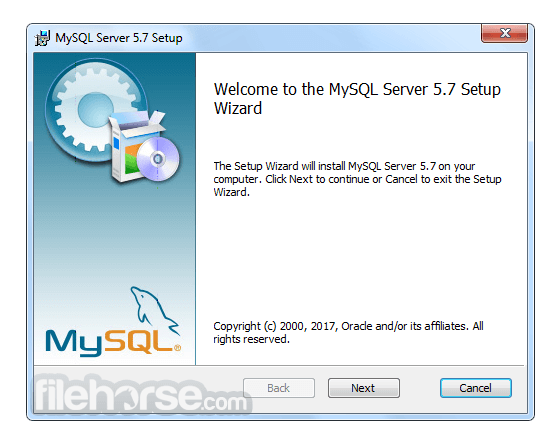
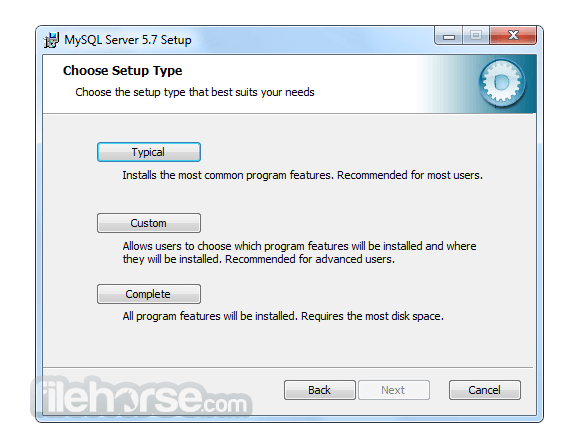
安裝過程非常簡單,通常只需執行安裝程式並按照提示操作即可。
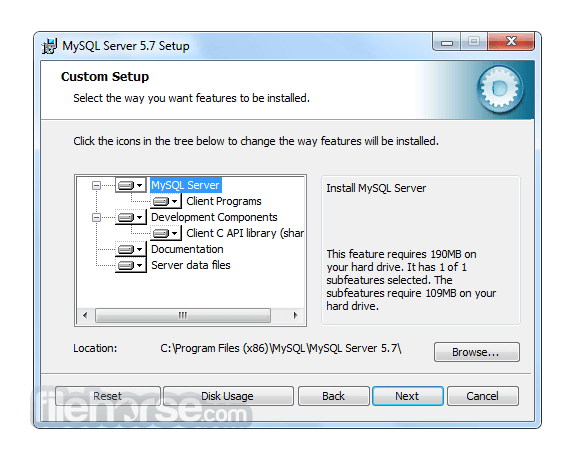
在設定過程中,使用者可以配置資料庫設定、定義存取權限以及指定儲存選項。
此外,它也可以作為 Web 開發 Stack 的一部分(例如 XAMPP 或 WAMP)進行安裝,以建立完整的開發環境。
How to Use
為了有效地使用 MySQL,使用者應對 SQL (Structured Query Language) 以及資料庫管理原則有基本的了解。
它提供豐富的 SQL 指令集用於建立、檢索、更新與刪除數據。開發者可以使用專用的 Connector 與 Library 將 MySQL 整合至其選擇的程式語言中,例如 Java 的 MySQL Connector/J 或 Python 的 MySQL Connector/Python。
目前有大量的官方文件與線上資源可幫助使用者學習並精通 MySQL 的功能。
FAQ
Q: 我可以將現有的資料庫遷移到 MySQL Community Server 嗎?
A: 可以,它提供了將資料庫從其他 RDBMS(如 Oracle, SQL Server 和 PostgreSQL)遷移的工具與公用程式。
Q: MySQL 適合大型應用程式嗎?
A: 絕對適合!MySQL 的 Scalability 與 Performance 使其成為管理企業級應用程式數據的絕佳選擇。
Q: 免費開源版本的 MySQL 有任何限制嗎?
A: 開源版本提供了豐富的功能,但若需要進階功能(如即時分析與企業級支援),使用者可以考慮訂閱制且功能更強大的 MySQL Enterprise Edition。
Q: 我可以防止未經授權的存取來保護我的 MySQL 資料庫嗎?
A: 可以,它提供了強大的安全功能,包括 User Authentication、Access Control 與 Encryption 機制,以保護您的數據免於未經授權的存取。
Q: MySQL 支援 Stored Procedures 和 Triggers 嗎?
A: 是的,它支援 Stored Procedures, Triggers 以及 Functions,允許開發者在資料庫內執行複雜的操作並自動化任務。
Alternatives
雖然 MySQL Database Server 在 RDBMS 市場佔據主導地位,但仍有其他替代方案可供選擇,且各有其獨特功能與優勢。值得關注的替代產品包括:
Microsoft SQL Server: 針對 Windows 平台設計,提供強大的企業級功能、與 Microsoft 產品的無縫整合以及卓越的 Scalability。
PostgreSQL: 以注重標準合規性與進階功能著稱,是一款適用於複雜數據場景的強大開源 DBMS。
Oracle Database: 作為商業 RDBMS,提供極高性能、進階安全性和廣泛的管理工具,適合大型企業級應用。
SQLite: 理想的小型輕量化應用選擇,是一款 Serverless DBMS,在簡便性、可移植性與零配置部署方面表現出色。
Pricing
MySQL 主要分為兩個版本:Community Edition (免費開源) 與 Enterprise Edition (商業版,提供額外功能與支援)。
Community Edition 是大多數使用者的熱門選擇,而 Enterprise Edition 則需要訂閱,並提供量身打造的企業級進階功能。
此外,他們還提供以下產品:
- MySQL HeatWave
- MySQL Enterprise Edition
- MySQL Standard Edition
- MySQL Classic Edition
- MySQL Cluster CGE
- MySQL Embedded (OEM/ISV)
MySQL 的系統需求依據所使用的作業系統與版本而異。
一般而言,它支援 Windows, macOS 以及各種 Linux 發行版。
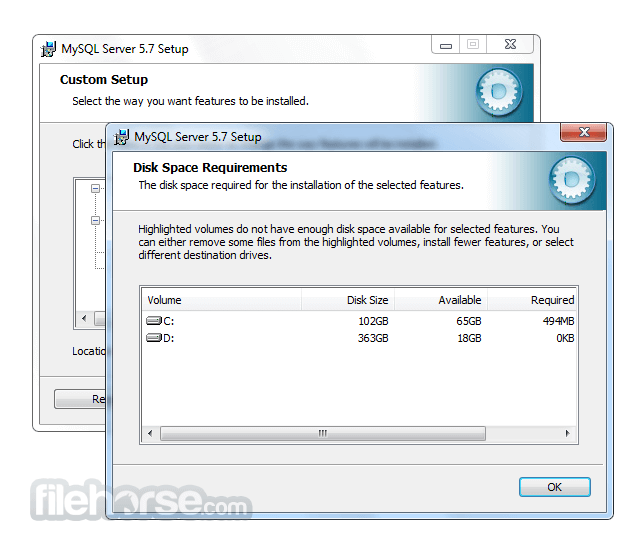
根據資料庫的大小與複雜程度,需要充足的磁碟空間、記憶體與處理能力。
PROS
- 開源且免費的 Community Server Edition
- 高效能與高 Scalability
- 強大的安全功能
- 豐富的文件紀錄與活躍的社群支援
- 相容於多種程式語言
- Command-line Interface 對初學者來說可能較具挑戰性
- 部分進階功能僅限於 Enterprise Edition
- 複雜的設定可能需要額外的配置與優化
MySQL Community Server 是一款可靠且功能豐富的 RDBMS,在管理關聯式資料庫方面享有盛名。其速度、Scalability 與通用性使其適用於從小型專案到企業級系統的各種應用。
雖然 Command-line Interface 對初學者而言可能需要一定的學習曲線,但 GUI 工具的出現簡化了資料庫管理流程。憑藉龐大的社群與詳盡的文件,它將繼續作為軟體開發生態系統中的核心工具。無論您是開發者、數據分析師還是企業主,MySQL 都能讓您高效地組織與存取數據,為您的專案與計畫帶來成功。
Also Available: MySQL for Mac
Download MySQL Latest Version Why is this app published on FileHorse? (More info)
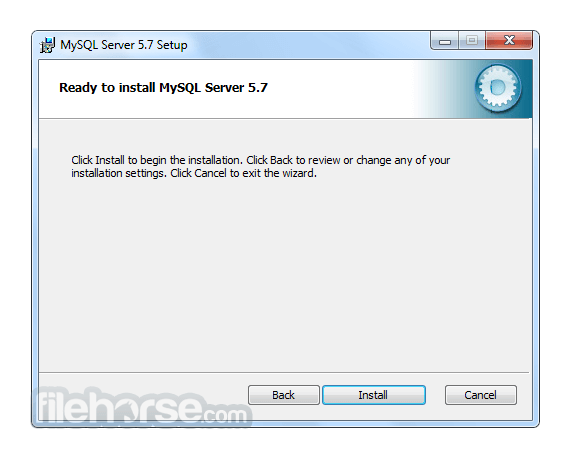
畫面截圖
更新日誌
5.5.35 # Functionality Added or Changed
* A new CMake option, WITH_ASAN, permits enabling address sanitization for compilers that support it.
* Attempts to use the thread_concurrency system variable (which has an effect only for Solaris 8 and earlier) now indicate that it has no effect when that is the case.
# Bugs Fixed
* InnoDB: Running SHOW ENGINE INNODB STATUS on one connection thread and killing that thread by running a KILL CONNECTION statement from a different connection thread would result in a severe error.
* InnoDB: CHECK TABLE would ignore the QUICK option.
* InnoDB: In debug builds, test case failures would occur due to ibuf_contract_ext performing merges and dict_stats_update returning evicted pages back into the buffer pool while ibuf_change_buffering_debug is enabled.
* InnoDB: InnoDB would fail to return an error when attempting to run a query after discarding the tablespace.
* InnoDB: When the change buffer is enabled, InnoDB would fail to write a transaction log record when merging a record from the insert buffer to a secondary index page if the insert was performed as an “update-in-place”.
* InnoDB: When index_read_map is called for an exact search and fails to return a record due to non-matching search criteria, the cursor would be positioned on the next record after the searched key. A subsequent call to index_next would return the next record instead of returning the previous non-matching row, thereby skipping a record.
* InnoDB: Converting a table with a large number of columns from MyISAM to InnoDB would cause an assertion due to insufficient log buffer space. Instead of asserting, InnoDB now attempts to increase log buffer size automatically if the redo log size is too large.
* Partitioning: After disabling the parent table's indexes with ALTER TABLE ... DISABLE KEYS, rebuilding any of its partitions enabled the indexes on those partitions, leading MyISAM to fail with an error when the optimizer tried to use one of the affected indexes.
* Replication: A replication master did not handle correctly the disabling of the semisync plugin on the master and the slave, with a subsequent stopping of the slave.
* Replication: The final argument in the SET clause of a LOAD DATA ... SET statement was repeated in the binary log.
* Replication: When an error encountered by the dump thread while reading events from the active binary log file was a temporary error, so that the dump thread tried to read the event, it was possible for the dump thread to seek the wrong position, which could cause one or more events to be resent. To prevent this, the thread's position is obtained after each correct read of an event.
* Replication: Setting rpl_semi_sync_master_enabled while the master was waiting for a reply from the slave could in some cases cause the master to fail.
* Replication: The value of LAST_INSERT_ID() was not correctly replicated when filtering rules were used on the slave.
* Enabling Index Merge optimizer switches and setting a small sort_buffer_size value could lead to a server exit.
* Some license and documentation files were missing from Windows MSI packages.
* The mysql_options() C API function could leak memory if called more than once with the MYSQL_SET_CLIENT_IP option.
* The CONV() function could call abs(INT_MIN), which is undefined, and cause a server exit.
* An error array in the SSL code was missing a comma, leading to implicit concatenation of adjacent messages and a resulting off-by-one error in the relationship between error numbers and messages.
* The filesort implementation sometimes failed to allocate enough buffer space, leading to a server exit.
* GROUP_CONCAT() with an invalid separator could cause a server exit.
* An internal InnoDB string routine could write past the end of a buffer.
* Using the binary client/server protocol, the second execution of a prepared statement for a query with parameters in the LIMIT clause raised an assertion.
* The usual failed-login attempt accounting was not applied to failed COM_CHANGE_USER commands.
* Very long database names in queries could cause the server to exit.
* Standalone Windows MSI packages did not have the ALLUSERS property set. They now set ALLUSERS=1. For earlier MSI packages in this MySQL series, a workaround is to use the following command:
- C:> msiexec /i msi_installer_name ALLUSERS=1
* The my_b_vprintf() function could produce incorrect results for long integers on 64-bit systems.
* COUNT(DISTINCT) should not count NULL values, but they were counted when the optimizer used Loose Index Scan.
* For queries of the form UPDATE ... WHERE unique_key ORDER BY ... LIMIT ..., incorrect rows could be updated. Unique keys permit multiple NULL values, but the optimizer did not always consider all of them.
* Host names in grant tables are stored in lowercase, but mysql_install_db could fail to observe this convention, leading to accounts that could not be dropped with DROP USER.
* Killing a query that is performing a filesort operation resulted in an ER_SERVER_SHUTDOWN (Server shutdown in progess) error.
- 2026-08-04 MySQL 8.0.46.0 566 MB
- 2026-01-20 MySQL 8.0.45.0 556 MB
- 2025-10-22 MySQL 8.0.44.0 558 MB
- 2025-07-23 MySQL 8.0.43.0 354 MB
- 2025-07-22 MySQL 8.0.42.0 354 MB
- 2025-01-21 MySQL 8.0.41.0 352 MB
- 2024-10-16 MySQL 8.0.40.0 306 MB
- 2024-07-29 MySQL 8.0.39.0 285 MB