
- 軟體名稱MySQL
- 目前版本5.6.17
- 更新日期2014-03-28
- 檔案大小38.41MB
- 檔案名稱mysql-5.6.17-win32.msi
- 作業系統Windows 7 64 / Windows 8 64 / Windows 10 64 / Windows 11
- 支援語系English
- 授權型式開源軟體
- 開發商 Oracle
- 軟體分類Windows 軟體 / 開發者工具
編輯短評
MySQL 是一套開源且由社群驅動的關聯式資料庫管理系統,主要用來儲存、管理與檢索數據,並以速度快、可靠性高和易於使用著稱。它最鮮明的特色在於具備高度的可擴展性,能從小型應用一路撐起大型企業系統,同時提供最佳化的查詢執行與索引技術,確保資料處理效率;安全性方面也內建多種驗證與加密機制,並支援複寫與叢集以達成高可用性。目前由 Oracle 持續維護,更新相當活躍,在同類開發者工具中屬於主流首選,使用者評價普遍不錯,累積的評分人數也相當可觀。
這套軟體適合需要建構資料驅動應用程式的開發者,無論是網站後端、企業內部系統或數據分析平台,都能派上用場。它主要透過命令列介面運作,對熟悉指令的進階使用者較友善,但市面上有許多第三方圖形介面工具可補足操作門檻。與同分類的 BlueStacks、Turbo C++ 或 VMware 等工具相比,MySQL 專注於資料庫核心服務,並非整合開發環境或虛擬化方案,取捨上更偏向純粹的資料層需求。授權為開源軟體,提供 Windows 與 macOS 版本,但介面僅支援英文,使用前需留意語系與操作習慣。
軟體介紹
它以速度快、可靠性高且易於使用而聞名,使其成為小型應用程式與大型企業系統的理想選擇。
由 Oracle Corporation 開發,MySQL Community Server 提供了一套完整的工具與功能,讓開發者能夠輕鬆建構動態且由數據驅動的應用程式。
Key Features
Scalability
它能處理海量數據,並可毫不費力地擴展以滿足日益增長的需求。
Performance
憑藉優化的 Query Execution 與 Indexing 技術,它能確保快速的數據檢索與處理速度。
Security
它提供多種 Authentication 機制與 Encryption 選項,以保護敏感數據的安全。
High Availability
它支援 Replication 與 Clustering,可實現冗餘備援並確保數據的持續可用性。
Flexibility
MySQL 相容於多種作業系統並支援多種程式語言,具有極高的通用性。
User Interface
MySQL Database Server 主要透過 Command-line Interface (CLI) 運作,適合經驗豐富的使用者與開發者。
然而,許多第三方工具提供了 Graphical User Interface (GUI),簡化了資料庫管理任務,例如建立表格、執行查詢以及監控效能。
常見的 GUI 選項包括 phpMyAdmin, MySQL Workbench 以及 Navicat。
Installation and Setup
它為 Windows, macOS 與 Linux 等主流作業系統提供安裝套件。
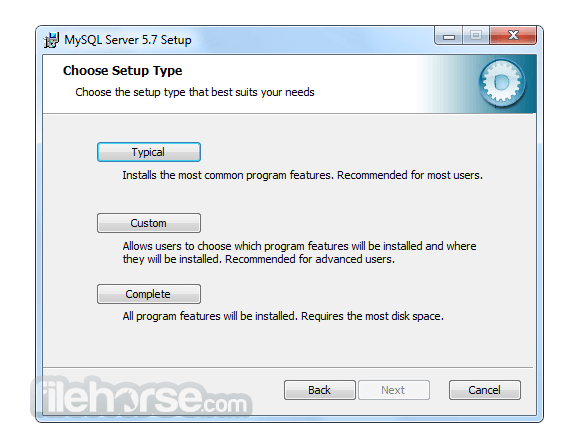
安裝過程非常簡單,通常只需執行安裝程式並按照提示操作即可。
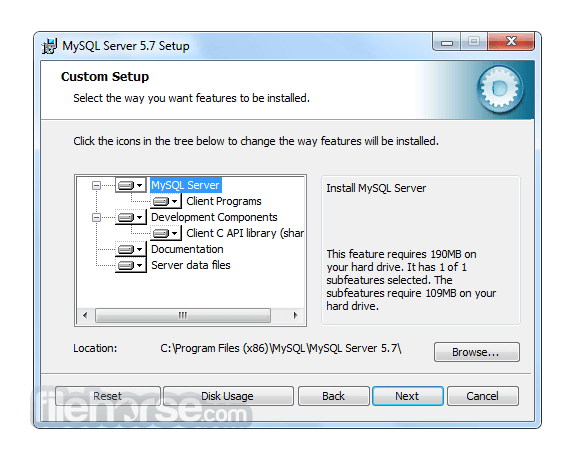
在設定過程中,使用者可以配置資料庫設定、定義存取權限以及指定儲存選項。
此外,它也可以作為 Web 開發 Stack 的一部分(例如 XAMPP 或 WAMP)進行安裝,以建立完整的開發環境。
How to Use
為了有效地使用 MySQL,使用者應對 SQL (Structured Query Language) 以及資料庫管理原則有基本的了解。
它提供豐富的 SQL 指令集用於建立、檢索、更新與刪除數據。開發者可以使用專用的 Connector 與 Library 將 MySQL 整合至其選擇的程式語言中,例如 Java 的 MySQL Connector/J 或 Python 的 MySQL Connector/Python。
目前有大量的官方文件與線上資源可幫助使用者學習並精通 MySQL 的功能。
FAQ
Q: 我可以將現有的資料庫遷移到 MySQL Community Server 嗎?
A: 可以,它提供了將資料庫從其他 RDBMS(如 Oracle, SQL Server 和 PostgreSQL)遷移的工具與公用程式。
Q: MySQL 適合大型應用程式嗎?
A: 絕對適合!MySQL 的 Scalability 與 Performance 使其成為管理企業級應用程式數據的絕佳選擇。
Q: 免費開源版本的 MySQL 有任何限制嗎?
A: 開源版本提供了豐富的功能,但若需要進階功能(如即時分析與企業級支援),使用者可以考慮訂閱制且功能更強大的 MySQL Enterprise Edition。
Q: 我可以防止未經授權的存取來保護我的 MySQL 資料庫嗎?
A: 可以,它提供了強大的安全功能,包括 User Authentication、Access Control 與 Encryption 機制,以保護您的數據免於未經授權的存取。
Q: MySQL 支援 Stored Procedures 和 Triggers 嗎?
A: 是的,它支援 Stored Procedures, Triggers 以及 Functions,允許開發者在資料庫內執行複雜的操作並自動化任務。
Alternatives
雖然 MySQL Database Server 在 RDBMS 市場佔據主導地位,但仍有其他替代方案可供選擇,且各有其獨特功能與優勢。值得關注的替代產品包括:
Microsoft SQL Server: 針對 Windows 平台設計,提供強大的企業級功能、與 Microsoft 產品的無縫整合以及卓越的 Scalability。
PostgreSQL: 以注重標準合規性與進階功能著稱,是一款適用於複雜數據場景的強大開源 DBMS。
Oracle Database: 作為商業 RDBMS,提供極高性能、進階安全性和廣泛的管理工具,適合大型企業級應用。
SQLite: 理想的小型輕量化應用選擇,是一款 Serverless DBMS,在簡便性、可移植性與零配置部署方面表現出色。
Pricing
MySQL 主要分為兩個版本:Community Edition (免費開源) 與 Enterprise Edition (商業版,提供額外功能與支援)。
Community Edition 是大多數使用者的熱門選擇,而 Enterprise Edition 則需要訂閱,並提供量身打造的企業級進階功能。
此外,他們還提供以下產品:
- MySQL HeatWave
- MySQL Enterprise Edition
- MySQL Standard Edition
- MySQL Classic Edition
- MySQL Cluster CGE
- MySQL Embedded (OEM/ISV)
MySQL 的系統需求依據所使用的作業系統與版本而異。
一般而言,它支援 Windows, macOS 以及各種 Linux 發行版。
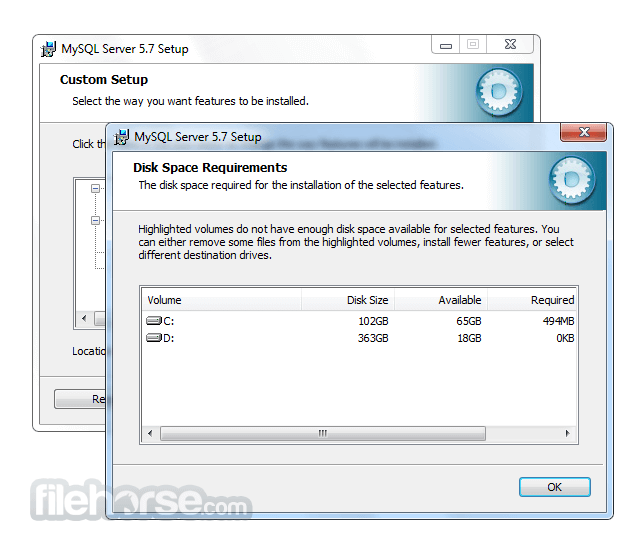
根據資料庫的大小與複雜程度,需要充足的磁碟空間、記憶體與處理能力。
PROS
- 開源且免費的 Community Server Edition
- 高效能與高 Scalability
- 強大的安全功能
- 豐富的文件紀錄與活躍的社群支援
- 相容於多種程式語言
- Command-line Interface 對初學者來說可能較具挑戰性
- 部分進階功能僅限於 Enterprise Edition
- 複雜的設定可能需要額外的配置與優化
MySQL Community Server 是一款可靠且功能豐富的 RDBMS,在管理關聯式資料庫方面享有盛名。其速度、Scalability 與通用性使其適用於從小型專案到企業級系統的各種應用。
雖然 Command-line Interface 對初學者而言可能需要一定的學習曲線,但 GUI 工具的出現簡化了資料庫管理流程。憑藉龐大的社群與詳盡的文件,它將繼續作為軟體開發生態系統中的核心工具。無論您是開發者、數據分析師還是企業主,MySQL 都能讓您高效地組織與存取數據,為您的專案與計畫帶來成功。
Also Available: MySQL for Mac
Download MySQL Latest Version Why is this app published on FileHorse? (More info)
畫面截圖
5 張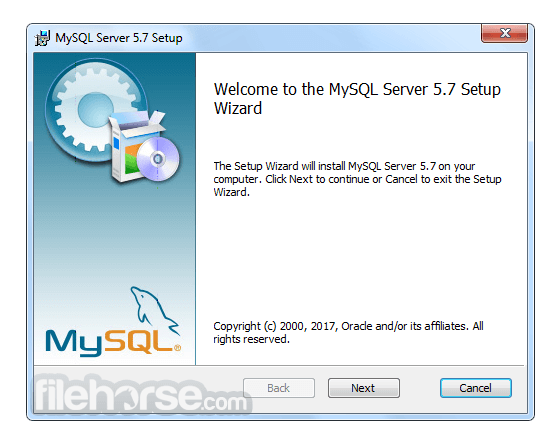
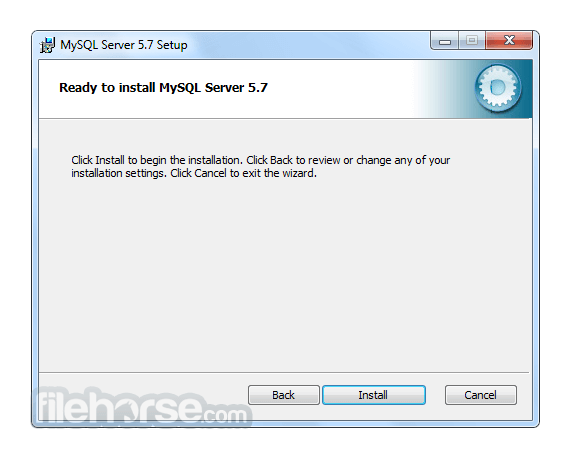

更新日誌
5.6.17 # Functionality Added or Changed
* Incompatible Change: The AES_ENCRYPT() and AES_DECRYPT() functions now permit control of the block encryption mode and take an optional initialization vector argument:
- The new block_encryption_mode system variable controls the mode for block-based encryption algorithms. Its default value is aes-128-ecb, which signifies encryption using a key length of 128 bits and ECB mode.
- An optional init_vector argument provides an initialization vector for encryption modes that require it:
> AES_ENCRYPT(str,key_str[,init_vector])
> AES_DECRYPT(crypt_str,key_str[,init_vector])
- A random string of bytes to use for the initialization vector can be produced by calling the new RANDOM_BYTES() function.
* Incompatible Change: The deprecated ERROR_FOR_DIVISION_BY_ZERO, NO_ZERO_DATE, and NO_ZERO_IN_DATE SQL modes now do nothing. Instead, their previous effects are included in the effects of strict SQL mode (STRICT_ALL_TABLES or STRICT_TRANS_TABLES). In other words, strict mode now means the same thing as the previous meaning of strict mode plus the ERROR_FOR_DIVISION_BY_ZERO, NO_ZERO_DATE, and NO_ZERO_IN_DATE modes. This change reduces the number of SQL modes with an effect dependent on strict mode and makes them part of strict mode itself.
* InnoDB: MySQL now supports rebuilding regular and partitioned InnoDB tables using online DDL (ALGORITHM=INPLACE) for the following operations:
- OPTIMIZE TABLE
- ALTER TABLE ... FORCE
- ALTER TABLE ... ENGINE=INNODB (when run on an InnoDB table)
* On Solaris, mysql_config --libs now includes -R/path/to/library so that libraries can be found at runtime.
* mysql_install_db provides a more informative diagnostic message when required Perl modules are missing.
* The IGNORE clause for ALTER TABLE is now deprecated and will be removed in a future version of MySQL. ALTER IGNORE TABLE causes problems for replication, prevents online ALTER TABLE for unique index creation, and causes problems with foreign keys (rows removed in the parent table).
# Bugs Fixed
* Incompatible Change: Old clients (older than MySQL 5.5.7) failed to parse authentication data correctly if the server was started with the --default-authentication-plugin=sha256_password option.
* Important Change; InnoDB; Partitioning: The FLUSH TABLES statement's FOR EXPORT option is now supported for partitioned InnoDB tables.
* InnoDB: Running a SELECT on a partitioned table caused a memory access violation in memcpy().
* InnoDB: An invalid memmove in fts_query_fetch_document would cause a serious error.
* InnoDB: For full-text queries, a failure to check that num_token is less than max_proximity_item could result in an assertion.
* InnoDB: innodb_ft_result_cache_limit now has a hardcoded maximum value of 4294967295 bytes or (2**32 -1). The maximum value was previously defined as the maximum value of ulong.
* InnoDB: InnoDB would fail to restore a corrupt first page of a system tablespace data file from the doublewrite buffer, resulting in a startup failure.
* InnoDB: An UPDATE resulted in a memory access error in lock_rec_other_trx_holds_expl. The transaction list (trx_sys->rw_trx_list) was traversed without acquiring the transaction subsystem mutex (trx_sys->mutex).
* InnoDB: A regression introduced would result in a performance degradation when a compressed table does not fit into memory.
* InnoDB: The maximum value for innodb_thread_sleep_delay is now 1000000 microseconds. The previous maximum value (4294967295 microseconds on 32-bit and 18446744073709551615 microseconds on 64-bit) was unnecessarily large. Because the maximum value of innodb_thread_sleep_delay is limited by the value set for innodb_adaptive_max_sleep_delay (when set to a non-zero value), the maximum value for innodb_thread_sleep_delay is now the same as the maximum value for innodb_adaptive_max_sleep_delay.
* InnoDB: A full-text tokenizer thread would terminate with an incorrect error message.
* InnoDB: Attempting to uninstall the InnoDB memcached plugin while the InnoDB memcached plugin is still initializing would kill the InnoDB memcached daemon thread. Uninstall should wait until initialization is complete.
* InnoDB: In debug builds, creating a unique index on a binary column, with input data containing duplicate keys, would cause an assertion.
* InnoDB: The srv_monitor_thread would crash in the lock_print_info_summary() function due to a race condition between the srv_monitor_thread and purge coordinator thread.
* InnoDB: Attempting to add an invalid foreign key when foreign key checking is disabled (foreign_key_checks=0) would cause a serious error.
* InnoDB: For debug builds, the table rebuilding variant of online ALTER TABLE, when run on tables with BLOB columns, would cause an assertion in the row_log_table_apply_update function. For normal builds, a DB_PRODUCTION error would be returned.
* InnoDB: When creating a table there are a minimum of three separate inserts on the mysql.innodb_index_stats table. To improve CREATE TABLE performance, there is now a single COMMIT operation instead of one for each insert.
* InnoDB: The server would halt with an assertion in lock_rec_has_to_wait_in_queue(lock) due to a locking-related issue and a transaction being prematurely removed from trx_sys->rw_trx_set.
* InnoDB: Server shutdown would result in a hang with the following message written to the error log: “[NOTE] InnoDB: Waiting for purge thread to be suspended.”
* InnoDB: InnoDB would fail to start when innodb_data_file_path specified the data file size in kilobytes by appending K to the size value.
* InnoDB: An insert buffer merge would cause an assertion error due to incorrectly handled ownership information for externally stored BLOBs.
* InnoDB: Assertion failure in thread thread_num in file ibuf0ibuf.cc line 4080
* InnoDB: Failing assertion: rec_get_deleted_flag(rec, page_is_comp(page))
* InnoDB: Decreasing the auto_increment_increment value would have no affect on the next auto-increment value.
* Partitioning: When the index_merge_intersection flag (enabled by default) or the index_merge_union flag was enabled by the setting of the optimizer_switch system variable, queries returned incorrect results when executed against partitoned tables that used the MyISAM storage engine, as well as partitioned InnoDB tables that lacked a primary key.
* Replication: The MASTER_SSL_CRL and MASTER_SSL_CRLPATH options are not available when using yaSSL; MySQL Replication now sets these to NULL automatically whenever yaSSL is enabled.
* Replication: Setting --slave-parallel-workers to 1 or greater and starting the slave caused the slave SQL thread to use but not release memory until the slave was restarted with STOP SLAVE and START SLAVE.
* Replication: When a slave was configured with replication filters and --log-warnings=2, every statement which was filtered caused an entry to be written in the error log. For busy servers which generated many statements to be filtered, the result was that the error log could quickly grow to many gigabytes in size. Now a throttle is used for such errors, so that an error message is printed only once in a given interval, saying that this particular error occurred a specific number of times during that interval.
* Replication: SHOW SLAVE STATUS used incorrect values when reporting MASTER_SSL_CRL and MASTER_SSL_CRLPATH.
* Replication: Binary log events could be sent to slaves before they were flushed to disk on the master, even when sync_binlog was set to 1. This could lead to either of those of the following two issues when the master was restarted following a crash of the operating system:
- Replication cannot continue because one or more slaves are requesting replicate events that do not exist on the master.
- Data exists on one or more slaves, but not on the master.
* Replication: When running the slave with --slave-parallel-workers at 1 or greater, setting --slave-skip-errors=all caused the error log to be filled with with instances of the warning Slave SQL: Could not execute Query event. Detailed error: ;, Error_code: 0.
* Replication: A number of possible state messages used as values for the PROCESSLIST_STATE column of the Performance Schema threads table were longer than the width of the column (64 characters).
* Replication: The server did not handle correctly the insertion of a row larger than 4 GB when using row-based replication.
* Replication: When using row-based replication, an additional auto-increment column on the slave version of a table was not updated correctly; a zero was inserted instead.
* Replication: Statements involving the Performance Schema tables should not be written to the binary log, because the content of these tables is applicable only to a given MySQL Server instance, and may differ greatly between different servers in a replication topology. The database administrator should be able to configure (INSERT, UPDATE, or DELETE) or flush (TRUNCATE TABLE) performance schema tables on a single server without affecting others. However, when replicating from a MySQL 5.5 master to a MySQL 5.5 or later slave, warnings about unsafe statements updating Performance Schema tables were elevated to errors. For MySQL 5.6 and later slaves, this prevented the simultaneous use of performance_schema and GTIDs
* Replication: Modifying large amounts of data within a transaction can cause the creation of temporary files. Such files are created when the size of the data modified exceeds the size of the binary log cache (max_binlog_cache_size). Previously, such files persisted until the client connection was closed, which could allow them to grow until they exhausted all available disk space in tmpdir. To prevent this from occurring, the size of a temporary file created in this way in a given transaction is now reset to 0 when the transaction is committed or rolled back.
* Replication: The server checks to determine whether semisynchronous replication has been enabled without a lock, and if this is the case, it takes the lock and checks again. If semisynchronous replication was disabled after the first but prior to the second one, this could cause the server to fail.
* Replication: Semisynchronous replication became very slow if there were many dump threads (such as from mysqlbinlog or slave I/O connections) working at the same time. It was also found that semisynchronous master plugin functions were called even when the dump connections did not support semisynchronous replication, which led to locking of the plugin lock as well as wasting time on necessary code.
* After this fix, non-semisynchronous dump threads no longer call semisynchronous master functions to observe binary events.
* mysql_install_db could hang while reading /dev/random to generate a random root password.
* Compilation failed if MySQL was configured with CFLAGS set to include a -Werror option with an argument.
* A shared libmysqld embedded server library was not built on Linux.
* While printing the server version, the mysql client did not check for buffer overflow in a string variable.
* Building MySQL from source on Windows using Visual Studio 2008 would fail with an identifier not found error due to a regression
* On Microsoft Windows, the rw-lock backup implementation for the my_atomic_* functions was always used. Now, the native Microsoft Windows implementation is used, where available.
* When tables are reopened from the table cache and the current thread is not instrumented for the Performance Schema, a table handle was unnecessarily instrumented.
* The audit log plugin could cause a server exit during log file rotation operations when there were many operations happening for multiple connections.
* The SUM_SORT_MERGE_PASSES column value in the Performance Schema events_statements_summary_by_digest table was calculated incorrectly.
* If the Performance Schema events_statements_summary_by_digest table was full when a statement with a new digest was found, the Performance_schema_digest_lost status variable was not incremented.
* The optimizer could push down a condition when the index did not have the key part present in the condition.
* Contraction information in a collation could be mishandled, resulting in incorrect decisions about whether a character is part of a contraction, and miscalculation of contraction weights.
* DROP TRIGGER succeeded even with the read_only system variable enabled.
* If used to process a prepared CALL statement for a stored procedure with OUT or INOUT parameters, mysql_stmt_store_result() did not properly set the flags required to retrieve all the result sets.
* When run by root, mysqld --help --verbose exited with a nonzero error code after displaying the help message.
* MySQL client programs from a Community Edition distribution could not connect using SSL to a MySQL server from an Enterprise Edition. This was due to a difference in certificate handling by yaSSL and OpenSSL (used for Community and Enterprise, respectively). OpenSSL expected a blank certificate to be sent when not all of the --ssl-ca, --ssl-cert, and --ssl-key options were specified, and yaSSL did not do so. To resolve this, yaSSL has been modified to send a blank certificate when an option is missing.
* The mysqladmin, mysqlbinlog, mysqlcheck, mysqldump, mysqlimport, mysqlslap, and mysqlshow programs now support a --secure-auth option that prevents sending passwords to the server in old (pre-4.1) format. This option is enabled by default; use --skip-secure-auth to disable it.
* A deadlock error occurring during subquery execution could cause an assertion to be raised.
* The Performance Schema stage/sql/Waiting to get readlock instrument is no longer used and has been removed.
* A query that creates a temporary table to find distinct values and has a constant value in the projected list could produce incorrect results.
* Messages written by the server to the error log for LDML collation definition problems were missing the collation name.
* mysqlcheck did not correctly handle table names containing dots.
* Aggregating the results of a subquery in the FROM clause could produce incorrect results.
* For system variables that take a string value, SET statements permitted an unquoted value, but values that contained dots were parsed incorrectly and only part of the value was assigned. For example, SET GLOBAL slow_query_log_file = my_slow.log assigned the value my_slow. Now such values must be quoted or an error occurs.
* A temporal literal string without delimiters and more than 14 digits was validated as a TIMESTAMP/DATETIME value with a two-digit precision fractional seconds part. But fractional seconds should always be separated from other parts of a time by a decimal point.
* The msql2mysql, mysql_convert_table_format, mysql_find_rows, mysql_fix_extensions, mysql_setpermission, and mysqlaccess utilities are now deprecated and will be removed in MySQL 5.7.
歷史版本
完整清單 →- 2026-08-04 MySQL 8.0.46.0 566 MB
- 2026-01-20 MySQL 8.0.45.0 556 MB
- 2025-10-22 MySQL 8.0.44.0 558 MB
- 2025-07-23 MySQL 8.0.43.0 354 MB
- 2025-07-22 MySQL 8.0.42.0 354 MB
- 2025-01-21 MySQL 8.0.41.0 352 MB
- 2024-10-16 MySQL 8.0.40.0 306 MB
- 2024-07-29 MySQL 8.0.39.0 285 MB