
- 目前版本5.6.21
- 更新日期2014-09-24
- 檔案大小44.81MB
- 檔案名稱mysql-5.6.21-win32.msi
- 作業系統Windows 7 64 / Windows 8 64 / Windows 10 64 / Windows 11
- 支援語系English
- 授權型式開源軟體
- 開發商 Oracle
- 軟體分類Windows 軟體 / 開發者工具
編輯短評
MySQL 是一套開源且由社群驅動的關聯式資料庫管理系統,主要用來儲存、管理與檢索數據,並以速度快、可靠性高和易於使用著稱。它最鮮明的特色在於具備高度的可擴展性,能從小型應用一路撐起大型企業系統,同時提供最佳化的查詢執行與索引技術,確保資料處理效率;安全性方面也內建多種驗證與加密機制,並支援複寫與叢集以達成高可用性。目前由 Oracle 持續維護,更新相當活躍,在同類開發者工具中屬於主流首選,使用者評價普遍不錯,累積的評分人數也相當可觀。
這套軟體適合需要建構資料驅動應用程式的開發者,無論是網站後端、企業內部系統或數據分析平台,都能派上用場。它主要透過命令列介面運作,對熟悉指令的進階使用者較友善,但市面上有許多第三方圖形介面工具可補足操作門檻。與同分類的 BlueStacks、Turbo C++ 或 VMware 等工具相比,MySQL 專注於資料庫核心服務,並非整合開發環境或虛擬化方案,取捨上更偏向純粹的資料層需求。授權為開源軟體,提供 Windows 與 macOS 版本,但介面僅支援英文,使用前需留意語系與操作習慣。
軟體介紹
它以速度快、可靠性高且易於使用而聞名,使其成為小型應用程式與大型企業系統的理想選擇。
由 Oracle Corporation 開發,MySQL Community Server 提供了一套完整的工具與功能,讓開發者能夠輕鬆建構動態且由數據驅動的應用程式。
Key Features
Scalability
它能處理海量數據,並可毫不費力地擴展以滿足日益增長的需求。
Performance
憑藉優化的 Query Execution 與 Indexing 技術,它能確保快速的數據檢索與處理速度。
Security
它提供多種 Authentication 機制與 Encryption 選項,以保護敏感數據的安全。
High Availability
它支援 Replication 與 Clustering,可實現冗餘備援並確保數據的持續可用性。
Flexibility
MySQL 相容於多種作業系統並支援多種程式語言,具有極高的通用性。
User Interface
MySQL Database Server 主要透過 Command-line Interface (CLI) 運作,適合經驗豐富的使用者與開發者。
然而,許多第三方工具提供了 Graphical User Interface (GUI),簡化了資料庫管理任務,例如建立表格、執行查詢以及監控效能。
常見的 GUI 選項包括 phpMyAdmin, MySQL Workbench 以及 Navicat。
Installation and Setup
它為 Windows, macOS 與 Linux 等主流作業系統提供安裝套件。
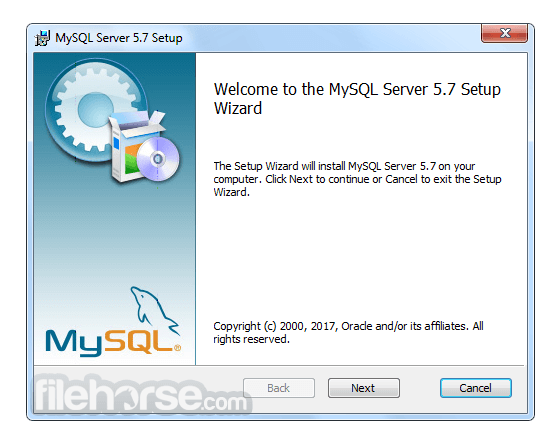
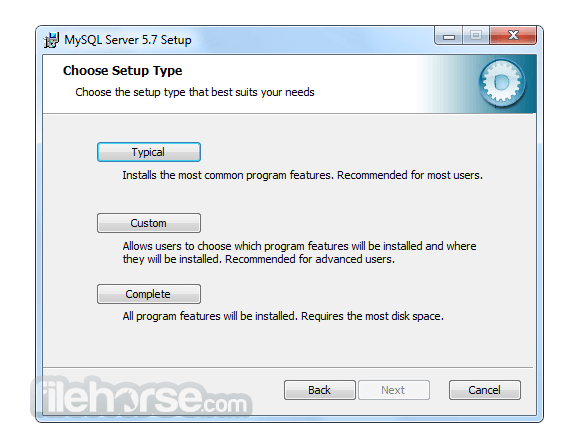
安裝過程非常簡單,通常只需執行安裝程式並按照提示操作即可。
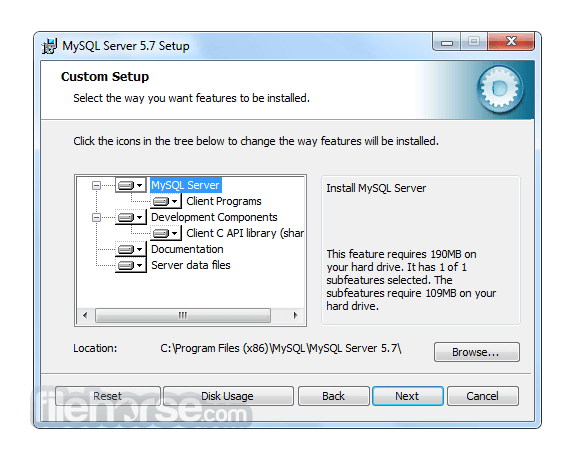
在設定過程中,使用者可以配置資料庫設定、定義存取權限以及指定儲存選項。
此外,它也可以作為 Web 開發 Stack 的一部分(例如 XAMPP 或 WAMP)進行安裝,以建立完整的開發環境。
How to Use
為了有效地使用 MySQL,使用者應對 SQL (Structured Query Language) 以及資料庫管理原則有基本的了解。
它提供豐富的 SQL 指令集用於建立、檢索、更新與刪除數據。開發者可以使用專用的 Connector 與 Library 將 MySQL 整合至其選擇的程式語言中,例如 Java 的 MySQL Connector/J 或 Python 的 MySQL Connector/Python。
目前有大量的官方文件與線上資源可幫助使用者學習並精通 MySQL 的功能。
FAQ
Q: 我可以將現有的資料庫遷移到 MySQL Community Server 嗎?
A: 可以,它提供了將資料庫從其他 RDBMS(如 Oracle, SQL Server 和 PostgreSQL)遷移的工具與公用程式。
Q: MySQL 適合大型應用程式嗎?
A: 絕對適合!MySQL 的 Scalability 與 Performance 使其成為管理企業級應用程式數據的絕佳選擇。
Q: 免費開源版本的 MySQL 有任何限制嗎?
A: 開源版本提供了豐富的功能,但若需要進階功能(如即時分析與企業級支援),使用者可以考慮訂閱制且功能更強大的 MySQL Enterprise Edition。
Q: 我可以防止未經授權的存取來保護我的 MySQL 資料庫嗎?
A: 可以,它提供了強大的安全功能,包括 User Authentication、Access Control 與 Encryption 機制,以保護您的數據免於未經授權的存取。
Q: MySQL 支援 Stored Procedures 和 Triggers 嗎?
A: 是的,它支援 Stored Procedures, Triggers 以及 Functions,允許開發者在資料庫內執行複雜的操作並自動化任務。
Alternatives
雖然 MySQL Database Server 在 RDBMS 市場佔據主導地位,但仍有其他替代方案可供選擇,且各有其獨特功能與優勢。值得關注的替代產品包括:
Microsoft SQL Server: 針對 Windows 平台設計,提供強大的企業級功能、與 Microsoft 產品的無縫整合以及卓越的 Scalability。
PostgreSQL: 以注重標準合規性與進階功能著稱,是一款適用於複雜數據場景的強大開源 DBMS。
Oracle Database: 作為商業 RDBMS,提供極高性能、進階安全性和廣泛的管理工具,適合大型企業級應用。
SQLite: 理想的小型輕量化應用選擇,是一款 Serverless DBMS,在簡便性、可移植性與零配置部署方面表現出色。
Pricing
MySQL 主要分為兩個版本:Community Edition (免費開源) 與 Enterprise Edition (商業版,提供額外功能與支援)。
Community Edition 是大多數使用者的熱門選擇,而 Enterprise Edition 則需要訂閱,並提供量身打造的企業級進階功能。
此外,他們還提供以下產品:
- MySQL HeatWave
- MySQL Enterprise Edition
- MySQL Standard Edition
- MySQL Classic Edition
- MySQL Cluster CGE
- MySQL Embedded (OEM/ISV)
MySQL 的系統需求依據所使用的作業系統與版本而異。
一般而言,它支援 Windows, macOS 以及各種 Linux 發行版。
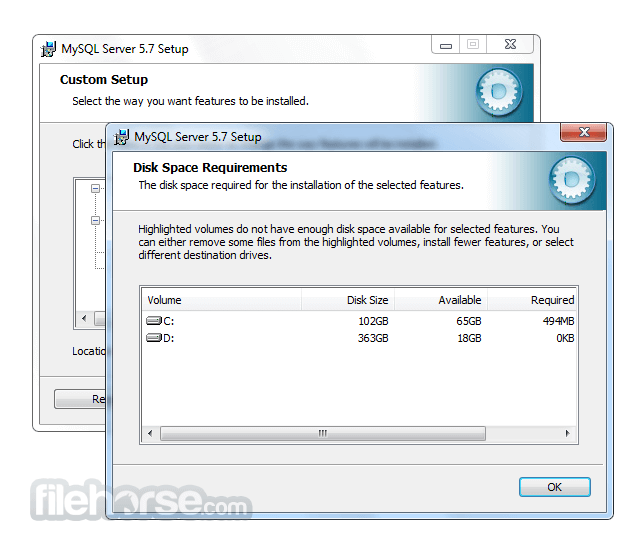
根據資料庫的大小與複雜程度,需要充足的磁碟空間、記憶體與處理能力。
PROS
- 開源且免費的 Community Server Edition
- 高效能與高 Scalability
- 強大的安全功能
- 豐富的文件紀錄與活躍的社群支援
- 相容於多種程式語言
- Command-line Interface 對初學者來說可能較具挑戰性
- 部分進階功能僅限於 Enterprise Edition
- 複雜的設定可能需要額外的配置與優化
MySQL Community Server 是一款可靠且功能豐富的 RDBMS,在管理關聯式資料庫方面享有盛名。其速度、Scalability 與通用性使其適用於從小型專案到企業級系統的各種應用。
雖然 Command-line Interface 對初學者而言可能需要一定的學習曲線,但 GUI 工具的出現簡化了資料庫管理流程。憑藉龐大的社群與詳盡的文件,它將繼續作為軟體開發生態系統中的核心工具。無論您是開發者、數據分析師還是企業主,MySQL 都能讓您高效地組織與存取數據,為您的專案與計畫帶來成功。
Also Available: MySQL for Mac
Download MySQL Latest Version Why is this app published on FileHorse? (More info)
畫面截圖
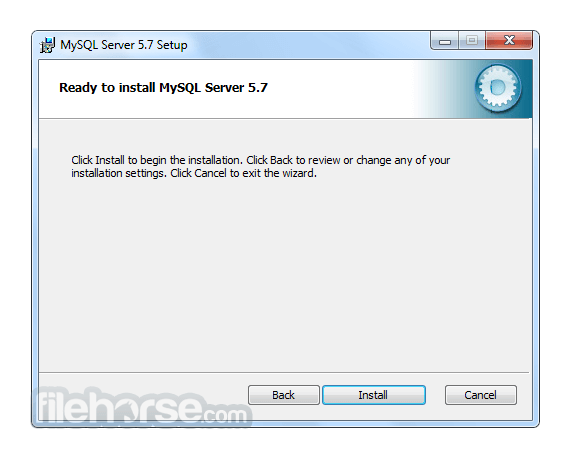
更新日誌
5.6.21 * Bugs Fixed
- InnoDB; Partitioning: Large numbers of partitioned InnoDB tables could consume much more memory when used in MySQL 5.6 or 5.7 than the memory used by the same tables used in previous releases of the MySQL Server.
- InnoDB: An ALTER TABLE ... ADD FOREIGN KEY operation could cause a serious error.
- InnoDB: In debug builds, an INSERT operation affecting compressed tables would raise a sync-related assertion.
- InnoDB: Retrieval of multiple values with a single get command would return incorrect results instead of an error message. The InnoDB memcached plugin does not currently support retrieval of multiple values with a single get command.
- InnoDB: Attempting to perform operations on a timed out key would cause the memcached daemon to crash and restart.
- InnoDB: With a transaction isolation level less than or equal to READ COMMITTED, gap locks were not taken when scanning a unique secondary index to check for duplicates. As a result, duplicate check logic failed allowing duplicate key values in the unique secondary index.
- InnoDB: In rare cases, the purge process would attempt to delete a secondary index record that was not marked for deletion, resulting in an inconsistent secondary index.
- InnoDB: During recovery, a segmentation fault would occur when marking a table as corrupt.
- InnoDB: A failed in-place ALTER TABLE operation would leave behind non-unique temporary file names in the data dictionary preventing future ALTER TABLE operations on the same table due to temporary file name conflicts. To avoid this problem, temporary file names are made unique by appending a static global number that is initialized to a random distributed 32-bit number using ut_time() and ut_crc32(). The number is then incremented atomically for each assigned temporary file name. Previously, temporary files were named using the format #sql-ibtid, where tid is the table ID. Temporary files are now named using the format #sql-ibtid-inc, where tid is the table ID and inc is the incremented number.
- InnoDB: srv_active_wake_master_thread() was called directly in innobase_commit and innobase_prepare, waking up the master thread and incrementing srv_activity_count. srv_active_wake_master_thread() should only be called after committing write transactions, not after read-only transactions or rollbacks. This patch also replaces some calls to srv_active_wake_master_thread() with calls to ib_wake_master_thread().
- InnoDB: An in-place ALTER TABLE operation on a table with a broken foreign key constraint could raise an assertion.
- InnoDB: Inserting a record into an InnoDB table with a key that falls between the maximum key of a full page and the minimum key of the “next” page could result in unnecessary page splits and under-filled pages. If the insert point is at the end of a page, InnoDB now attempts to insert to the next page before splitting the page.
- Replication: After the fix for Bug #16861624, killing a multi-threaded slave worker which was waiting for a commit lock caused a debug assertion to fail. This fix ensures that such a situation can not occur.
- Replication: When committing a transaction, a flag is now used to check whether a thread has been created, rather than checking the thread itself, which uses more resources, particularly when running the server with master_info_repository=TABLE.
- Replication: A multi-threaded slave now checks that a free worker is available to dispatch the next event. In previous versions, a multi-threaded slave crashes with a worker error if the thread coordinator can not find a free worker. The crash was caused when the coordinator did not return a free worker, for example if the coordinator was aborted at the same time using STOP SLAVE.
- Replication: When mysqlbinlog processed multiple binary log files into a single output file, this file was not in a useful state for point-in-time recovery, when it failed with the error, When @@SESSION.GTID_NEXT is set to a GTID, you must explicitly set it to a different value after a COMMIT or ROLLBACK. Please check GTID_NEXT variable manual page for detailed explanation. Current @@SESSION.GTID_NEXT is 'xyz'. When mysqlbinlog processes a binary log containing GTIDs, it outputs SET gtid_next statements, but gtid_next is set to undefined whenever a commit occurs; this left gtid_next undefined when the server had finished processing the output from mysqlbinlog. When the next binary log file started with one or more anonymous statements or transactions, the combination of gtid_next being left undefined at the end of the first binary log and the second binary log containing anonymous transactions to the error described previously (Error 1837, ER_GTID_NEXT_TYPE_UNDEFINED_GROUP).
- Replication: When the I/O thread reconnected to a master using GTIDs and multithreaded slaves while in the middle of a transaction, it failed to abort the transaction, leaving a partial transaction in the relay log, and then retrieving the same transaction again. This occurred when performing a rotation of the relay log. Now when reconnecting, the server checks before rotating the log in such cases, and waits first for any ongoing transaction to complete.
- Replication: When using semisynchronous replication, if the binary log position was changed to a future position on a slave then an assertion error was generated on the master. This fix ensures that in such a situation the future position is correctly acknowledged and an error is instead generated on the slave.
- Replication: When an SQL thread which was waiting for a commit lock was killed and restarted it caused a transaction to be skipped on slave. This fix ensures that thread positions are correctly persisted and transactions resume at the correct position.
- Replication: On a master that is using semisynchronous replication, where rpl_semi_sync_master_wait_no_slave is enabled and rpl_semi_sync_master_timeout is set to long timeout, killing the I/O thread could cause the server to hang on shutdown. This fix ensures that if the dump thread finds that there no semisynchronous slaves connected to the master, the setting of rpl_semi_sync_master_wait_no_slave is ignored and the shutdown proceeds correctly.
- Replication: When using row-based replication, setting a slave's slave_rows_search_algorithms variable to HASH_SCAN caused an ER_RECORD_NOT_FOUND error even though that record existed in the storage layer. This fix ensures that the unique key for each record is correctly maintained and such a situation does not occur.
- Replication: When an event group was spanned across multiple relay log files, a slave could incorrectly identify GTID-header group boundaries. This meant that when a transaction was retried, or if the SQL thread was stopped in the middle of a transaction after some rotates, the Gtid_log_event was being silently skipped on the slave, and the transaction was logged with the slave's GTID. This problem also impacted on using START SLAVE UNTIL MASTER_LOG_POS = log_pos; with GTIDs enabled. If log_pos was in the middle of a transaction, the Gtid_log_event was not correctly detected as the beginning of the transaction and replication stopped before this event. With this fix, threads correctly detect that they are part of a group, and this is used to check if a Gtid_log_event is part of a transaction.
- Replication: The error messages generated when a duplicate server UUID causes issues during replication have been improved. The slave error now identifies the duplicate server UUID and the master error identifies the zombie thread that has been killed.
- Replication: The CLIENT_REMEMBER_OPTIONS flag for compressed slave connections is no longer reset and all options are retained. This restores functionality of all options to compressed slave connections.
- Replication: When using row-based replication, running a long transaction involving a large number of events could trigger an Out of Memory (OOM) error if the slave's table structure was not compatible with the master's table structure. Such an incompatible situation could occur if the table on the slave had been manually changed, or when replicating between different MySQL versions that have different data types. This OOM error was caused because the virtual temporary tables created for the row conversion were not being freed until the end of the transaction, which was a problem when replicating large numbers of events.
- With DTrace support enabled, certain other compilation options could cause the build to fail.
- yaSSL client code did not validate the encryption size or session ID length, which could cause the client to exit.
- yaSSL could fail preauthorization if the client supplied inaccurate buffer lengths.
- Competition between threads could lead to timeout failure trying to rotate the audit log file.
- LPAD() and RPAD() could cause a server exit if the pad string argument was not well formed.
- The optimizer could create a zero-length column for a temporary table, causing a server exit.
- MOD for very small decimal right-hand arguments could cause a server exit.
- The client library now includes a call to X509_verify_cert_error_string() in the SSL certificate verification code, to be more robust in detecting invalid certificates.
- If the left-hand-side of an IN predicate was a scalar subquery but returned no row, the server could exit.
- The thread_concurrency system variable is deprecated, but no warning resulted from setting it at server startup.
- Sending a SIGQUIT or SIGINT signal to mysql could result in a glibc double free or corruption error.
- Invalid memory access could occur when using prepared statements if a mysql client connection was lost after statement preparation was complete and there was at least one statement that was in initialized state but not prepared yet.
- LIKE matches failed for code points of HALF WIDTH KATAKANA in the sjis and cp932 character sets.
- On EL7, installation of MySQL from RPM packages could fail if postfix had previously been installed using yum.
- mysql_upgrade could fail if the mysql.user table contained multiple accounts with the same user name and host name where the host name differed in lettercase. This is still not permitted, but now mysql_upgrade prints a more informative error message to indicate the nature of the problem:
> ERROR 1644 (45000): Multiple accounts exist for user_name, host_name
> that differ only in Host lettercase; remove all except one of them
- If the general query log or slow query log file was set to a FIFO or socket file, and the file reader went away, the server stopped executing statements. Now the server detects such files, logs an error message, and continues with the appropriate log disabled.
- A simultaneous OPTIMIZE TABLE and online ALTER TABLE on the same InnoDB table could result in deadlock.
- The query cache was not invalidated for a table when a CASCADE DELETE or CASCADE UPDATE referential constraint was specified and the database name or table name contained special characters.
- 2026-08-04 MySQL 8.0.46.0 566 MB
- 2026-01-20 MySQL 8.0.45.0 556 MB
- 2025-10-22 MySQL 8.0.44.0 558 MB
- 2025-07-23 MySQL 8.0.43.0 354 MB
- 2025-07-22 MySQL 8.0.42.0 354 MB
- 2025-01-21 MySQL 8.0.41.0 352 MB
- 2024-10-16 MySQL 8.0.40.0 306 MB
- 2024-07-29 MySQL 8.0.39.0 285 MB