
- 目前版本5.6.22
- 更新日期2014-12-02
- 檔案大小44.73MB
- 檔案名稱mysql-5.6.22-win32.msi
- 作業系統Windows 7 64 / Windows 8 64 / Windows 10 64 / Windows 11
- 支援語系English
- 授權型式開源軟體
- 開發商 Oracle
- 軟體分類Windows 軟體 / 開發者工具
編輯短評
MySQL 是一套開源且由社群驅動的關聯式資料庫管理系統,主要用來儲存、管理與檢索數據,並以速度快、可靠性高和易於使用著稱。它最鮮明的特色在於具備高度的可擴展性,能從小型應用一路撐起大型企業系統,同時提供最佳化的查詢執行與索引技術,確保資料處理效率;安全性方面也內建多種驗證與加密機制,並支援複寫與叢集以達成高可用性。目前由 Oracle 持續維護,更新相當活躍,在同類開發者工具中屬於主流首選,使用者評價普遍不錯,累積的評分人數也相當可觀。
這套軟體適合需要建構資料驅動應用程式的開發者,無論是網站後端、企業內部系統或數據分析平台,都能派上用場。它主要透過命令列介面運作,對熟悉指令的進階使用者較友善,但市面上有許多第三方圖形介面工具可補足操作門檻。與同分類的 BlueStacks、Turbo C++ 或 VMware 等工具相比,MySQL 專注於資料庫核心服務,並非整合開發環境或虛擬化方案,取捨上更偏向純粹的資料層需求。授權為開源軟體,提供 Windows 與 macOS 版本,但介面僅支援英文,使用前需留意語系與操作習慣。
軟體介紹
它以速度快、可靠性高且易於使用而聞名,使其成為小型應用程式與大型企業系統的理想選擇。
由 Oracle Corporation 開發,MySQL Community Server 提供了一套完整的工具與功能,讓開發者能夠輕鬆建構動態且由數據驅動的應用程式。
Key Features
Scalability
它能處理海量數據,並可毫不費力地擴展以滿足日益增長的需求。
Performance
憑藉優化的 Query Execution 與 Indexing 技術,它能確保快速的數據檢索與處理速度。
Security
它提供多種 Authentication 機制與 Encryption 選項,以保護敏感數據的安全。
High Availability
它支援 Replication 與 Clustering,可實現冗餘備援並確保數據的持續可用性。
Flexibility
MySQL 相容於多種作業系統並支援多種程式語言,具有極高的通用性。
User Interface
MySQL Database Server 主要透過 Command-line Interface (CLI) 運作,適合經驗豐富的使用者與開發者。
然而,許多第三方工具提供了 Graphical User Interface (GUI),簡化了資料庫管理任務,例如建立表格、執行查詢以及監控效能。
常見的 GUI 選項包括 phpMyAdmin, MySQL Workbench 以及 Navicat。
Installation and Setup
它為 Windows, macOS 與 Linux 等主流作業系統提供安裝套件。
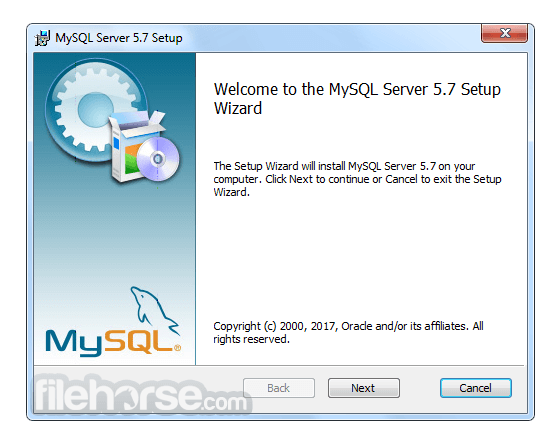
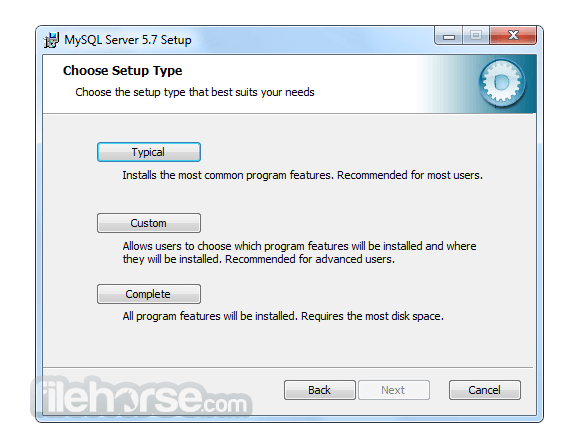
安裝過程非常簡單,通常只需執行安裝程式並按照提示操作即可。
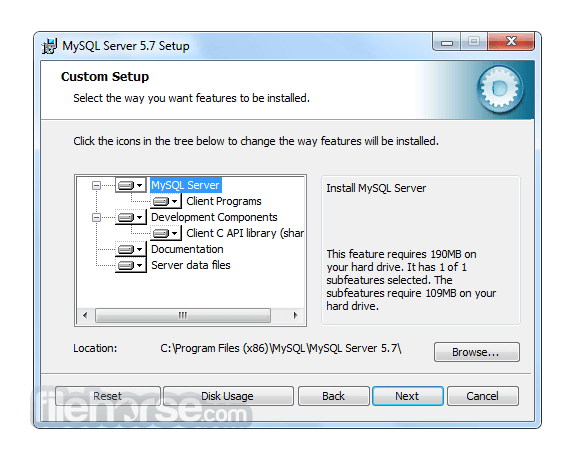
在設定過程中,使用者可以配置資料庫設定、定義存取權限以及指定儲存選項。
此外,它也可以作為 Web 開發 Stack 的一部分(例如 XAMPP 或 WAMP)進行安裝,以建立完整的開發環境。
How to Use
為了有效地使用 MySQL,使用者應對 SQL (Structured Query Language) 以及資料庫管理原則有基本的了解。
它提供豐富的 SQL 指令集用於建立、檢索、更新與刪除數據。開發者可以使用專用的 Connector 與 Library 將 MySQL 整合至其選擇的程式語言中,例如 Java 的 MySQL Connector/J 或 Python 的 MySQL Connector/Python。
目前有大量的官方文件與線上資源可幫助使用者學習並精通 MySQL 的功能。
FAQ
Q: 我可以將現有的資料庫遷移到 MySQL Community Server 嗎?
A: 可以,它提供了將資料庫從其他 RDBMS(如 Oracle, SQL Server 和 PostgreSQL)遷移的工具與公用程式。
Q: MySQL 適合大型應用程式嗎?
A: 絕對適合!MySQL 的 Scalability 與 Performance 使其成為管理企業級應用程式數據的絕佳選擇。
Q: 免費開源版本的 MySQL 有任何限制嗎?
A: 開源版本提供了豐富的功能,但若需要進階功能(如即時分析與企業級支援),使用者可以考慮訂閱制且功能更強大的 MySQL Enterprise Edition。
Q: 我可以防止未經授權的存取來保護我的 MySQL 資料庫嗎?
A: 可以,它提供了強大的安全功能,包括 User Authentication、Access Control 與 Encryption 機制,以保護您的數據免於未經授權的存取。
Q: MySQL 支援 Stored Procedures 和 Triggers 嗎?
A: 是的,它支援 Stored Procedures, Triggers 以及 Functions,允許開發者在資料庫內執行複雜的操作並自動化任務。
Alternatives
雖然 MySQL Database Server 在 RDBMS 市場佔據主導地位,但仍有其他替代方案可供選擇,且各有其獨特功能與優勢。值得關注的替代產品包括:
Microsoft SQL Server: 針對 Windows 平台設計,提供強大的企業級功能、與 Microsoft 產品的無縫整合以及卓越的 Scalability。
PostgreSQL: 以注重標準合規性與進階功能著稱,是一款適用於複雜數據場景的強大開源 DBMS。
Oracle Database: 作為商業 RDBMS,提供極高性能、進階安全性和廣泛的管理工具,適合大型企業級應用。
SQLite: 理想的小型輕量化應用選擇,是一款 Serverless DBMS,在簡便性、可移植性與零配置部署方面表現出色。
Pricing
MySQL 主要分為兩個版本:Community Edition (免費開源) 與 Enterprise Edition (商業版,提供額外功能與支援)。
Community Edition 是大多數使用者的熱門選擇,而 Enterprise Edition 則需要訂閱,並提供量身打造的企業級進階功能。
此外,他們還提供以下產品:
- MySQL HeatWave
- MySQL Enterprise Edition
- MySQL Standard Edition
- MySQL Classic Edition
- MySQL Cluster CGE
- MySQL Embedded (OEM/ISV)
MySQL 的系統需求依據所使用的作業系統與版本而異。
一般而言,它支援 Windows, macOS 以及各種 Linux 發行版。
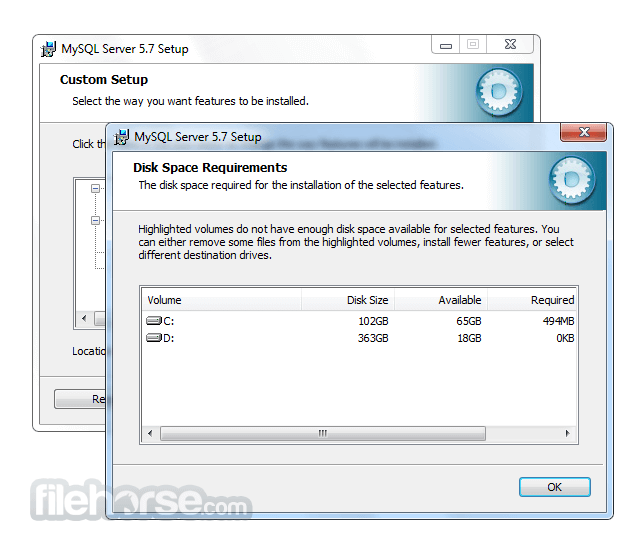
根據資料庫的大小與複雜程度,需要充足的磁碟空間、記憶體與處理能力。
PROS
- 開源且免費的 Community Server Edition
- 高效能與高 Scalability
- 強大的安全功能
- 豐富的文件紀錄與活躍的社群支援
- 相容於多種程式語言
- Command-line Interface 對初學者來說可能較具挑戰性
- 部分進階功能僅限於 Enterprise Edition
- 複雜的設定可能需要額外的配置與優化
MySQL Community Server 是一款可靠且功能豐富的 RDBMS,在管理關聯式資料庫方面享有盛名。其速度、Scalability 與通用性使其適用於從小型專案到企業級系統的各種應用。
雖然 Command-line Interface 對初學者而言可能需要一定的學習曲線,但 GUI 工具的出現簡化了資料庫管理流程。憑藉龐大的社群與詳盡的文件,它將繼續作為軟體開發生態系統中的核心工具。無論您是開發者、數據分析師還是企業主,MySQL 都能讓您高效地組織與存取數據,為您的專案與計畫帶來成功。
Also Available: MySQL for Mac
Download MySQL Latest Version Why is this app published on FileHorse? (More info)
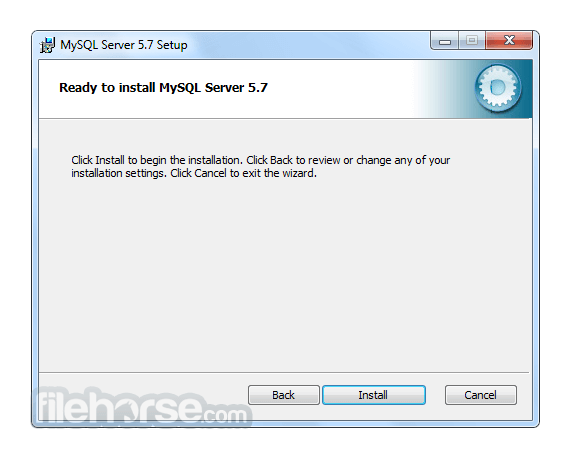
畫面截圖
更新日誌
5.6.22 # Functionality Added or Changed
* Replication: The variable binlogging_impossible_mode has been renamed binlog_error_action. binlogging_impossible_mode is now deprecated.
* The new -DWITH_UBSAN=ON CMake option enables the Undefined Behavior Sanitizer. This feature is supported by GCC 4.9 and up, and Clang 3.4 and up.
# Bugs Fixed
* InnoDB: An ALTER TABLE operation raised an assertion. When a foreign key object was removed from the dictionary cache, an incorrect foreign key object was removed from the rb-tree.
* InnoDB: In debug builds, setting the innodb_limit_optimistic_insert_debug debug configuration option to 1 caused an infinite B-tree page split.
* InnoDB: The dict_set_corrupted() function attempted to update the clustered index of the SYS_INDEXES data dictionary table incorrectly.
* InnoDB: Pages with a checksum value of zero were incorrectly treated as empty pages. A page should only be considered empty if its checksum value and LSN field values are zero.
* InnoDB: The InnoDB data dictionary was not updated when a ALTER TABLE ... CHANGE COLUMN operation changed the case of the column name.
* InnoDB: A memory access violation caused fts_optimize_thread and mysqld to terminate. (Bug #19314480)
* InnoDB: A procedure, called from a function to perform an operation on a temporary table, caused the server to halt.
* InnoDB: Attempting to shut down the server after starting the server with innodb_force_recovery=6 resulted in a hang.
* InnoDB: A COMMIT operation related to full-text search resulted in a segmentation fault. (Bug #18503734)
* InnoDB: If a database is named using uppercase letters on a MySQL server with lower_case_table_names=2 (which is default on Mac OS X), InnoDB stores the database name as specified in the InnoDB internal system table (SYS_TABLES) but stores the name in lowercase on disk. During crash recovery, the case mismatch resulted in a conflict that would mark the tablespace .ibd file as missing. The patch for this bug converts database names to lowercase on crash recovery.
* InnoDB: In debug builds, the InnoDB Lock Monitor asserted after a DROP TABLE operation, and the InnoDB Monitor encountered an assertion in buf_page_get_gen. (Bug #18062698, Bug #71343, Bug #18173184, Bug #68116)
* InnoDB: A CREATE TABLE operation that failed with innodb_strict_mode=ON would succeed without printing a warning with innodb_strict_mode=OFF. (Bug #17852083)
* InnoDB: For explicit cache coherency, a write barrier was added to the head of os_thread_create_func(), and a read barrier was added to before the assertion code in rw_lock_free_func(). (Bug #13364876, Bug #62692, Bug #18870970, Bug #72809)
* InnoDB: The MySQL 5.6.20 patch for Bug #16963396 / MySQL Bug #69477 limited the size of redo log BLOB writes to 10% of the redo log file size. This limitation has been relaxed. Redo log BLOB writes are now limited to 10% of the total redo log size (innodb_log_file_size * innodb_log_files_in_group). As a result, innodb_log_file_size * innodb_log_files_in_group should be 10 times larger than the largest BLOB data size found in the rows of your tables plus the length of other variable length fields (VARCHAR, VARBINARY, and TEXT type fields). No action is required if innodb_log_file_size * innodb_log_files_in_group is already sufficiently large or if your tables contain no BLOB data. (Bug #73707, Bug #19498877)
* Partitioning: When multiple columns are used in KEY partitioning, their order may help determine the partition in which the row is placed. Changing this order by means of an ALTER TABLE that uses ALGORITHM=INPLACE can lead to inconsistency when placing rows in partitions; in other words, a row inserted before such an operation operation is placed in one partition, but the same row inserted afterwards is placed in a different one. For this reason, altering the order of a multicolumn index online is no longer allowed when that index is also used as the base for partitioning the table by KEY; instead, you must use a copying ALTER TABLE to perform the change.
* Replication: When using a MySQL version that had been compiled with the WITH_DEBUG option enabled, using expire_logs_days to purge binary logs caused a restart to crash the server. This problem arose after the fix for Bug #17283409. The fix ensures that current_thd is checked before calling DEBUG_SYNC().
* Replication: Sometimes the slave I/O thread leaves a partial group in the current relay log, for example when it is killed or stopped. After it is restarted, a new relay log is created on rotation and a pair of ROTATE_EVENT and FORMAT_DESCRIPTION_EVENT is replicated from master and written into the new relay log. When using a multi-threaded slave, problems such as error 1755 were encountered when applying the remaining part of the group in the relay log. This fix ensures that if MASTER_AUTO_POSITION is enabled, then the worker rolls back the partial group, finishes its work, and then applies the new complete copy of the group. If MASTER_AUTO_POSITION is disabled, the worker does not roll back the partial group.
* Replication: When using row-based replication with slave_type_conversions enabled, a binary log with more than one Rows_log_event in succession caused a crash. This was due to the temporary tables generated as part of the slave_type_conversions process being released too early. This fix ensures that the temporary tables are not released too early, and also ensures that long transactions do not cause an out of memory error.
* Replication: When using binary log files that had been manually copied from the master, for example to avoid I/O thread reading delay, the multi-threaded slave generated error 1755. Because the Previous_gtid_log_event is logged using the master's server_id and not the slave's server_id, the previous events were not being skipped correctly. This fix ensures that the events in Previous_gtid_log_event are always skipped, regardless of whether they are from the relay log (generated on the slave) or from the binary log (generated on the master and manually copied to the slave as the relay log).
* Replication: When replicating from an earlier version MySQL master, such as version 4.1, checksums are not used for events. Replicating to a slave running a newer version of MySQL, such as version 5.6, which has slave_sql_verify_checksum enabled by default meant that the last 4 bytes of events from the older master were being incorrectly interpreted as the checksum. A warning is now generated and to avoid such a situation, set slave_sql_verify_checksum=0 to disable checksums on the slave.
* Replication: When restarting MySQL with relay_log_recovery enabled to recover from a crash, if the SQL thread had never been started, the position from which to start recovery was not correctly initialized because Relay_Master_Log_File was missing. This fix ensures that in such a situation each of the relay logs, starting from the first relay log file, is searched for a rotate event from the master, which specifies where replication started from. This rotate event is then used to set the SQL thread's Relay_Master_Log_File and Relay_Log_Pos and recovery continues as normal.
* Replication: When using GTIDs for replication and with MASTER_AUTO_POSITION enabled, if a slave requested GTIDs which had been already been purged by the master, the master was sending all available GTIDs. This happened because the master reads all available binary logs and searches for a binary log which contains a GTID that is not contained in the union of gtid_executed and gtid_retrieved. If such a GTID is found, the master starts sending the information starting from that location. In a situation where the union of the slave's gtid_executed and gtid_retreived set did not contain the master's gtid_purged set, the slave would expect GTIDs which had already been purged by the master. This fix ensures that in such a situation, the slave's I/O thread is aborted with an error "Master has purged binary logs containing GTIDs that the slave requires.".
* Replication: A kernel mutex contention was being caused because mysqlbinlog was calling localtime() for every event read, which in turn called stat(/etc/localtime). This fix ensures that mysqlbinlog uses localtime_r(), which is optimized to store the read only timezone internal structure. This also means that mysqlbinlog now establishes the time zone at the beginning of processing and you can not change it during processing. This is the same behavior as MySQL server.
* Replication: The global scope for the sql_log_bin system variable has been deprecated, and this variable can now be set with session scope only. The statement SET GLOBAL SQL_LOG_BIN now produces an error. It remains possible for now to read the global value of sql_log_bin, but you should act to remove from your applications any dependencies on reading this value, as the ability to do so will be removed in a future MySQL release.
* InnoDB table checksum calculation could yield an incorrect result if the value of the innodb_checksum_algorithm system variable was modified during the operation.
* GROUP BY on a CHAR(0) NOT NULL column could lead to a server exit.
* With the validate_password plugin activated and dictionary lookups enabled, passing a user-defined variable to PASSWORD() could cause a server exit.
* Debian packages were built using the complex set of character sets, not the all set of character sets.
* mysqldump failed to report a disk-full error if the dump destination was located on an NFS mount.
* InnoDB permitted a foreign key to be created which referenced a parent table for which the user did not have sufficient privileges.
* Copying InnoDB tables containing full-text columns from Windows to Linux caused a server exit on Linux during full-text index initialization.
* On Windows, the replace utility did not work. (Bug #16581605)
* On CentOS 6, specifying a relative path name for the --socket option caused MySQL startup script failure.
* In Solaris 11.2, dtrace -V output changed from Sun D to Oracle D, causing detection of DTrace availability to fail during MySQL configuration.
* mysql_config --libs_r produces output containing link flags for libmysqlclient_r, even though that library was removed in MySQL 5.5 and replaced with a symlink to the underlying libmysqlclient library. The output now refers directly to libmysqlclient. (The implication is that it is no longer necessary to maintain the symlink for the sake of being able to use mysql_config --libs_r.)
* For statement digest calculation, the Performance Schema failed to recognize signed literal numbers as values representable by ? and created multiple digests for statements that should have had the same signature. Now all instances of unary plus and unary minus followed by a number reduce to ? in digests.
* Compilation on Windows using Visual Studio 2013 resulted in “unresolved external symbol” errors.
* OLD_PASSWORD() is deprecated, but no warning was produced when it was invoked.
* Certain queries for which subquery materialization or UNION DISTINCT was used together with a hash index on a temporary table could produce incorrect results or cause a server exit.
* The IS_FREE_LOCK() and IS_USED_LOCK() function implementations contained a race condition due to which they could access freed memory when a user lock was concurrently checked and freed. Accessing freed memory could result in an incorrect function return value or server exit.
* LOCK TABLES sometimes acquired an insufficiently strong lock for implicitly locked tables.
* The ENABLED_LOCAL_INFILE CMake option incorrectly was enabled by default.
* Use of ODBC-format date literals could produce incorrect query results.
* mysql_install_db ignored option files in the default locations.
* mysql_setpermission failed to properly quote user names in SQL statements that it generated.
- 2026-08-04 MySQL 8.0.46.0 566 MB
- 2026-01-20 MySQL 8.0.45.0 556 MB
- 2025-10-22 MySQL 8.0.44.0 558 MB
- 2025-07-23 MySQL 8.0.43.0 354 MB
- 2025-07-22 MySQL 8.0.42.0 354 MB
- 2025-01-21 MySQL 8.0.41.0 352 MB
- 2024-10-16 MySQL 8.0.40.0 306 MB
- 2024-07-29 MySQL 8.0.39.0 285 MB