
- 目前版本5.5.46
- 更新日期2015-10-01
- 檔案大小39.26MB
- 檔案名稱mysql-5.5.46-win32.msi
- 作業系統Windows 7 64 / Windows 8 64 / Windows 10 64 / Windows 11
- 支援語系English
- 授權型式開源軟體
- 開發商 Oracle
- 軟體分類Windows 軟體 / 開發者工具
編輯短評
MySQL 是一套開源且由社群驅動的關聯式資料庫管理系統,主要用來儲存、管理與檢索數據,並以速度快、可靠性高和易於使用著稱。它最鮮明的特色在於具備高度的可擴展性,能從小型應用一路撐起大型企業系統,同時提供最佳化的查詢執行與索引技術,確保資料處理效率;安全性方面也內建多種驗證與加密機制,並支援複寫與叢集以達成高可用性。目前由 Oracle 持續維護,更新相當活躍,在同類開發者工具中屬於主流首選,使用者評價普遍不錯,累積的評分人數也相當可觀。
這套軟體適合需要建構資料驅動應用程式的開發者,無論是網站後端、企業內部系統或數據分析平台,都能派上用場。它主要透過命令列介面運作,對熟悉指令的進階使用者較友善,但市面上有許多第三方圖形介面工具可補足操作門檻。與同分類的 BlueStacks、Turbo C++ 或 VMware 等工具相比,MySQL 專注於資料庫核心服務,並非整合開發環境或虛擬化方案,取捨上更偏向純粹的資料層需求。授權為開源軟體,提供 Windows 與 macOS 版本,但介面僅支援英文,使用前需留意語系與操作習慣。
軟體介紹
它以速度快、可靠性高且易於使用而聞名,使其成為小型應用程式與大型企業系統的理想選擇。
由 Oracle Corporation 開發,MySQL Community Server 提供了一套完整的工具與功能,讓開發者能夠輕鬆建構動態且由數據驅動的應用程式。
Key Features
Scalability
它能處理海量數據,並可毫不費力地擴展以滿足日益增長的需求。
Performance
憑藉優化的 Query Execution 與 Indexing 技術,它能確保快速的數據檢索與處理速度。
Security
它提供多種 Authentication 機制與 Encryption 選項,以保護敏感數據的安全。
High Availability
它支援 Replication 與 Clustering,可實現冗餘備援並確保數據的持續可用性。
Flexibility
MySQL 相容於多種作業系統並支援多種程式語言,具有極高的通用性。
User Interface
MySQL Database Server 主要透過 Command-line Interface (CLI) 運作,適合經驗豐富的使用者與開發者。
然而,許多第三方工具提供了 Graphical User Interface (GUI),簡化了資料庫管理任務,例如建立表格、執行查詢以及監控效能。
常見的 GUI 選項包括 phpMyAdmin, MySQL Workbench 以及 Navicat。
Installation and Setup
它為 Windows, macOS 與 Linux 等主流作業系統提供安裝套件。
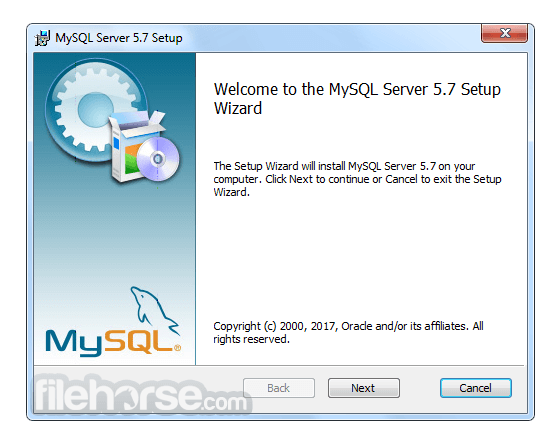
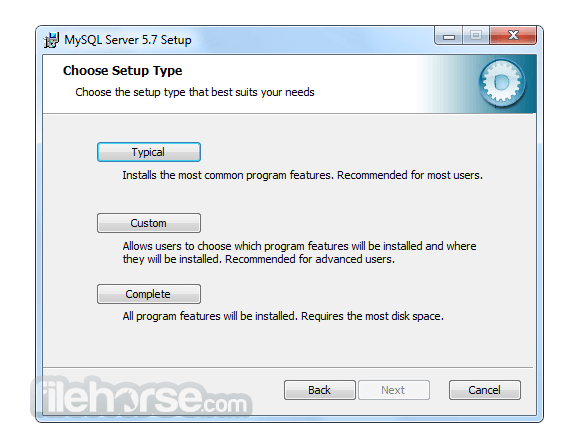
安裝過程非常簡單,通常只需執行安裝程式並按照提示操作即可。
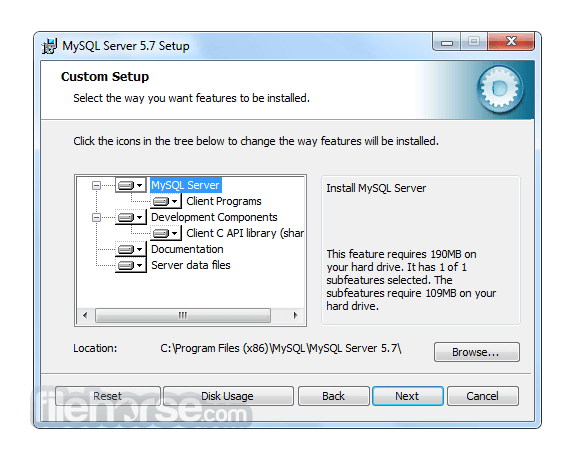
在設定過程中,使用者可以配置資料庫設定、定義存取權限以及指定儲存選項。
此外,它也可以作為 Web 開發 Stack 的一部分(例如 XAMPP 或 WAMP)進行安裝,以建立完整的開發環境。
How to Use
為了有效地使用 MySQL,使用者應對 SQL (Structured Query Language) 以及資料庫管理原則有基本的了解。
它提供豐富的 SQL 指令集用於建立、檢索、更新與刪除數據。開發者可以使用專用的 Connector 與 Library 將 MySQL 整合至其選擇的程式語言中,例如 Java 的 MySQL Connector/J 或 Python 的 MySQL Connector/Python。
目前有大量的官方文件與線上資源可幫助使用者學習並精通 MySQL 的功能。
FAQ
Q: 我可以將現有的資料庫遷移到 MySQL Community Server 嗎?
A: 可以,它提供了將資料庫從其他 RDBMS(如 Oracle, SQL Server 和 PostgreSQL)遷移的工具與公用程式。
Q: MySQL 適合大型應用程式嗎?
A: 絕對適合!MySQL 的 Scalability 與 Performance 使其成為管理企業級應用程式數據的絕佳選擇。
Q: 免費開源版本的 MySQL 有任何限制嗎?
A: 開源版本提供了豐富的功能,但若需要進階功能(如即時分析與企業級支援),使用者可以考慮訂閱制且功能更強大的 MySQL Enterprise Edition。
Q: 我可以防止未經授權的存取來保護我的 MySQL 資料庫嗎?
A: 可以,它提供了強大的安全功能,包括 User Authentication、Access Control 與 Encryption 機制,以保護您的數據免於未經授權的存取。
Q: MySQL 支援 Stored Procedures 和 Triggers 嗎?
A: 是的,它支援 Stored Procedures, Triggers 以及 Functions,允許開發者在資料庫內執行複雜的操作並自動化任務。
Alternatives
雖然 MySQL Database Server 在 RDBMS 市場佔據主導地位,但仍有其他替代方案可供選擇,且各有其獨特功能與優勢。值得關注的替代產品包括:
Microsoft SQL Server: 針對 Windows 平台設計,提供強大的企業級功能、與 Microsoft 產品的無縫整合以及卓越的 Scalability。
PostgreSQL: 以注重標準合規性與進階功能著稱,是一款適用於複雜數據場景的強大開源 DBMS。
Oracle Database: 作為商業 RDBMS,提供極高性能、進階安全性和廣泛的管理工具,適合大型企業級應用。
SQLite: 理想的小型輕量化應用選擇,是一款 Serverless DBMS,在簡便性、可移植性與零配置部署方面表現出色。
Pricing
MySQL 主要分為兩個版本:Community Edition (免費開源) 與 Enterprise Edition (商業版,提供額外功能與支援)。
Community Edition 是大多數使用者的熱門選擇,而 Enterprise Edition 則需要訂閱,並提供量身打造的企業級進階功能。
此外,他們還提供以下產品:
- MySQL HeatWave
- MySQL Enterprise Edition
- MySQL Standard Edition
- MySQL Classic Edition
- MySQL Cluster CGE
- MySQL Embedded (OEM/ISV)
MySQL 的系統需求依據所使用的作業系統與版本而異。
一般而言,它支援 Windows, macOS 以及各種 Linux 發行版。
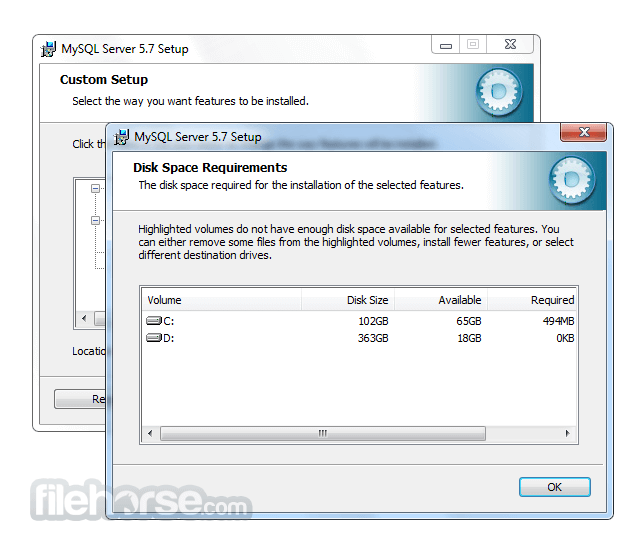
根據資料庫的大小與複雜程度,需要充足的磁碟空間、記憶體與處理能力。
PROS
- 開源且免費的 Community Server Edition
- 高效能與高 Scalability
- 強大的安全功能
- 豐富的文件紀錄與活躍的社群支援
- 相容於多種程式語言
- Command-line Interface 對初學者來說可能較具挑戰性
- 部分進階功能僅限於 Enterprise Edition
- 複雜的設定可能需要額外的配置與優化
MySQL Community Server 是一款可靠且功能豐富的 RDBMS,在管理關聯式資料庫方面享有盛名。其速度、Scalability 與通用性使其適用於從小型專案到企業級系統的各種應用。
雖然 Command-line Interface 對初學者而言可能需要一定的學習曲線,但 GUI 工具的出現簡化了資料庫管理流程。憑藉龐大的社群與詳盡的文件,它將繼續作為軟體開發生態系統中的核心工具。無論您是開發者、數據分析師還是企業主,MySQL 都能讓您高效地組織與存取數據,為您的專案與計畫帶來成功。
Also Available: MySQL for Mac
Download MySQL Latest Version Why is this app published on FileHorse? (More info)
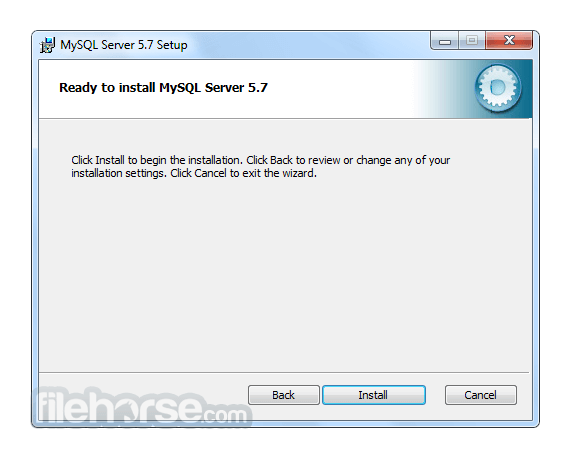
畫面截圖
更新日誌
5.5.46 # Functionality Added or Changed
* yaSSL was upgraded to version 2.3.8.
* yaSSL was upgraded to version 2.3.7d. This fixes a connection-failure issue when used with the thread pool plugin.
# Bugs Fixed
* InnoDB: A data corruption occurred on ARM64. GCC builtins did not issue the correct fences when setting or unsetting the lock word.
* InnoDB: In READ COMMITTED mode, a REPLACE operation on a unique secondary index resulted in a constraint violation. Thanks to Alexey Kopytov for the patch.
* InnoDB: The IBUF_BITMAP_FREE bit indicated that there was more free space in the leaf page than was actually available.
* InnoDB: Setting lower_case_table_names=0 on a case-insensitive file system could result in a hang condition when running an INSERT INTO ... SELECT ... FROM tbl_name operation with the wrong tbl_name letter case. An error message is now printed and the server exits when attempting to start the server with --lower_case_table_names=0 on a case-insensitive file system.
* Partitioning: CREATE TABLE statements that used an invalid function in a subpartitioning expression did not always fail gracefully as expected.
* Partitioning: ALTER TABLE when executed from a stored procedure did not always work correctly with tables partitioned by RANGE.
* Certain subqueries as arguments to PROCEDURE ANALYSE() could cause a server exit.
* mysql_ssl_rsa_setup could create an unwanted .rnd file in the data directory. (The file is actually created by openssl, which mysql_ssl_ras_setup invokes. mysql_ssl_rsa_setup now cleans up the file.)
* An assertion could be raised due to incorrect error handling if a SELECT ... FOR UPDATE subquery resulted in deadlock and caused a rollback.
* Servers linked against yaSSL and compiled with GCC 4.8.2 could fail to respond correctly to connection attempts until several seconds after startup.
* For tables with subpartitions, the server could exit due to incorrect error handling during partition pruning if the partition could be identified but not the subpartition.
* DELETE could check privileges for the wrong database when table aliases were used.
* Within a trigger, use of a cursor that accessed OLD or NEW values from a row could cause a server exit.
* MySQL sometimes produced no warning when it was unable to interpret a character in a given character set.
* For MySQL distributions linked against yaSSL, a corrupt client key file could cause clients to exit.
* Execution of certain BINLOG statements while temporary tables were open by HANDLER statements could cause a server exit.
* On Windows, setting query_cache_min_res_unit to too large a value could result in a value of 0 and a subsequent server exit.
* RPM installation scripts if configuration files contained multiple datadir lines. Now the last datadir line is used.
* For wait events, the Performance Schema uses the CYCLE timer by default, but failed to fall back to a different timer if CYCLE was unavailable.
* Updating VARCHAR and TEXT columns in the same UPDATE statement could produce incorrect results. When a VARCHAR column was assigned to a TEXT column and the VARCHAR column was then set to a different value, the TEXT column's result contained the VARCHAR column's new value.
* mysqladmin -u root -p could exit with a segmentation fault.
* mysqlimport --use-threads did not actually use multiple threads.
* View creation from a UNION failed with a duplicate-column error if a SELECT statement in the UNION other than the first used the same column name multiple times.
* Empty XML elements having the form <element/> were not handled correctly by the LOAD XML statement.
- 2026-08-04 MySQL 8.0.46.0 566 MB
- 2026-01-20 MySQL 8.0.45.0 556 MB
- 2025-10-22 MySQL 8.0.44.0 558 MB
- 2025-07-23 MySQL 8.0.43.0 354 MB
- 2025-07-22 MySQL 8.0.42.0 354 MB
- 2025-01-21 MySQL 8.0.41.0 352 MB
- 2024-10-16 MySQL 8.0.40.0 306 MB
- 2024-07-29 MySQL 8.0.39.0 285 MB