⚠ 這是歷史版本頁面 — 查看 Nero MediaHome 最新版本 →

Nero MediaHome 15.0.04700
v 15.0.04700
Windows
未分類
7.8/10 (102)
- 目前版本15.0.04700
- 更新日期2014-08-13
- 檔案大小174.03 MB
- 檔案名稱Nero_MediaHome-15.0.04700_free.exe
- 作業系統Windows 10 / Windows 11
- 支援語系English
- 授權型式未分類
- 開發商 Nero Inc
- 軟體分類Windows 軟體 / 光碟藍光
##
編輯短評
Nero MediaHome 是 Nero 旗下的一套媒體管理工具,主要幫你把散落在電腦各處的照片、音樂、影片與資料集中整理,並提供播放、編輯、同步與燒錄等功能。它的最大特色是「一站式」的整合介面,讓你不必為了不同任務切換多套軟體;在光碟藍光分類中,它屬於有一定口碑的選擇,評價中上,且仍持續提供更新,並非停滯不前的軟體。
這套軟體適合手邊累積大量多媒體檔案、又不想分別安裝多套工具的人,尤其是 Nero 既有使用者。與 DVD Shrink 或 DAEMON Tools Lite 這類單一功能工具相比,Nero MediaHome 的優勢在於整合性,但相對也較為龐雜。需留意的是,它僅提供英文介面,且免費版功能有限,若要完整支援更多影音格式,需付費升級;下載前建議先確認自己的需求是否落在免費範圍內。
##
翻譯排程處理中,以下暫以英文原文呈現
軟體介紹
Nero MediaHome is the easy and free media manager for your photos, music, video, and data. The complete, all-in-one source lets you find, organize, edit, play, share, sync, burn, and enjoy your media without the hassles of complicated technology.
The software's supported video and audio formats can be easily extended by purchasing an upgrade to Nero Media Home Unlimited.
Bring an end to time-consuming searches for your vacation photos, favorite movies, or music hits.
With the software, you can control your digital life. Whether music, photo, video, audio CD, or DVD-Video™, and whether on your PC or mobile device: Nero MediaHome is the universal media center for archiving, organizing, creating, and playback your files.
What`s New
Artificial intelligence
The future starts now! Your PC can do more than you think: with the world's first, the Nero AI Photo Tagger software! Now you can have your pictures sorted and organised automatically - experience artificial intelligence on your local PC in top form.
Features and Highlights
ARCHIVE
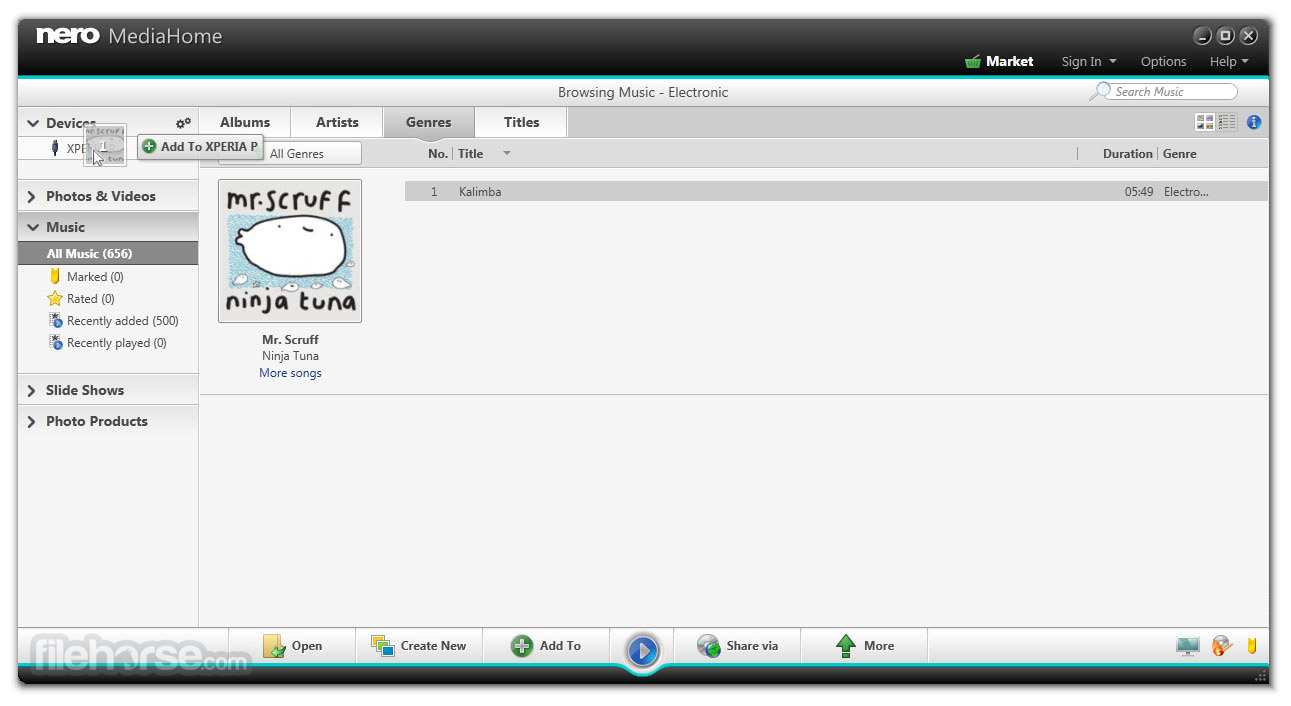
Organize and store your multimedia files effortlessly. Transfer photos and videos wirelessly from your iOS or Android devices or via USB from external hard drives and memory sticks to your PC.
Import music files or rip tracks from audio CDs, complete with original album art, thanks to Gracenote® technology.
Easily locate your archived media using categories like date, faces, places, favorites, or personal tags. You can also integrate with Windows Media® Player and iTunes® media libraries for seamless access.
CREATE
Once your media is organized, take it to the next level with powerful enhancement tools.
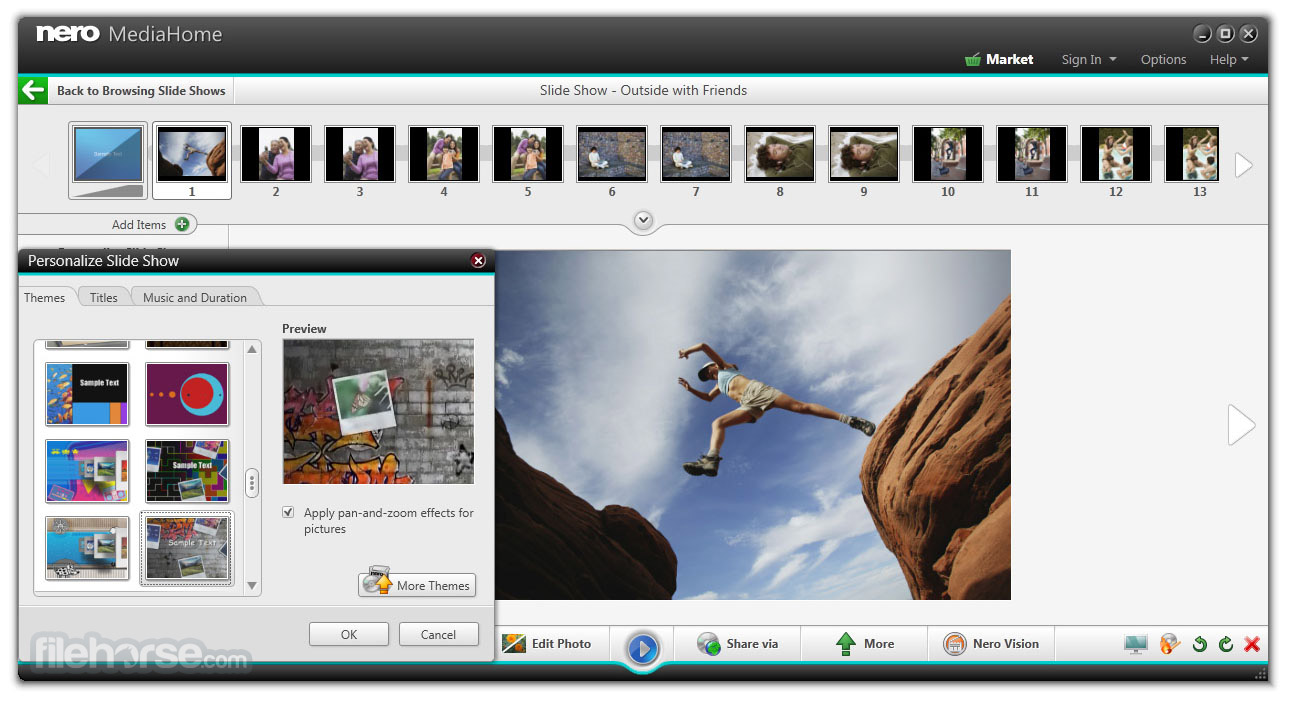
Edit photos with automated features and effects, or transform them into stunning slideshows enriched with music, movie templates, and customizable opening and closing credits. Create playlists or full albums combining music, photos, and videos.
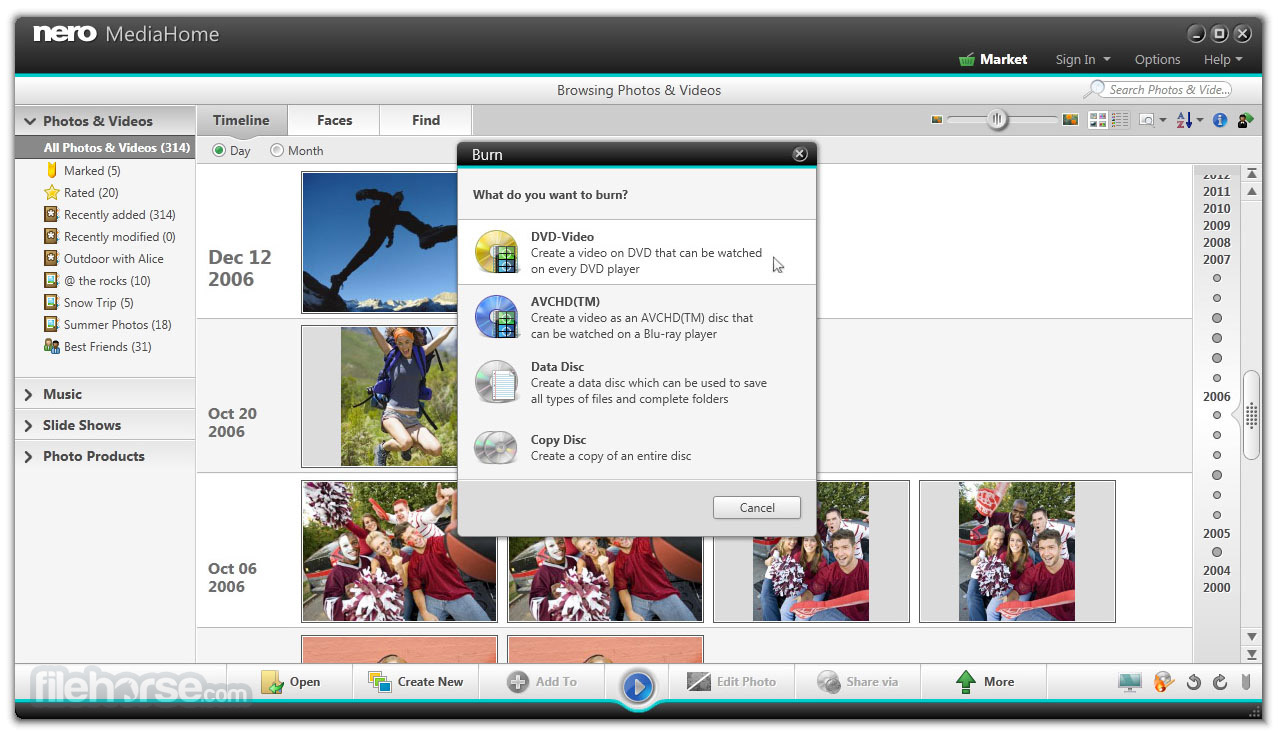
Burn your video clips and slideshows onto DVD-Video™ or Blu-ray Disc™ with custom menus for playback on compatible players. Additionally, create audio CDs and MP3 discs with original album art, courtesy of built-in Gracenote® technology.
STREAM
Enjoy your media anywhere with Nero’s robust streaming capabilities.
Use the Nero Streaming Player App to wirelessly play your photos, movies, slideshows, and music on your TV via devices like Xbox®, PlayStation®, or other home network systems. With intuitive organization and accessibility, finding and streaming your content is simpler than ever.
PLAY
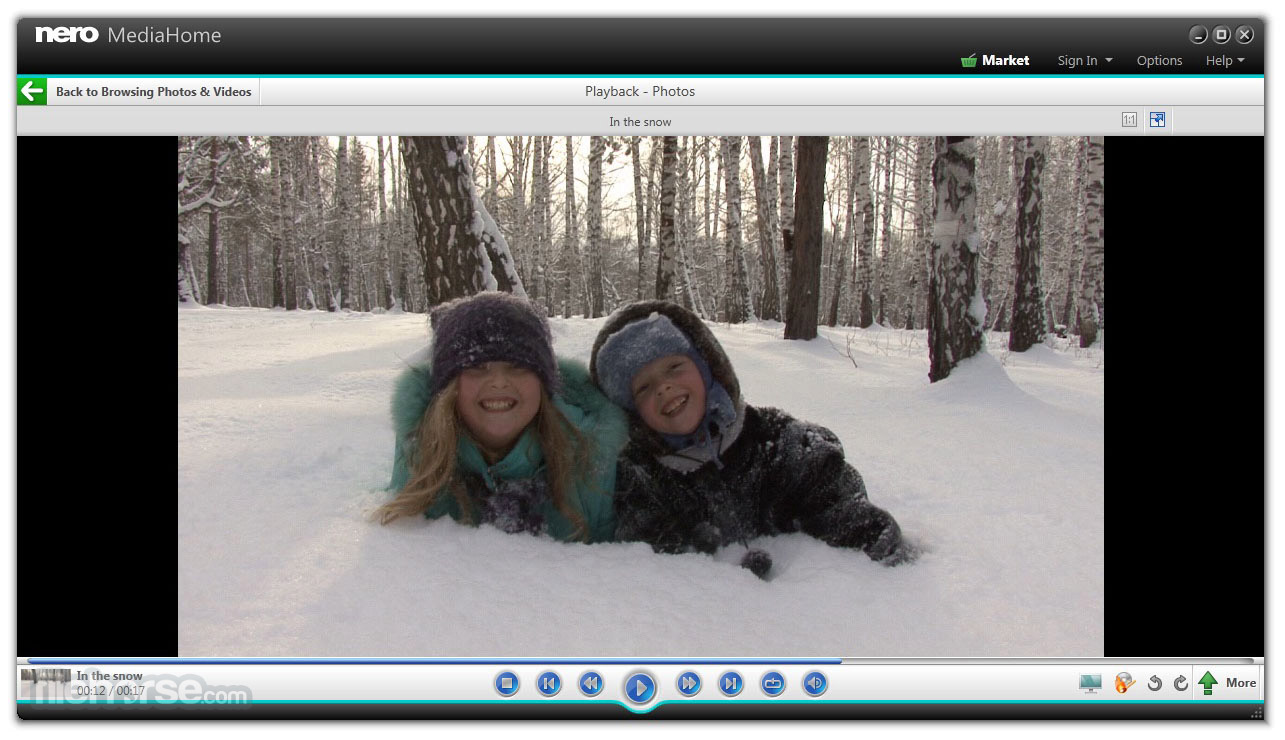
Experience seamless playback of DVD-Videos™, movie files, music, photos, and slideshows in almost any format, delivering the highest output quality.
Play videos with subtitles, and even add additional subtitles during playback. Gracenote® technology displays matching album art for your songs across devices.
The free Nero Media Home WiFi Sync App ensures effortless wireless file sharing and playback between your iOS and Android devices and your media center, keeping your favorite files accessible anytime, anywhere.
How to Use
Download Nero MediaHome Latest Version Why is this app published on FileHorse? (More info)
The software's supported video and audio formats can be easily extended by purchasing an upgrade to Nero Media Home Unlimited.
Bring an end to time-consuming searches for your vacation photos, favorite movies, or music hits.
With the software, you can control your digital life. Whether music, photo, video, audio CD, or DVD-Video™, and whether on your PC or mobile device: Nero MediaHome is the universal media center for archiving, organizing, creating, and playback your files.
What`s New
Artificial intelligence
The future starts now! Your PC can do more than you think: with the world's first, the Nero AI Photo Tagger software! Now you can have your pictures sorted and organised automatically - experience artificial intelligence on your local PC in top form.
Features and Highlights
ARCHIVE
Organize and store your multimedia files effortlessly. Transfer photos and videos wirelessly from your iOS or Android devices or via USB from external hard drives and memory sticks to your PC.
Import music files or rip tracks from audio CDs, complete with original album art, thanks to Gracenote® technology.
Easily locate your archived media using categories like date, faces, places, favorites, or personal tags. You can also integrate with Windows Media® Player and iTunes® media libraries for seamless access.
CREATE
Once your media is organized, take it to the next level with powerful enhancement tools.
Edit photos with automated features and effects, or transform them into stunning slideshows enriched with music, movie templates, and customizable opening and closing credits. Create playlists or full albums combining music, photos, and videos.
Burn your video clips and slideshows onto DVD-Video™ or Blu-ray Disc™ with custom menus for playback on compatible players. Additionally, create audio CDs and MP3 discs with original album art, courtesy of built-in Gracenote® technology.
STREAM
Enjoy your media anywhere with Nero’s robust streaming capabilities.
Use the Nero Streaming Player App to wirelessly play your photos, movies, slideshows, and music on your TV via devices like Xbox®, PlayStation®, or other home network systems. With intuitive organization and accessibility, finding and streaming your content is simpler than ever.
PLAY
Experience seamless playback of DVD-Videos™, movie files, music, photos, and slideshows in almost any format, delivering the highest output quality.
Play videos with subtitles, and even add additional subtitles during playback. Gracenote® technology displays matching album art for your songs across devices.
The free Nero Media Home WiFi Sync App ensures effortless wireless file sharing and playback between your iOS and Android devices and your media center, keeping your favorite files accessible anytime, anywhere.
How to Use
- Add Media Files – Import photos, videos, and music from your PC or external devices.
- Organize Your Library – Create albums, playlists, and categorize files for easy access.
- Edit Photos & Videos – Use basic editing tools to enhance your media.
- Stream to Devices – Share media to smart TVs, tablets, or other connected devices.
- Burn Discs – Create CDs, DVDs, or Blu-ray discs with your media files.
- Backup & Restore – Secure your files by creating backups and restoring them when needed.
- Create Slideshows – Compile photos and videos into custom slideshows with effects.
- Sync with Mobile – Connect Nero MediaHome to your mobile device for easy file transfer.
- Print & Share – Print photos directly or share them via email and social media.
- Easy-to-use interface for media organization
- Supports various media formats
- Integrated streaming and sharing options
- Efficient media search functionality
- Reliable backup and sync features
- Limited advanced editing tools
- Subscription required for premium features
- Occasional compatibility issues
- Resource-heavy during operation
- Outdated UI design in some areas
Download Nero MediaHome Latest Version Why is this app published on FileHorse? (More info)
##
畫面截圖
- 2025-12-22 Nero MediaHome 2026
- 2020-01-07 Nero MediaHome 2022 22.0.00400 298.49 MB
- 2018-09-26 Nero MediaHome 2019 3.12 MB
- 2015-11-06 Nero MediaHome 17.0.00500 159.2 MB
- 2015-06-24 Nero MediaHome 16.0.03300 191.81 MB
- 2015-05-26 Nero MediaHome 16.0.02900 192.3 MB
- 2015-02-23 Nero MediaHome 16.0.01700 189.7 MB
- 2015-01-16 Nero MediaHome 16.0.01600 190.76 MB