- 目前版本5.1.0.707
- 更新日期2026-02-20
- 檔案大小49.5 MB
- 檔案名稱NetSpot.exe
- 作業系統Windows 7 / Windows 8 / Windows 10 / Windows 11
- 支援語系English
- 授權型式免費軟體
- 開發商 Etwok, LLC
- 軟體分類Windows 軟體 / 檔案傳輸與網路
##
翻譯排程處理中,以下暫以英文原文呈現
軟體介紹
NetSpot is a comprehensive Wi-Fi analysis and management tool designed for Windows users. It facilitates network planning, site surveys, troubleshooting, and optimization, making it invaluable for both home and office environments.
With NetSpot for PC, users can visualize Wi-Fi coverage, detect signal leakages, and identify interference sources, ensuring optimal network performance.
Features
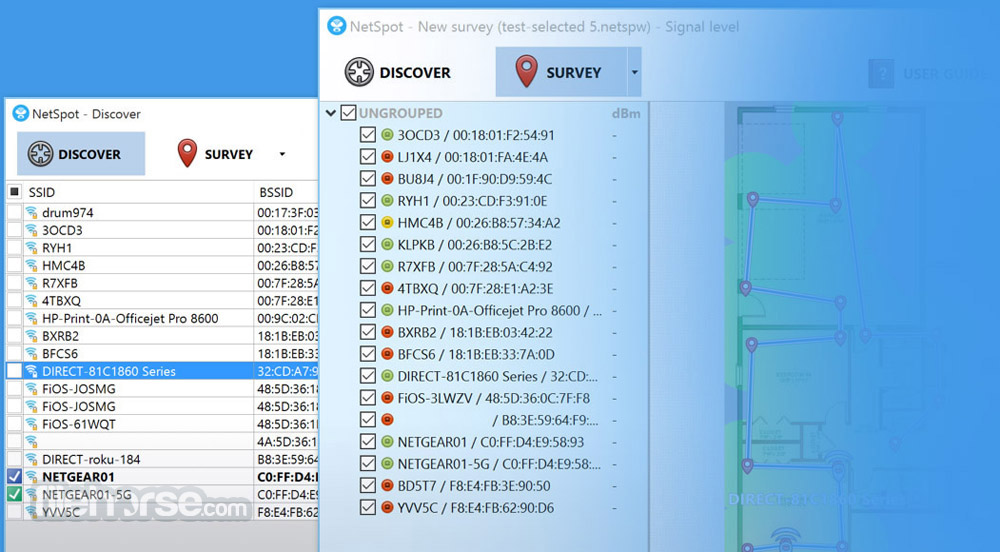
Inspector Mode: Allows real-time scanning and analysis of all available Wi-Fi networks, providing detailed information on performance, access point configurations, signal strength, and channel interference.
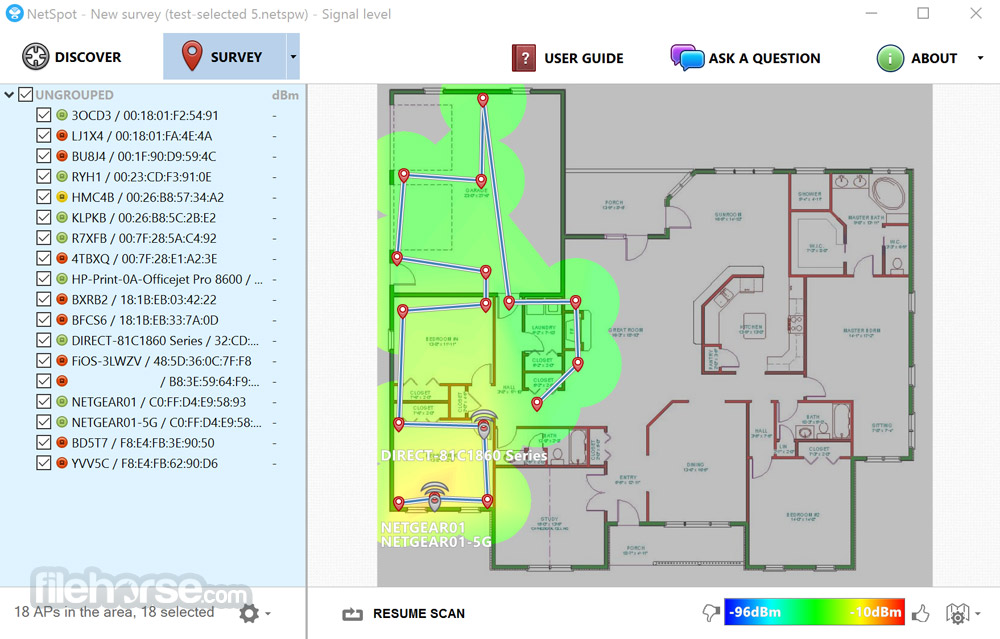
Survey Mode: Enables users to conduct Wi-Fi site surveys, visualize coverage areas through heatmaps, and detect issues like signal leakages or rogue access points.
Planning Mode: Assists in designing new wireless networks by allowing users to sketch floor plans, specify building materials, and simulate the placement of routers to predict network performance.
User Interface
NetSpot boasts an intuitive and user-friendly interface. The main dashboard provides easy access to its three primary modes: Inspector, Survey, and Planning.
Each mode offers clear visualizations and straightforward navigation, ensuring both novices and professionals can utilize the software effectively.
reddit.com
Installation and Setup
Inspector Mode: Open the mode to scan available networks. Review detailed metrics such as signal strength, channel usage, and security protocols.
Survey Mode: Upload or sketch a floor plan, then walk through the area with your device to collect signal data. NetSpot will generate heatmaps illustrating coverage and potential issues.
Planning Mode: Create a new project, input the physical characteristics of your space, and simulate router placements to predict network performance before actual deployment.
FAQs
Is NetSpot compatible with all Wi-Fi adapters?
Yes, it supports all Wi-Fi adapters.
Can I use NetSpot for both 2.4 GHz and 5 GHz networks?
Yes, it analyzes both 2.4 GHz and 5 GHz frequency bands.
Does NetSpot support multi-level building surveys?
Yes, it allows for multi-level surveys by merging multiple snapshots into one project.
Is there a Mac version of NetSpot available?
Yes, NetSpot is also available for macOS.
Can NetSpot help in identifying unauthorized access points?
Yes, it can detect rogue access points within your network vicinity.
Alternatives
inSSIDer: Provides Wi-Fi scanning and channel optimization features.
Pricing
NetSpot offers a free version with basic features. For advanced functionalities, there are paid plans available. Specific pricing details can be found on the official website.
System Requirements
NetSpot is a versatile and powerful tool for anyone looking to analyze, plan, or optimize their Wi-Fi networks. Its blend of real-time scanning, detailed surveys, and predictive planning makes it a standout choice for both home users and professionals.
Also Available: Download NetSpot for Mac
Download NetSpot Latest Version Why is this app published on FileHorse? (More info)
With NetSpot for PC, users can visualize Wi-Fi coverage, detect signal leakages, and identify interference sources, ensuring optimal network performance.
Features
Inspector Mode: Allows real-time scanning and analysis of all available Wi-Fi networks, providing detailed information on performance, access point configurations, signal strength, and channel interference.
Survey Mode: Enables users to conduct Wi-Fi site surveys, visualize coverage areas through heatmaps, and detect issues like signal leakages or rogue access points.
Planning Mode: Assists in designing new wireless networks by allowing users to sketch floor plans, specify building materials, and simulate the placement of routers to predict network performance.
User Interface
NetSpot boasts an intuitive and user-friendly interface. The main dashboard provides easy access to its three primary modes: Inspector, Survey, and Planning.
Each mode offers clear visualizations and straightforward navigation, ensuring both novices and professionals can utilize the software effectively.
reddit.com
Installation and Setup
- Download the installer from the official website or FileHorse.
- Run the installer and follow the on-screen prompts.
- Launch the application post-installation.
- Upon first use, users can select the desired mode and begin analyzing or planning their Wi-Fi networks immediately.
Inspector Mode: Open the mode to scan available networks. Review detailed metrics such as signal strength, channel usage, and security protocols.
Survey Mode: Upload or sketch a floor plan, then walk through the area with your device to collect signal data. NetSpot will generate heatmaps illustrating coverage and potential issues.
Planning Mode: Create a new project, input the physical characteristics of your space, and simulate router placements to predict network performance before actual deployment.
FAQs
Is NetSpot compatible with all Wi-Fi adapters?
Yes, it supports all Wi-Fi adapters.
Can I use NetSpot for both 2.4 GHz and 5 GHz networks?
Yes, it analyzes both 2.4 GHz and 5 GHz frequency bands.
Does NetSpot support multi-level building surveys?
Yes, it allows for multi-level surveys by merging multiple snapshots into one project.
Is there a Mac version of NetSpot available?
Yes, NetSpot is also available for macOS.
Can NetSpot help in identifying unauthorized access points?
Yes, it can detect rogue access points within your network vicinity.
Alternatives
inSSIDer: Provides Wi-Fi scanning and channel optimization features.
Pricing
NetSpot offers a free version with basic features. For advanced functionalities, there are paid plans available. Specific pricing details can be found on the official website.
System Requirements
- Operating System: Windows 7, 8, 10, or 11.
- Processor: 1 GHz or higher.
- RAM: 1 GB minimum.
- Disk Space: 100 MB free space.
- Comprehensive Wi-Fi analysis and planning tools.
- User-friendly interface suitable for all skill levels.
- Supports all Wi-Fi adapters.
- Offers both real-time analysis and predictive planning.
- Advanced features require a paid subscription.
- Limited support for non-Windows operating systems.
NetSpot is a versatile and powerful tool for anyone looking to analyze, plan, or optimize their Wi-Fi networks. Its blend of real-time scanning, detailed surveys, and predictive planning makes it a standout choice for both home users and professionals.
Also Available: Download NetSpot for Mac
Download NetSpot Latest Version Why is this app published on FileHorse? (More info)
##
畫面截圖