- 目前版本9.0.42
- 更新日期2026-05-25
- 檔案大小31.5 MB
- 檔案名稱NoteZillaSetup.exe
- 作業系統Windows 7 / Windows 8 / Windows 10 / Windows 11
- 支援語系English
- 授權型式商業試用
- 開發商 Conceptworld Corporation
- 軟體分類Windows 軟體 / 桌面強化
##
翻譯排程處理中,以下暫以英文原文呈現
軟體介紹
Notezilla is a powerful note-taking desktop software designed for Windows users who need an efficient way to manage digital sticky notes.
Developed by Conceptworld Corporation, Notezilla for Windows allows users to create, organize, and sync sticky notes across multiple devices.
With its rich features, cloud synchronization, and ability to attach notes to websites, documents, and apps, this program is more than just a simple note-taking tool—it’s a productivity enhancer.
Main Features
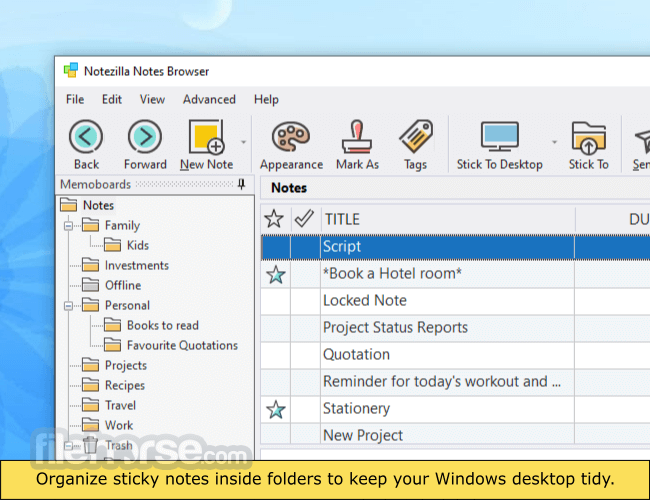
The app sports a clean and minimalistic UI, making it easy to use for both beginners and advanced users.
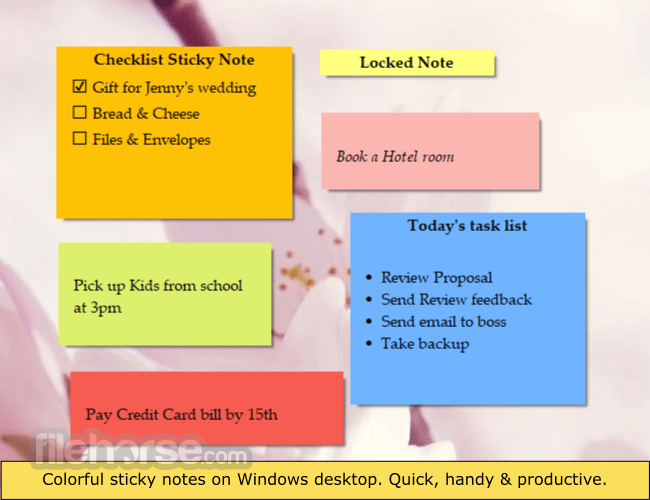
The sticky notes look just like traditional paper notes but with digital enhancements such as transparency, customizable colors, and resizable windows.
A tray icon provides quick access to all notes, and the interface is designed for fast navigation with drag-and-drop functionality.
Installation and Setup
Creating a Note – Click the app tray icon and select New Note. Type your content and customize the note color, font, and size.
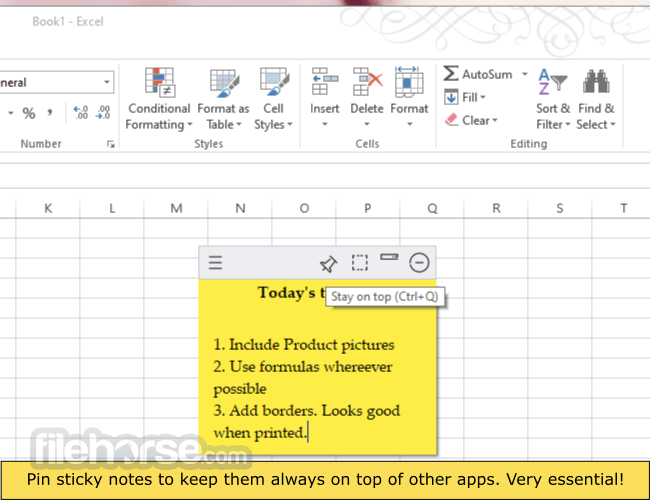
Pinning a Note – Drag and drop a note onto a website, document, or folder to keep relevant notes visible.
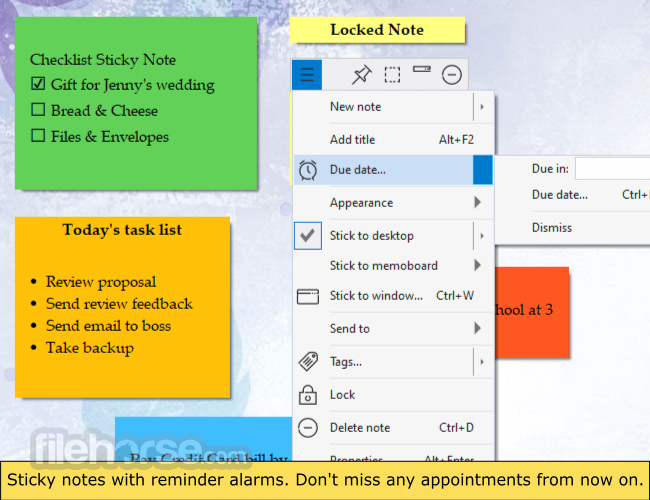
Setting Reminders – Right-click on a note, select Reminder, and set a date/time.
Tagging Notes – Use the Tag Manager to categorize notes for easy searching.
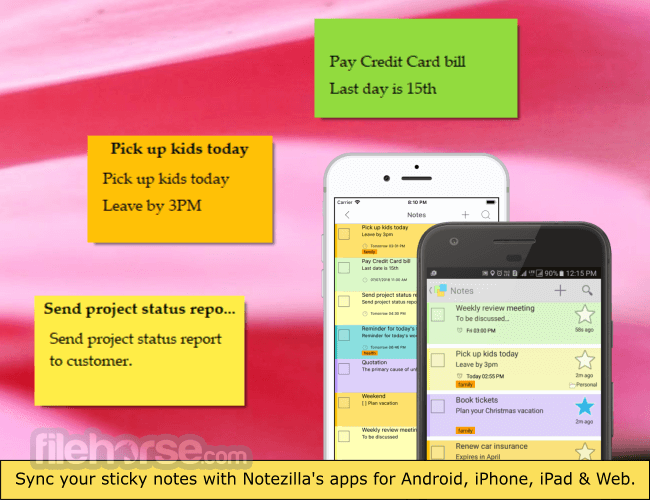
Syncing & Accessing on Mobile – Sign in with your account and enable sync to access notes on Android or iOS devices.
FAQ
Is Notezilla free?
It offers a free trial, but a paid license is required for full access and cloud sync features.
Can I use Notezilla offline?
Yes, you can create and manage notes offline. However, cloud sync and sharing require an internet connection.
Does Notezilla support collaboration?
Yes, you can share notes with other Notezilla users via email or cloud sharing.
Can I recover deleted notes?
Yes, it provides backup and restore options to recover lost notes.
Is Notezilla available for Mac?
No, this program is primarily designed for Windows, but it has web and mobile apps for cross-platform access.
Alternatives
Microsoft Sticky Notes – A basic alternative built into Windows but lacks cloud sync.
Evernote – A full-fledged note-taking app with cloud storage and extensive features.
Google Keep – A free and simple sticky note app with Google Drive integration.
Simple Sticky Notes – A lightweight and free sticky note application with limited features.
Stickies – Another free alternative with a traditional sticky note interface but without cloud sync.
Pricing
Free Trial – Limited features available.
Paid Version – Costs $29.95 per user with lifetime access and cloud sync.
Cloud Subscription – Additional cost for premium cloud sync services.
System Requirements
Notezilla is a powerful sticky notes application that goes beyond simple note-taking by integrating cloud sync, reminders, and note organization tools. While not free, its features justify the cost for users looking for an advanced, cross-platform sticky note solution.
Note: 30 days trial version.
Download Notezilla Latest Version Why is this app published on FileHorse? (More info)
Developed by Conceptworld Corporation, Notezilla for Windows allows users to create, organize, and sync sticky notes across multiple devices.
With its rich features, cloud synchronization, and ability to attach notes to websites, documents, and apps, this program is more than just a simple note-taking tool—it’s a productivity enhancer.
Main Features
- Sticky Notes with Rich Formatting – Users can create text-rich sticky notes with font customizations, bullet points, and hyperlinks.
- Cloud Sync & Multi-Device Access – Sync notes with the cloud and access them on multiple devices, including Windows, Android, and iOS.
- Pin Notes to Websites, Folders, and Documents – Attach notes to specific websites, files, and applications for contextual reminders.
- Tagging & Organization – Categorize notes using tags and search through them easily.
- Reminders & Alarms – Set reminders for notes so they pop up at specific times.
- Note Sharing & Collaboration – Share notes with colleagues and friends via email or cloud.
- End-to-End Encryption – Ensures secure data storage and transfers.
- Backup & Restore – Automatic and manual backup options to prevent data loss.
- Portable Version Available – Use Notezilla without installation on USB drives.
The app sports a clean and minimalistic UI, making it easy to use for both beginners and advanced users.
The sticky notes look just like traditional paper notes but with digital enhancements such as transparency, customizable colors, and resizable windows.
A tray icon provides quick access to all notes, and the interface is designed for fast navigation with drag-and-drop functionality.
Installation and Setup
- Download the installer from the official website or FileHorse.
- Run the setup file and follow the installation wizard.
- Once installed, launch this app and sign in or create an account to enable cloud syncing.
- Customize settings such as hotkeys, backup preferences, and UI themes.
Creating a Note – Click the app tray icon and select New Note. Type your content and customize the note color, font, and size.
Pinning a Note – Drag and drop a note onto a website, document, or folder to keep relevant notes visible.
Setting Reminders – Right-click on a note, select Reminder, and set a date/time.
Tagging Notes – Use the Tag Manager to categorize notes for easy searching.
Syncing & Accessing on Mobile – Sign in with your account and enable sync to access notes on Android or iOS devices.
FAQ
Is Notezilla free?
It offers a free trial, but a paid license is required for full access and cloud sync features.
Can I use Notezilla offline?
Yes, you can create and manage notes offline. However, cloud sync and sharing require an internet connection.
Does Notezilla support collaboration?
Yes, you can share notes with other Notezilla users via email or cloud sharing.
Can I recover deleted notes?
Yes, it provides backup and restore options to recover lost notes.
Is Notezilla available for Mac?
No, this program is primarily designed for Windows, but it has web and mobile apps for cross-platform access.
Alternatives
Microsoft Sticky Notes – A basic alternative built into Windows but lacks cloud sync.
Evernote – A full-fledged note-taking app with cloud storage and extensive features.
Google Keep – A free and simple sticky note app with Google Drive integration.
Simple Sticky Notes – A lightweight and free sticky note application with limited features.
Stickies – Another free alternative with a traditional sticky note interface but without cloud sync.
Pricing
Free Trial – Limited features available.
Paid Version – Costs $29.95 per user with lifetime access and cloud sync.
Cloud Subscription – Additional cost for premium cloud sync services.
System Requirements
- OS: Windows 11, 10, 8, 7
- Storage: Minimum 50MB of free space
- RAM: 512MB or higher
- Internet: Required for cloud sync and sharing features
- Feature-rich sticky note software with cloud sync
- Ability to pin notes to apps, documents, and websites
- Customizable fonts, colors, and transparency
- Reminder and alarm functionality
- Supports note sharing and collaboration
- Not available for macOS
- Requires a paid license for full features
- Mobile app experience is not as robust as the desktop version
- No built-in handwriting support
- Cloud subscription costs extra
Notezilla is a powerful sticky notes application that goes beyond simple note-taking by integrating cloud sync, reminders, and note organization tools. While not free, its features justify the cost for users looking for an advanced, cross-platform sticky note solution.
Note: 30 days trial version.
Download Notezilla Latest Version Why is this app published on FileHorse? (More info)
##
畫面截圖