⚠ 這是歷史版本頁面 — 查看 NumPy 最新版本 →

- 目前版本2.2.6
- 更新日期2025-05-18
- 檔案大小19.3 MB
- 檔案名稱numpy-2.2.6.tar.gz
- 作業系統Windows 7 64 / Windows 8 64 / Windows 10 64 / Windows 11
- 支援語系English
- 授權型式開源軟體
- 開發商 Jarrod Millman
- 軟體分類Windows 軟體 / 開發者工具
##
編輯短評
NumPy 是 Python 生態系中處理科學計算的基礎函式庫,核心價值在於提供高效能的多維陣列與矩陣運算,並附帶大量數學函式,讓資料科學家、工程師與研究人員能快速進行數值分析。它最鮮明的特色是陣列操作的效率與彈性,幾乎所有進階的 Python 資料分析工具都建構在其上。此專案由社群長期維護,更新相當活躍,在同類開發者工具中屬於主流首選,使用者評價普遍不錯,雖然評分人數不算多,但口碑穩定。
這套工具適合需要大量數值運算的 Python 開發者,無論是處理實驗數據、建立模型或進行科學模擬,都會頻繁用到。相較於同分類的其他熱門軟體,NumPy 沒有圖形介面,而是專注於底層運算,因此學習曲線較陡,但換來的是極高的效能與整合性。它採用開源授權,提供 Windows 與 macOS 版本,但介面僅支援英文,中文使用者需留意文件與錯誤訊息皆為英文,不過這在開發工具中相當常見,不影響實際使用。
##
翻譯排程處理中,以下暫以英文原文呈現
軟體介紹
NumPy, developed by Jarrod Millman, is a fundamental library for scientific computing in Python. Short for "Numerical Python," it provides support for large, multi-dimensional arrays and matrices, along with a variety of high-level mathematical functions to operate on these arrays. It is an essential tool for data scientists, engineers, and researchers working with Python, offering unparalleled performance and flexibility for numerical computations.
Key Features
Efficient Array Operations: NumPy's core functionality revolves around efficient handling of arrays and matrices. It allows for easy creation, manipulation, and computation on these data structures.
Mathematical Functions: It offers a comprehensive set of mathematical functions, including trigonometric, statistical, and linear algebra functions. It simplifies complex numerical operations.
Broadcasting: NumPy's broadcasting feature enables you to perform operations on arrays with different shapes, making your code more concise and readable.
Interoperability: It seamlessly integrates with other scientific libraries, such as SciPy, Matplotlib, and Pandas, providing a robust ecosystem for scientific computing.
Random Number Generation: It includes tools for generating random numbers and random sampling, crucial for simulations and statistical analysis.
Multi-dimensional Data: It supports multi-dimensional arrays, which are crucial for applications like image processing, machine learning, and signal processing.
Open Source: NumPy is open-source software, meaning it's free to use and has a vibrant community of contributors.
User Interface
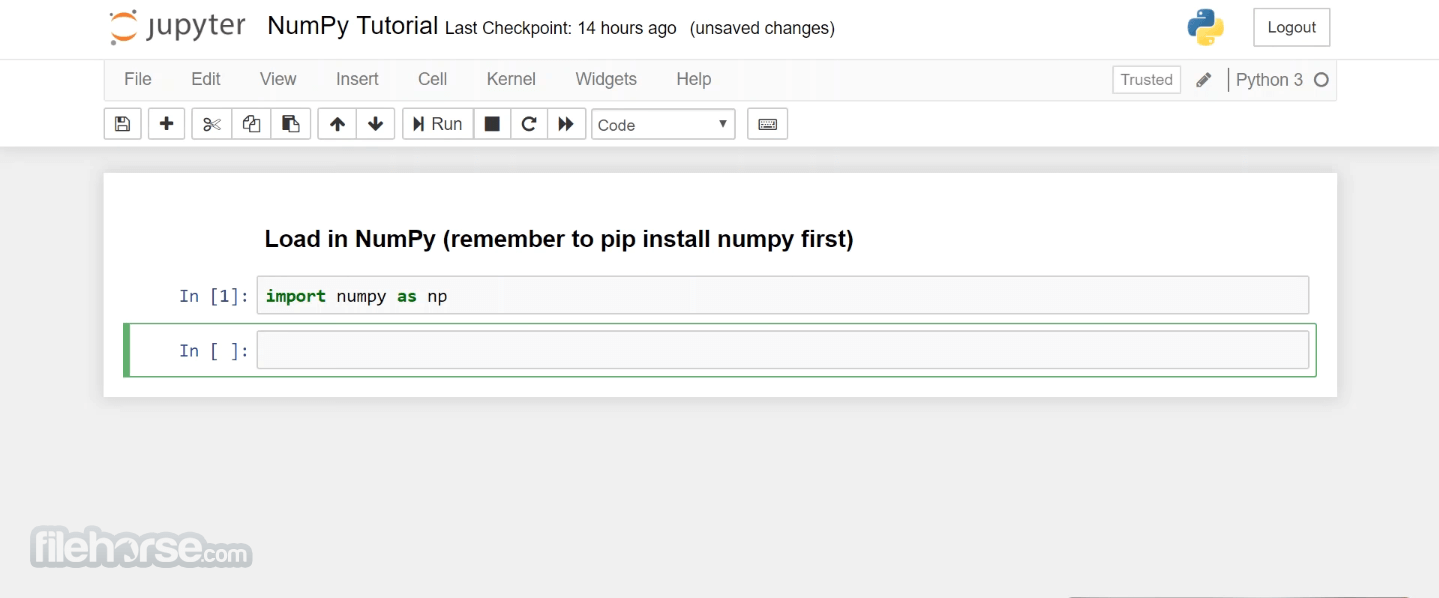
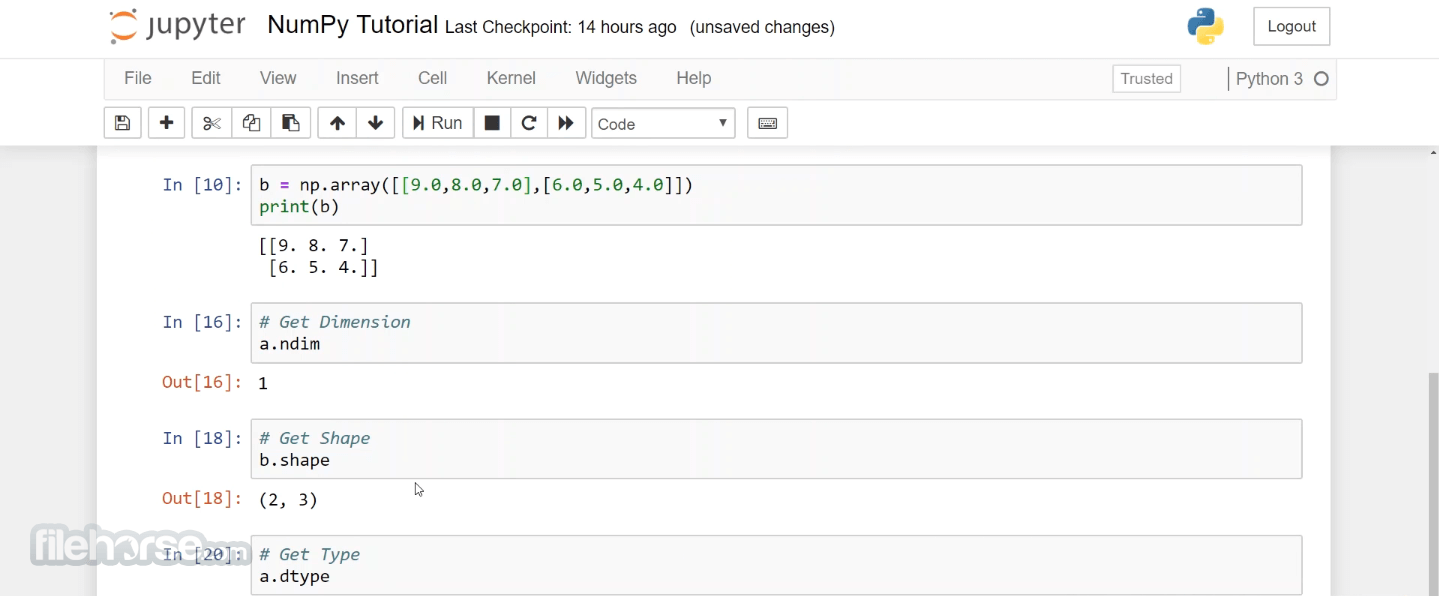
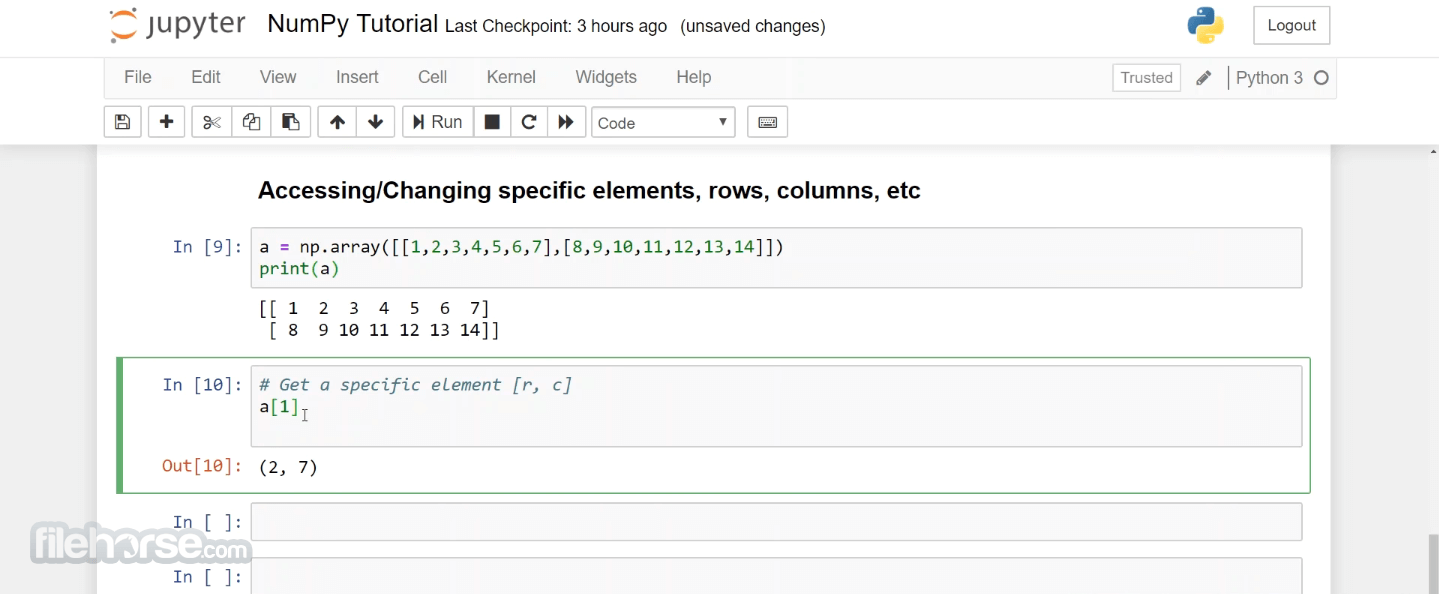
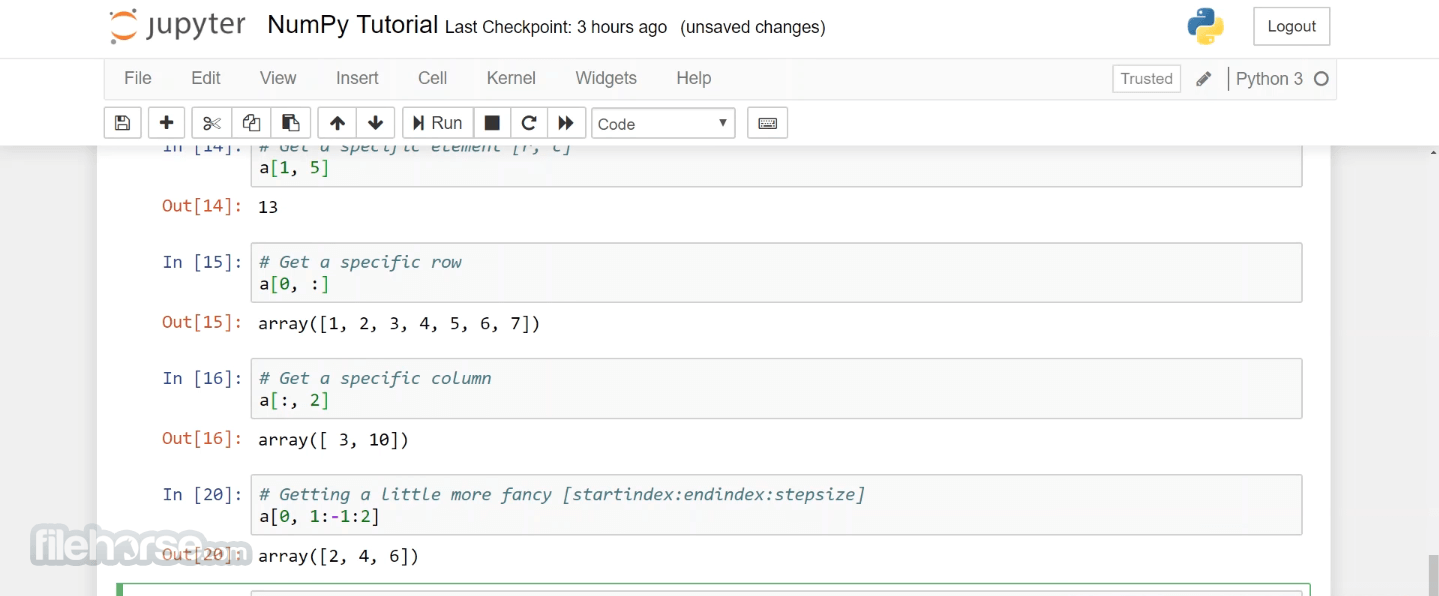
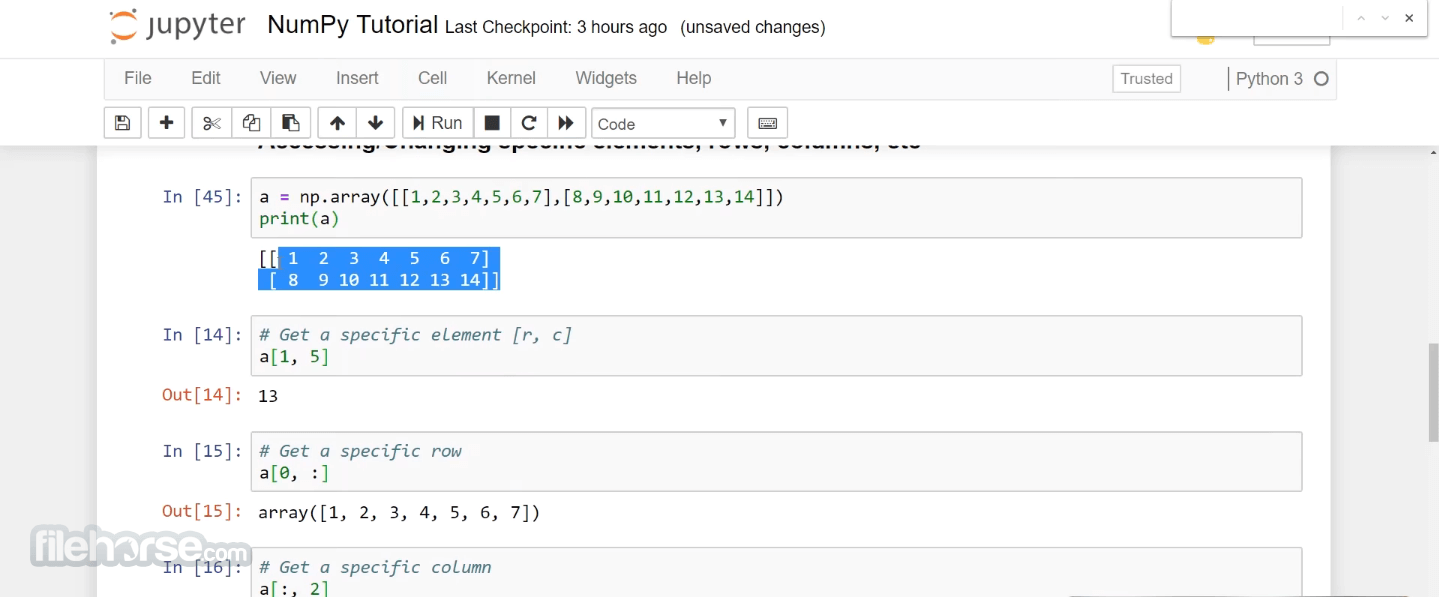
NumPy is not a traditional software application with a graphical user interface. Instead, it's a Python library that is typically used within Python scripts and interactive environments like Jupyter notebooks. Its interface is primarily a collection of functions and methods that you can call to perform various mathematical and array-related operations. The user interface experience depends on the programming environment you use with the app.
FAQ
What is NumPy used for?
NumPy is used for numerical and scientific computing in Python. It provides support for arrays, matrices, and a wide range of mathematical operations, making it essential for data analysis, machine learning, and scientific research.
How does NumPy compare to lists in Python?
It arrays are more efficient than Python lists for numerical operations due to their fixed data types and memory management. Lists are more flexible but slower for numerical computations.
Can I install NumPy on different operating systems?
Yes, the program is compatible with Windows, macOS, and Linux. You can install it using pip on any of these platforms.
Is NumPy compatible with Python 3.x and Python 2.x?
It officially supports Python 3.x. Python 2.x is no longer supported, so it's recommended to use Python 3.x with NumPy.
Are there any alternatives to NumPy for scientific computing in Python?
Yes, alternatives include TensorFlow, PyTorch, and SciPy. However, it remains the foundation upon which many of these libraries are built.
Alternatives
TensorFlow: Ideal for deep learning and neural networks, TensorFlow provides efficient numerical operations on multi-dimensional arrays.
PyTorch: Another popular deep learning framework, PyTorch offers dynamic computation graphs and a strong focus on machine learning.
SciPy: It provides additional scientific and statistical functionality, making it a great choice for researchers and engineers.
System Requirements
To use the program, you need a Python interpreter installed on your system. It supports Python 3.5 and later.
PROS
All in all, it stands as the cornerstone of scientific computing in Python. Its efficient array handling, extensive mathematical functions, and compatibility with various scientific libraries make it an indispensable tool for data scientists, engineers, and researchers.
While it may have a learning curve for beginners, the power and flexibility it offers make it a must-have for anyone working with numerical data in Python. NumPy's open-source nature and active community ensure that it will continue to evolve, solidifying its position as the go-to library for scientific computation in Python.
Also Available: Download NumPy for Mac
Download NumPy Latest Version Why is this app published on FileHorse? (More info)
Key Features
Efficient Array Operations: NumPy's core functionality revolves around efficient handling of arrays and matrices. It allows for easy creation, manipulation, and computation on these data structures.
Mathematical Functions: It offers a comprehensive set of mathematical functions, including trigonometric, statistical, and linear algebra functions. It simplifies complex numerical operations.
Broadcasting: NumPy's broadcasting feature enables you to perform operations on arrays with different shapes, making your code more concise and readable.
Interoperability: It seamlessly integrates with other scientific libraries, such as SciPy, Matplotlib, and Pandas, providing a robust ecosystem for scientific computing.
Random Number Generation: It includes tools for generating random numbers and random sampling, crucial for simulations and statistical analysis.
Multi-dimensional Data: It supports multi-dimensional arrays, which are crucial for applications like image processing, machine learning, and signal processing.
Open Source: NumPy is open-source software, meaning it's free to use and has a vibrant community of contributors.
User Interface
NumPy is not a traditional software application with a graphical user interface. Instead, it's a Python library that is typically used within Python scripts and interactive environments like Jupyter notebooks. Its interface is primarily a collection of functions and methods that you can call to perform various mathematical and array-related operations. The user interface experience depends on the programming environment you use with the app.
FAQ
What is NumPy used for?
NumPy is used for numerical and scientific computing in Python. It provides support for arrays, matrices, and a wide range of mathematical operations, making it essential for data analysis, machine learning, and scientific research.
How does NumPy compare to lists in Python?
It arrays are more efficient than Python lists for numerical operations due to their fixed data types and memory management. Lists are more flexible but slower for numerical computations.
Can I install NumPy on different operating systems?
Yes, the program is compatible with Windows, macOS, and Linux. You can install it using pip on any of these platforms.
Is NumPy compatible with Python 3.x and Python 2.x?
It officially supports Python 3.x. Python 2.x is no longer supported, so it's recommended to use Python 3.x with NumPy.
Are there any alternatives to NumPy for scientific computing in Python?
Yes, alternatives include TensorFlow, PyTorch, and SciPy. However, it remains the foundation upon which many of these libraries are built.
Alternatives
TensorFlow: Ideal for deep learning and neural networks, TensorFlow provides efficient numerical operations on multi-dimensional arrays.
PyTorch: Another popular deep learning framework, PyTorch offers dynamic computation graphs and a strong focus on machine learning.
SciPy: It provides additional scientific and statistical functionality, making it a great choice for researchers and engineers.
System Requirements
To use the program, you need a Python interpreter installed on your system. It supports Python 3.5 and later.
PROS
- Efficient and high-performance numerical computations.
- Comprehensive mathematical functions.
- Integration with a wide range of scientific libraries.
- Excellent support for multi-dimensional arrays.
- Open source and free to use.
- Learning curve for beginners.
- Requires knowledge of Python programming.
All in all, it stands as the cornerstone of scientific computing in Python. Its efficient array handling, extensive mathematical functions, and compatibility with various scientific libraries make it an indispensable tool for data scientists, engineers, and researchers.
While it may have a learning curve for beginners, the power and flexibility it offers make it a must-have for anyone working with numerical data in Python. NumPy's open-source nature and active community ensure that it will continue to evolve, solidifying its position as the go-to library for scientific computation in Python.
Also Available: Download NumPy for Mac
Download NumPy Latest Version Why is this app published on FileHorse? (More info)
##
畫面截圖
- 2026-08-10 NumPy 2.5.2 19.8 MB
- 2026-07-05 NumPy 2.5.1 19.8 MB
- 2026-06-22 NumPy 2.5.0 19.7 MB
- 2026-05-19 NumPy 2.4.6 19.8 MB
- 2026-05-16 NumPy 2.4.5 19.8 MB
- 2026-03-30 NumPy 2.4.4 19.8 MB
- 2026-03-09 NumPy 2.4.3 19.8 MB
- 2026-02-01 NumPy 2.4.2 19.8 MB