
- 軟體名稱Apache OpenOffice
- 目前版本4.1.1
- 更新日期2014-08-22
- 檔案大小134.33MB
- 檔案名稱Apache_OpenOffice_4.1.1_Win_x86_install_en-US.exe
- 作業系統Windows 7 / Windows 8 / Windows 10
- 支援語系English
- 授權型式開源軟體
- 開發商 Apache Software Foundation
- 軟體分類Windows 軟體 / 辦公商務
編輯短評
Apache OpenOffice是一套開源辦公套件,提供文書處理、試算表、簡報製作、繪圖、資料庫與數學公式等功能,旨在為使用者提供免費的Office替代方案。其最具辨識度的特色是整合多種工具,並支援轉存PDF,且能讀取MS Office檔案,但可能出現格式跑動或部分功能不相容。由Apache Software Foundation長期維護,更新持續,在同類軟體中屬於熱門選擇,使用者評價普遍不錯。
這套軟體適合預算有限、需要基本辦公功能的使用者,例如個人或小型企業,可避免高額的授權費用。與MS Office相比,取捨在於格式兼容性可能不完美,部分進階功能無法完全對應。授權為開源,免費使用,支援Windows與macOS平台,但介面語系僅提供英文,中文使用者可能需要額外設定或尋找語言包。
軟體介紹
Product
與其他主流辦公室套件相容,Open Office 可免費下載、使用與散布。
Writer
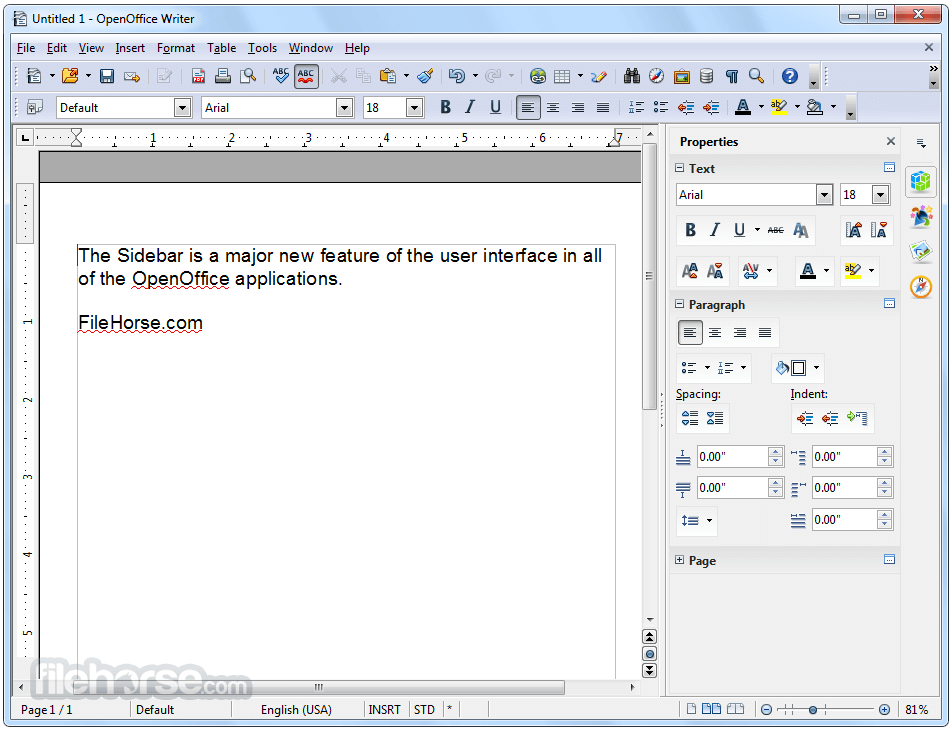
一套文書處理軟體,無論是快速寫封信,還是完成一整本書,都能勝任。
Calc
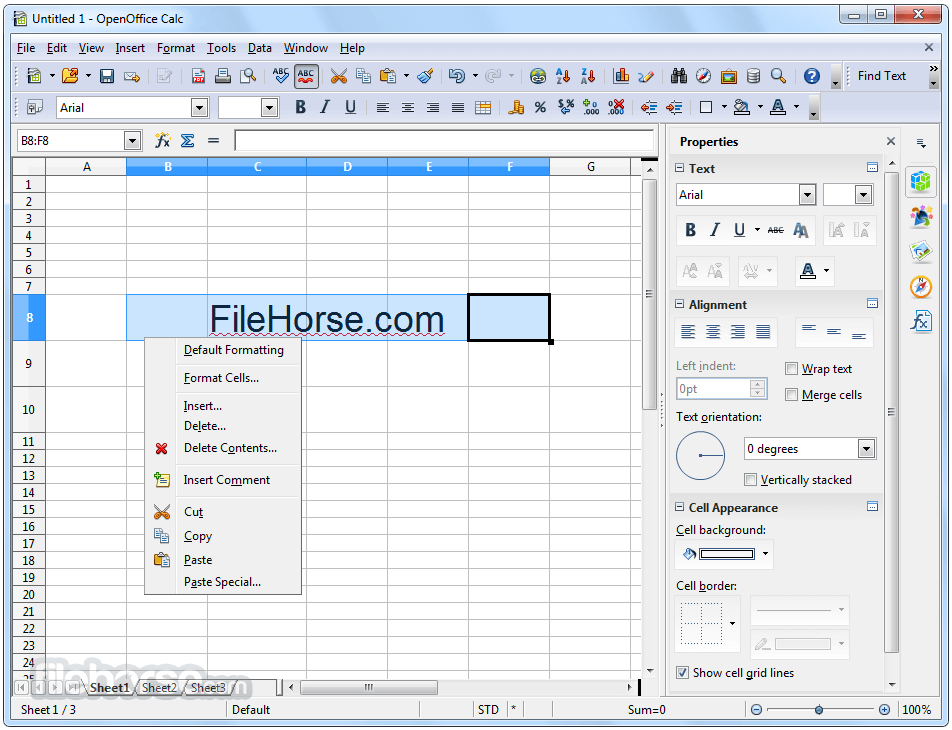
一套功能強大的試算表,具備計算、分析資料,並以數值報表或生動圖表呈現所需的一切工具。
Impress
建立有效多媒體簡報最快、最強大的方式。
Draw
讓您從簡單的圖表到動態的 3D 插圖都能輕鬆製作。
Base
讓您無縫操作資料庫。直接在 OpenOffice.org 中建立及修改資料表、表單、查詢與報表。
Math
讓您透過圖形化介面,或直接在方程式編輯器中輸入公式,來建立數學方程式。
OpenOffice 於 2000 年首次推出,作為 StarOffice 的後繼版本,此後逐漸普及,成為一套經濟實惠且由社群支援的專有軟體替代方案。
最新消息
- 改善穩定性,並在各模組中修復多項錯誤。
- 增強與 Microsoft Office 檔案格式的相容性。
- 更新字典與語言套件,提供更廣泛的在地化支援。
- 效能最佳化,加快文件載入與儲存速度。
- Writer 改進,強化格式與版面處理。
- Calc 更新,提升公式準確度與試算表可靠性。
- Impress 增強,簡報播放更流暢。
- 安全性修補,處理已回報的漏洞。
- 更新第三方函式庫,提升系統相容性。
- 整體 UI 調整,提供更一致的使用者體驗。
跨平台相容性:可在 Windows、macOS 與 Linux 上執行,確保廣泛的可及性。
檔案格式支援:支援多種檔案格式,包括 Microsoft Office 檔案(.docx、.xlsx、.pptx)與 OpenDocument 格式(.odt、.ods、.odp)。
自訂性:提供大量範本與擴充功能,可增強功能。
巨集:使用內建的巨集語言自動化重複性工作。
語言支援:提供多種語言套件,便於全球使用。
OpenDocument 格式(ODF):以 ODF 作為原生格式,這是一種 ISO 標準化的檔案格式,適合長期資料儲存。
使用者介面
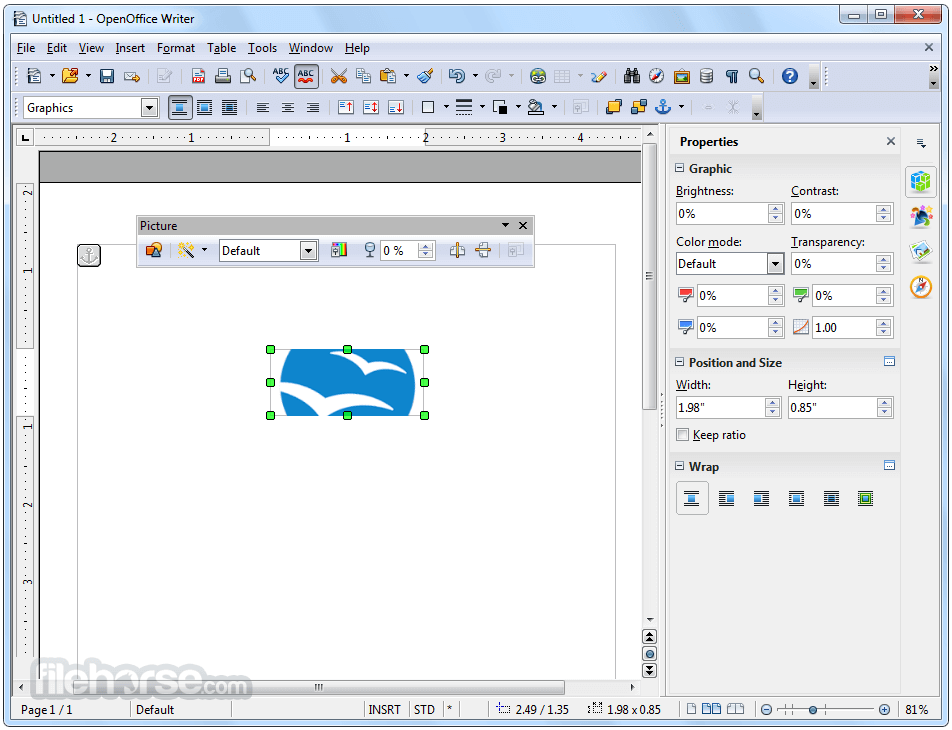
其介面簡單且略為傳統,讓人聯想到舊版的 Microsoft Office。雖然沒有現代的 Ribbon 設計,但介面乾淨,並以下拉式選單與工具列組織。
這種配置特別吸引熟悉傳統辦公室軟體的使用者。
圖示清晰,雖然外觀略顯過時,但常見任務的導覽相當直覺。若您偏好極簡或高度自訂的介面,可能會覺得 OpenOffice 的 UI 不如其他現代套件吸引人。
安裝與設定
下載
前往官方網站或 FileHorse.com,下載適用於您作業系統的安裝程式。
安裝
Windows:執行 .exe 檔案,並依照螢幕指示操作。
macOS:下載 .dmg 檔案,將此程式拖曳至 Applications 資料夾,然後啟動。
Linux:使用您發行版的套件管理員,或下載適當的 tarball。
首次啟動
首次執行時,系統會提示您設定使用者資訊,以進行個人化與範本設定。
使用方式
開始使用
啟動應用程式,並選擇所需的模組(例如 Writer 處理文件)。
使用範本或建立空白文件開始工作。
建立文件
利用工具列快速存取格式化工具。
透過選取「檔案」>「另存新檔」,以您偏好的檔案格式儲存工作。
協作
雖然 OpenOffice 沒有即時協作功能,但您可以追蹤修訂、新增註解,並以廣泛相容的格式儲存文件以便分享。
常見問題
Apache OpenOffice 可以開啟 Microsoft Office 檔案嗎?
可以,它支援 .docx、.xlsx 與 .pptx 格式,但偶爾可能出現格式問題。
Apache OpenOffice 真的免費嗎?
是的,它完全免費且開放原始碼。
OpenOffice 如何處理更新?
更新會定期發布,且必須從官方網站手動下載。
它支援雲端儲存整合嗎?
此應用程式沒有原生的雲端儲存整合,但您可以手動將檔案上傳至 Google Drive 或 Dropbox 等雲端服務。
Apache OpenOffice 安全嗎?
安全,只要您從官方網站下載即可。定期更新可增強安全性。
替代方案
LibreOffice:此應用程式的熱門分支,介面更現代,更新也更頻繁。
Microsoft Office:業界標準,功能先進,但需要訂閱。
Google Workspace:雲端辦公室工具,具備即時協作功能。
WPS Office Free:輕量級替代方案,介面與 Microsoft Office 類似。
OnlyOffice:適合需要協作與文件管理的團隊。
價格
這款桌面軟體完全免費使用,沒有訂閱或隱藏費用。歡迎捐款支持其開發。
系統需求
- 作業系統:Windows 11、10、8 或 7
- 處理器:Pentium III 或更高
- 記憶體:256 MB(建議 512 MB)
- 磁碟空間:400 MB
- 免費且開放原始碼。
- 相容於多種作業系統。
- 支援多種檔案格式。
- 活躍的社群支援與論壇。
- 使用者介面過時。
- 偶爾與 Microsoft Office 檔案有相容性問題。
- 沒有原生雲端整合。
- 更新頻率低於其他替代方案。
Apache OpenOffice 是個人與組織尋求免費、可靠辦公室套件的絕佳選擇。雖然它可能缺乏競爭對手的一些進階功能與現代介面,但其簡潔、跨平台相容性與豐富的功能,對許多人來說仍是值得考慮的選項。對於重視成本與開放原始碼軟體的使用者,它在生產力軟體市場中仍是強勁的競爭者。
無論您是撰寫文件、分析資料,還是製作簡報,它都能提供所需的核心工具,而且不會讓您荷包大失血。不過,如果您追求尖端功能、無縫協作或頻繁更新,探索 LibreOffice 或 Microsoft Office 等替代方案或許更值得。
注意:需要 Java Runtime Environment。
也可取得:下載 Mac 版 OpenOffice 與 Apache OpenOffice 可攜式版
下載 Apache OpenOffice 最新版本 為什麼這個應用程式發布在 FileHorse 上?(更多資訊)
畫面截圖
5 張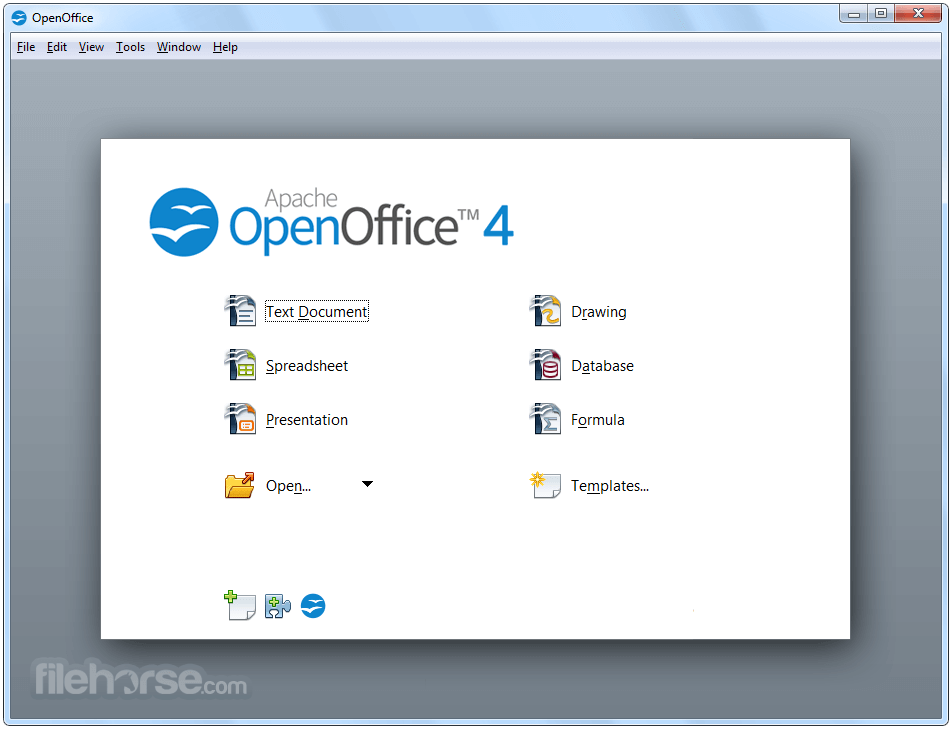
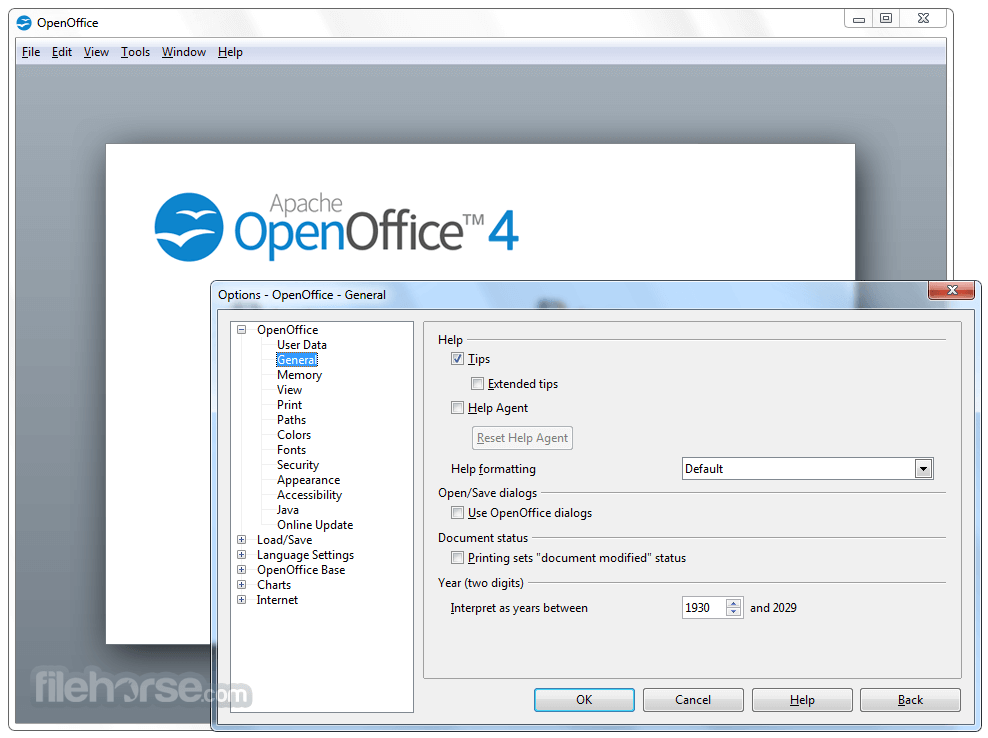

更新日誌
4.1.1 * Bug Fixes
- "Read Error" with embedded images after saving in Writer
- *.docx import: import of overlapping bookmarks broken
- 2 scrollbars blocked at the ends of the sheet
- Add Catalan (ca) language
- Add language support for Valencian RACV (ca_XR)
- Add Valencian AVL (ca_XV) language
- Add Valencian RACV (ca_XR) language
- AOO opens Word .docx with wrong text alignment
- Bad SVG import with particular files
- Build no more possible with Xcode 5.1
- buildbot version 411 r1611634 crashes on attached document
- Bundle Catalan (ca) dictionary
- Bundle Catalan (Valencian) (ca-XR) dictionary
- Bundle Catalan (Valencian) (ca-XV) dictionary
- Comment/Annotation applies to wrong table selection
- conditional hidden paragraph does not update after textfield changes value
- conditional text field does not update view after changing variable
- CRASH when 'View - close sidebar' with Navigator active
- Crash when disabling sidebar view after undocking and closing sidebar
- CRASH when open edit mode copy of older document.odt version
- CRASH when scroll through very large and complex .odt
- Crash with sidebar
- Crash: after applying the comment arises the problem with using table
- cropping + scaling image in writer results in a blue rectangle
- CStringEqual can return true for non-equal c-strings
- Dictionaries updates right after installation
- doAccessibleAction(0) failed on combobox with dropdown
- Embedded GDI Metafiles replaced by "Read Error" box after File - Save
- embedded OLE object imported with wrong style from PPTX
- Embedded PNG Pictures replaced by "Read Error" box
- Export to SVG: Error when line contains arrow and text
- File - Versions - Always save a version on closing is not working
- Font color and shadow color cannot be different
- Font Effects not applied correctly
- Formular bar not updating
- German translation update
- German Windows: "unoinfo java" indicates UTF-16LE encoding, but encoding is not UTF-16
- Hangs when applying default format across multiple lines
- Help Text isn't right-aligned, in Hebrew/Arabic languages
- helpex Export::CopyFile is too slow
- Huge memory consumption for very large and complex .odt
- Huge memory usage with docs which contain many graphics
- Inherited style property "Space above/below Paragraph" lost for particular styles
- input fields are no longer considered as cell values
- Insert picture (from file) focus jumps to end of document
- Khmer (km) translation update
- layout differs in AOO 4.1.0 vs 4.0.1 (and previous)
- Left-mouse-down above text edit area crashes, "Index out of bounds"
- Line length miscalculated when character spacing is expanded
- Linked JPG image not preserved when exported to PDF with loss-less compression
- Linked SVG image embedded after save when automatic save has taken place
- Lithuanian (lt) translation update
- Mac and Java Oracle 1.7
- Mac64 only: Mighty Mouse horizontal scrolling issue
- named range with visibility condition can crash writer
- nbintegration: Blanks or Colons in path seem unsupported under windows
- No multimedia support in MacOSX
- Opening complex docx document takes several minutes (but succeeds)
- Opening some documents is much slower
- Picture loss on save
- Pootle damaged file
- Regression Textfield.user cant be deleted via Script
- remove custom allocator support in stlport-replacement headers
- remove obsoleted module-internal custom allocator in SAL
- reset formatting behind special formattings hangs AOO
- Send file as e-mail fails if AOO is in a path with spaces
- SVG export of a selected area causes the whole canvas to be exported
- Thai (th) translation update
- The Lookup Gesture looks up the wrong word
- Traditonal Chinese (zh-tw) translation from Pootle
- Update English dictionaries
- Update Hebrew (he) translation from Pootle
- update meta data
- Update PL (Polish) translation from Pootle
- Update Portuguese-Pt translation
- URL of linked PNG images wrong after save when automatic save has taken place
- Vietnamese (vi) translation
- WW6: outline not imported, thus no TOC entries displayed
- WW8: custom outline numbering has wrong first level style
- WW8: custom Outline numbering imported with wrong level assignment
- WW8: custom Outline Numbering is imported with wrong 2nd level setting
- WW8: imported TOC empty, due to paragraphs having "outline level" property
- WW8: outline imported instead of simple numbered list
- WW8: some headings have no outline level on import
- WW8: table of contents empty due to not assigned outline styles on import
- WW8: wrong style assignment for outline numbering imported
- [GTK] Scrollbars without steppers are buggy
- [SVG] svg node does not consider styles from a style element
* Additional Language Support
- Catalan (ca)
- Catalan (Valencian RACV) ca-XR)
- Catalan (Valencian AVL) (ca-XV)
* Updated translations
- German (de)
- Hebrew (he)
- Khmer (kh)
- Lithuanian (lt)
- Polish (pl)
- Portuguese
- (European) (pt-PT)
- Traditional Chinese (zh-tw)
- Thai (th)
- Vietnamese (vi)
* New and Updated Dictionaries
- Catalan (ca)
- Catalan (Valencian RACV) ca-XR)
- Catalan (Valencian AVL) (ca-XV)
* Updated Dictionaries
- English (en) Only the en-GB dictionary has been updated
- French (fr)
- Portuguese (European) (pt-PT)
- Russian (ru)
- Slovenian (sl)
歷史版本
完整清單 →- 2026-02-16 Apache OpenOffice 4.1.16 136.63 MB
- 2023-12-23 Apache OpenOffice 4.1.15 136.07 MB
- 2023-02-27 Apache OpenOffice 4.1.14 136.02 MB
- 2022-07-23 Apache OpenOffice 4.1.13 136.07 MB
- 2022-05-03 Apache OpenOffice 4.1.12 136.04 MB
- 2021-10-06 Apache OpenOffice 4.1.11 136.11 MB
- 2021-04-30 Apache OpenOffice 4.1.10 135.98 MB
- 2021-01-26 Apache OpenOffice 4.1.9 135.98 MB