
OptiFine 1.21.11 HD U J9
v OptiFine 1.21.11 HD U J9
Windows
免費軟體
8.78/10 (33)
- 目前版本OptiFine 1.21.11 HD U J9
- 更新日期2026-02-17
- 檔案大小7.67 MB
- 檔案名稱OptiFine_1.21.11_HD_U_J9.jar
- 作業系統Windows 7 / Windows 8 / Windows 10 / Windows 11
- 支援語系English
- 授權型式免費軟體
- 開發商 OptiFine Team
- 軟體分類Windows 軟體 / 遊戲
##
翻譯排程處理中,以下暫以英文原文呈現
軟體介紹
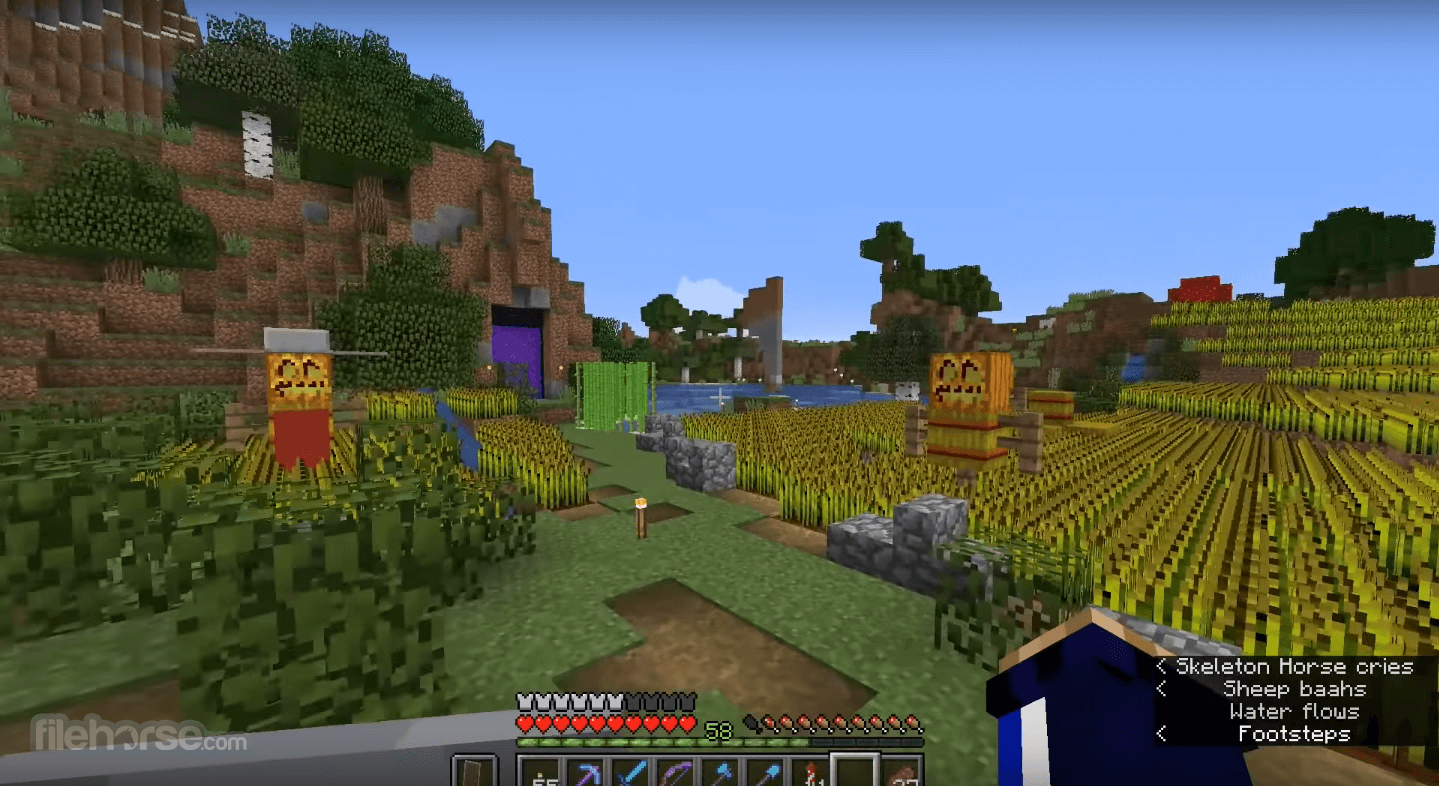
OptiFine is a Minecraft optimization mod for your Windows PC! It allows Minecraft to run faster and look better with full support for HD textures and many configuration options. Enjoy!
OptiFine HD Ultra has the most optimizations and features that can increase FPS. OptiFine Standard is more compatible with other mods. OptiFine Light may be more helpful for underpowered laptops and notebooks, but it does not have any advanced features and is not compatible with ModLoader and Forge.
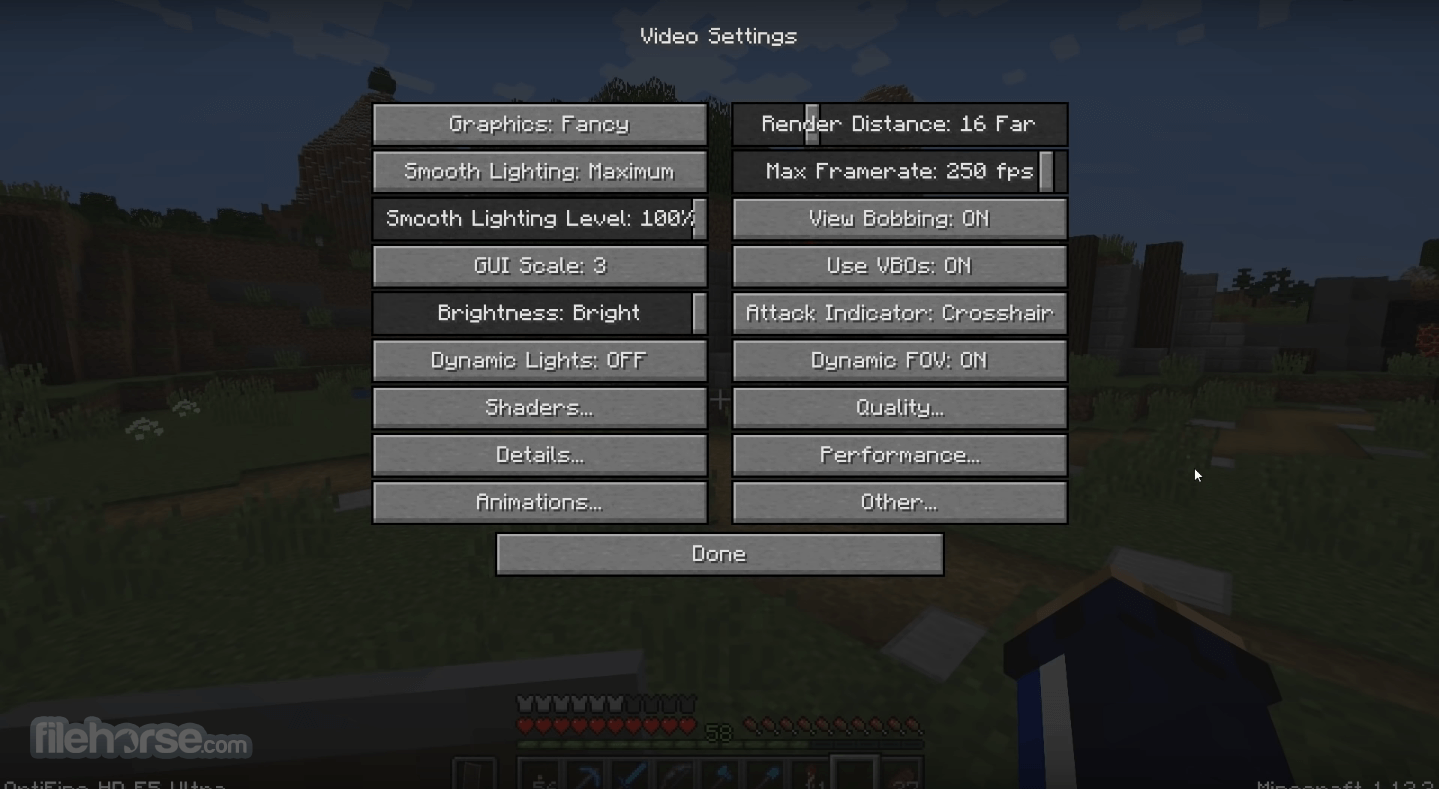
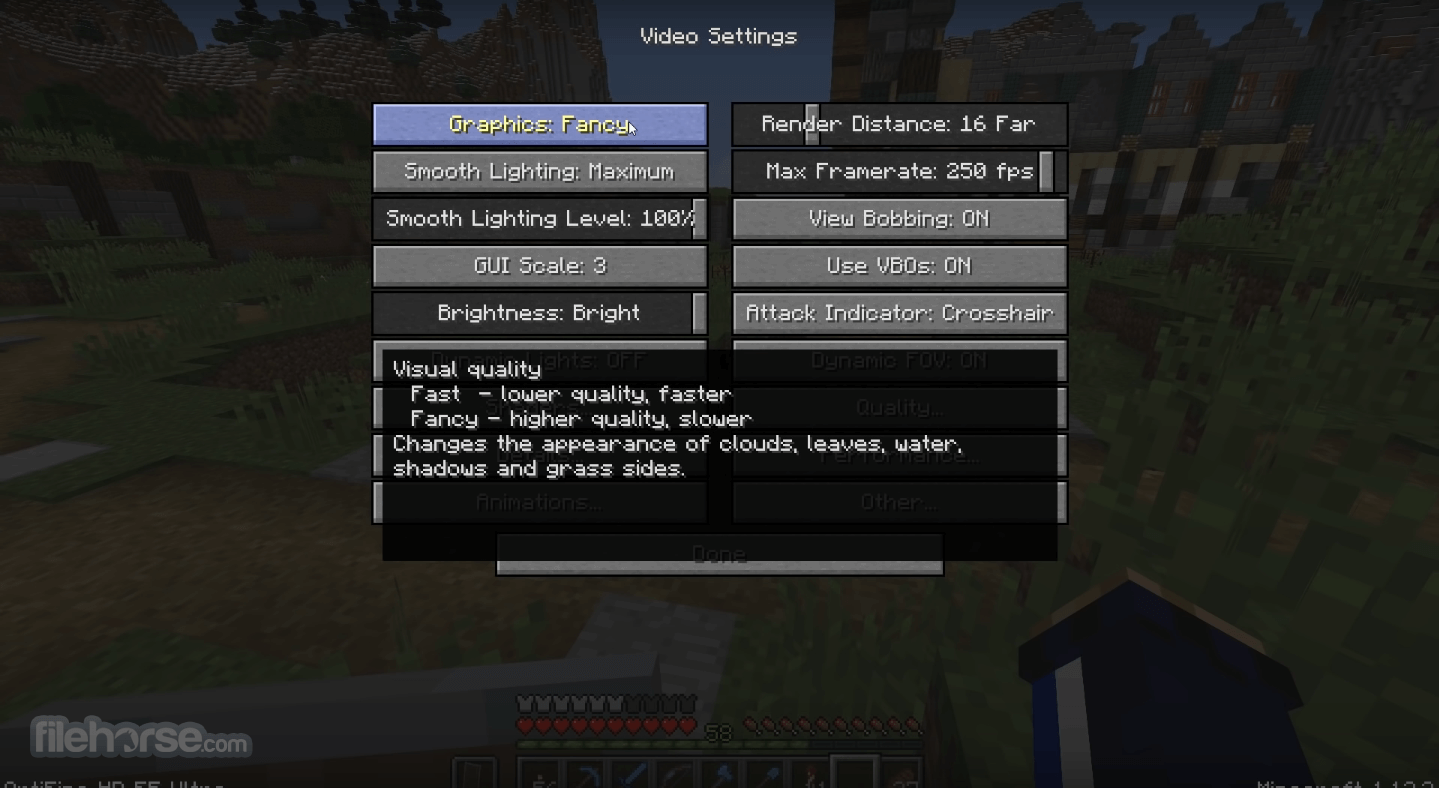
It comes with many optimizations that should increase the FPS without any configuration. You can further increase the FPS by configuring the Video Settings and finding the trade-off between quality and performance that works best for you.
Features and Highlights
FPS boost
Support for Shaders
Synchronizes framerate with monitor refresh rate to remove split frames and smooth gameplay
Smart Advanced OpenGL
Fixes grass blocks' side texture to match the surrounding grass terrain
Better Snow
Fixes transparent block textures to match the surrounding snow terrain
Clear Water
Clear, transparent water with good visibility underwater
Random Mobs
Use random mob textures if available in the texture pack
Connected Textures
Connects textures for glass, glass panes, sandstone, and bookshelf blocks that are next to each other.
Natural Textures
Removes the gridlike pattern created by repeating blocks of the same type. Uses rotated and flipped variants of the base block texture.
FPS control
Switch the current Texturepack without leaving the world
Fullscreen Resolution
Configurable full-screen resolution
Debug
Default, Day Only, or Night Only - works only in Creative mode
Autosave
OptiFine HD Ultra has the most optimizations and features that can increase FPS. OptiFine Standard is more compatible with other mods. OptiFine Light may be more helpful for underpowered laptops and notebooks, but it does not have any advanced features and is not compatible with ModLoader and Forge.
It comes with many optimizations that should increase the FPS without any configuration. You can further increase the FPS by configuring the Video Settings and finding the trade-off between quality and performance that works best for you.
Features and Highlights
FPS boost
- Doubling the FPS is common
- Decreases lag spikes and smooth gameplay
- HD textures and HD fonts (MCPatcher not needed)
- custom terrain and item textures
- animated terrain and item textures
- custom HD Font character widths
- custom colors
- custom block color palettes
- custom lighting
- unlimited texture size
Support for Shaders
- based on the Shaders Mod by Karyonix
- allows handheld and dropped light-emitting items to illuminate the objects around them
- similar, but not related to the Dynamic Lights mod
- from Tiny to Extreme (2 x Far) in 16m steps
- sun, moon, and stars are visible in Tiny and Short distances
- from 1% - smooth lighting without shadows
- to 100% - smooth lighting with full shadows
Synchronizes framerate with monitor refresh rate to remove split frames and smooth gameplay
Smart Advanced OpenGL
- more efficient, fewer artifacts
- Fast - faster, some artifacts still visible
- Fancy - slower, avoids visual artifacts
- Fog: Fancy, Fast, OFF
- Fog start: Near, Far
- A visual effect that makes distant objects look better by smoothing the texture details
- Mipmap level - OFF, 1, 2, 3, Max
- Mipmap type - Nearest, Linear
- Restores details in mipmapped textures
- AF level - OFF, 2, 4, 8, 16 (depends on hardware support)
- Smooths jagged lines and sharp color transitions
- AA level - OFF, 2, 4, 6, 8, 12, 16 (depends on hardware support)
Fixes grass blocks' side texture to match the surrounding grass terrain
Better Snow
Fixes transparent block textures to match the surrounding snow terrain
Clear Water
Clear, transparent water with good visibility underwater
Random Mobs
Use random mob textures if available in the texture pack
Connected Textures
Connects textures for glass, glass panes, sandstone, and bookshelf blocks that are next to each other.
Natural Textures
Removes the gridlike pattern created by repeating blocks of the same type. Uses rotated and flipped variants of the base block texture.
FPS control
- Smooth FPS - stabilizes FPS by flushing the graphics driver buffers
- Smooth Input - fixes stuck keys, slow input, and sound lag by setting correct thread priorities
- Load Far - loads the world chunks at distance Far, allowing fast render distance switching
- Preloaded Chunks - defines an area in which no new chunks will be loaded
- Chunk Updates per Frame - allows for faster world loading
- Dynamic Updates - loads more chunks per frame when the player is standing still
Switch the current Texturepack without leaving the world
Fullscreen Resolution
Configurable full-screen resolution
Debug
- Fast Debug Info - removes lagometer from debug screen
- Debug Profiler - removes profiler from the debug screen
Default, Day Only, or Night Only - works only in Creative mode
Autosave
- Configurable Autosave interval
- A fix for the famous Lag Spike of Death
##
畫面截圖
##
更新日誌
OptiFine 1.21.11 HD U J9
- OptiFine 1.21.11_HD_U_J9
What is OptiFine, and what does it do?
OptiFine is a Minecraft optimization mod that enhances graphics performance and visuals. It improves frame rates, adds support for HD textures and shaders, and provides advanced graphical settings for smoother gameplay and better customization.
How do I install OptiFine for Minecraft?
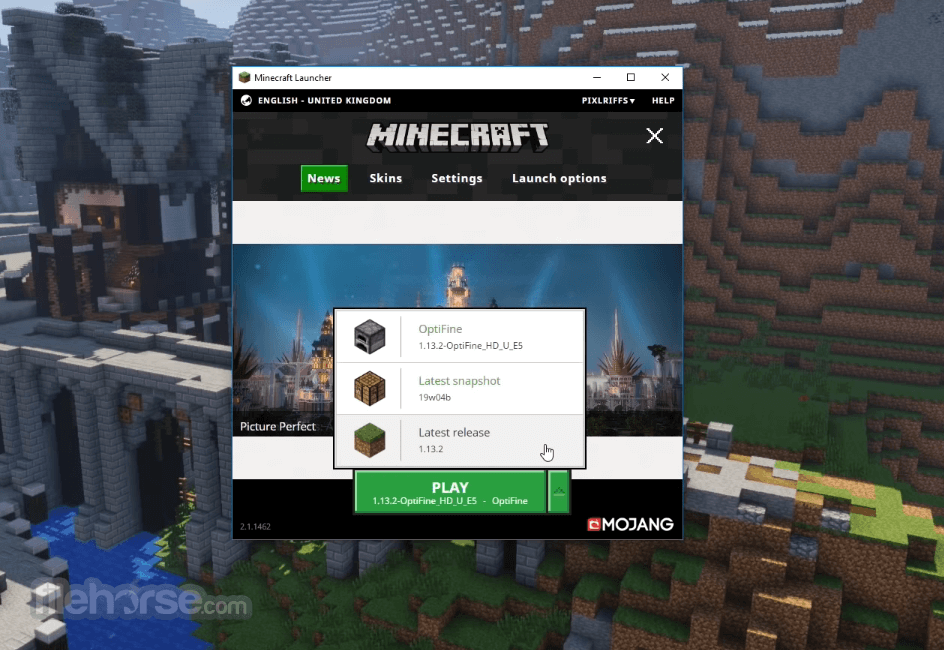
To install OptiFine, you first need to download the correct version that matches your Minecraft release from the official OptiFine website. Then, simply run the downloaded .jar file, which automatically creates a new OptiFine profile in your Minecraft launcher.
Is OptiFine safe to use?
Yes, OptiFine is completely safe when downloaded from its official website (optifine.net). However, users should avoid third-party sources, as unofficial downloads may contain malware or modified files.
Can OptiFine be used with other Minecraft mods?
Yes, OptiFine is compatible with many popular Minecraft mods, especially when used alongside Forge. However, compatibility can vary depending on the Minecraft version and specific mod combinations, so testing or checking community compatibility lists is recommended.
The top alternatives to OptiFine:
ATLauncher - User-friendly launcher with mod pack support.
Technic Launcher - Popular launcher for modded Minecraft packs.
TLauncher - Versatile Minecraft launcher with mod options.
CurseForge App - Official launcher for CurseForge mod packs.
Badlion Client - Enhanced client with mods and optimizations.
Minecraft Launcher - Official launcher by Mojang Studios.
FTB Launcher - The official launcher for Feed The Beast modpacks.
PROS
Download OptiFine Latest Version Why is this app published on FileHorse? (More info)
- Resolved the issue with the new version check notification
- Introduced random entities options: seedOffset and seedSource
- Corrected random entities' property parsing behavior
- Added CEM models for copper golem statues
- Updated BlockModel getters to align with record field naming (reobfuscation fix)
- Fixed CEM models for warm chicken and warm pig
- Corrected the CEM dragon eyes rendering layer
- Adjusted CEM leash positioning and shadow alignment
- Fixed CEM models for villager, breeze eyes, pig/strider saddle, and happy ghost ropes
- Added CEM sheep wool undercoat and improved dragon eyes & tropical fish models
- Fixed CEM models for villager, zombie villager, warden, and breeze
- Corrected CEM camel and horse saddle animations
- Added new CEM models: nautilus, zombie_nautilus, and zombie_nautilus_coral
- Introduced CEM models for copper_golem, happy_ghast, and parched
- Removed fallback behavior where baby horse/donkey/mule models defaulted to adult versions
- Added warm and cold CEM variants for chicken, cow, and pig
- Added CEM saddle models, camel husk, and undead horse armor
- Improved CIT initialization to properly detect failed model loads
- Fixed emissive CTM compact issue (#8111)
- Corrected shaders, terrain textureMatrix handling in shadow pass (#8113)
- Fixed custom CIT models incorrectly using block textures (#8110)
- Resolved shaders normal/specular initialization issue (#8112)
- Fixed cloud stuttering
- Updated compatibility with Forge 61.0.8
What is OptiFine, and what does it do?
OptiFine is a Minecraft optimization mod that enhances graphics performance and visuals. It improves frame rates, adds support for HD textures and shaders, and provides advanced graphical settings for smoother gameplay and better customization.
How do I install OptiFine for Minecraft?
To install OptiFine, you first need to download the correct version that matches your Minecraft release from the official OptiFine website. Then, simply run the downloaded .jar file, which automatically creates a new OptiFine profile in your Minecraft launcher.
Is OptiFine safe to use?
Yes, OptiFine is completely safe when downloaded from its official website (optifine.net). However, users should avoid third-party sources, as unofficial downloads may contain malware or modified files.
Can OptiFine be used with other Minecraft mods?
Yes, OptiFine is compatible with many popular Minecraft mods, especially when used alongside Forge. However, compatibility can vary depending on the Minecraft version and specific mod combinations, so testing or checking community compatibility lists is recommended.
The top alternatives to OptiFine:
ATLauncher - User-friendly launcher with mod pack support.
Technic Launcher - Popular launcher for modded Minecraft packs.
TLauncher - Versatile Minecraft launcher with mod options.
CurseForge App - Official launcher for CurseForge mod packs.
Badlion Client - Enhanced client with mods and optimizations.
Minecraft Launcher - Official launcher by Mojang Studios.
FTB Launcher - The official launcher for Feed The Beast modpacks.
PROS
- Enhanced Graphics Quality
- Boosts Game Performance
- Customizable Settings
- Supports HD Textures
- Built-in Shader Support
- Compatibility Issues with Some Mods
- Complex Setup for Beginners
- Infrequent Updates
- Potential Stability Problems
- Limited Support for Low-end PCs
Download OptiFine Latest Version Why is this app published on FileHorse? (More info)