- 目前版本1.4.0
- 更新日期2026-03-12
- 檔案大小25.9 MB
- 檔案名稱orgchartcreator.exe
- 作業系統Windows XP / Vista / Windows 7 / Windows 8 / Windows 10 / Windows 11
- 支援語系English
- 授權型式商業試用
- 開發商 EdrawSoft
- 軟體分類Windows 軟體 / 辦公商務
##
翻譯排程處理中,以下暫以英文原文呈現
軟體介紹
OrgCharting is a powerful organizational chart maker that simplifies the creation of strategic planning and workforce management projects, enabling teams and businesses of all sizes to visualize organizational structures.
This feature-rich app offers its users streamlined access to an easy interface that can be managed with a few mouse clicks, with built-in support for fast data imports and data file generation.
Available as a standalone local client for Windows and Mac computers, this software provides ready-made templates and advanced color themes for professional-looking organizational charts.
Users should be aware that this app is not limited only to visualizing company structures but also aids in workforce planning and management, offering insights for decision-making and strategic planning.
Due to the extensive support for professional features, this application is available via a premium license for single users, teams, and academic/non-profit organizations.
Users who want to test the app can do so via the free download option, but with very limited access to its feature set.
Key Features
Installation and Setup
This application is distributed online as an automated installer that can be easily deployed on any modern Windows PC where users have access to full administrator privileges.
After a short installation procedure, the app will require users to register via license code and fully activate the software. Deactivation is possible for transferring the software to another device, and users can also sign up for a cloud account for chart sharing.
How to Use
Users can create organizational charts by simply clicking or generating data files within the user-friendly interface.
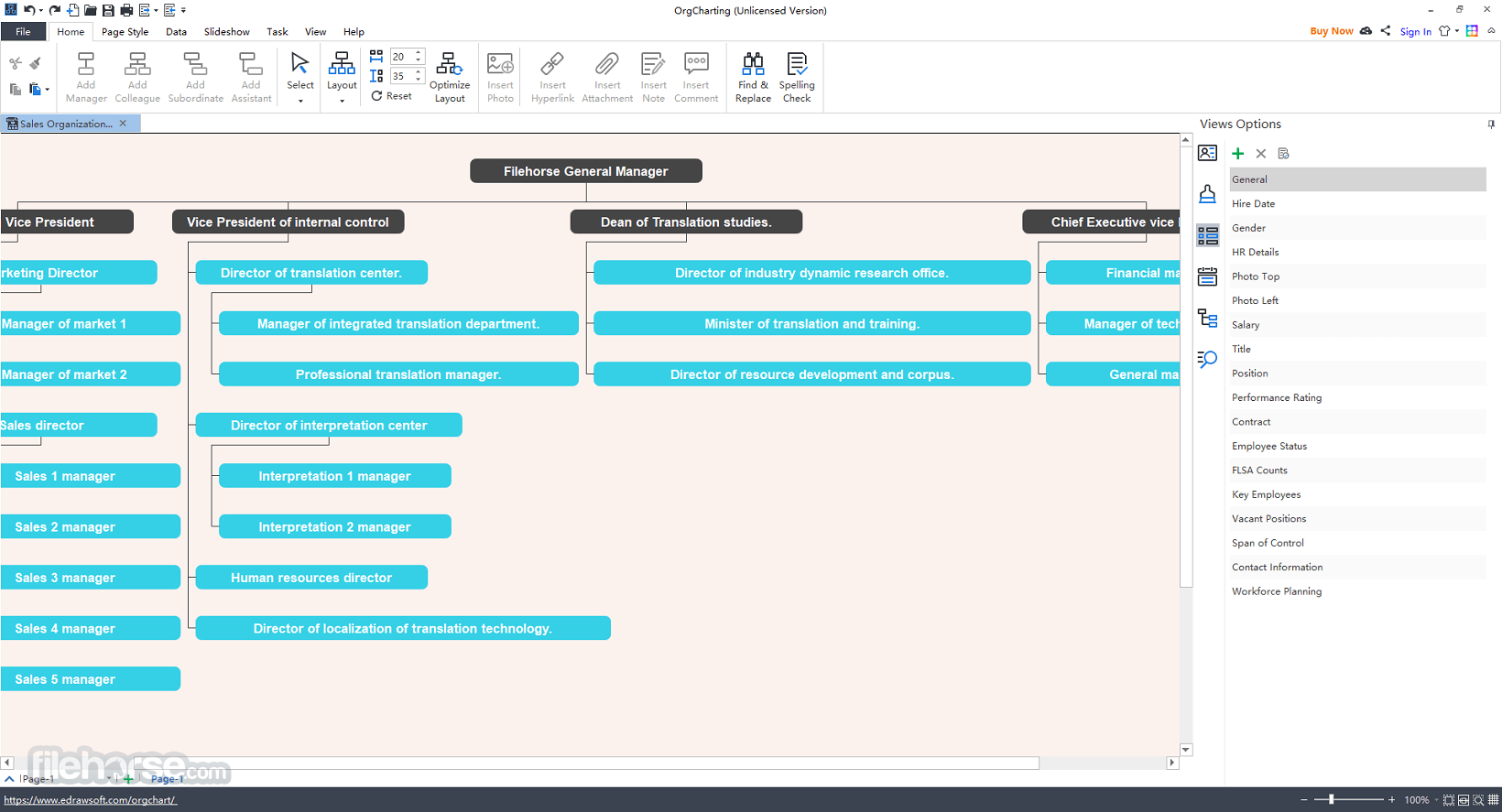
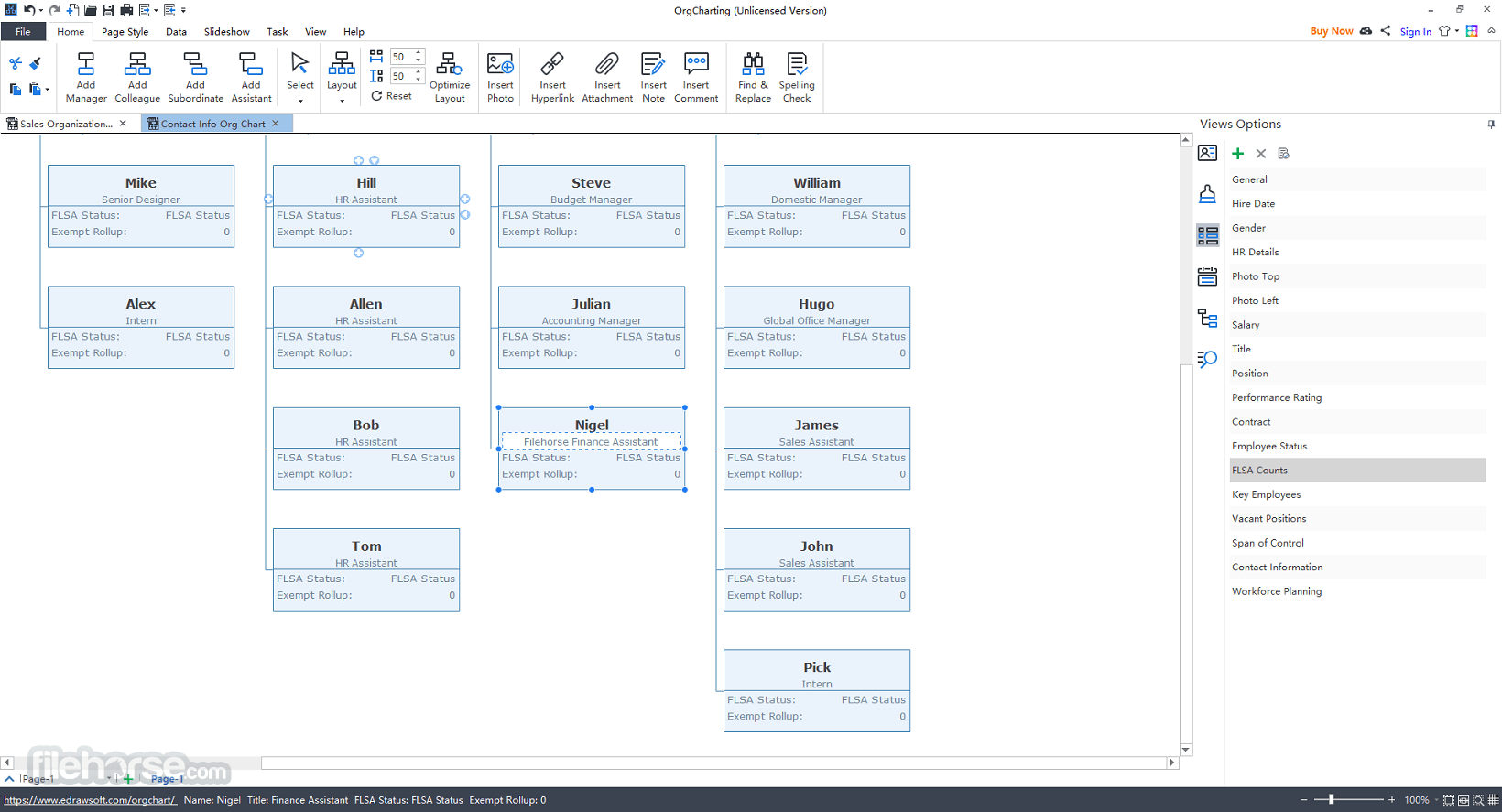
The software offers features like large-scale data imports, task management, employee database creation, and various view options for displaying relevant information for strategic planning and workforce management.
User Interface
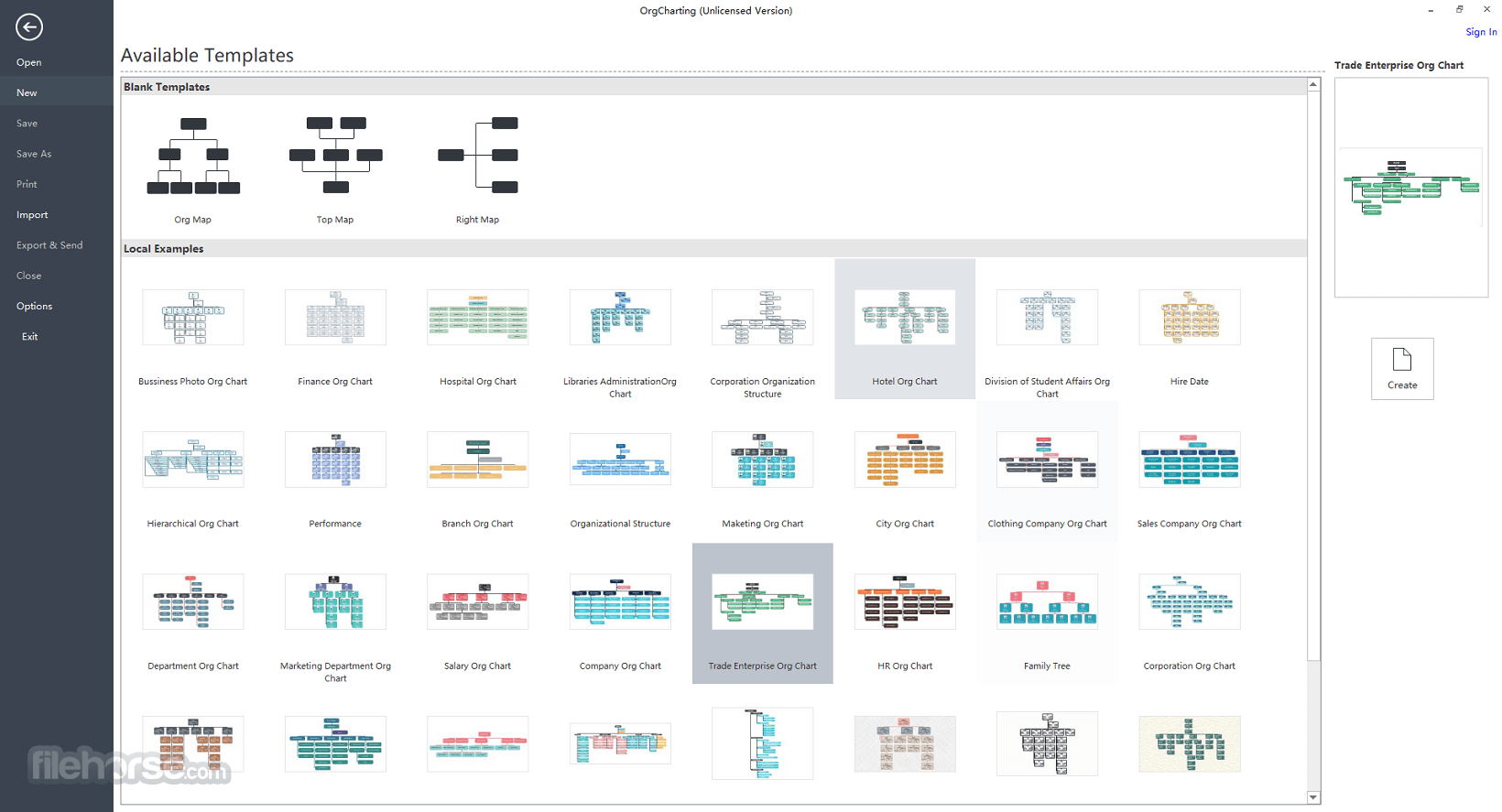
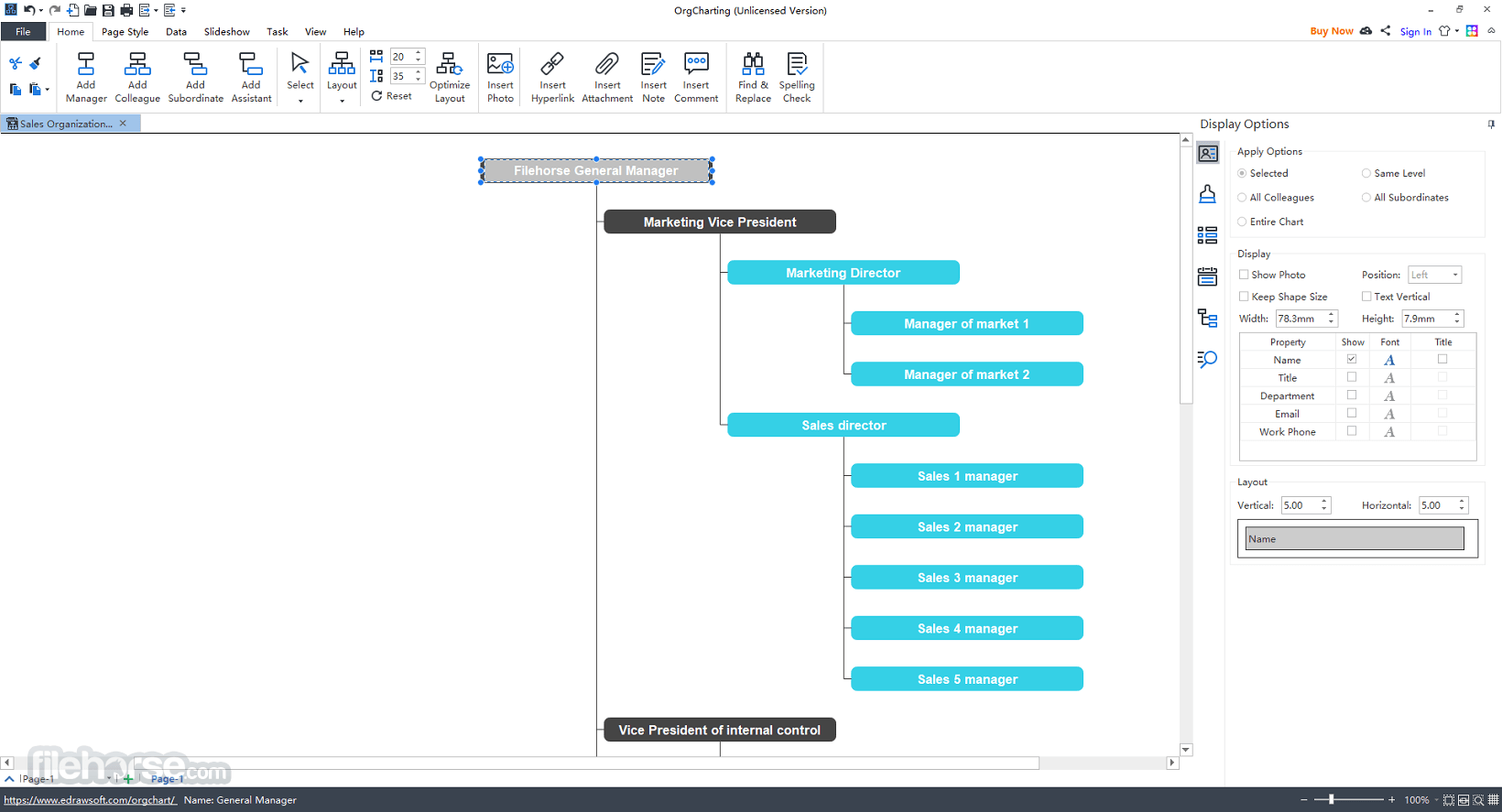
The main interface of this app immediately promotes the use of pre-made templates. After the project is loaded, the main dashboard promotes the use of tabs and ribbon tools in categories such as Home, Data, Slideshow, Task, and View.
The main chart canvas can be manipulated with mouse presses, while each of the selected elements can be precisely configured in the side module that governs the font, layout, and other data points of the objects.
A status bar is located at the very bottom of the app, providing quick access to zoom and full-screen rendering tools.
All in all, even complete novices can learn to use this app within a few minutes of first starting it up. For those seeking assistance, they can discover more at the Guides and FAQ sections on the app’s official website.
FAQs
What is OrgCharting?
It is a comprehensive chart maker that simplifies the creation of organizational charts for use in strategic planning, workforce management, and other projects that require an overview of the workforce potential.
Is it safe?
Yes, this business-oriented app is developed for maximum security and stability. It uses cloud storage and online collaboration inside a secure environment where every user must be authenticated.
Can OrgCharting import data automatically?
Yes. OrgCharting can import employee data from spreadsheets or databases and automatically generate organizational charts. This makes it easier to manage large teams and keep charts updated.
Is OrgCharting still relevant in 2026?
Yes. In 2026, OrgCharting remains useful for HR teams, managers, and businesses that need structured visualizations of company hierarchies, workforce planning, and reporting structures.
Alternatives
If you are looking for an excellent alternative to this product, we recommend EdrawMax.
Pricing
Lifetime License: $145 one-time payment for permanent unlock of the software, plus one year of free upgrades.
System Requirements
OrgCharting is a feature-rich Windows PC application that simplifies the creation of professional organizational charts.
With its user-friendly interface, wide offering of themes/styles, data-driven approach, and built-in collaboration features, it has managed to become one of the best tools for businesses seeking efficient organizational visualization solutions.
Download OrgCharting Latest Version Why is this app published on FileHorse? (More info)
This feature-rich app offers its users streamlined access to an easy interface that can be managed with a few mouse clicks, with built-in support for fast data imports and data file generation.
Available as a standalone local client for Windows and Mac computers, this software provides ready-made templates and advanced color themes for professional-looking organizational charts.
Users should be aware that this app is not limited only to visualizing company structures but also aids in workforce planning and management, offering insights for decision-making and strategic planning.
Due to the extensive support for professional features, this application is available via a premium license for single users, teams, and academic/non-profit organizations.
Users who want to test the app can do so via the free download option, but with very limited access to its feature set.
Key Features
- Professional organizational chart suited for individuals and teams.
- Ready-made templates and advanced color themes.
- Data-driven organizational charts.
- Employee database functionality.
- Extensive task management tools.
- Presentation, export, and sharing capabilities.
- A wide array of automation tools.
- Versatile data import/export options.
- Powerful search.
- Cloud collaboration.
Installation and Setup
This application is distributed online as an automated installer that can be easily deployed on any modern Windows PC where users have access to full administrator privileges.
After a short installation procedure, the app will require users to register via license code and fully activate the software. Deactivation is possible for transferring the software to another device, and users can also sign up for a cloud account for chart sharing.
How to Use
Users can create organizational charts by simply clicking or generating data files within the user-friendly interface.
The software offers features like large-scale data imports, task management, employee database creation, and various view options for displaying relevant information for strategic planning and workforce management.
User Interface
The main interface of this app immediately promotes the use of pre-made templates. After the project is loaded, the main dashboard promotes the use of tabs and ribbon tools in categories such as Home, Data, Slideshow, Task, and View.
The main chart canvas can be manipulated with mouse presses, while each of the selected elements can be precisely configured in the side module that governs the font, layout, and other data points of the objects.
A status bar is located at the very bottom of the app, providing quick access to zoom and full-screen rendering tools.
All in all, even complete novices can learn to use this app within a few minutes of first starting it up. For those seeking assistance, they can discover more at the Guides and FAQ sections on the app’s official website.
FAQs
What is OrgCharting?
It is a comprehensive chart maker that simplifies the creation of organizational charts for use in strategic planning, workforce management, and other projects that require an overview of the workforce potential.
Is it safe?
Yes, this business-oriented app is developed for maximum security and stability. It uses cloud storage and online collaboration inside a secure environment where every user must be authenticated.
Can OrgCharting import data automatically?
Yes. OrgCharting can import employee data from spreadsheets or databases and automatically generate organizational charts. This makes it easier to manage large teams and keep charts updated.
Is OrgCharting still relevant in 2026?
Yes. In 2026, OrgCharting remains useful for HR teams, managers, and businesses that need structured visualizations of company hierarchies, workforce planning, and reporting structures.
Alternatives
If you are looking for an excellent alternative to this product, we recommend EdrawMax.
Pricing
Lifetime License: $145 one-time payment for permanent unlock of the software, plus one year of free upgrades.
System Requirements
- OS: Windows 7 or newer (including Windows 10 and Windows 11)
- Storage: 1 GB free disk space
- Ready-made templates.
- Data-driven charts.
- Cloud storage for collaboration.
- Task management tools.
- Easy-to-use interface.
- Initial setup may be tricky for beginners.
- Limited platform compatibility.
- No streamlined web access option.
OrgCharting is a feature-rich Windows PC application that simplifies the creation of professional organizational charts.
With its user-friendly interface, wide offering of themes/styles, data-driven approach, and built-in collaboration features, it has managed to become one of the best tools for businesses seeking efficient organizational visualization solutions.
Download OrgCharting Latest Version Why is this app published on FileHorse? (More info)
##
畫面截圖