PDF Annotator 10.0.0.1011
v 10.0.0.1011
Windows
商業試用
7.96/10 (33)
- 目前版本10.0.0.1011
- 更新日期2026-04-20
- 檔案大小142 MB
- 檔案名稱PDFAnnotatorSetup.exe
- 作業系統Windows 7 / Windows 7 64 / Windows 8 / Windows 8 64 / Windows 10 / Windows 10 64 / Windows 11
- 支援語系English
- 授權型式商業試用
- 開發商 GRAHL software design
- 軟體分類Windows 軟體 / 辦公商務
##
翻譯排程處理中,以下暫以英文原文呈現
軟體介紹
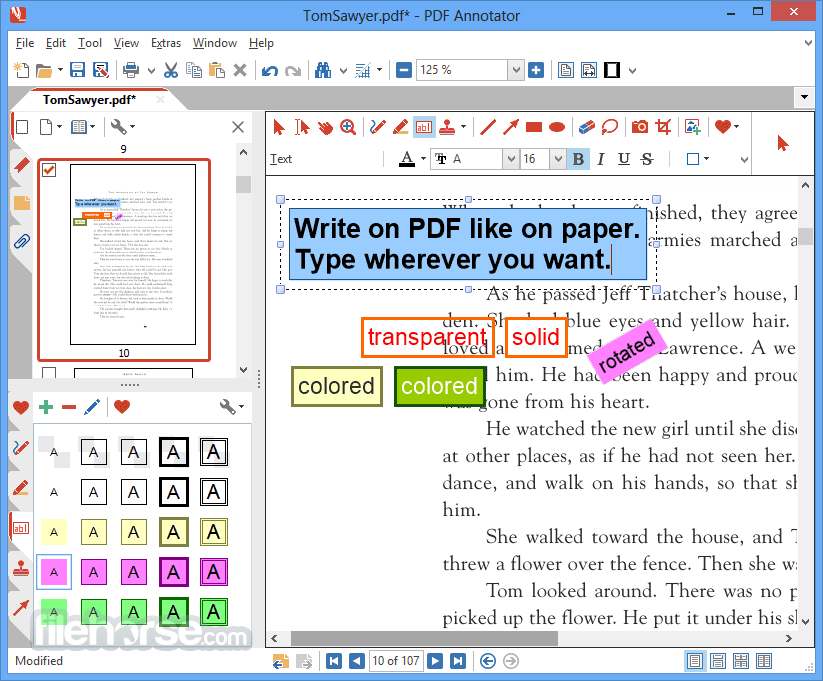
With PDF Annotator tool you can add notes & annotations to any PDF document - comments, corrections, signatures, highlighting, even photos, designs, and drawings.
All annotations will be saved back directly into the PDF, so they can be viewed and read with any PDF reader application. Enjoy!
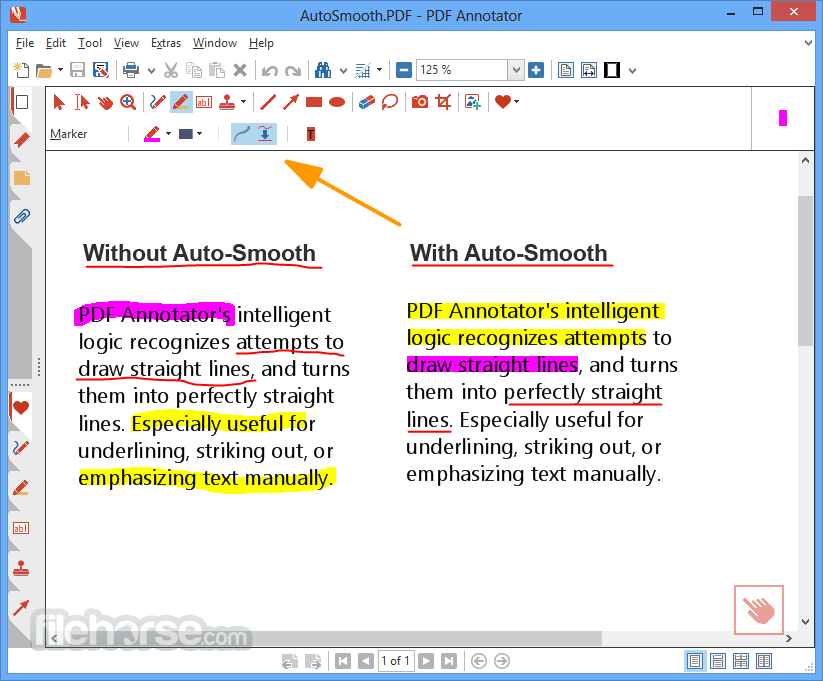
PDF Annotator's intelligent logic recognizes attempts to draw straight lines and turns them into perfectly straight lines. You're on the road with no printer or fax machine access?
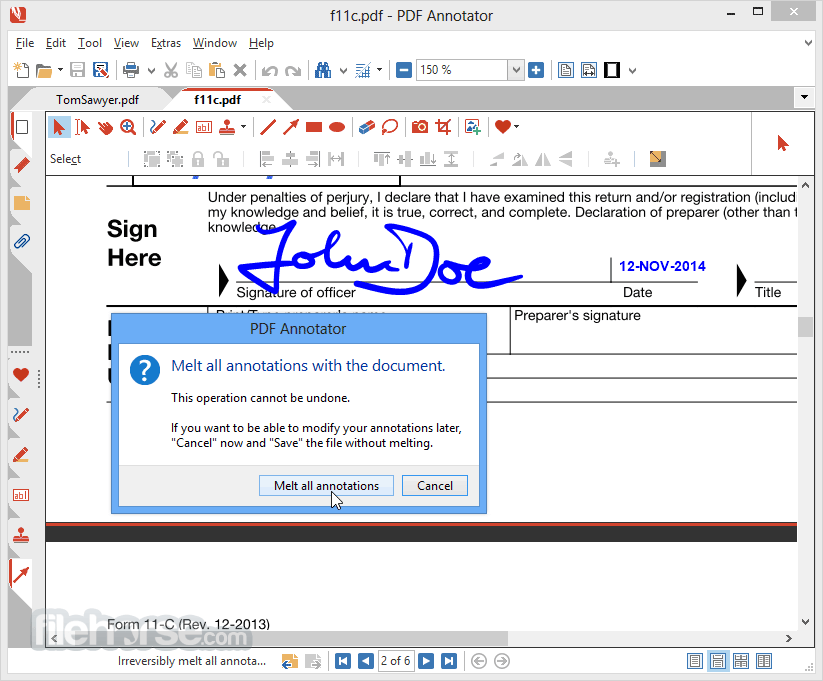
Simply use PDF Annotator for PC to sign and send back documents. Create custom stamps - there are no limits! Convert any kind of annotation into a stamp to reuse it later, even combinations of images, symbols, text, and handwritten markup.
Add page numbers to PDF documents. Pick the numbering scheme, format, and position you prefer. Even supports multiple page number ranges. Place arrows, draw lines, rectangles, or circles to highlight important stuff on your document - or even to create small schematic drawings.
Capture photos from your internal or external USB camera, and place them on your PDF. Pixelize faces, license plates, and sensible data in images inserted into PDF documents. Simply select the Print command in Word, Excel, Powerpoint, Internet Explorer, Chrome, Firefox, your email software, or any other application, to create a PDF document.
Easily export all your stamps, or even all your PDF Annotator settings to either back them up, move them to other computers, or share them with coworkers.
How does Annotator work?
Add notes & annotations to any PDF document
Comments, corrections, signatures, highlighting, even photos and drawings. And on Tablet PCs: Handwritten annotations.
Save annotations in the original file.
Share them with coworkers, email them to clients, partners, or back to authors. No special software is needed to view the marked-up document!
Restore to the original document at any time
Remove or hide all markup with a single click.
Insert blank pages for more space
Combine documents, copy, re-order or remove pages.
Use PDF Annotator's unique presentation mode
Deliver outstanding interactive presentations in meetings or lectures with PDF Annotator as your "digital whiteboard".
Who needs PDF Annotator?
Download PDF Annotator Latest Version Why is this app published on FileHorse? (More info)
All annotations will be saved back directly into the PDF, so they can be viewed and read with any PDF reader application. Enjoy!
PDF Annotator's intelligent logic recognizes attempts to draw straight lines and turns them into perfectly straight lines. You're on the road with no printer or fax machine access?
Simply use PDF Annotator for PC to sign and send back documents. Create custom stamps - there are no limits! Convert any kind of annotation into a stamp to reuse it later, even combinations of images, symbols, text, and handwritten markup.
Add page numbers to PDF documents. Pick the numbering scheme, format, and position you prefer. Even supports multiple page number ranges. Place arrows, draw lines, rectangles, or circles to highlight important stuff on your document - or even to create small schematic drawings.
Capture photos from your internal or external USB camera, and place them on your PDF. Pixelize faces, license plates, and sensible data in images inserted into PDF documents. Simply select the Print command in Word, Excel, Powerpoint, Internet Explorer, Chrome, Firefox, your email software, or any other application, to create a PDF document.
Easily export all your stamps, or even all your PDF Annotator settings to either back them up, move them to other computers, or share them with coworkers.
How does Annotator work?
Add notes & annotations to any PDF document
Comments, corrections, signatures, highlighting, even photos and drawings. And on Tablet PCs: Handwritten annotations.
Save annotations in the original file.
Share them with coworkers, email them to clients, partners, or back to authors. No special software is needed to view the marked-up document!
Restore to the original document at any time
Remove or hide all markup with a single click.
Insert blank pages for more space
Combine documents, copy, re-order or remove pages.
Use PDF Annotator's unique presentation mode
Deliver outstanding interactive presentations in meetings or lectures with PDF Annotator as your "digital whiteboard".
Who needs PDF Annotator?
- Make a short comment on a long document
- Fill in or sign a form or agreement, and return it by email
- Proofread, review and correct a document right on your screen
- Make notes and drawings right on the pages
- Illustrate your ideas and suggestions
- Grade student papers right on your PC, laptop, or Tablet PC
- Install the software on your Windows PC
- Open a PDF file directly in PDF Annotator
- Use the toolbar to select annotation tools
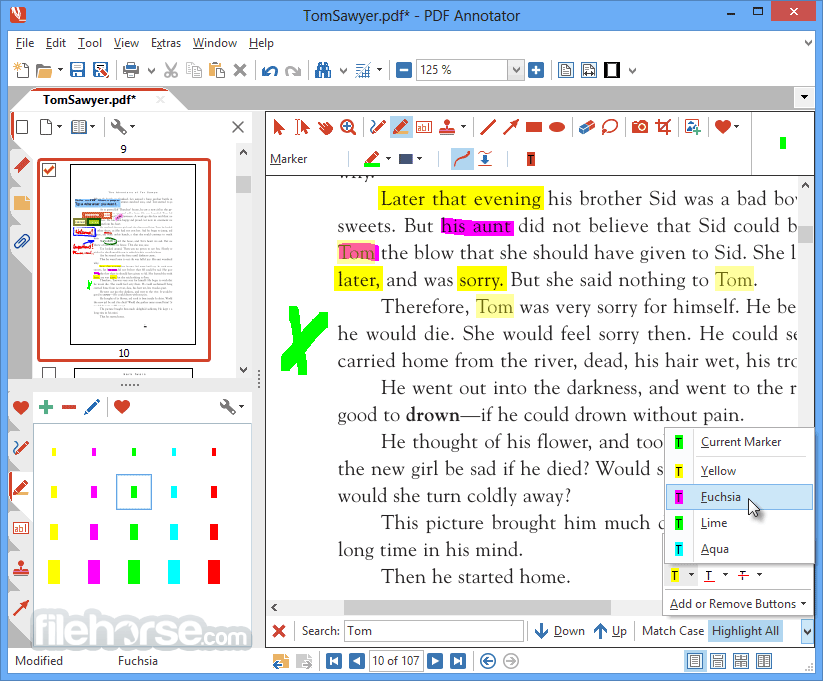
- Highlight, underline, or strikeout text
- Add handwritten notes using a stylus or mouse
- Insert stamps, shapes, and images
- Use the sidebar to manage and navigate comments
- Save the annotated PDF to your computer
- Export or print the annotated file if needed
- Operating System: Windows 11, 10, 8, or 7
- Processor: 1 GHz or higher
- RAM: Minimum 1 GB (2 GB recommended)
- Hard Disk Space: At least 100 MB free space
- Display: Minimum 1024x768 resolution
- Easy-to-use annotation interface
- Supports stylus and touchscreen input
- Wide variety of annotation tools
- Seamless PDF editing and saving
- Great for academic and office use
- Windows only, no macOS support
- No free version, only trial available
- Interface may feel outdated to some
- Limited advanced editing features
- Can be resource-heavy on older PCs
Download PDF Annotator Latest Version Why is this app published on FileHorse? (More info)
##
畫面截圖