PDF24 Creator 11.30.1
v 11.30.1
Windows
免費軟體
8.84/10 (39)
- 目前版本11.30.1
- 更新日期2026-04-21
- 檔案大小422 MB
- 檔案名稱pdf24-creator-11.30.1-x64.exe
- 作業系統Windows 10 / Windows 11
- 支援語系English
- 授權型式免費軟體
- 開發商 Geek Software GmbH
- 軟體分類Windows 軟體 / 辦公商務
##
翻譯排程處理中,以下暫以英文原文呈現
軟體介紹
PDF24 Creator is a free PDF Creator and PDF Converter for Windows PC, enhanced with a number of additional features that you will love. You can create PDF files from virtually any application if the app offers a print option.
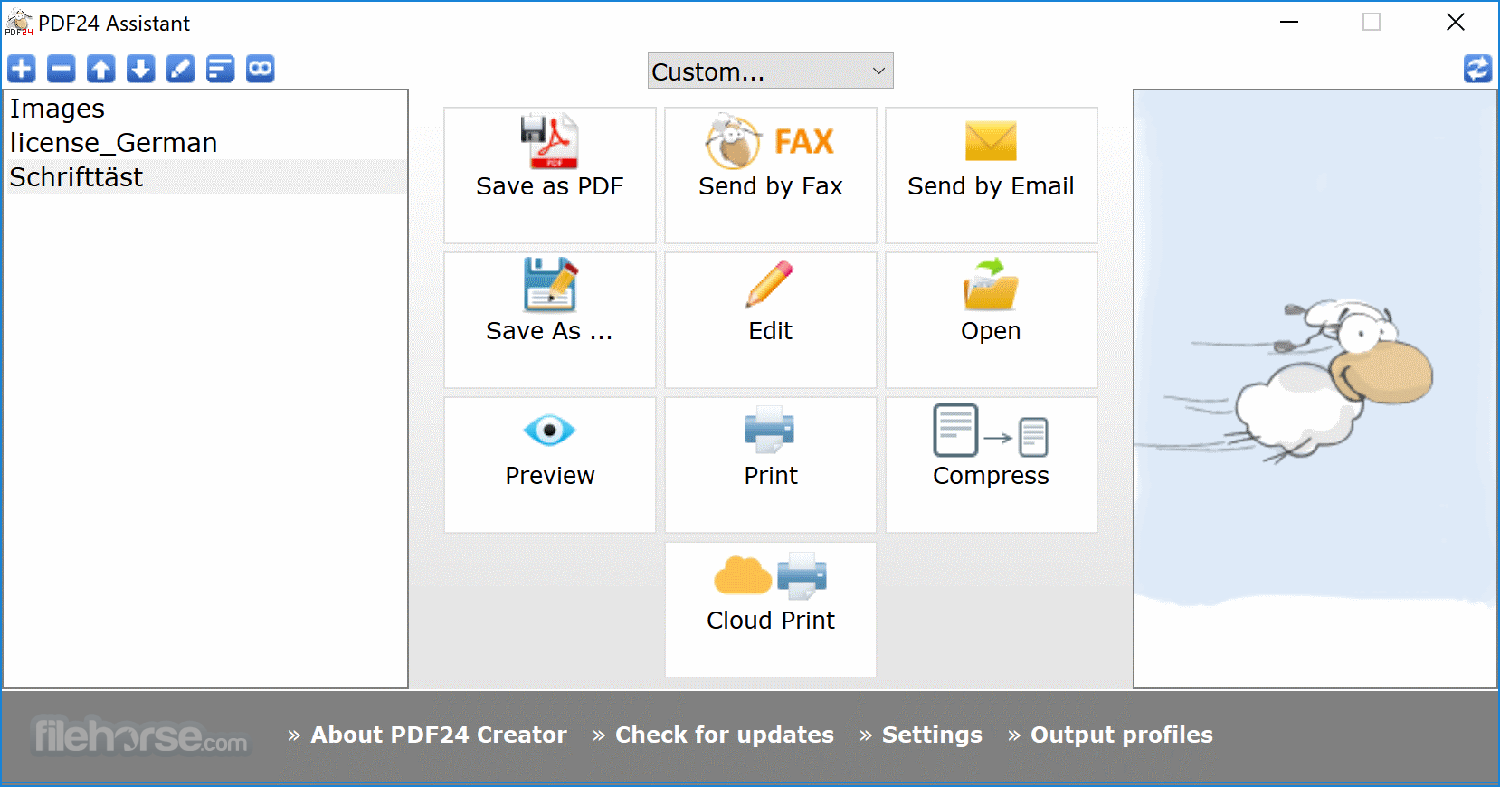
The program installs a virtual PDF printer, which you can use like any other printer in Windows. After printing to this PDF printer, a PDF file is created and the PDF24 Wizard opens, where you can save the PDF file.
Drag & drop support for loading and creating new files, options to capture the screen, and import from scanner or camera are included. All in all, you get a lot of useful PDF tools for free that you need when you do something with PDF files.
Highlights
Convert to PDF with free PDF24 Tools
It is a free desktop PC tool to convert every printable file into a PDF. Read below how it works. A lot of other features are also included that help you to create PDF files.
PDF - Portable Document Format
The Portable Document Format (PDF) is a format intended for exchange documents. It was developed by Adobe Inc. The creation of PDF files is very easy with the free PDF Creator. Find out how you can create PDF files, which is as easy as printing.
PDF & Word – can’t be simpler
MS Word is one of the most used text processing applications and the PDF format is the most used format to publish documents. Using the free PDF Creator, you can continue to use Word or any other text processor to write your documents and still publish them as PDFs. Click here to learn how to convert Word files to PDF.
Document to PDF Converter
PDF24 gives you different possibilities to convert your document files to PDF. Convert files online with the Online PDF Converter, convert by email with the Email PDF Converter or convert with the software, the desktop application from PDF24.
Free PDF Creator to create PDF files
PDF24 provides a free and easy to use PDF creator for Windows, to create PDF files out of any application using a virtual PDF printer. It has a lot of useful features. You can download and use the PDF24 Creator for free.
Free PDF software for everyone
The free and easy to use PDF software from PDF24 creates PDF files. The PDF software contains a virtual PDF printer with which you can create PDF files out of almost any application and a PDF editor to edit existing PDF files. The editor is a powerful tool that can rearrange, delete or paste pages, merge or split documents, edit properties, and a lot more.
PDF editor to edit PDF files
PDF24 provides a free and easy to use PDF editor for Windows. This PDF editor is free and you can use it to edit your PDF files. The PDF editor contains a lot of useful features and is very easy to use.
PDF printer for Windows
The free PDF24 PDF printer works with all current Windows versions and you can create PDF files via the Windows print dialog. The PDF creation process is as follows: Create your document in your favorite application e.g. Word. To create a PDF file of your document just print it out on the virtual PDF24 PDF printer. This creates a PDF file based on the contents of your document.
Create PDF files in an easy way
A free software project provides you with powerful tools to create PDF files. The tools are very easy to use and you can create PDF files out of almost any application with the program or online with Online PDF Converter.
Freely merge multiple PDF files
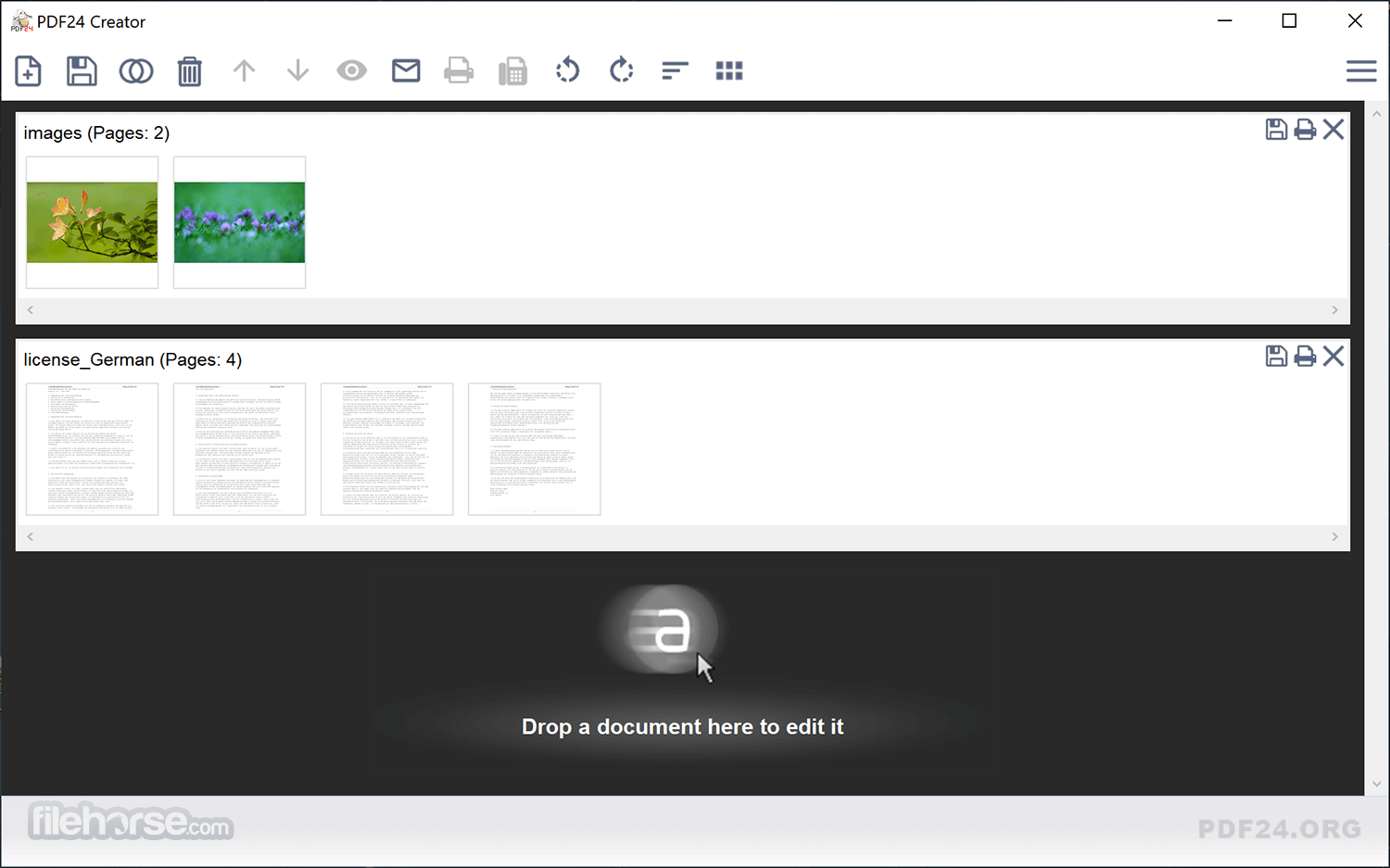
With the free tool, you get an interface with which you can freely merge multiple files page-based. You can drag & drop pages from one file into another, you can move, delete and rotate pages and you can do a lot of other things.
Edit PDF files page-based
It has some features on board to edit PDF files. The editor contains a lot of useful features for daily life. You can split, merge and rearrange pages, secure a PDF with a password, change PDF properties, and a lot more.
Compress PDF files and reduce the file size
Compressing multiple PDF files is no problem for the app. It contains a small utility that allows you to compress multiple PDF files and thus can reduce the size of your files.
Join PDF
PDF24 makes it very easy for you to join PDF files. You can do it for free, online, or with software for your PC. This page explains, how you can join PDF files for free with utilities provided by PDF24.
Key Features
PDF Creation and Conversion: Create PDFs from any printable document by selecting this program as a virtual printer. You can also convert various file formats (e.g., Word, Excel, images) to PDF and vice versa.
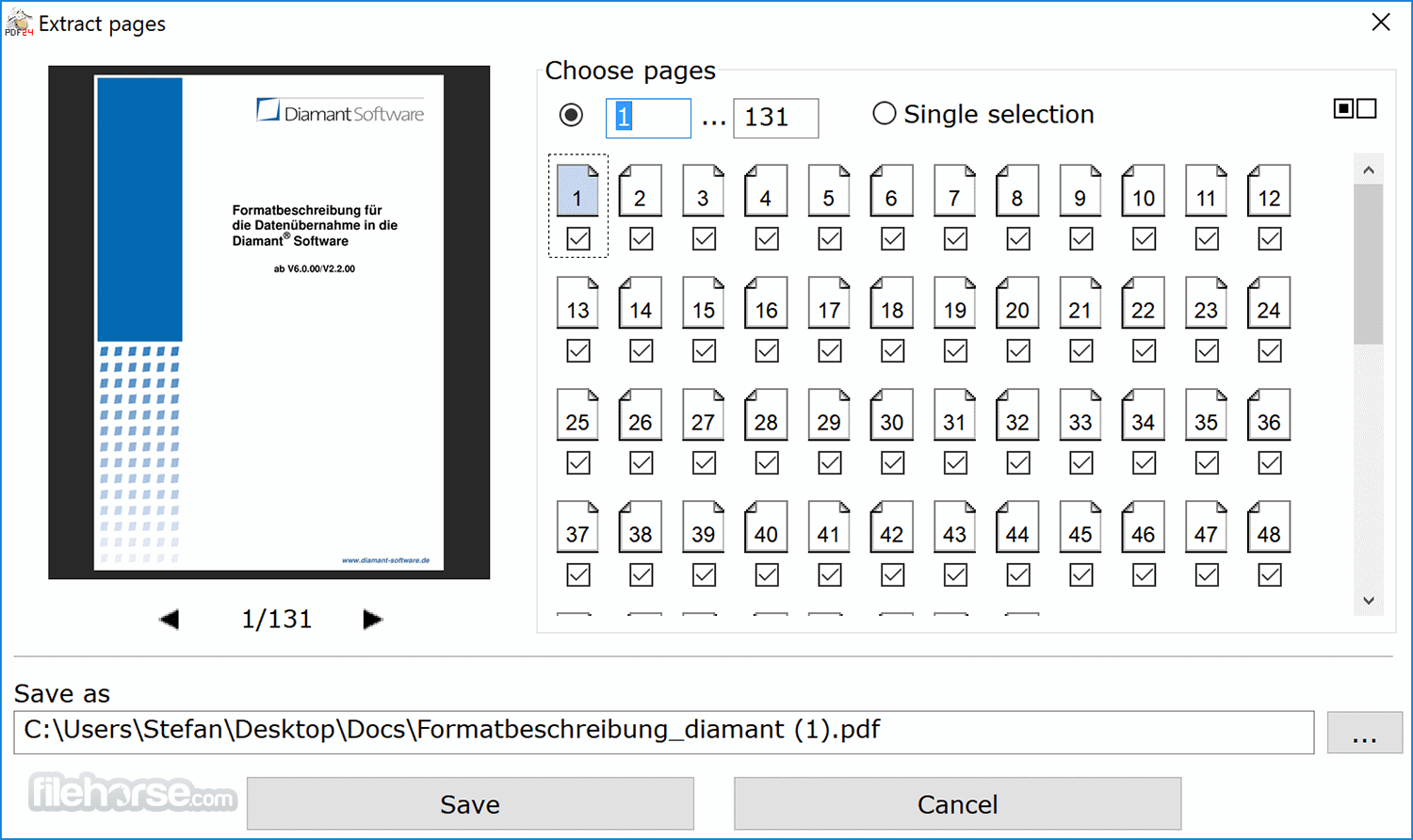
Editing Tools: The software provides robust editing options, allowing users to merge, split, extract pages, reorder pages, and insert new pages into existing PDFs.
Compression: It offers a reliable compression feature to reduce the size of PDF files without compromising quality, making them easier to share via email or other platforms.
Password Protection and Encryption: Secure your PDFs with passwords and encryption, restricting access and editing rights to sensitive documents.
Digital Signatures: Users can add digital signatures to their PDFs, ensuring document authenticity and security.
OCR Functionality: The software includes Optical Character Recognition (OCR) capabilities, allowing you to convert scanned documents or images with text into editable PDFs.
Batch Processing: For users handling multiple documents, the batch processing feature saves time by allowing simultaneous actions on several files.
PDF Optimizer: Optimize PDFs by reducing file size while maintaining quality, which is useful for web publishing and faster downloads.
Drag and Drop Interface: It supports an easy drag-and-drop interface for quick and efficient file management.
User Interface
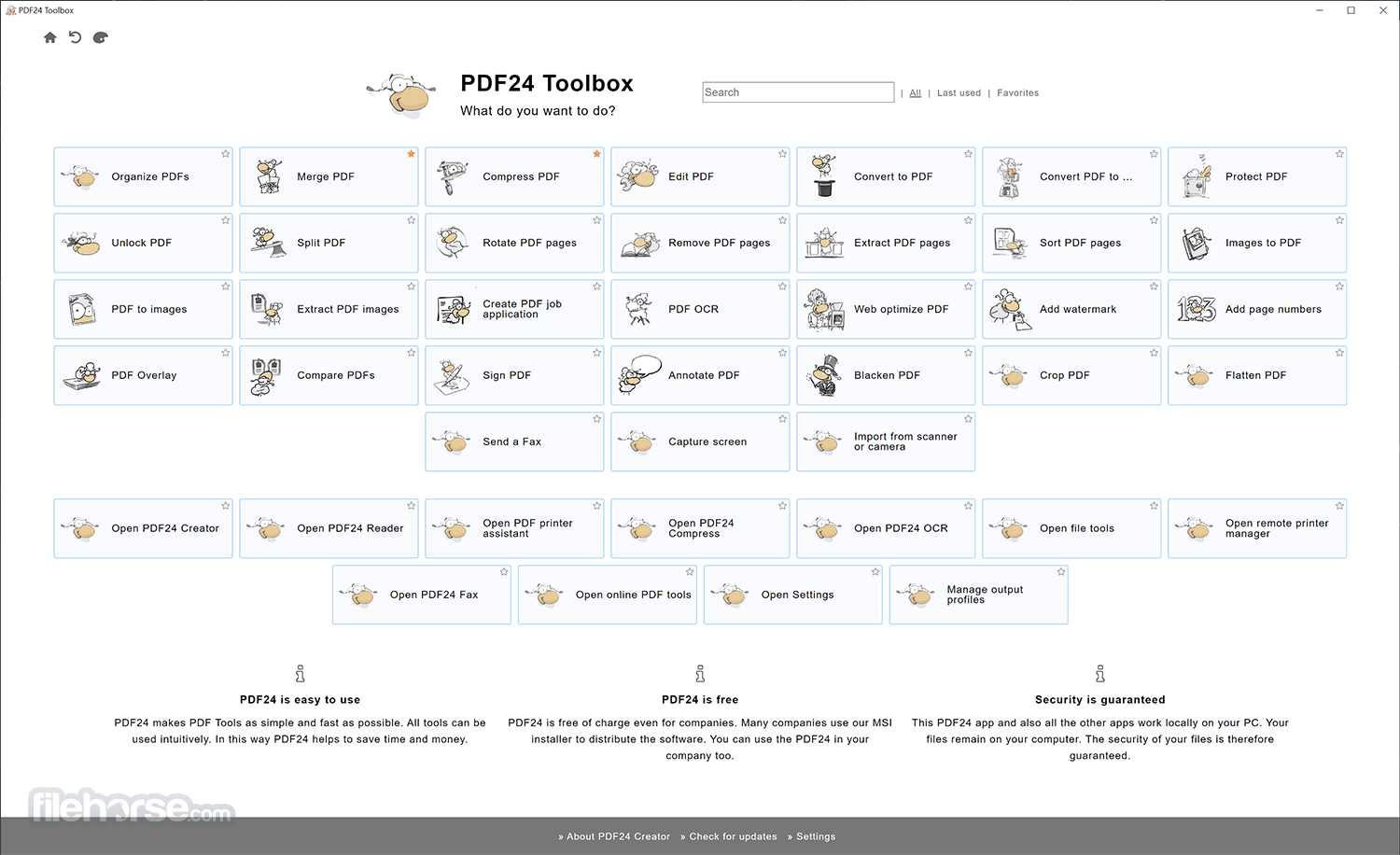
PDF24 Creator's user interface is clean, modern, and intuitive, making it accessible to both beginners and experienced users. The main dashboard displays all the essential tools categorized for easy navigation.
The drag-and-drop functionality simplifies file management, and the software's design prioritizes ease of use, ensuring that even complex tasks can be completed with just a few clicks.
The interface is customizable, allowing users to arrange tools and options according to their preferences, enhancing productivity and workflow efficiency.
What`s New
Download: Visit the official website or FileHorse.com and download the latest version of the software. The file size is relatively small, making the download process quick.
Installation: Once downloaded, run the installer. The setup wizard guides you through the installation process, which involves standard steps such as agreeing to the terms of service and selecting the installation directory. The installation process is swift and does not require any technical expertise.
Initial Setup: After installation, the app is ready to use. There are no mandatory configurations, but users can customize the software settings according to their needs, such as choosing default save locations or adjusting interface preferences.
How to Use
Creating PDFs: Open your document in any application and select "Print." Choose this software as the printer to create a PDF file.
Editing PDFs: Launch the app and use the editing tools to merge, split, or rearrange pages. Drag and drop your files into the software, select the desired action, and follow the prompts.
Converting Files: To convert a file to PDF, simply drag the file into the app interface, choose the conversion option, and select your output preferences.
Compressing PDFs: Use the compression tool to reduce file size. Drag your PDF into the software, select the compression level, and save the optimized file.
Securing PDFs: Open the PDF security tool, choose your file, and set a password or encryption level to protect your document.
FAQ
Is PDF24 Creator free to use?
Yes, thsi tool is completely free to use. It offers a wide range of features without any hidden costs or subscription fees.
Does PDF24 Creator work on Mac?
No, this program is currently only available for Windows. Mac users can use alternative tools like PDF Expert or Adobe Acrobat.
Can I edit text directly within a PDF using PDF24 Creator?
It allows for some text editing, but it is limited compared to dedicated PDF editors like Adobe Acrobat. For basic text edits, it should suffice, but complex edits may require additional tools.
Is the software safe to use?
Yes, this software is safe and free from malware. It has a solid reputation and is regularly updated to ensure security and performance.
How can I remove the PDF24 watermark from my PDFs?
PDF24 Creator does not add watermarks to your PDFs. The software is free and fully functional without imposing watermarks on your documents.
Alternatives
Adobe Acrobat Pro: A comprehensive and powerful tool for PDF management but comes with a high price tag.
Foxit PDF Editor: Offers similar features to this app but with a more advanced user interface and additional functionalities.
Smallpdf: An online alternative offering PDF tools accessible via a web browser, with limited features in the free version.
PDFsam Basic: A free tool focused on splitting and merging PDFs, with fewer features compared to this app.
PDFelement: A powerful yet easy-to-use PDF editor solution to create, edit, protect, and sign PDFs on desktop, mobile, and web.
System Requirements
PDF24 Creator is a robust and versatile PDF management tool that excels in offering a wide array of features at no cost. Its intuitive interface, combined with powerful functionalities such as PDF creation, editing, and compression, makes it an ideal choice for both casual users and professionals.
While it may lack some of the advanced features found in paid alternatives, its performance and ease of use more than compensate, making this program a must-have tool for anyone working with PDFs on a Windows PC.
Download PDF24 Creator Latest Version Why is this app published on FileHorse? (More info)
The program installs a virtual PDF printer, which you can use like any other printer in Windows. After printing to this PDF printer, a PDF file is created and the PDF24 Wizard opens, where you can save the PDF file.
- Merge or split PDF files
- Add, remove, extract, rotate, sort and move PDF pages
- Import and automatic conversion of documents (Word, Excel, images, etc. to PDF)
- Various preview modes for easy editing of PDF documents
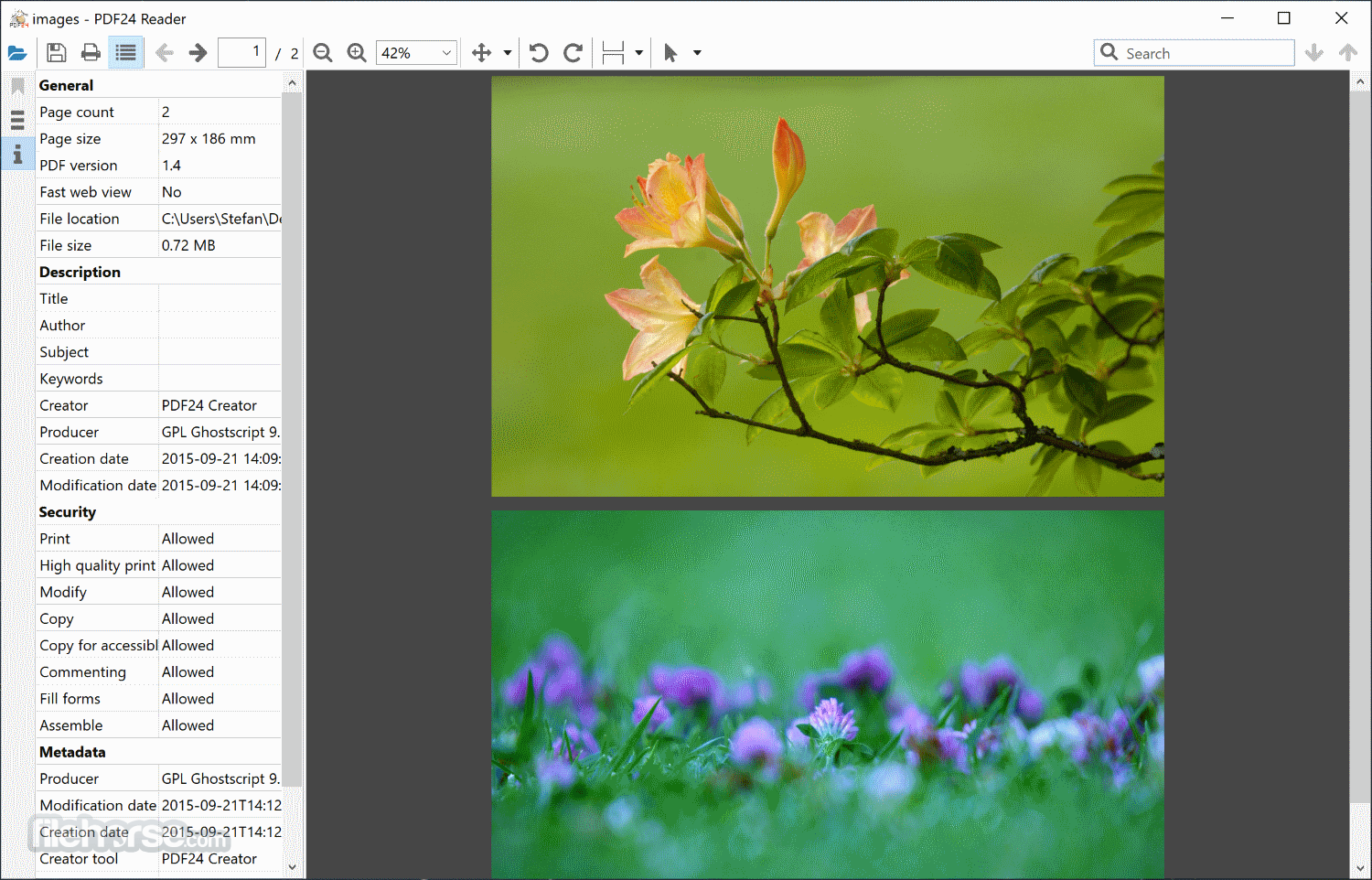
- Integrated viewer
- Drag & Drop wherever possible
- Follow up tools: Save, Print, Email, Fax...
Drag & drop support for loading and creating new files, options to capture the screen, and import from scanner or camera are included. All in all, you get a lot of useful PDF tools for free that you need when you do something with PDF files.
Highlights
Convert to PDF with free PDF24 Tools
It is a free desktop PC tool to convert every printable file into a PDF. Read below how it works. A lot of other features are also included that help you to create PDF files.
PDF - Portable Document Format
The Portable Document Format (PDF) is a format intended for exchange documents. It was developed by Adobe Inc. The creation of PDF files is very easy with the free PDF Creator. Find out how you can create PDF files, which is as easy as printing.
PDF & Word – can’t be simpler
MS Word is one of the most used text processing applications and the PDF format is the most used format to publish documents. Using the free PDF Creator, you can continue to use Word or any other text processor to write your documents and still publish them as PDFs. Click here to learn how to convert Word files to PDF.
Document to PDF Converter
PDF24 gives you different possibilities to convert your document files to PDF. Convert files online with the Online PDF Converter, convert by email with the Email PDF Converter or convert with the software, the desktop application from PDF24.
Free PDF Creator to create PDF files
PDF24 provides a free and easy to use PDF creator for Windows, to create PDF files out of any application using a virtual PDF printer. It has a lot of useful features. You can download and use the PDF24 Creator for free.
Free PDF software for everyone
The free and easy to use PDF software from PDF24 creates PDF files. The PDF software contains a virtual PDF printer with which you can create PDF files out of almost any application and a PDF editor to edit existing PDF files. The editor is a powerful tool that can rearrange, delete or paste pages, merge or split documents, edit properties, and a lot more.
PDF editor to edit PDF files
PDF24 provides a free and easy to use PDF editor for Windows. This PDF editor is free and you can use it to edit your PDF files. The PDF editor contains a lot of useful features and is very easy to use.
PDF printer for Windows
The free PDF24 PDF printer works with all current Windows versions and you can create PDF files via the Windows print dialog. The PDF creation process is as follows: Create your document in your favorite application e.g. Word. To create a PDF file of your document just print it out on the virtual PDF24 PDF printer. This creates a PDF file based on the contents of your document.
Create PDF files in an easy way
A free software project provides you with powerful tools to create PDF files. The tools are very easy to use and you can create PDF files out of almost any application with the program or online with Online PDF Converter.
Freely merge multiple PDF files
With the free tool, you get an interface with which you can freely merge multiple files page-based. You can drag & drop pages from one file into another, you can move, delete and rotate pages and you can do a lot of other things.
Edit PDF files page-based
It has some features on board to edit PDF files. The editor contains a lot of useful features for daily life. You can split, merge and rearrange pages, secure a PDF with a password, change PDF properties, and a lot more.
Compress PDF files and reduce the file size
Compressing multiple PDF files is no problem for the app. It contains a small utility that allows you to compress multiple PDF files and thus can reduce the size of your files.
Join PDF
PDF24 makes it very easy for you to join PDF files. You can do it for free, online, or with software for your PC. This page explains, how you can join PDF files for free with utilities provided by PDF24.
Key Features
PDF Creation and Conversion: Create PDFs from any printable document by selecting this program as a virtual printer. You can also convert various file formats (e.g., Word, Excel, images) to PDF and vice versa.
Editing Tools: The software provides robust editing options, allowing users to merge, split, extract pages, reorder pages, and insert new pages into existing PDFs.
Compression: It offers a reliable compression feature to reduce the size of PDF files without compromising quality, making them easier to share via email or other platforms.
Password Protection and Encryption: Secure your PDFs with passwords and encryption, restricting access and editing rights to sensitive documents.
Digital Signatures: Users can add digital signatures to their PDFs, ensuring document authenticity and security.
OCR Functionality: The software includes Optical Character Recognition (OCR) capabilities, allowing you to convert scanned documents or images with text into editable PDFs.
Batch Processing: For users handling multiple documents, the batch processing feature saves time by allowing simultaneous actions on several files.
PDF Optimizer: Optimize PDFs by reducing file size while maintaining quality, which is useful for web publishing and faster downloads.
Drag and Drop Interface: It supports an easy drag-and-drop interface for quick and efficient file management.
User Interface
PDF24 Creator's user interface is clean, modern, and intuitive, making it accessible to both beginners and experienced users. The main dashboard displays all the essential tools categorized for easy navigation.
The drag-and-drop functionality simplifies file management, and the software's design prioritizes ease of use, ensuring that even complex tasks can be completed with just a few clicks.
The interface is customizable, allowing users to arrange tools and options according to their preferences, enhancing productivity and workflow efficiency.
What`s New
- OpenJDK thread stack size adjustable
- New options regarding the AppData path
- New known path added
- Invoice title customizable in the XRechnung generator
- PDF thumbnail handler integrated
- Toolbox can be loaded from another location
- File extension is displayed
- ARM64 version available
- And more!
Download: Visit the official website or FileHorse.com and download the latest version of the software. The file size is relatively small, making the download process quick.
Installation: Once downloaded, run the installer. The setup wizard guides you through the installation process, which involves standard steps such as agreeing to the terms of service and selecting the installation directory. The installation process is swift and does not require any technical expertise.
Initial Setup: After installation, the app is ready to use. There are no mandatory configurations, but users can customize the software settings according to their needs, such as choosing default save locations or adjusting interface preferences.
How to Use
Creating PDFs: Open your document in any application and select "Print." Choose this software as the printer to create a PDF file.
Editing PDFs: Launch the app and use the editing tools to merge, split, or rearrange pages. Drag and drop your files into the software, select the desired action, and follow the prompts.
Converting Files: To convert a file to PDF, simply drag the file into the app interface, choose the conversion option, and select your output preferences.
Compressing PDFs: Use the compression tool to reduce file size. Drag your PDF into the software, select the compression level, and save the optimized file.
Securing PDFs: Open the PDF security tool, choose your file, and set a password or encryption level to protect your document.
FAQ
Is PDF24 Creator free to use?
Yes, thsi tool is completely free to use. It offers a wide range of features without any hidden costs or subscription fees.
Does PDF24 Creator work on Mac?
No, this program is currently only available for Windows. Mac users can use alternative tools like PDF Expert or Adobe Acrobat.
Can I edit text directly within a PDF using PDF24 Creator?
It allows for some text editing, but it is limited compared to dedicated PDF editors like Adobe Acrobat. For basic text edits, it should suffice, but complex edits may require additional tools.
Is the software safe to use?
Yes, this software is safe and free from malware. It has a solid reputation and is regularly updated to ensure security and performance.
How can I remove the PDF24 watermark from my PDFs?
PDF24 Creator does not add watermarks to your PDFs. The software is free and fully functional without imposing watermarks on your documents.
Alternatives
Adobe Acrobat Pro: A comprehensive and powerful tool for PDF management but comes with a high price tag.
Foxit PDF Editor: Offers similar features to this app but with a more advanced user interface and additional functionalities.
Smallpdf: An online alternative offering PDF tools accessible via a web browser, with limited features in the free version.
PDFsam Basic: A free tool focused on splitting and merging PDFs, with fewer features compared to this app.
PDFelement: A powerful yet easy-to-use PDF editor solution to create, edit, protect, and sign PDFs on desktop, mobile, and web.
System Requirements
- Operating System: Windows 7, 8, 10, or 11 (32-bit or 64-bit)
- Processor: Intel or AMD dual-core processor
- RAM: 1 GB (2 GB recommended for better performance)
- Hard Drive: 100 MB of available disk space
- Internet: Required for downloading and updates, but not for core functionality
- Completely free with no hidden costs
- Intuitive and user-friendly interface
- Comprehensive feature set for PDF management
- Regular updates ensure security and functionality
- Lightweight and fast installation
- Limited text editing capabilities within PDFs
- Only available for Windows
- Lacks some advanced features found in premium PDF editors
PDF24 Creator is a robust and versatile PDF management tool that excels in offering a wide array of features at no cost. Its intuitive interface, combined with powerful functionalities such as PDF creation, editing, and compression, makes it an ideal choice for both casual users and professionals.
While it may lack some of the advanced features found in paid alternatives, its performance and ease of use more than compensate, making this program a must-have tool for anyone working with PDFs on a Windows PC.
Download PDF24 Creator Latest Version Why is this app published on FileHorse? (More info)
##
畫面截圖