⚠ 這是歷史版本頁面 — 查看 pgAdmin 4 最新版本 →

- 目前版本5.70
- 更新日期2021-09-09
- 檔案大小141 MB
- 檔案名稱pgadmin4-5.7-x64.exe
- 作業系統Windows 10 (64-bit) / Windows 11
- 支援語系English
- 授權型式免費軟體
- 開發商 pgAdmin Team
- 軟體分類Windows 軟體 / 開發者工具
##
編輯短評
pgAdmin 4 是一款針對 PostgreSQL 資料庫設計的強大開源管理工具,旨在提供直覺的圖形化介面,讓使用者能高效地執行 SQL 查詢、監控伺服器效能並管理資料庫物件。其內建的 Query Tool 具備語法高亮與錯誤偵測等實用功能。從更新頻率來看,該軟體長期維護且活躍,在開發者工具中屬於評價普遍不錯的主流選擇。
這套 Windows 免費軟體適合資料庫管理員、開發者或分析師使用,無論是初學者或進階用戶都能透過它簡化資料庫維運流程。與同分類的其他工具相比,它更專注於 PostgreSQL 的深度管理需求。使用者在下載安裝前需注意其支援語系為英文,建議對英文介面有基本掌握的專業人員將其納入工作流中。
##
翻譯排程處理中,以下暫以英文原文呈現
軟體介紹
pgAdmin is a powerful open-source administration and management tool designed for PostgreSQL databases.
It provides an intuitive graphical user interface (GUI) that enables database administrators, developers, and analysts to manage and interact with PostgreSQL databases efficiently.
Whether you’re a beginner or an advanced user, pgAdmin for Windows offers a comprehensive set of tools to help you execute SQL queries, monitor server performance, and manage database objects effectively.
Features
Query Tool – A powerful SQL editor with syntax highlighting, error detection, and query history.
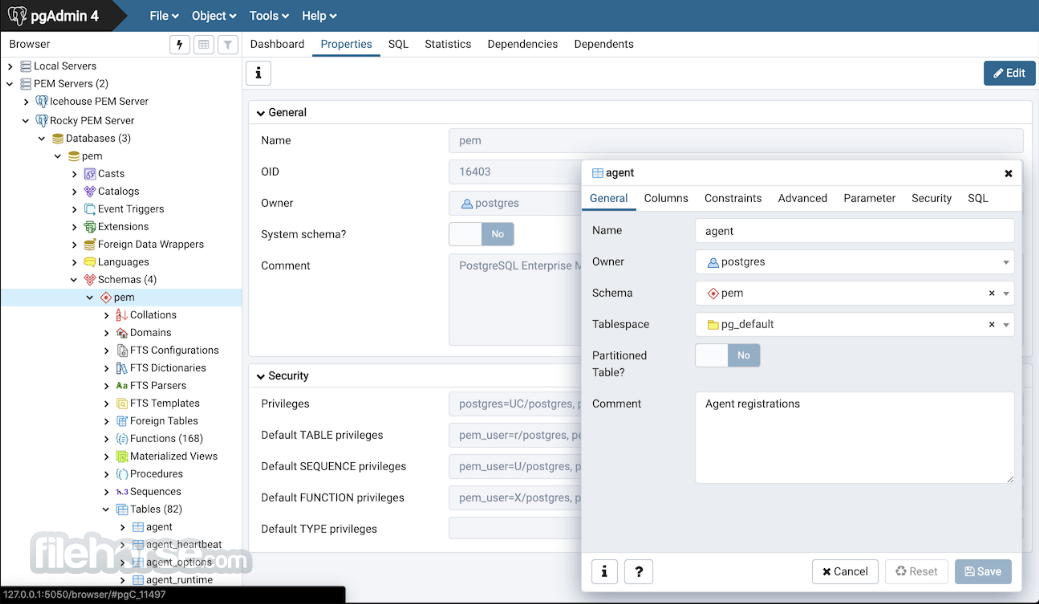
Database Management – Allows users to create, modify, and delete tables, views, indexes, and functions.
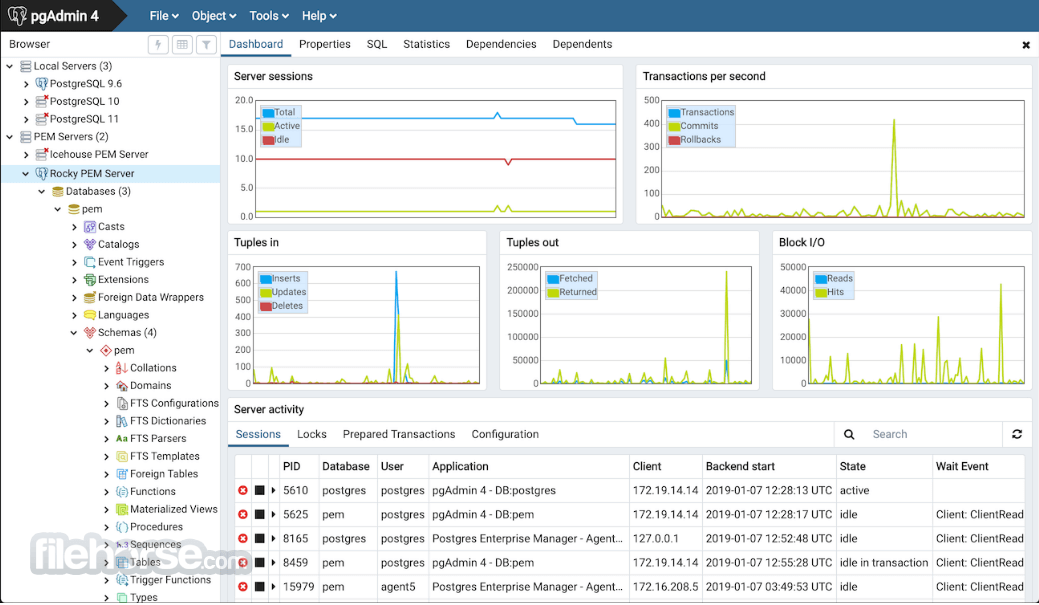
Server Monitoring – Provides real-time insights into database activity, performance, and logs.
Backup and Restore – Enables easy database backups and restoration using PostgreSQL utilities.
User Management – Allows role-based access control and user permissions management.
Graphical Query Builder – An intuitive tool for designing complex SQL queries without manual coding.
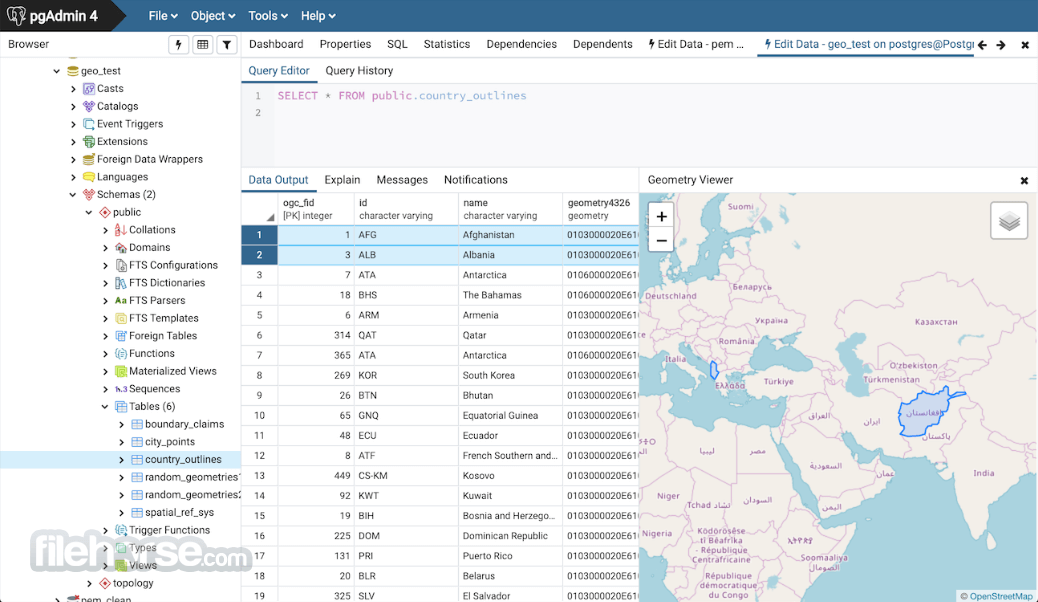
Support for Extensions – Allows integration with PostgreSQL extensions like PostGIS for spatial data.
User Interface
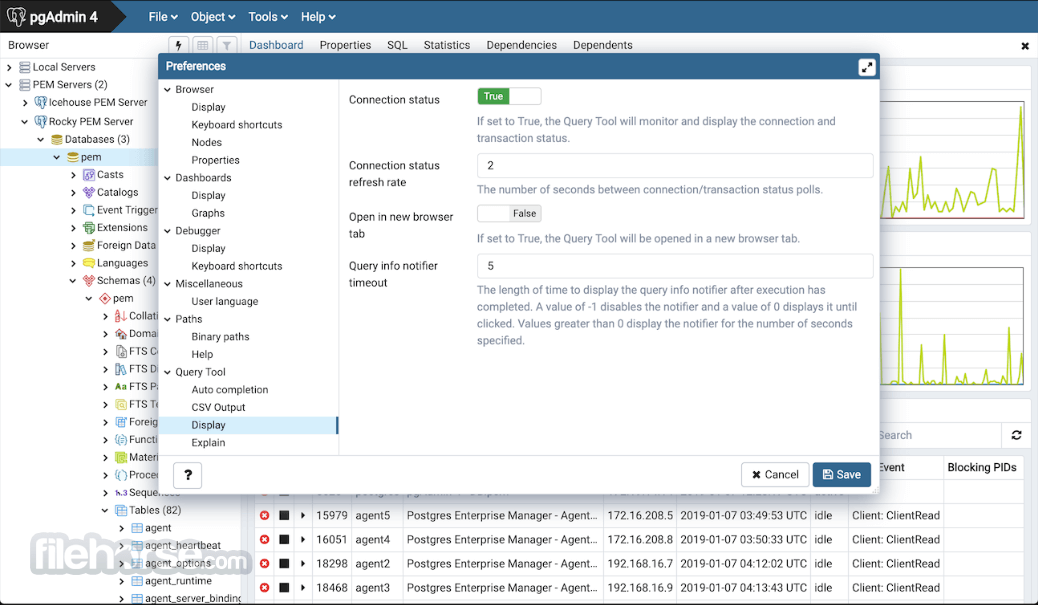
pgAdmin sports a clean, well-organized UI with a tree-based navigation pane that displays all connected databases, schemas, tables, and functions.
The main workspace is divided into multiple tabs, making it easy to work on queries, database properties, and logs simultaneously.
While the UI may seem overwhelming to beginners, its structured layout ensures that essential tools are easily accessible.
Installation and Setup
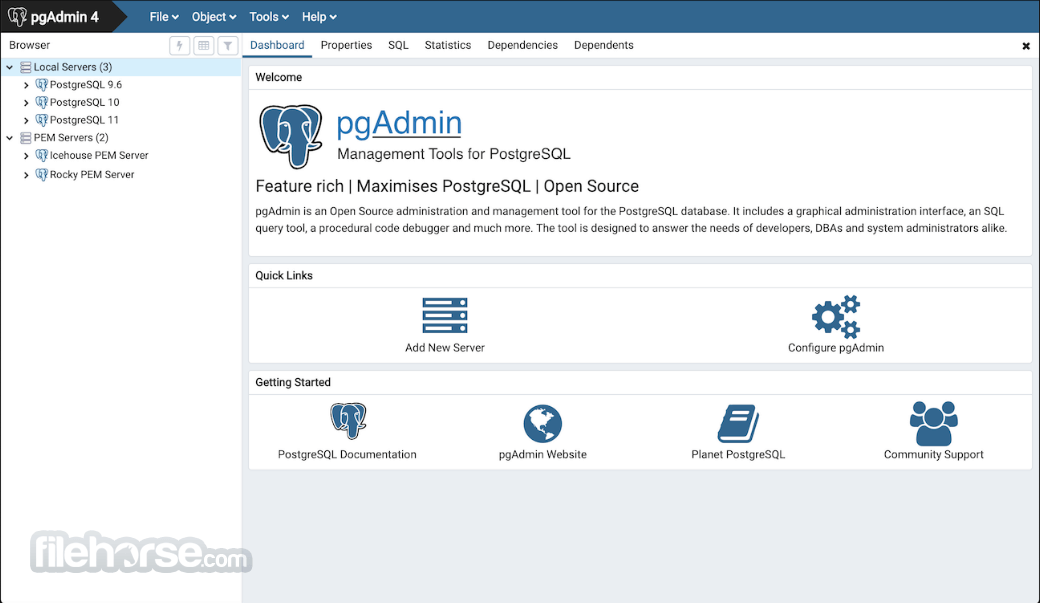
Connecting to a Database: Open this program, click on “Add New Server,” enter database credentials, and save the connection.
Running Queries: Navigate to the Query Tool, write SQL commands, and execute them.
Managing Tables: Create, modify, or delete tables using the built-in GUI editor.
Monitoring Activity: View live database sessions, logs, and performance metrics.
Exporting Data: Use the backup tool to export database dumps for safekeeping or migration.
FAQ
Is pgAdmin free to use?
Yes, this software is open-source and available for free.
Can I use pgAdmin for databases other than PostgreSQL?
No, pgAdmin is specifically designed for PostgreSQL and does not support other database systems.
Does pgAdmin support SSH tunneling?
Yes, it provides an option to connect to remote PostgreSQL databases securely via SSH tunneling.
How can I reset a forgotten pgAdmin password?
You can reset the master password by deleting the app configuration files from your system’s user directory.
Why is pgAdmin slow with large databases?
Performance may degrade with large databases due to extensive UI rendering. Optimizing queries and using indexing can help.
Alternatives
dotConnect for PostgreSQL – A premium tool with an advanced user interface and cloud synchronization.
DBeaver – A multi-database management tool with PostgreSQL support.
HeidiSQL – A lightweight and simple alternative for database administration.
Pricing
The app is completely FREE and open-source, with no premium versions or paid features.
System Requirements
pgAdmin is an essential tool for anyone working with PostgreSQL databases. It provides a rich set of features, including query execution, database management, and server monitoring, all within an intuitive GUI. While it may have a learning curve for beginners, it remains one of the best PostgreSQL administration tools available.
Whether you're a developer, database administrator, or data analyst, this app is a must-have software for managing PostgreSQL databases on Windows.
Download pgAdmin Latest Version Why is this app published on FileHorse? (More info)
It provides an intuitive graphical user interface (GUI) that enables database administrators, developers, and analysts to manage and interact with PostgreSQL databases efficiently.
Whether you’re a beginner or an advanced user, pgAdmin for Windows offers a comprehensive set of tools to help you execute SQL queries, monitor server performance, and manage database objects effectively.
Features
Query Tool – A powerful SQL editor with syntax highlighting, error detection, and query history.
Database Management – Allows users to create, modify, and delete tables, views, indexes, and functions.
Server Monitoring – Provides real-time insights into database activity, performance, and logs.
Backup and Restore – Enables easy database backups and restoration using PostgreSQL utilities.
User Management – Allows role-based access control and user permissions management.
Graphical Query Builder – An intuitive tool for designing complex SQL queries without manual coding.
Support for Extensions – Allows integration with PostgreSQL extensions like PostGIS for spatial data.
User Interface
pgAdmin sports a clean, well-organized UI with a tree-based navigation pane that displays all connected databases, schemas, tables, and functions.
The main workspace is divided into multiple tabs, making it easy to work on queries, database properties, and logs simultaneously.
While the UI may seem overwhelming to beginners, its structured layout ensures that essential tools are easily accessible.
Installation and Setup
- Download the latest version from the official website or FileHorse.
- Run the installer and follow the setup wizard.
- Choose the installation directory and configure optional settings.
- Once installed, launch the application and connect to a PostgreSQL database by providing the host, port, username, and password.
Connecting to a Database: Open this program, click on “Add New Server,” enter database credentials, and save the connection.
Running Queries: Navigate to the Query Tool, write SQL commands, and execute them.
Managing Tables: Create, modify, or delete tables using the built-in GUI editor.
Monitoring Activity: View live database sessions, logs, and performance metrics.
Exporting Data: Use the backup tool to export database dumps for safekeeping or migration.
FAQ
Is pgAdmin free to use?
Yes, this software is open-source and available for free.
Can I use pgAdmin for databases other than PostgreSQL?
No, pgAdmin is specifically designed for PostgreSQL and does not support other database systems.
Does pgAdmin support SSH tunneling?
Yes, it provides an option to connect to remote PostgreSQL databases securely via SSH tunneling.
How can I reset a forgotten pgAdmin password?
You can reset the master password by deleting the app configuration files from your system’s user directory.
Why is pgAdmin slow with large databases?
Performance may degrade with large databases due to extensive UI rendering. Optimizing queries and using indexing can help.
Alternatives
dotConnect for PostgreSQL – A premium tool with an advanced user interface and cloud synchronization.
DBeaver – A multi-database management tool with PostgreSQL support.
HeidiSQL – A lightweight and simple alternative for database administration.
Pricing
The app is completely FREE and open-source, with no premium versions or paid features.
System Requirements
- OS: Windows 7, 8, 10, or 11 (64-bit)
- Processor: Intel or AMD, 2 GHz or faster
- RAM: Minimum 4GB (8GB recommended)
- Storage: At least 500MB free space
- PostgreSQL: Required for full functionality
- Free and open-source
- Comprehensive database management features
- Intuitive GUI with SQL editor
- Built-in query builder and performance monitoring tools
- Supports remote and local PostgreSQL servers
- UI can be complex for beginners
- Slower performance with large datasets
- Some features require technical knowledge to configure properly
pgAdmin is an essential tool for anyone working with PostgreSQL databases. It provides a rich set of features, including query execution, database management, and server monitoring, all within an intuitive GUI. While it may have a learning curve for beginners, it remains one of the best PostgreSQL administration tools available.
Whether you're a developer, database administrator, or data analyst, this app is a must-have software for managing PostgreSQL databases on Windows.
Download pgAdmin Latest Version Why is this app published on FileHorse? (More info)
##
影片介紹
##
畫面截圖
- 2026-08-01 pgAdmin 4 9.17 221 MB
- 2026-06-19 pgAdmin 4 9.16 222 MB
- 2026-05-12 pgAdmin 4 9.15 221 MB
- 2026-04-02 pgAdmin 4 9.14 219 MB
- 2026-03-05 pgAdmin 4 9.13 216 MB
- 2026-02-05 pgAdmin 4 9.12 215 MB
- 2025-12-11 pgAdmin 4 9.11 212 MB
- 2024-12-12 pgAdmin 4 8.14 193 MB