- 目前版本26
- 更新日期2026-04-05
- 作業系統Windows 10 (64-bit) / Windows 11
- 支援語系English
- 授權型式未分類
- 開發商 Corel Corporation
- 軟體分類Windows 軟體 / 影片軟體
##
翻譯排程處理中,以下暫以英文原文呈現
軟體介紹
Pinnacle Studio is a comprehensive video editing software designed for PC users. Developed by Corel, it offers a user-friendly interface coupled with powerful editing tools suitable for both amateur and professional video editors.
With a range of features including advanced editing capabilities, creative effects, and intuitive controls, it aims to provide users with the tools needed to produce high-quality videos.
Create movies that impress with a video editor that combines pro-level editing and unlimited creativity with Pinnacle software. Start your project with a themed template or edit on the 6-track timeline.
Include footage from two cameras with multi-camera video editing and add eye-catching animations with new Stop Motion Animation.
Corel Pinnacle Studio for PC is a well-known, powerful video editor capable of handling HD and 3D files! Add style with 1,500 2D/3D effects, amazing titles, and a custom-fit soundtrack.
Then share your movie online, export to popular devices, or create polished DVD projects with 20+ menu templates. Pinnacle's simple video editor allows you to easily share your HD videos with family and friends on Facebook®, YouTube®, and Vimeo®.
A precise multi-track video editing program for PC with a new customizable workspace. Enhance the color and add effects with unlimited creative possibilities.
Enjoy multi-camera video editing, split-screen video, and more. Perfect your sound with royalty-free music, voiceover, and more! Burn to disc with menus, upload to social, or export to popular file formats.
What’s Included
User interface
It introduces a new, intuitive user interface that streamlines your video editing workflow and enables quick access to the tools you need, with the power and precision you crave.
Split Screen video
Show multiple video streams simultaneously with a new Split Screen video. Easily drag and drop to create impressive promotional videos or share the highlights from your latest trip!
Paint effects
Paint the town and transform your next video into a storybook-like motion animation. Drag and drop filters to add cartoon or watercolor-like stylized effects to create the next big animation.
Morph transitions
Create seamless transitions between clips. Transform a single image, shape, or sequence and make cuts or transitions between scenes, and merge video so that there is no discernible beginning or end.
360 video editing
Keeping pace with the latest formats and supports, it now supports all popular 360 spherical video formats. Simply import your 360 footage and start editing!
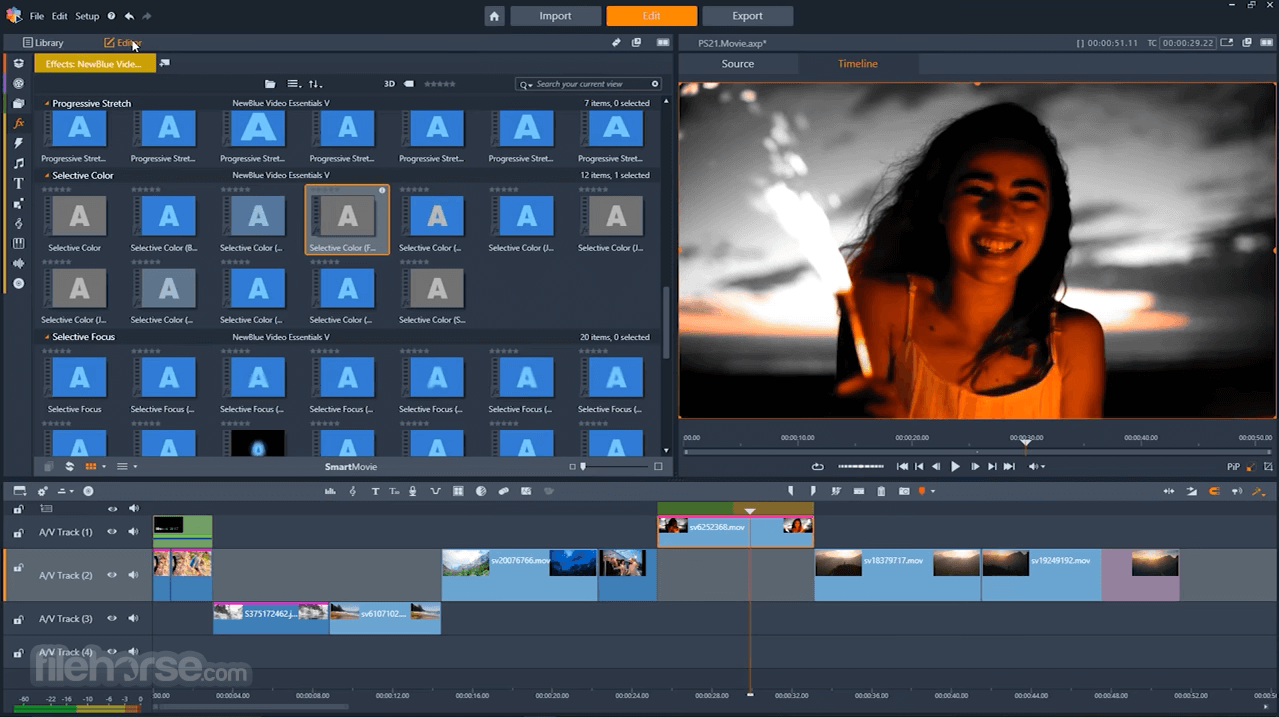
Effects from NewBlue
Add emphasis to your video story with selective focus, color, and tint. Produce professional-quality results with 100 presets in 10 plugins in the new Video Essentials V.
Wide-angle lens correction
Quickly remove distortion from wide-angle cameras and create pro-like videos. Straighten the horizon and make footage feel fluid with the rest of your film.
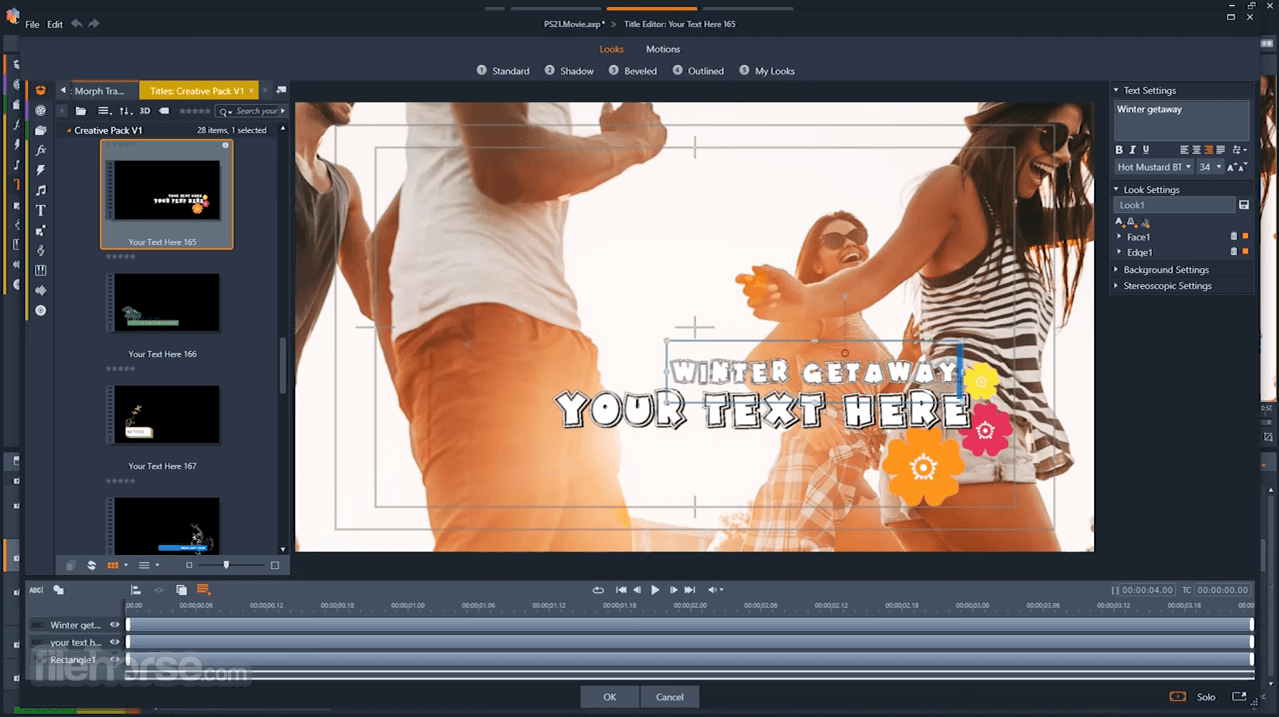
3D title editor
Add 3D text to your videos with expanded titling options. Enjoy pro-like 3D titles that feel more blockbuster than ever before. Engage your audience and enhance your videos with customizable, eye-catching titling options.
Main Features
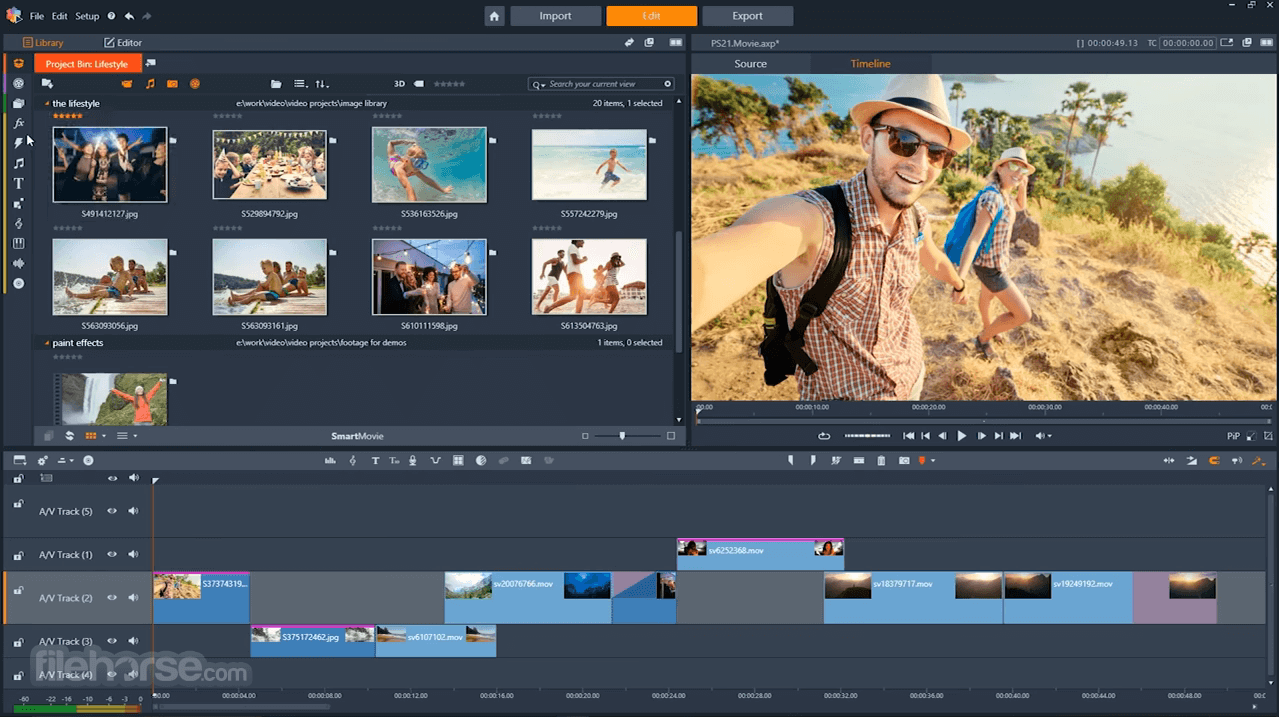
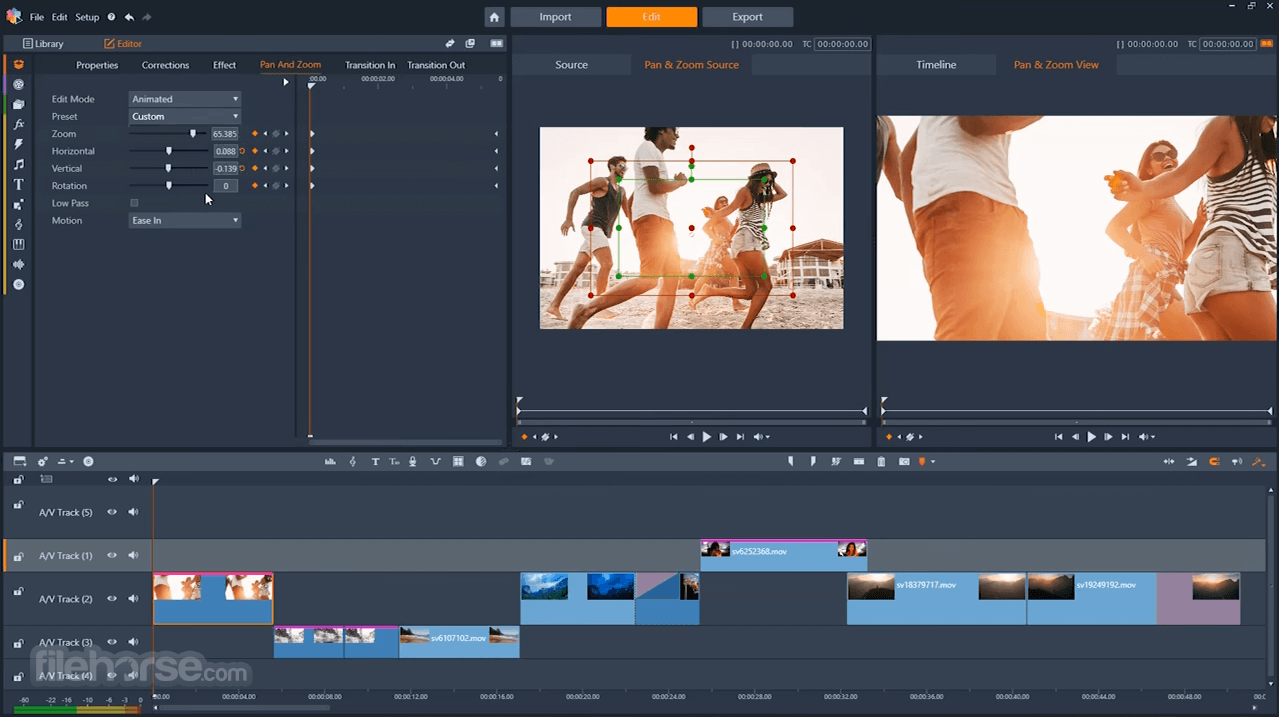
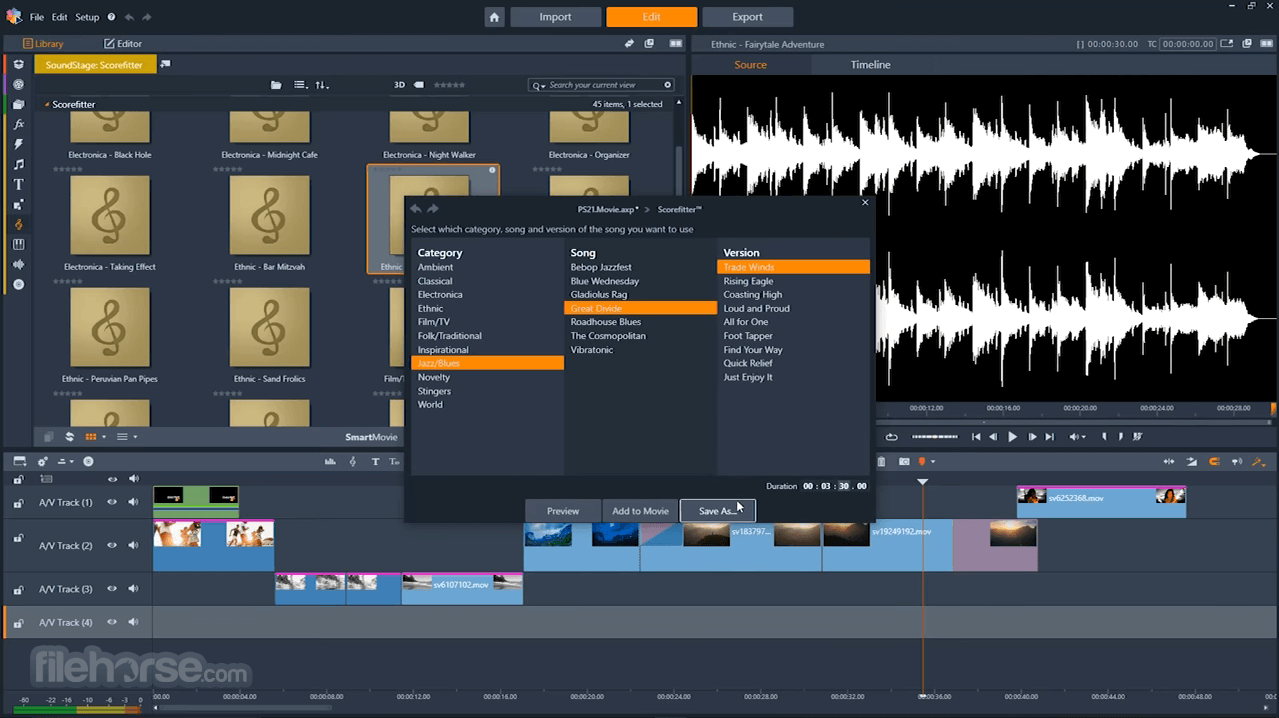
It features an intuitive user interface with a timeline-based editing workflow. The interface is divided into panels for easy navigation, with customizable toolbars and keyboard shortcuts for efficient editing.
The software also includes a library panel for managing media assets and a preview window for viewing edits in real-time.
Installation and Setup
Installing this video editing software is straightforward and can be done by downloading the software from the official website, FileHorse, or using a physical installation disc.
The setup process guides users through the installation steps, including license agreement acceptance and customization options such as installation location and additional content packs.
How to Use
Can I use Pinnacle Studio on a Mac?
No, Pinnacle Studio is currently only available for PC users.
Does Pinnacle Studio support 4K video editing?
Yes, it supports editing and exporting videos in 4K resolution.
Can I purchase additional effects and transitions for Pinnacle Studio?
Yes, additional effects and transitions are available for purchase through the Pinnacle Studio Store.
Does Pinnacle Studio include motion tracking capabilities?
Yes, it includes motion tracking tools for tracking and applying effects to moving objects.
Alternatives
Adobe Premiere Pro - A professional video editing software with advanced features and seamless integration with other Adobe Creative Cloud apps.
CyberLink PowerDirector - A user-friendly video editing software with powerful editing tools and support for 360-degree video editing.
DaVinci Resolve - A professional-grade video editing software with advanced color grading tools and support for high-end editing workflows.
Pricing
It offers several pricing options, including a one-time purchase option (price is €79.99) for the software and subscription-based ULTIMATE plans with access to additional features and content packs.
Pricing varies depending on the version of the software and any included extras.
Supported Languages
English, German, French, Italian, Spanish, Dutch, Polish, Czech, Russian, Finnish, Danish, and Swedish.
System Requirements
Minimum:
PROS
Download Pinnacle Studio Latest Version Why is this app published on FileHorse? (More info)
With a range of features including advanced editing capabilities, creative effects, and intuitive controls, it aims to provide users with the tools needed to produce high-quality videos.
Create movies that impress with a video editor that combines pro-level editing and unlimited creativity with Pinnacle software. Start your project with a themed template or edit on the 6-track timeline.
Include footage from two cameras with multi-camera video editing and add eye-catching animations with new Stop Motion Animation.
Corel Pinnacle Studio for PC is a well-known, powerful video editor capable of handling HD and 3D files! Add style with 1,500 2D/3D effects, amazing titles, and a custom-fit soundtrack.
Then share your movie online, export to popular devices, or create polished DVD projects with 20+ menu templates. Pinnacle's simple video editor allows you to easily share your HD videos with family and friends on Facebook®, YouTube®, and Vimeo®.
A precise multi-track video editing program for PC with a new customizable workspace. Enhance the color and add effects with unlimited creative possibilities.
Enjoy multi-camera video editing, split-screen video, and more. Perfect your sound with royalty-free music, voiceover, and more! Burn to disc with menus, upload to social, or export to popular file formats.
What’s Included
- Video editing software
- Video capture and screen recorder
- Slideshow maker
- DVD authoring
- Video converter
- Hundreds of filters and effects
- Library of animated overlays, graphics, creative fonts, and titles
- Themed templates and video montages
- Royalty-free music and sound effects
- Built-in tutorials & learning videos
User interface
It introduces a new, intuitive user interface that streamlines your video editing workflow and enables quick access to the tools you need, with the power and precision you crave.
Split Screen video
Show multiple video streams simultaneously with a new Split Screen video. Easily drag and drop to create impressive promotional videos or share the highlights from your latest trip!
Paint effects
Paint the town and transform your next video into a storybook-like motion animation. Drag and drop filters to add cartoon or watercolor-like stylized effects to create the next big animation.
Morph transitions
Create seamless transitions between clips. Transform a single image, shape, or sequence and make cuts or transitions between scenes, and merge video so that there is no discernible beginning or end.
360 video editing
Keeping pace with the latest formats and supports, it now supports all popular 360 spherical video formats. Simply import your 360 footage and start editing!
Effects from NewBlue
Add emphasis to your video story with selective focus, color, and tint. Produce professional-quality results with 100 presets in 10 plugins in the new Video Essentials V.
Wide-angle lens correction
Quickly remove distortion from wide-angle cameras and create pro-like videos. Straighten the horizon and make footage feel fluid with the rest of your film.
3D title editor
Add 3D text to your videos with expanded titling options. Enjoy pro-like 3D titles that feel more blockbuster than ever before. Engage your audience and enhance your videos with customizable, eye-catching titling options.
Main Features
- Advanced Editing Tools: It offers a wide range of editing tools, including timeline editing, multi-track editing, and precise trimming capabilities.
- Creative Effects: Users can enhance their videos with a variety of creative effects such as transitions, filters, and animations.
- Title Editor: It features a built-in title editor for creating custom titles and text overlays.
- Color Grading: Users can adjust colors and apply color grading effects to enhance the visual appeal of their videos.
- Audio Editing: The software includes audio editing tools for adjusting audio levels, adding sound effects, and incorporating background music.
- Multi-Camera Editing: The program supports multi-camera editing, allowing users to synchronize and edit footage from multiple cameras simultaneously.
- 360-Degree Video Editing: Users can edit and export 360-degree videos, with support for popular formats such as equirectangular and spherical.
- Export Options: It offers a range of export options, including direct uploading to social media platforms, burning to DVD or Blu-ray, and exporting to various video formats.
- Major Stability Upgrade: Significantly improved overall reliability with fixes across 200+ user-reported issues
- Performance Boost: Faster launch times, smoother editing, and improved import/export speeds for a more responsive workflow
- Enhanced Keyframe Editing: Advanced keyframe management allows grouping, copying, pasting, and reusing animations across clips and parameters for faster editing
- Improved User Interface: Refined interface for a cleaner, more intuitive editing experience
- Better Performance: Optimized tools and features across the entire application for smoother and faster workflows
- Proxy Workflow Enhancements: Better handling of high-resolution media through an improved proxy editing system
It features an intuitive user interface with a timeline-based editing workflow. The interface is divided into panels for easy navigation, with customizable toolbars and keyboard shortcuts for efficient editing.
The software also includes a library panel for managing media assets and a preview window for viewing edits in real-time.
Installation and Setup
Installing this video editing software is straightforward and can be done by downloading the software from the official website, FileHorse, or using a physical installation disc.
The setup process guides users through the installation steps, including license agreement acceptance and customization options such as installation location and additional content packs.
How to Use
- Import media files into the library panel.
- Drag and drop media clips onto the timeline for editing.
- Use the editing tools to trim, split, and arrange clips.
- Apply effects, transitions, and titles to enhance the video.
- Preview edits in the preview window and make adjustments as needed.
- Export the final video using the export options.
Can I use Pinnacle Studio on a Mac?
No, Pinnacle Studio is currently only available for PC users.
Does Pinnacle Studio support 4K video editing?
Yes, it supports editing and exporting videos in 4K resolution.
Can I purchase additional effects and transitions for Pinnacle Studio?
Yes, additional effects and transitions are available for purchase through the Pinnacle Studio Store.
Does Pinnacle Studio include motion tracking capabilities?
Yes, it includes motion tracking tools for tracking and applying effects to moving objects.
Alternatives
Adobe Premiere Pro - A professional video editing software with advanced features and seamless integration with other Adobe Creative Cloud apps.
CyberLink PowerDirector - A user-friendly video editing software with powerful editing tools and support for 360-degree video editing.
DaVinci Resolve - A professional-grade video editing software with advanced color grading tools and support for high-end editing workflows.
Pricing
It offers several pricing options, including a one-time purchase option (price is €79.99) for the software and subscription-based ULTIMATE plans with access to additional features and content packs.
Pricing varies depending on the version of the software and any included extras.
Supported Languages
English, German, French, Italian, Spanish, Dutch, Polish, Czech, Russian, Finnish, Danish, and Swedish.
System Requirements
Minimum:
- OS: Windows 11 / Windows 10 (64-bit)
- Processor: Intel Core i3 or AMD A4 @ 3.0 GHz or higher
- Memory: 4 GB RAM
- Graphics: 1024×768 resolution, 256 MB VRAM; NVIDIA GeForce 700 series or AMD Radeon HD 5000 series or Intel HD Graphics (Ivy Bridge or newer)
- DirectX: Version 11
- Sound Card: Windows-compatible sound card
- Storage: 10 GB available disk space
- Internet: Required for installation, registration, and updates
- OS: Windows 11 / Windows 10 (64-bit)
- Processor: Intel Core i5 / i7 or AMD equivalent; Intel Core i7 (4th gen+) or AMD Athlon A10+ for UHD / Multi-Cam / 360 video
- Memory: 8 GB RAM or more
- Graphics: 512 MB+ VRAM; NVIDIA GeForce 700 series or newer (CUDA) or AMD Radeon HD 5000 series or newer or Intel HD Graphics (Ivy Bridge or newer)
- DirectX: Version 11 (required for 3D Titler)
- Sound Card: Windows-compatible sound card
- Storage: 10 GB available disk space
- Internet: Required for installation, registration, and updates
PROS
- User-friendly interface
- Comprehensive editing tools
- Support for 4K and 360-degree video editing
- Flexible export options
- Regular updates and improvements
- Limited availability on Mac
- Some advanced features may require additional purchases
- Steeper learning curve for beginners
Download Pinnacle Studio Latest Version Why is this app published on FileHorse? (More info)
##
畫面截圖