- 目前版本0.71.4
- 更新日期2026-08-12
- 檔案大小1.4 MB
- 檔案名稱Raycast Installer.exe
- 作業系統Windows 10 / Windows 11
- 支援語系English
- 授權型式免費軟體
- 開發商 Raycast Team
- 軟體分類Windows 軟體 / 桌面強化
##
翻譯排程處理中,以下暫以英文原文呈現
軟體介紹
Raycast for Windows PC is a fast, keyboard-first productivity launcher designed to replace slow menu navigation, repeated mouse clicks, and scattered desktop workflows with one clean command bar.
Instead of opening apps, searching files, checking clipboard history, running small utilities, or triggering shortcuts separately, Raycast Desktop brings these actions into a single searchable interface.
For Windows users who spend most of the day switching between apps, documents, browsers, notes, developer tools, and communication platforms, Raycast feels like a modern control center.
It is especially useful for power users, developers, writers, designers, and multitaskers who want to move faster without constantly breaking focus.
Although the Windows version is still developing, it already brings the core Raycast idea to PC: press a shortcut, type what you need, and act instantly.
Main Features
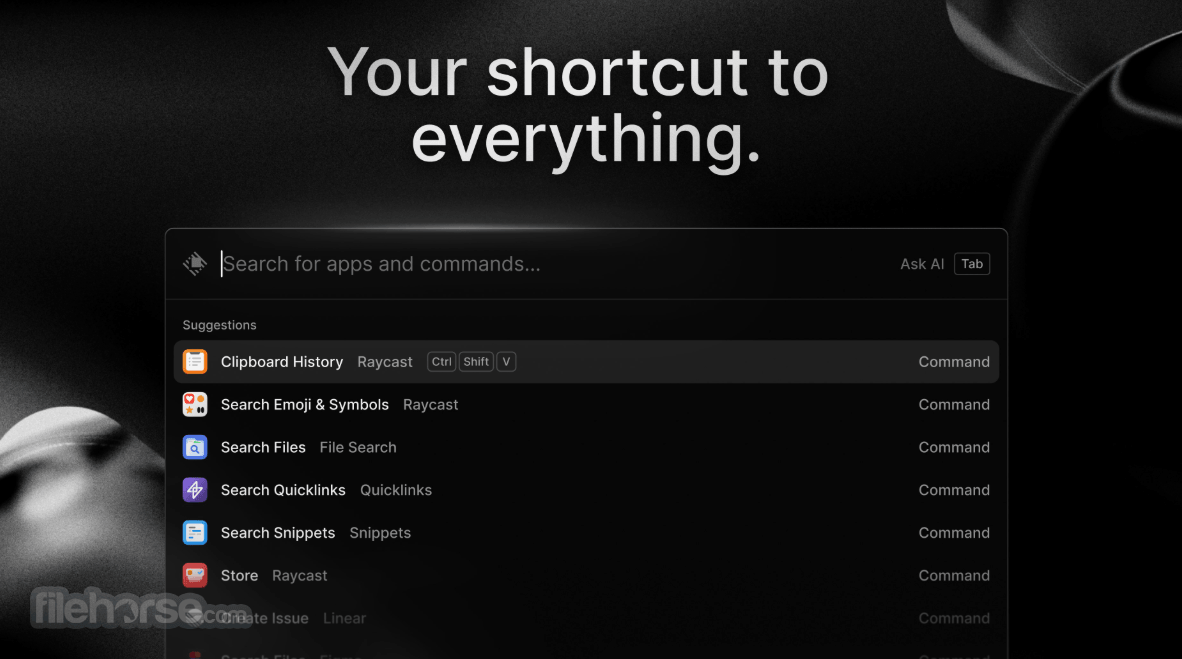
Raycast for Windows has a minimal, polished interface built around speed. The main command bar is clean, dark, and distraction-free, with results appearing as you type.
The layout is simple enough for beginners but powerful enough for advanced users who want to assign hotkeys, customize commands, and build repeatable workflows.
The best part of the interface is that it does not try to become a full desktop environment.
It stays lightweight and appears only when needed. This makes it feel less intrusive than traditional productivity suites and more like an instant layer on top of Windows.
Installation and Setup
It can be installed from the Microsoft Store, FileHorse, or through WinGet.
Setup is straightforward: install the app, launch it, choose the main keyboard shortcut, and start indexing or configuring the features you want to use.
New users should spend a few minutes exploring settings, enabling useful commands, and adding snippets or quicklinks.
Advanced users can go further by installing extensions and customizing hotkeys for repeated actions.
How to Use
FAQs
Is Raycast for Windows free?
Yes, it can be used for free, with paid plans available for extra features such as expanded AI and team-focused functionality.
Is Raycast for Windows still in beta?
Yes, the Windows version is still presented as a beta product, so some features may evolve.
Does Raycast replace Windows Search?
It can replace many everyday Windows Search tasks, especially app launching, file lookup, commands, snippets, and quick actions.
Can beginners use Raycast?
Yes. Basic app launching and search are easy, but the real value appears when users start adding snippets, quicklinks, and extensions.
Does Raycast work offline?
Many core functions work offline, while AI features, cloud sync, and online integrations require an internet connection.
Alternatives
Flow Launcher - Open-source Windows launcher with plugin support and strong customization.
Listary - Fast file search and launcher with File Explorer integration.
Fluent Search - Crazy fast search for files, apps, web content, and more.
Everything - Extremely fast local file search focused on filename indexing.
PowerToys - Microsoft’s lightweight launcher for apps, files, and system actions.
Pricing
Raycast Free: Free forever plan with core features, Raycast AI, 50 free AI messages, Raycast Notes, iOS app, extensions, custom extensions, and developer tools.
Raycast Pro: $8/month, billed annually at $96, includes everything in Free plus Raycast AI, cloud sync, translator, unlimited notes, unlimited clipboard history, custom window management, and custom themes.
Raycast Pro + Advanced AI: $16/month, billed annually at $192, includes everything in Pro plus access to advanced AI models from providers like OpenAI, Anthropic, Perplexity, Mistral, Google, xAI, and others.
System Requirements
Raycast for Windows is a polished and highly promising productivity launcher for PC users who want faster access to apps, files, commands, snippets, and AI-assisted workflows.
It is not yet perfect because the Windows version is still growing, but its speed, design, and extensibility make it one of the most exciting productivity tools for Windows.
Download Raycast for PC Latest Version Why is this app published on FileHorse? (More info)
Instead of opening apps, searching files, checking clipboard history, running small utilities, or triggering shortcuts separately, Raycast Desktop brings these actions into a single searchable interface.
For Windows users who spend most of the day switching between apps, documents, browsers, notes, developer tools, and communication platforms, Raycast feels like a modern control center.
It is especially useful for power users, developers, writers, designers, and multitaskers who want to move faster without constantly breaking focus.
Although the Windows version is still developing, it already brings the core Raycast idea to PC: press a shortcut, type what you need, and act instantly.
Main Features
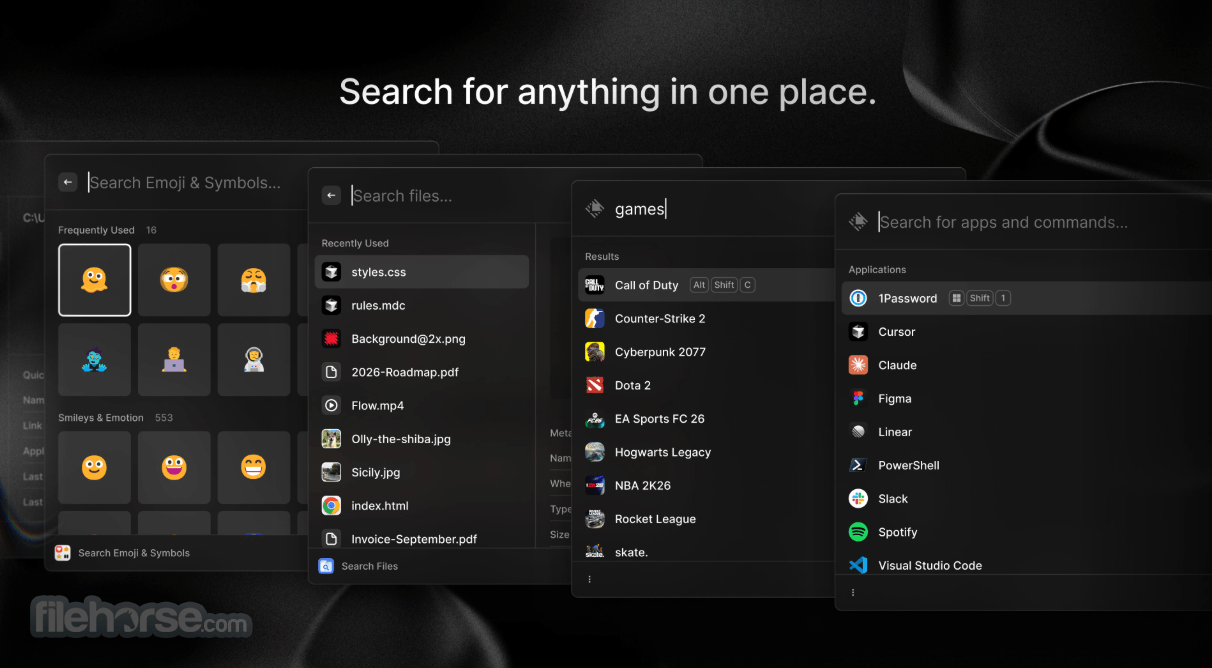
- App Launcher: Quickly open installed Windows apps from a single command bar.
- File Search: Find documents, folders, and local files without digging through File Explorer.
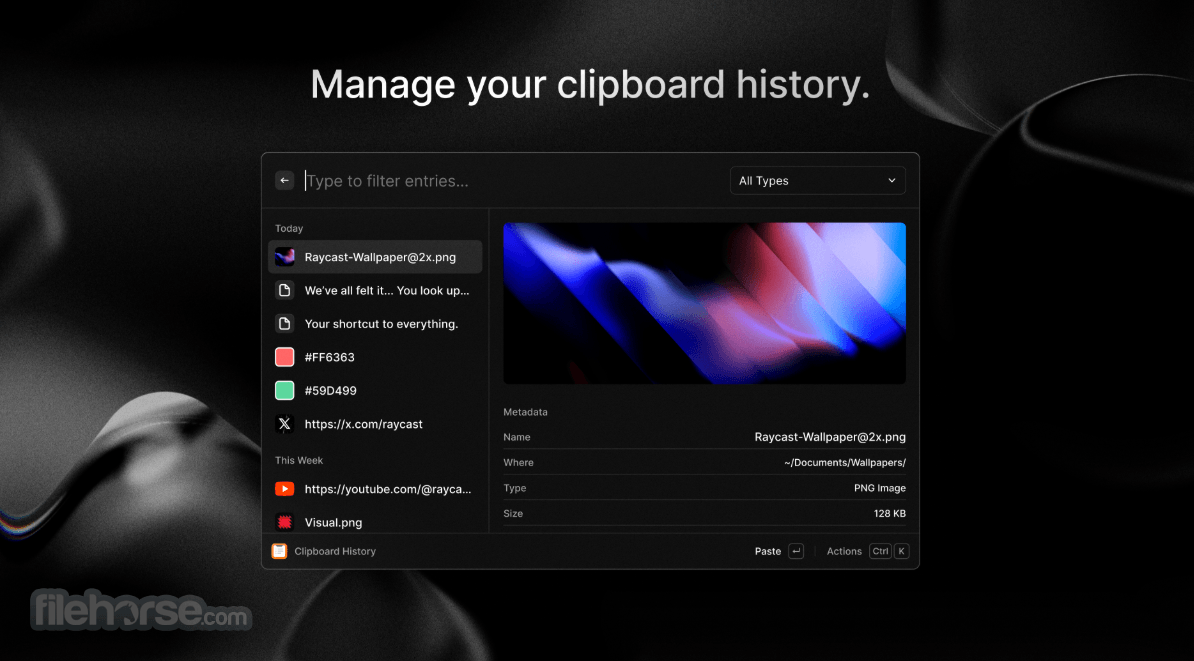
- Clipboard History: Access previously copied text and reuse it when needed.
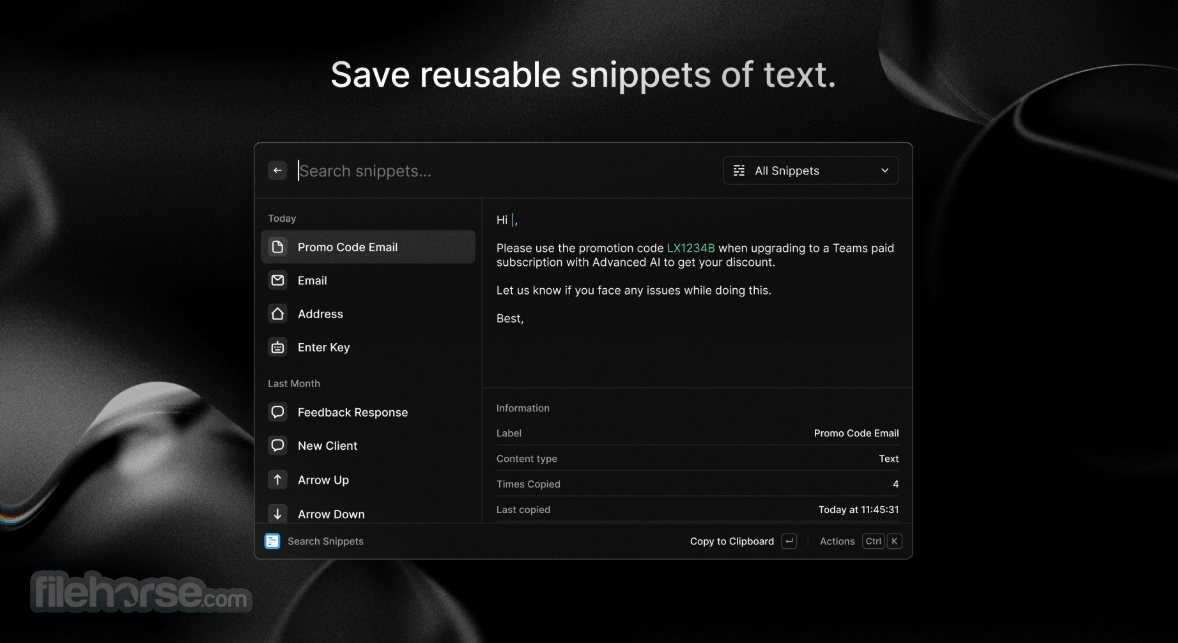
- Snippets: Save frequently used text and insert it faster while writing emails, code, or documents.
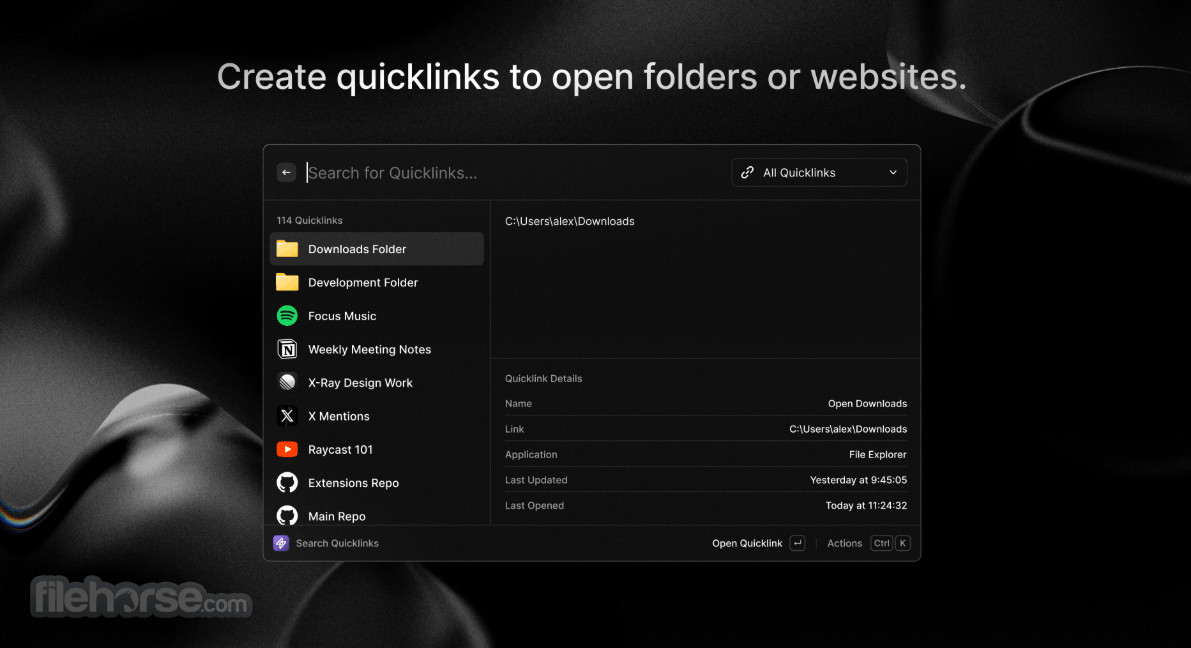
- Quicklinks: Open websites, searches, dashboards, or custom URLs with short commands.
- Calculator: Perform quick calculations directly inside the launcher.
- Window Management: Move, resize, and organize open windows more efficiently.
- Extensions: Add extra functionality for productivity, development, notes, search, and online services.
- AI Commands: Use AI-assisted actions for writing, summarizing, explaining, and productivity tasks where available.
- System Commands: Trigger common Windows actions faster from the keyboard.
Raycast for Windows has a minimal, polished interface built around speed. The main command bar is clean, dark, and distraction-free, with results appearing as you type.
The layout is simple enough for beginners but powerful enough for advanced users who want to assign hotkeys, customize commands, and build repeatable workflows.
The best part of the interface is that it does not try to become a full desktop environment.
It stays lightweight and appears only when needed. This makes it feel less intrusive than traditional productivity suites and more like an instant layer on top of Windows.
Installation and Setup
It can be installed from the Microsoft Store, FileHorse, or through WinGet.
Setup is straightforward: install the app, launch it, choose the main keyboard shortcut, and start indexing or configuring the features you want to use.
New users should spend a few minutes exploring settings, enabling useful commands, and adding snippets or quicklinks.
Advanced users can go further by installing extensions and customizing hotkeys for repeated actions.
How to Use
- Install Raycast for Windows on your PC.
- Open the app and complete the first setup.
- Choose or confirm the main keyboard shortcut.
- Press the shortcut to open the command bar.
- Type the name of an app, file, command, or action.
- Press Enter to run the selected result.
- Create snippets for text you type often.
- Add quicklinks for websites or web searches.
- Explore extensions to expand Raycast’s functionality.
- Adjust preferences, hotkeys, and appearance to match your workflow.
FAQs
Is Raycast for Windows free?
Yes, it can be used for free, with paid plans available for extra features such as expanded AI and team-focused functionality.
Is Raycast for Windows still in beta?
Yes, the Windows version is still presented as a beta product, so some features may evolve.
Does Raycast replace Windows Search?
It can replace many everyday Windows Search tasks, especially app launching, file lookup, commands, snippets, and quick actions.
Can beginners use Raycast?
Yes. Basic app launching and search are easy, but the real value appears when users start adding snippets, quicklinks, and extensions.
Does Raycast work offline?
Many core functions work offline, while AI features, cloud sync, and online integrations require an internet connection.
Alternatives
Flow Launcher - Open-source Windows launcher with plugin support and strong customization.
Listary - Fast file search and launcher with File Explorer integration.
Fluent Search - Crazy fast search for files, apps, web content, and more.
Everything - Extremely fast local file search focused on filename indexing.
PowerToys - Microsoft’s lightweight launcher for apps, files, and system actions.
Pricing
Raycast Free: Free forever plan with core features, Raycast AI, 50 free AI messages, Raycast Notes, iOS app, extensions, custom extensions, and developer tools.
Raycast Pro: $8/month, billed annually at $96, includes everything in Free plus Raycast AI, cloud sync, translator, unlimited notes, unlimited clipboard history, custom window management, and custom themes.
Raycast Pro + Advanced AI: $16/month, billed annually at $192, includes everything in Pro plus access to advanced AI models from providers like OpenAI, Anthropic, Perplexity, Mistral, Google, xAI, and others.
System Requirements
- Operating System: Windows 10 or Windows 11.
- Input: Keyboard and mouse or trackpad.
- Internet Connection: Required for online features, AI tools, sync, downloads, and extensions.
- Account: May be required for some cloud, AI, or paid-plan features.
- Very fast keyboard-first workflow.
- Clean and modern user interface.
- Strong clipboard and snippet tools.
- Useful for developers and productivity-focused users.
- Extensions make the app more flexible.
- Can reduce daily app switching and mouse usage.
- The free version is useful for most basic workflows.
- The Windows version is still in beta.
- Some advanced features may arrive later than on macOS.
- AI features require a paid plan after the free limits.
- New users may need time to learn commands.
- Extension quality can vary depending on support.
- Not every Windows workflow is fully covered yet.
- Power users will get more value than casual users.
Raycast for Windows is a polished and highly promising productivity launcher for PC users who want faster access to apps, files, commands, snippets, and AI-assisted workflows.
It is not yet perfect because the Windows version is still growing, but its speed, design, and extensibility make it one of the most exciting productivity tools for Windows.
Download Raycast for PC Latest Version Why is this app published on FileHorse? (More info)
##
影片介紹
##
畫面截圖