⚠ 這是歷史版本頁面 — 查看 RealPlayer 最新版本 →

- 目前版本20.0.3.313
- 更新日期2021-03-10
- 檔案大小60.18 MB
- 檔案名稱RealPlayer.exe
- 作業系統Windows 7 / Windows 8 / Windows 10 / Windows 11
- 支援語系English
- 授權型式試用版
- 開發商 RealNetworks Inc
- 軟體分類Windows 軟體 / 影片軟體
##
編輯短評
RealPlayer 是歷史悠久的媒體播放軟體,主要用來播放、整理與管理各類影音檔案,同時也內建下載、轉換與分享功能,算是一套綜合型的媒體工具。它最有辨識度的特色在於把播放與下載整合在一起,尤其支援高解析度影片下載,對常看線上影片的人來說相當方便。開發商 RealNetworks 仍持續維護,但更新步調不算頻繁;在影片軟體分類中,它的評價普遍不錯,不過同類裡有更熱門的選擇,整體屬於中上水準。
這套軟體適合需要「邊看邊存」的使用者,例如想將串流影片下載到本機離線觀看的人。與 KMPlayer、K-Lite Codec Pack 等替代方案相比,RealPlayer 的強項是下載與轉換,但純粹作為播放器時,格式支援與解碼能力可能不如 K-Lite 全面。授權為試用版,使用上可能有些功能限制;平台有 Windows 與 macOS 版本,但介面僅提供英文,對不習慣英文介面的使用者來說需要多留意。
##
翻譯排程處理中,以下暫以英文原文呈現
軟體介紹
RealPlayer is a well-established multimedia software for Windows PC that has been serving users for many years.
It provides a versatile platform for playing, organizing, and managing various types of media files, including audio and video. Over the years, it has evolved to offer a range of features, making it more than just a media player.
It allows users to download, convert, and share media content, making it a comprehensive solution for media consumption and management.
What’s New - RealPlayer 25
Media Playback
It offers smooth playback for a wide range of media formats, ensuring that you can enjoy your music and videos without any compatibility issues.
Library Organization
It provides tools for creating and managing playlists, helping you keep your media library organized.
Download Videos
It allows you to download online videos from popular platforms like YouTube and Vimeo. You can save these videos for offline viewing.
Video Conversion
The software includes a video converter that lets you convert videos into different formats, making it easier to play them on various devices.
CD and DVD Playback
It supports CD and DVD playback, making it a versatile choice for physical media as well.
Streaming
You can use RealPlayer to stream content to your TV or other devices through DLNA and Chromecast.
Media Sharing
Share your favorite media content with friends and family via email or social media.
Private Mode
It includes a private mode that lets you hide certain files and videos behind a password for added privacy.
Highlights
It features an intuitive and user-friendly interface. The main screen provides easy access to your media library, playlists, and the web browser for downloading online content. The navigation is straightforward, and most users will find it easy to get started.
Installation and Setup
Installing the software is a straightforward process. You can download it from the official website or FileHorse and follow the on-screen instructions.
During installation, you have the option to choose additional components like the RealPlayer Converter. Once installed, RealPlayer guides you through initial setup, helping you import your existing media library.
How to Use
Is RealPlayer available for Mac?
Unfortunately, RealPlayer is primarily designed for Windows and does not have an official Mac version.
Is RealPlayer FREE to use?
It offers a FREE version with basic features, but there is also a premium version called RealPlayer Plus, which unlocks additional features.
Can I download videos from any website using RealPlayer?
It supports video downloads from many popular websites, but it may not work with every site due to varying restrictions.
How do I update RealPlayer for PC?
It typically prompts you to update when a new version is available. You can also check for updates manually in the settings menu.
Is RealPlayer safe to use?
The software is safe to use when downloaded from the official website. Be cautious of downloading it from unofficial sources, as they may include bundled software.
Alternatives
VLC Media Player - A popular open-source media player known for its versatility and support for numerous formats.
PotPlayer - A feature-rich media player with a customizable interface and excellent codec support.
Winamp - A classic media player with a strong focus on music playback and customization.
KMPlayer - Offers a wide range of features, including 3D video playback and cloud storage integration.
iTunes - Ideal for Apple users, iTunes provides media playback, organization, and a store for purchasing music and videos.
Pricing
It offers both a FREE version, Downloader, Plus, and a PREMIUM version.
Free
Everything in Free, plus:
Everything in Downloader Express, plus:
Everything in Plus, plus:
RealPlayer is a versatile multimedia software for Windows 11/10 that has evolved over the years to cater to various media consumption and management needs. With its media playback capabilities, video downloading, conversion tools, and library organization features, it offers a comprehensive experience for users who want more than just a simple media player.
While it may not have an official Mac version and the free version has limitations, RealPlayer's strengths in managing and enjoying media make it a reliable choice for Windows users looking to enhance their multimedia experience. It's worth considering, especially if you frequently download online videos or prefer a user-friendly interface for media playback and organization.
Note: Limited functionality in the unregistered version.
Download RealPlayer Latest Version Why is this app published on FileHorse? (More info)
It provides a versatile platform for playing, organizing, and managing various types of media files, including audio and video. Over the years, it has evolved to offer a range of features, making it more than just a media player.
It allows users to download, convert, and share media content, making it a comprehensive solution for media consumption and management.
What’s New - RealPlayer 25
- 8K Video Downloads: Added support for downloading videos in resolutions up to 8K for maximum playback quality
- Advanced Download Options: Introduced customizable download settings, including video format, resolution, codec, and frame rate selection
- Multi-Language Audio: Added the ability to choose and download preferred audio tracks for multilingual videos
- Live Stream Recording: Enabled recording of live streams for offline viewing at any time
- YouTube Integration: Added support for accessing Watch Later, Liked, and private YouTube videos after signing into your account
- Audio-Only Downloads: Introduced MP3 and M4A download options for saving audio without the video
- Enhanced Site Support: Expanded compatibility with YouTube, Vimeo, Facebook, TikTok, Instagram, and thousands of other video platforms
- Full-Screen Playback: Added a redesigned theater-style Play Now mode for a cleaner, distraction-free viewing experience
Media Playback
It offers smooth playback for a wide range of media formats, ensuring that you can enjoy your music and videos without any compatibility issues.
Library Organization
It provides tools for creating and managing playlists, helping you keep your media library organized.
Download Videos
It allows you to download online videos from popular platforms like YouTube and Vimeo. You can save these videos for offline viewing.
Video Conversion
The software includes a video converter that lets you convert videos into different formats, making it easier to play them on various devices.
CD and DVD Playback
It supports CD and DVD playback, making it a versatile choice for physical media as well.
Streaming
You can use RealPlayer to stream content to your TV or other devices through DLNA and Chromecast.
Media Sharing
Share your favorite media content with friends and family via email or social media.
Private Mode
It includes a private mode that lets you hide certain files and videos behind a password for added privacy.
Highlights
- Faster, streamlined, and more intuitive UI
- Download web videos from thousands of sites with one click
- Browse, search, and instantly find the video and scenes with the people you want
- Instantly discover celebrities and other people in your videos with one click
- Subscribe to your favorite YouTube channels and never miss a video
- Easily manage and organize your PC media collection
- Quickly find and remove duplicate videos
- Convert videos to all popular formats, including videos to MP3
- Have more fun with a brand-new UI that makes it easier to focus on the media that matters
- Play and burn audio CDs of your favorite videos, podcasts, and music
- Burn DVDs and keep videos private by requiring a PIN to access them
It features an intuitive and user-friendly interface. The main screen provides easy access to your media library, playlists, and the web browser for downloading online content. The navigation is straightforward, and most users will find it easy to get started.
Installation and Setup
Installing the software is a straightforward process. You can download it from the official website or FileHorse and follow the on-screen instructions.
During installation, you have the option to choose additional components like the RealPlayer Converter. Once installed, RealPlayer guides you through initial setup, helping you import your existing media library.
How to Use
- Step 1: Import Your Media: Upon opening the app, you can import your existing media files by selecting the "Add Media" option. This will allow you to build your library.
- Step 2: Download Videos: To download online videos, simply paste the video URL into RealPlayer's web browser. A download button will appear, allowing you to save the video to your library.
- Step 3: Create Playlists: Organize your media by creating playlists. You can add songs or videos to playlists with a simple drag-and-drop action.
- Step 4: Convert Media (Optional): If needed, you can convert videos to different formats by selecting the "Convert" option and choosing your desired output format.
- Step 5: Stream and Share: Use the program to stream media to compatible devices and share your favorite content with friends.
Is RealPlayer available for Mac?
Unfortunately, RealPlayer is primarily designed for Windows and does not have an official Mac version.
Is RealPlayer FREE to use?
It offers a FREE version with basic features, but there is also a premium version called RealPlayer Plus, which unlocks additional features.
Can I download videos from any website using RealPlayer?
It supports video downloads from many popular websites, but it may not work with every site due to varying restrictions.
How do I update RealPlayer for PC?
It typically prompts you to update when a new version is available. You can also check for updates manually in the settings menu.
Is RealPlayer safe to use?
The software is safe to use when downloaded from the official website. Be cautious of downloading it from unofficial sources, as they may include bundled software.
Alternatives
VLC Media Player - A popular open-source media player known for its versatility and support for numerous formats.
PotPlayer - A feature-rich media player with a customizable interface and excellent codec support.
Winamp - A classic media player with a strong focus on music playback and customization.
KMPlayer - Offers a wide range of features, including 3D video playback and cloud storage integration.
iTunes - Ideal for Apple users, iTunes provides media playback, organization, and a store for purchasing music and videos.
Pricing
It offers both a FREE version, Downloader, Plus, and a PREMIUM version.
Free
- One-click video downloads - up to 720p
- Instantly identify celebrities in videos
- Organize your library by people
- RealPlayer Discover
- Import and burn CDs
- File format converter
- Video trimmer
Everything in Free, plus:
- One-click video downloads - up to 8K
- Advanced stream selection: choose format, resolution, and frame rate of downloads
- Download YouTube playlists
- Subscribe to your favorite YouTube channels
- Audio-only downloads
- Simultaneous, unlimited-speed downloads
- Priority updates to keep your downloader up to date
- AI filters
- Private videos
Everything in Downloader Express, plus:
- Play Now: watch web videos directly in RealPlayer
- No waiting, no interruption
- No ads
- Remove video duplicates
- Play DVDs
- Watch web videos in RealPlayer before downloading
- Always up to date with the latest features
Everything in Plus, plus:
- Cloud storage - 25GB
- Auto-backup of library content to the cloud
- Install on up to 3 computers
- Download videos to your mobile from your favorite websites
- Wide format support for media playback.
- Download and convert online videos.
- Easy-to-use interface.
- Multimedia library organization.
- Private mode for added privacy.
- Streaming and sharing capabilities.
- No official Mac version.
- The free version has limited features.
- Some online video sources may not be supported for downloads.
- Additional bundled software is installed during installation (be cautious during installation).
RealPlayer is a versatile multimedia software for Windows 11/10 that has evolved over the years to cater to various media consumption and management needs. With its media playback capabilities, video downloading, conversion tools, and library organization features, it offers a comprehensive experience for users who want more than just a simple media player.
While it may not have an official Mac version and the free version has limitations, RealPlayer's strengths in managing and enjoying media make it a reliable choice for Windows users looking to enhance their multimedia experience. It's worth considering, especially if you frequently download online videos or prefer a user-friendly interface for media playback and organization.
Note: Limited functionality in the unregistered version.
Download RealPlayer Latest Version Why is this app published on FileHorse? (More info)
##
畫面截圖
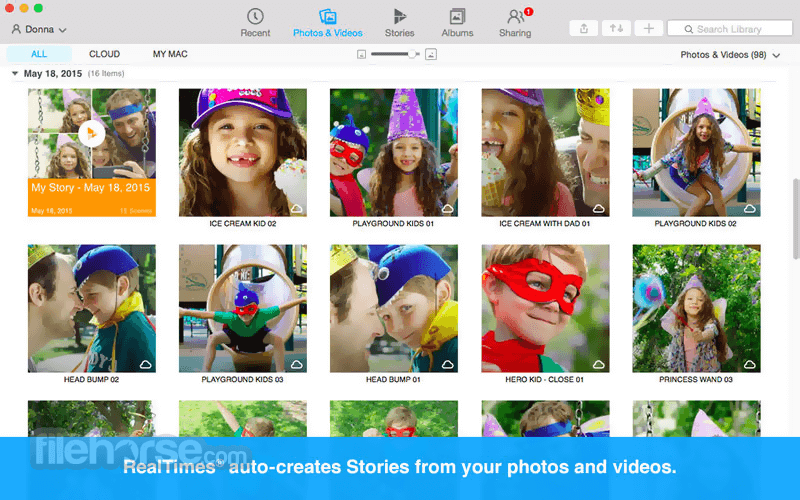
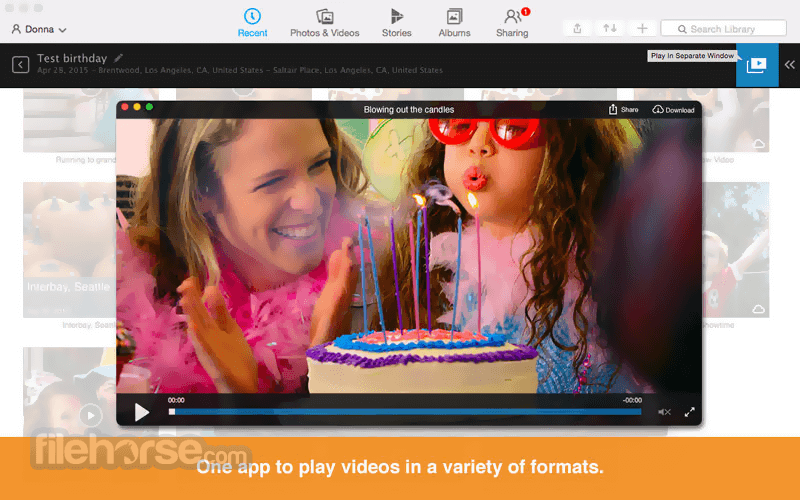
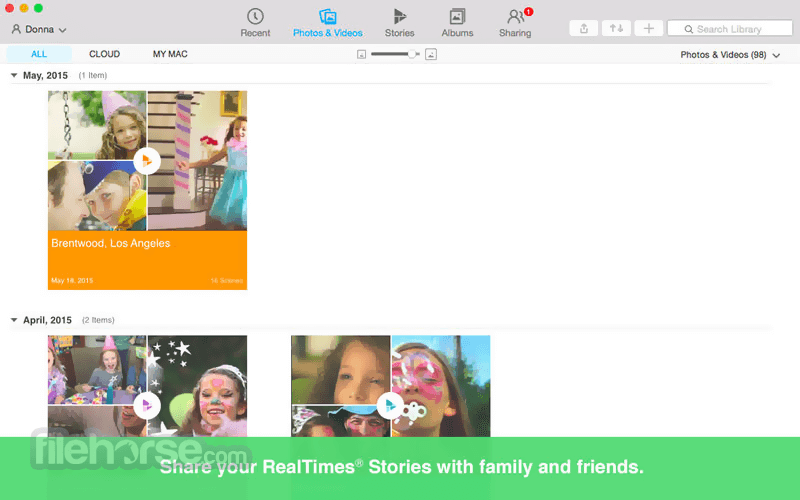
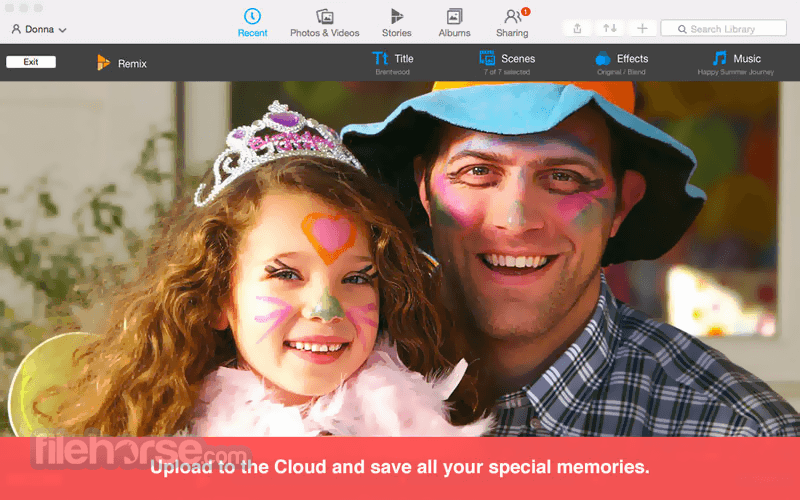
- 2026-08-12 RealPlayer 24.0.0.311 66 MB
- 2023-11-29 RealPlayer 22.0.5.310 65.46 MB
- 2023-03-05 RealPlayer 22.0.2.305 64.3 MB
- 2022-12-03 RealPlayer 22.0.1.307 64.05 MB
- 2022-07-08 RealPlayer 20.1.0.313 1.07 MB
- 2022-05-19 RealPlayer 20.1.0.312 1.07 MB
- 2021-12-05 RealPlayer 20.0.7.307 1.07 MB
- 2021-10-21 RealPlayer 20.0.6.303 1.07 MB