⚠ 這是歷史版本頁面 — 查看 reWASD 最新版本 →

- 目前版本6.2.0
- 更新日期2022-05-19
- 檔案大小22.16 MB
- 檔案名稱rewasd620-5989.exe
- 作業系統Windows 7 / Windows 8 / Windows 10 / Windows 11
- 支援語系English
- 授權型式商業試用
- 開發商 Disc Soft Ltd
- 軟體分類Windows 軟體 / 桌面強化
##
編輯短評
reWASD 是由 Disc Soft Ltd 開發的 Windows 控制器映射工具,主要解決遊戲控制器按鍵配置受限的問題。它最核心的功能在於能將手把控制項重新對應至鍵盤按鍵、滑鼠動作甚至觸控板手勢,讓玩家能突破原廠設定的限制。該軟體支援 Xbox、PlayStation 與 Nintendo 等多款主流及第三方控制器,且目前維護狀態活躍,是同類工具中評價不錯的熱門選擇。
這套軟體適合需要高度自定義操作方案,或使用遊戲原生不支援之控制配置的 Windows 用戶。當你希望在不同控制器間切換,或想將手把模擬成鍵盤滑鼠來操作時,reWASD 能提供比其他替代工具更靈活的設定空間。使用者在下載前需留意,此軟體目前僅提供英文介面且為試用版授權,建議先安裝體驗其功能是否符合自己的遊戲需求。
##
翻譯排程處理中,以下暫以英文原文呈現
軟體介紹
reWASD is a Windows-based application developed by Disc Soft Ltd. It allows users to remap and configure their gaming controllers to enhance their gaming experience.
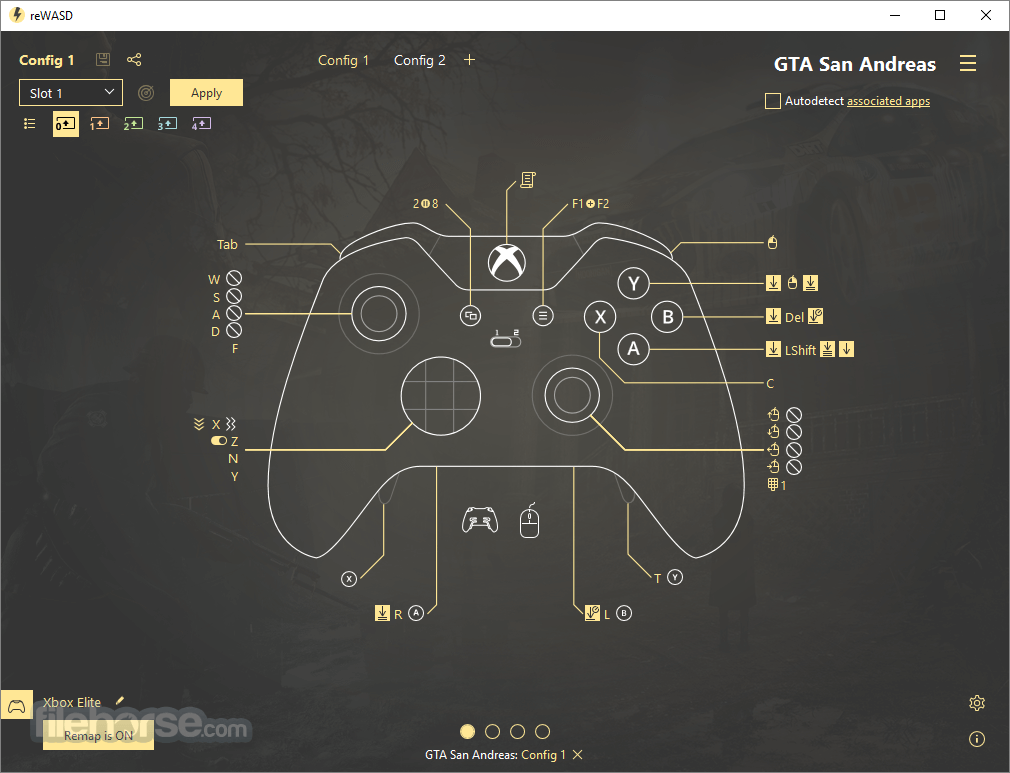
With reWASD for PC, you can map gamepad controls to keyboard keys, mouse movements, and even touchpad gestures. This level of customization is particularly beneficial for gamers who use multiple controllers or prefer specific control schemes that are not natively supported by their games.
It supports a wide range of controllers, including Xbox, PlayStation, Nintendo, and various third-party gamepads. The software also offers advanced features such as macro support, turbo buttons, and shift modes, providing a comprehensive solution for all your controller configuration needs.
Truly powerful gamepad mapper that allows you to remap the controller to keyboard & mouse, reassign with Xbox Elite paddles, and turn your ordinary joystick into a Turbo & Macro controller.
Remap the Xbox controller from button to trigger, from pad to paddles, from gamepad to keyboard, just like you want it to be. Want to use Switch Pro or DualShock on PC? It’s also easy with this tool.
It gives you full control of your Xbox, DualShock, and Nintendo controllers. Combining various settings, you can assign several gamepad buttons to keyboard, mouse moves to stick directions, and mouse clicks to the left or right trigger. Have more ideas about how to remap the Xbox One controller or change the DualShock behavior? Turn them into your perfect profile!
Highlights
Four Xbox Elite paddles give you more control while playing. With reWASD, you can assign any action to them and get the pros of the Elite controller even in games without the native Xbox support.
The app is tailor-made to remap Xbox One controllers. It created an app with the Xbox Elite Wireless in mind, so it suits best for those who use the Xbox Elite on PC and want to get more from its paddles. For those who use Dualshock 4 on PC, there's another zest. The app allows you to divide the touchpad into zones and add up to four different mappings to it. And finally, Nintendo Switch Pro controller support appeared in re WASD, so now you can use all powers for this gamepad.
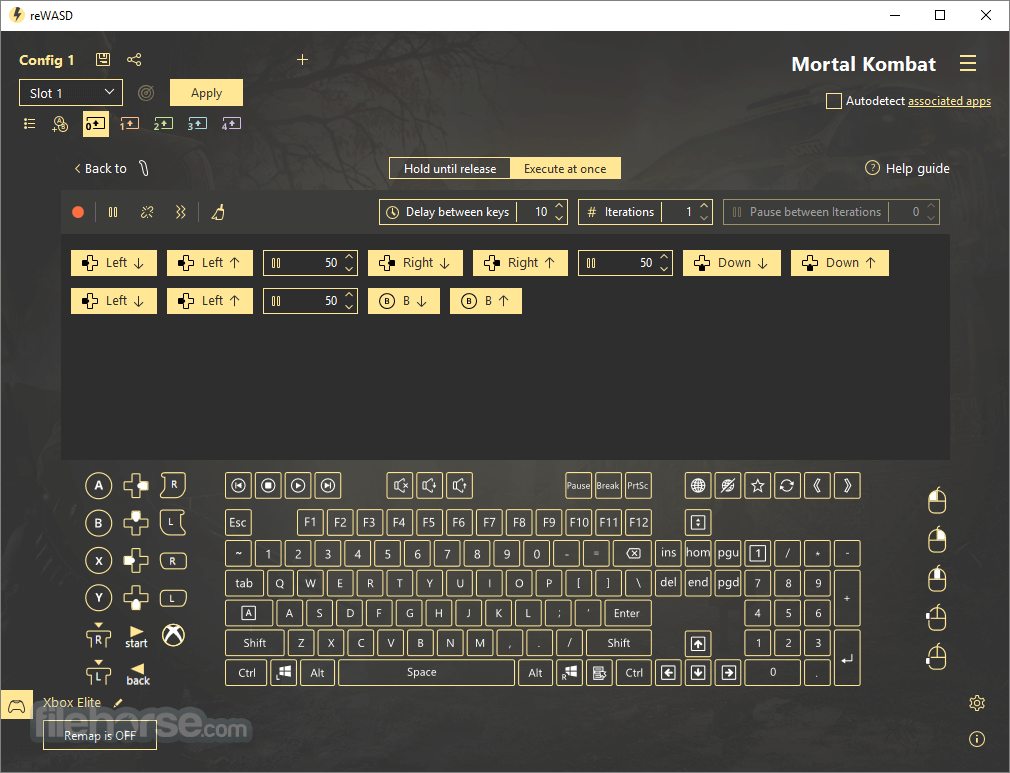
It expands the native features of any supported device. You can turn an ordinary gamepad into a Macro Controller with "Key Combo", add a Turbo button or toggle some keys with "Rapid Fire," and switch controls with "Advanced Mapping".
Key Features
Comprehensive Remapping
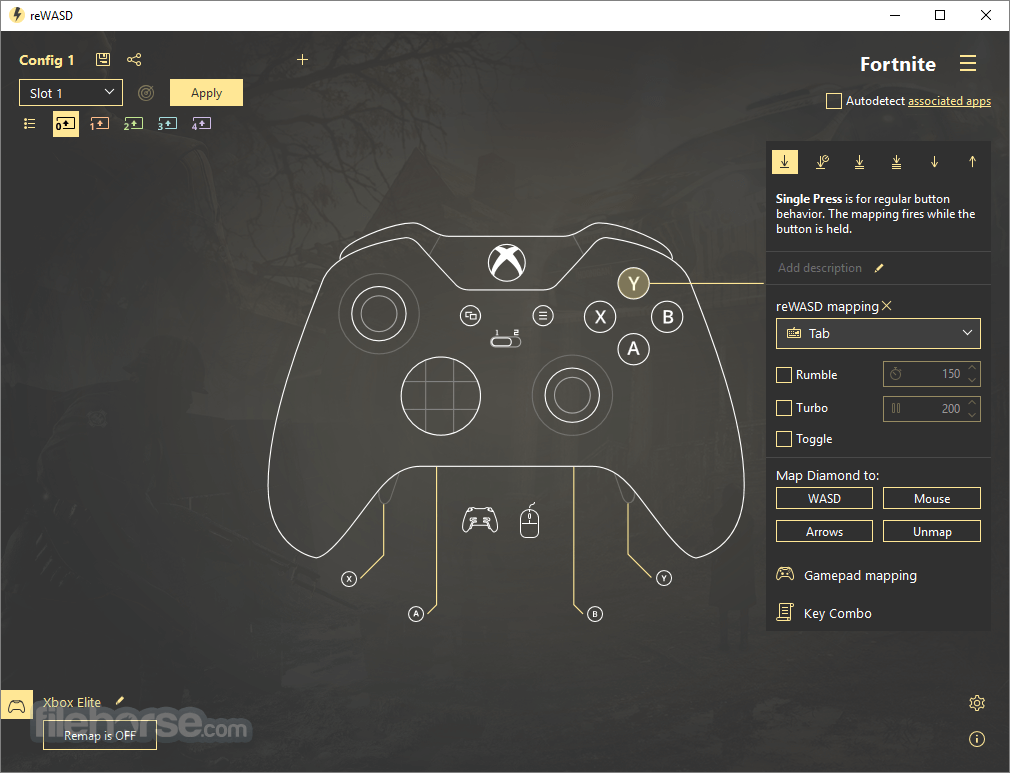
It allows you to remap any button on your controller to any key on your keyboard, mouse movement, or other controller button. This includes both simple button swaps and complex remapping configurations.
Profile Management
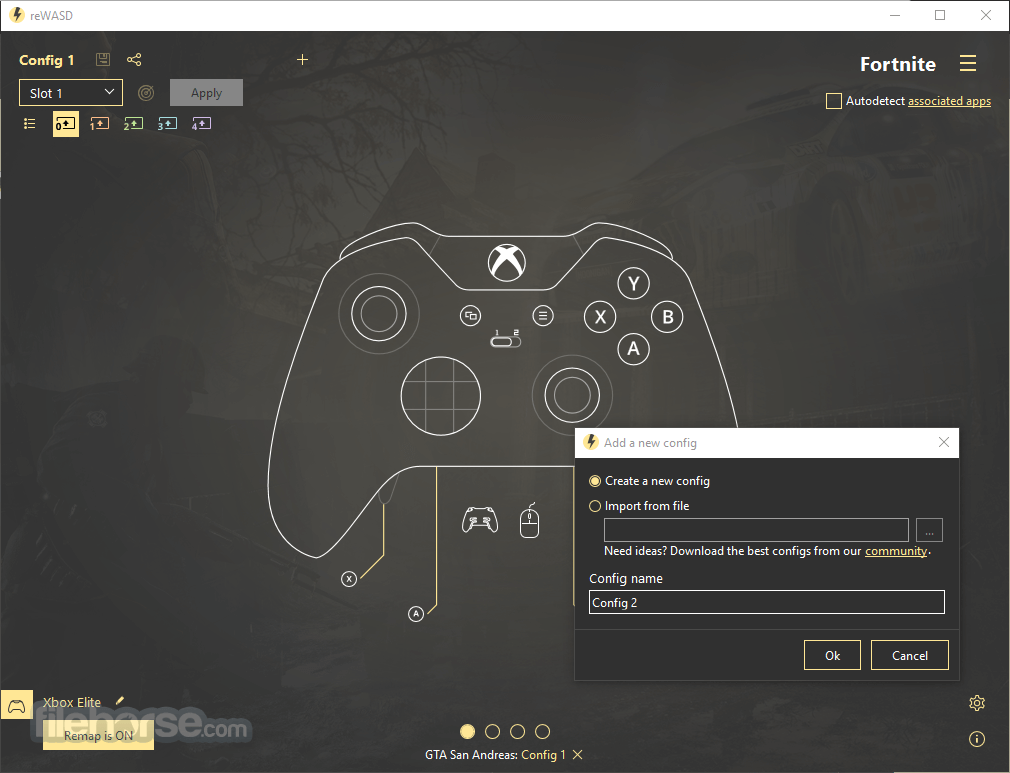
You can create multiple profiles for different games or applications, making it easy to switch between configurations depending on what you're playing or doing.
Shift Mode
Shift mode allows you to assign a secondary function to any button or stick. By holding down a designated shift button, you can access an entirely new set of controls without changing your main configuration.
Macro Support
With this software, you can record and assign macros to any button on your controller. This feature is particularly useful for executing complex sequences of actions with a single press.
Advanced Stick and Trigger Customization
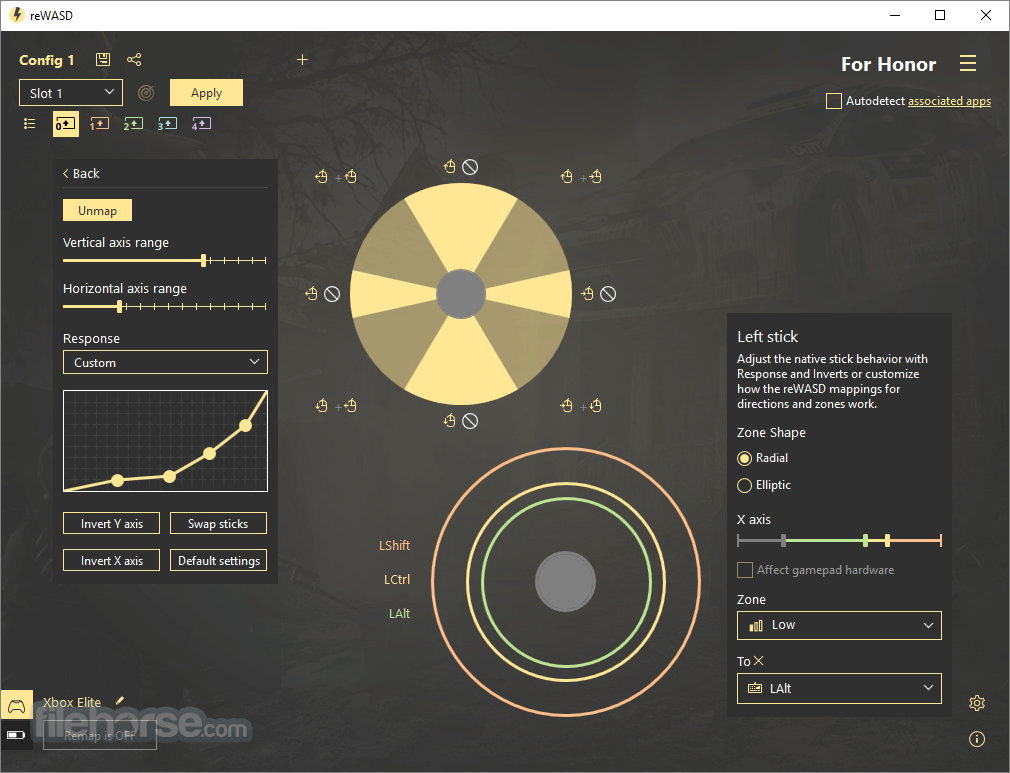
Adjust the sensitivity, dead zones, and response curves of your analog sticks and triggers to fine-tune their behavior to your liking.
Turbo and Toggle
Enable turbo mode for rapid button presses or toggle mode for buttons that stay pressed until you press them again.
Haptic Feedback
Configure vibration settings for supported controllers to enhance your gaming experience.
Virtual Controllers
It can emulate various types of controllers, allowing you to use your preferred gamepad in games that may not natively support it.
Gamepad to Keyboard and Mouse Mapping
Map your gamepad controls to keyboard keys and mouse movements, making it possible to play PC games that do not support controllers.
With reWASD for PC, you can map gamepad controls to keyboard keys, mouse movements, and even touchpad gestures. This level of customization is particularly beneficial for gamers who use multiple controllers or prefer specific control schemes that are not natively supported by their games.
It supports a wide range of controllers, including Xbox, PlayStation, Nintendo, and various third-party gamepads. The software also offers advanced features such as macro support, turbo buttons, and shift modes, providing a comprehensive solution for all your controller configuration needs.
Truly powerful gamepad mapper that allows you to remap the controller to keyboard & mouse, reassign with Xbox Elite paddles, and turn your ordinary joystick into a Turbo & Macro controller.
Remap the Xbox controller from button to trigger, from pad to paddles, from gamepad to keyboard, just like you want it to be. Want to use Switch Pro or DualShock on PC? It’s also easy with this tool.
It gives you full control of your Xbox, DualShock, and Nintendo controllers. Combining various settings, you can assign several gamepad buttons to keyboard, mouse moves to stick directions, and mouse clicks to the left or right trigger. Have more ideas about how to remap the Xbox One controller or change the DualShock behavior? Turn them into your perfect profile!
Highlights
- Map the joystick to keyboard keys
- Use a controller as a mouse
- Adjust the dead zone for sticks and triggers
- Add mappings to the 3 stick and trigger zones
- Remap controller to keyboard x4 with Shift mode
- Use Xbox Elite paddles as independent controls
- Remap the “Home” button on any controller
- Add mappings to the Shortcut of gamepad buttons
- Assign different actions to Double, Long, and more presses
Four Xbox Elite paddles give you more control while playing. With reWASD, you can assign any action to them and get the pros of the Elite controller even in games without the native Xbox support.
The app is tailor-made to remap Xbox One controllers. It created an app with the Xbox Elite Wireless in mind, so it suits best for those who use the Xbox Elite on PC and want to get more from its paddles. For those who use Dualshock 4 on PC, there's another zest. The app allows you to divide the touchpad into zones and add up to four different mappings to it. And finally, Nintendo Switch Pro controller support appeared in re WASD, so now you can use all powers for this gamepad.
It expands the native features of any supported device. You can turn an ordinary gamepad into a Macro Controller with "Key Combo", add a Turbo button or toggle some keys with "Rapid Fire," and switch controls with "Advanced Mapping".
Key Features
Comprehensive Remapping
It allows you to remap any button on your controller to any key on your keyboard, mouse movement, or other controller button. This includes both simple button swaps and complex remapping configurations.
Profile Management
You can create multiple profiles for different games or applications, making it easy to switch between configurations depending on what you're playing or doing.
Shift Mode
Shift mode allows you to assign a secondary function to any button or stick. By holding down a designated shift button, you can access an entirely new set of controls without changing your main configuration.
Macro Support
With this software, you can record and assign macros to any button on your controller. This feature is particularly useful for executing complex sequences of actions with a single press.
Advanced Stick and Trigger Customization
Adjust the sensitivity, dead zones, and response curves of your analog sticks and triggers to fine-tune their behavior to your liking.
Turbo and Toggle
Enable turbo mode for rapid button presses or toggle mode for buttons that stay pressed until you press them again.
Haptic Feedback
Configure vibration settings for supported controllers to enhance your gaming experience.
Virtual Controllers
It can emulate various types of controllers, allowing you to use your preferred gamepad in games that may not natively support it.
Gamepad to Keyboard and Mouse Mapping
Map your gamepad controls to keyboard keys and mouse movements, making it possible to play PC games that do not support controllers.
##
畫面截圖
- 2026-07-24 reWASD 9.4.1 77.11 MB
- 2026-01-13 reWASD 9.3.1 63.34 MB
- 2024-12-24 reWASD 9.0.0 42.91 MB
- 2024-05-20 reWASD 7.3.0 30.6 MB
- 2024-04-12 reWASD 7.2.0 28.57 MB
- 2024-02-19 reWASD 7.1.0 51.17 MB
- 2023-11-21 reWASD 7.0.0 50.59 MB
- 2023-08-29 reWASD 6.7.0 49.17 MB