- 目前版本3.6.2
- 更新日期2026-01-03
- 檔案大小36.3 MB
- 檔案名稱Cableguys-ShaperBox-3.6.2-Demo-Win.zip
- 作業系統Windows 7 64 / Windows 8 64 / Windows 10 64 / Windows 11
- 支援語系English
- 授權型式試用版
- 開發商 Cableguys
- 軟體分類Windows 軟體 / 音訊軟體
##
翻譯排程處理中,以下暫以英文原文呈現
軟體介紹
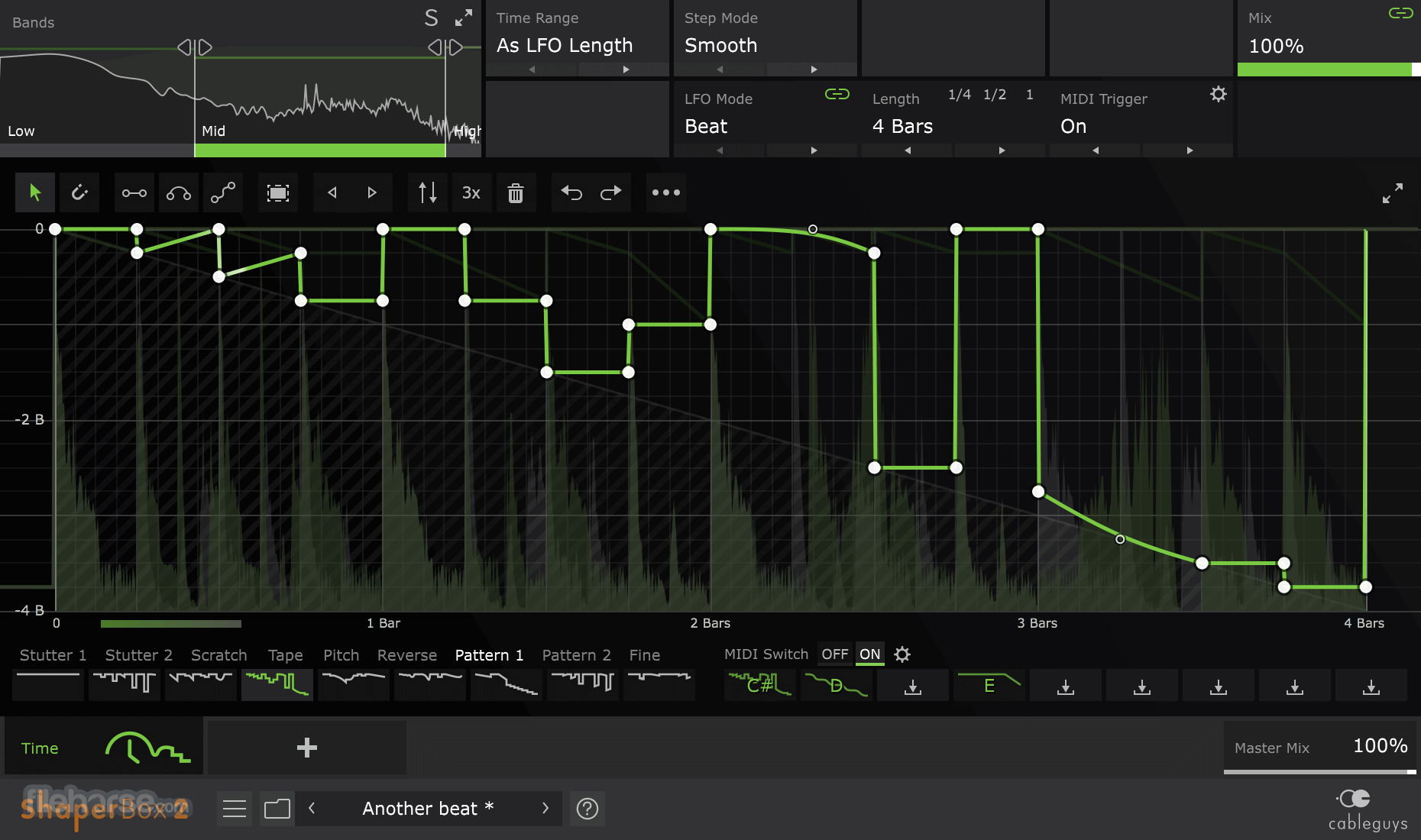
Six powerful Cableguys effects in one ShaperBox (VST / AU / AAX) audio plugin app! For modern mixes and infinite inspiration.
Load any Shaper effect and simply draw the modulation shapes you need with easily editable LFOs. Or use envelope followers that react to audio.
ShaperBox 3 includes ReverbShaper, TimeShaper 3, DriveShaper 2, NoiseShaper 2, FilterShaper Core 3, LiquidShaper, CrushShaper 2, VolumeShaper 7, PanShaper 4, WidthShaper 3.
Control filtering, volume, width, panning, bit crushing – even the flow of time.
Get inspired: transform loops, beats, vocals, melodies, or basslines into addictive hooks to kickstart your next track. Then perfect your mix with sample-accurate sidechaining, punchy compression, stereo expansion, and more.
Edit transients and trim flabby hits with Pens in VolumeShaper. Dial-in hard-hitting visual compression. Get creative! Turn single notes into crazy TimeShaper melodies, add pumping filter patterns, and more. Extract kicks and other percussive hits with precision filtering. Then use them in your own tracks.
What`s New
Six Cableguys effects
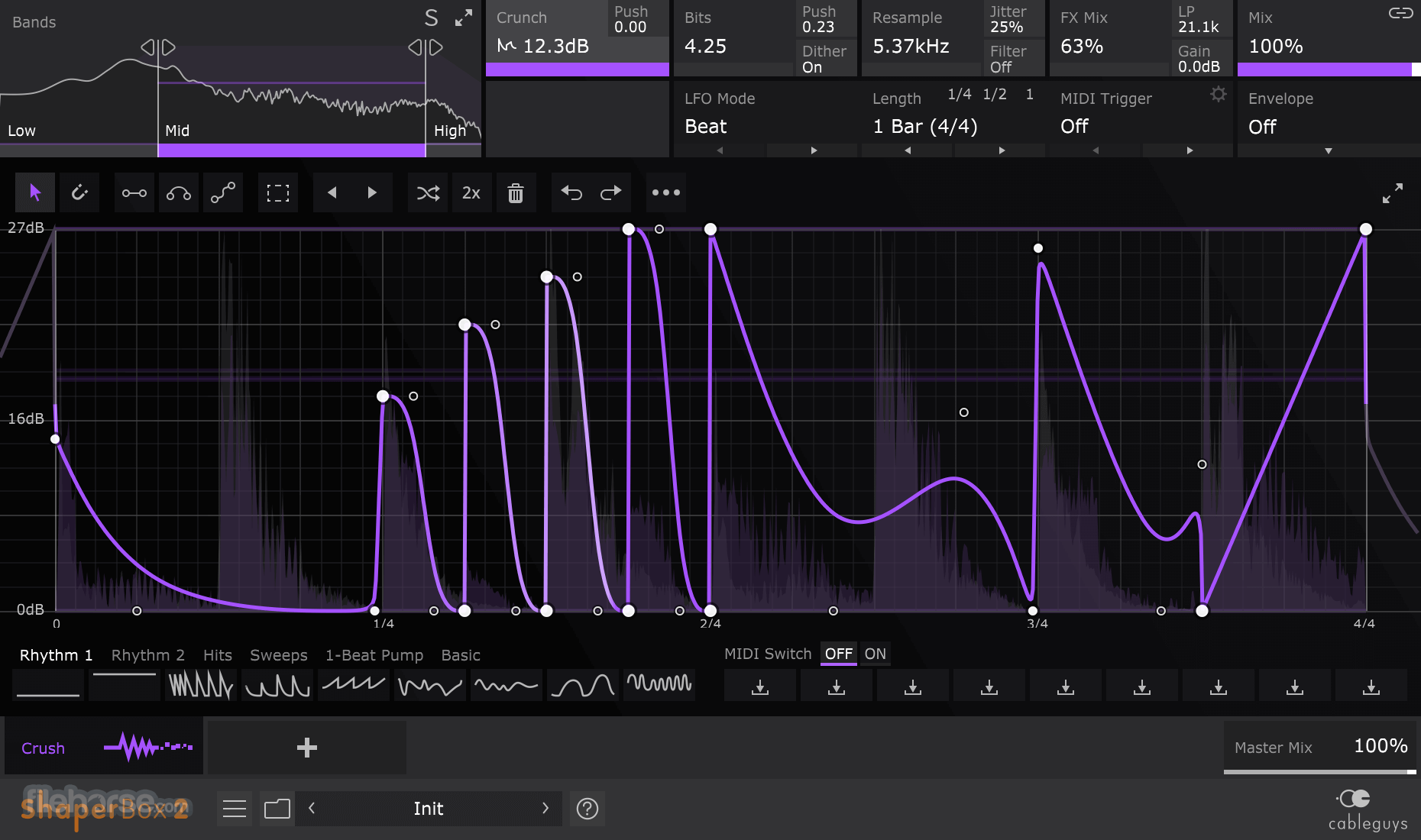
Time, Crush, Volume, Filter, Pan, and Width Shapers come together in ShaperBox for PC. Analog-like zero-delay feedback filters, compression based on classic British mixing consoles, sample-accurate volume modulation, mid-side expansion, lo-fi bitcrushing, and much more – all in one CPU-efficient plugin.
LFOs that you design
At the heart of every Shaper is an LFO unlike any other. From choppy rhythms to organic pulsations, any wave shape you can imagine is just clicked away with Cableguys' famous editing tools. Lock your LFOs to DAW tempo with sample accuracy, or trigger in any rhythm with MIDI notes.
Introducing Pens
New! Designing the ideal LFO just got even easier with three powerful, easy-to-grasp Pens. Draw crisp lines, smooth arcs, and flowing S-curves. Redraw transients in a click, rapidly build rhythmic patterns and more. Switch back to classic single-node editing anytime.
Flexible envelope followers
New! Crush, Filter, Pan, and Width Shapers can react automatically to the dynamics of your beats, loops, melodies – anything. Make filters open with each snare hit. Pan percussion dynamically. Widen synths as they grow louder. Trigger from other tracks in your project using sidechain routing.
Designer compression
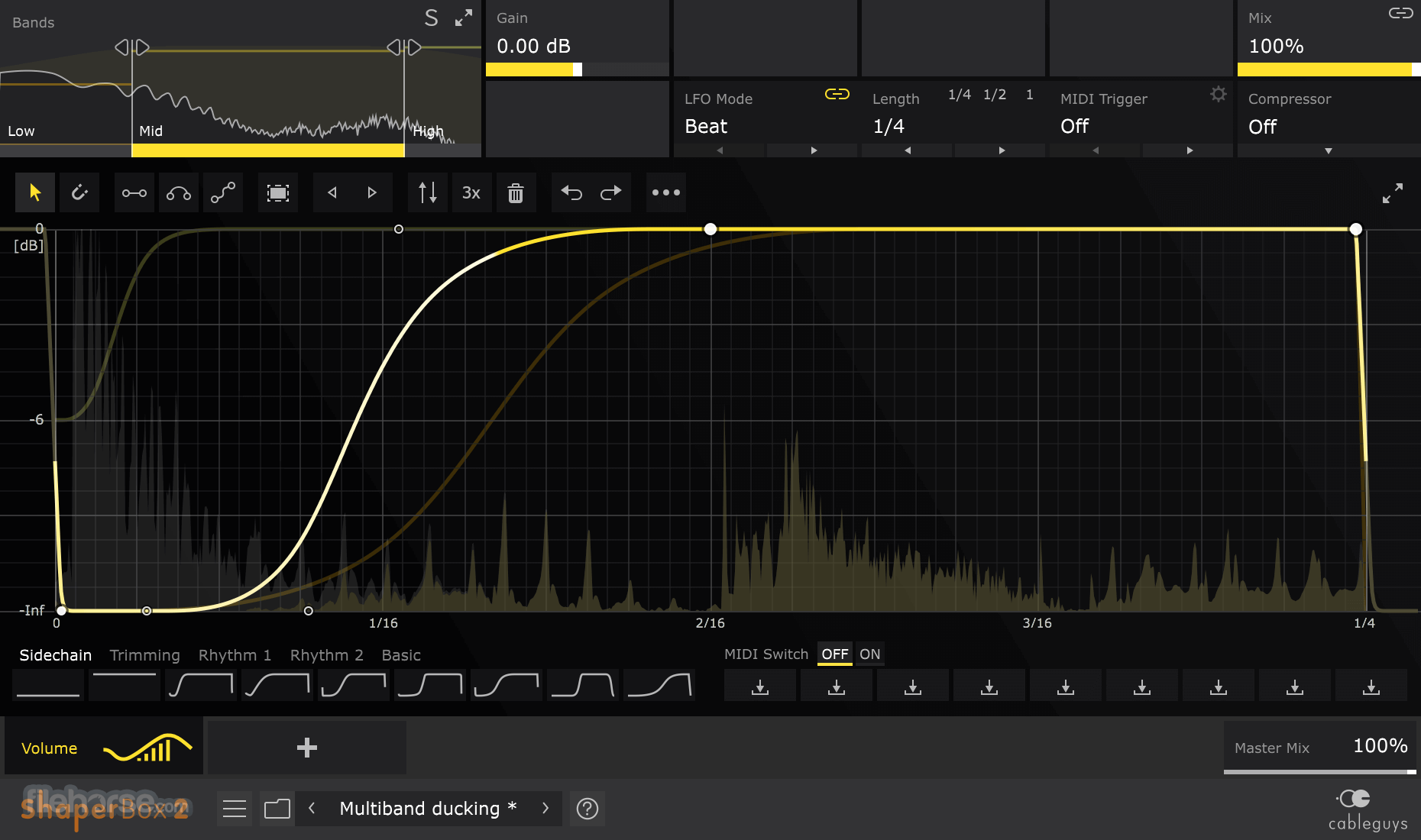
New! With a high-quality, British-inspired compressor inside VolumeShaper, you see compression on the same large graph as your volume edits. Get that perfect punch and control for drums, basslines, vocals, and more. Still not perfect? Grab a Pen and refine the gain curve till it is.
Shapers that do more
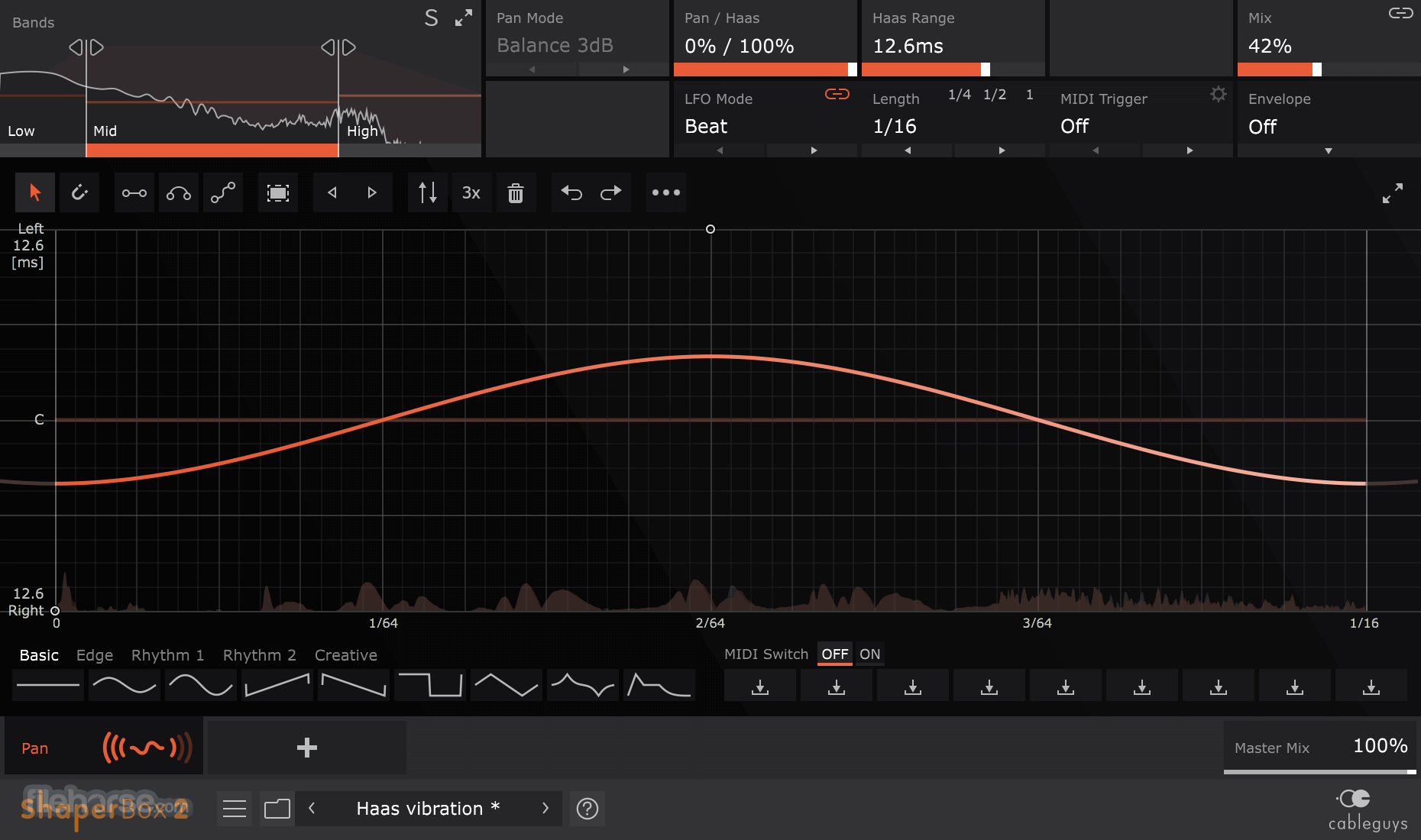
New! Use 3 filters at once – including new Phaser types – with multiband FilterShaper Core 2. Get retro tape/vinyl ‘wow’ with TimeShaper 2’s Fine mode. Boost transients with VolumeShaper 6's Gain control. And spread sounds wide with psychoacoustic Haas panning in PanShaper.
Multiband made easy
Every Shaper can be split into 3 bands, for tightly focused processing. Compress the bass. Stutter the mids. Reverse the highs. No limits on your creativity. New! Steep 24dB crossovers join the classic 6 and 12dB models, for even greater precision.
Packs of inspiration
Explore 1000+ pro presets, and share patches via the Cableguys Preset Cloud. New! Find inspiration with Packs, curated collections of the very best presets for lo-fi FX, compression, scratching, and more. Work even faster with 1-click Quick Presets for essentials like sidechain ducking.
More Features
Works with Ableton Live, Logic Pro, Pro Tools, Cubase, Bitwig Studio, FL Studio, REAPER, Studio One, and many other DAWs that support VST, AU or AAX.
PROS
Also Available: Download ShaperBox for Mac
Download ShaperBox Latest Version Why is this app published on FileHorse? (More info)
Load any Shaper effect and simply draw the modulation shapes you need with easily editable LFOs. Or use envelope followers that react to audio.
ShaperBox 3 includes ReverbShaper, TimeShaper 3, DriveShaper 2, NoiseShaper 2, FilterShaper Core 3, LiquidShaper, CrushShaper 2, VolumeShaper 7, PanShaper 4, WidthShaper 3.
Control filtering, volume, width, panning, bit crushing – even the flow of time.
Get inspired: transform loops, beats, vocals, melodies, or basslines into addictive hooks to kickstart your next track. Then perfect your mix with sample-accurate sidechaining, punchy compression, stereo expansion, and more.
Edit transients and trim flabby hits with Pens in VolumeShaper. Dial-in hard-hitting visual compression. Get creative! Turn single notes into crazy TimeShaper melodies, add pumping filter patterns, and more. Extract kicks and other percussive hits with precision filtering. Then use them in your own tracks.
What`s New
- Ten Shaper effects
- ReverbShaper
- Easier waveform editing
- Locks to the beat
- Follows any rhythm
- Triggers from any track
- External sidechain view
- Multiband power
- Oscilloscope Tool
- v3.5: Analog Warmth Update
Six Cableguys effects
Time, Crush, Volume, Filter, Pan, and Width Shapers come together in ShaperBox for PC. Analog-like zero-delay feedback filters, compression based on classic British mixing consoles, sample-accurate volume modulation, mid-side expansion, lo-fi bitcrushing, and much more – all in one CPU-efficient plugin.
LFOs that you design
At the heart of every Shaper is an LFO unlike any other. From choppy rhythms to organic pulsations, any wave shape you can imagine is just clicked away with Cableguys' famous editing tools. Lock your LFOs to DAW tempo with sample accuracy, or trigger in any rhythm with MIDI notes.
Introducing Pens
New! Designing the ideal LFO just got even easier with three powerful, easy-to-grasp Pens. Draw crisp lines, smooth arcs, and flowing S-curves. Redraw transients in a click, rapidly build rhythmic patterns and more. Switch back to classic single-node editing anytime.
Flexible envelope followers
New! Crush, Filter, Pan, and Width Shapers can react automatically to the dynamics of your beats, loops, melodies – anything. Make filters open with each snare hit. Pan percussion dynamically. Widen synths as they grow louder. Trigger from other tracks in your project using sidechain routing.
Designer compression
New! With a high-quality, British-inspired compressor inside VolumeShaper, you see compression on the same large graph as your volume edits. Get that perfect punch and control for drums, basslines, vocals, and more. Still not perfect? Grab a Pen and refine the gain curve till it is.
Shapers that do more
New! Use 3 filters at once – including new Phaser types – with multiband FilterShaper Core 2. Get retro tape/vinyl ‘wow’ with TimeShaper 2’s Fine mode. Boost transients with VolumeShaper 6's Gain control. And spread sounds wide with psychoacoustic Haas panning in PanShaper.
Multiband made easy
Every Shaper can be split into 3 bands, for tightly focused processing. Compress the bass. Stutter the mids. Reverse the highs. No limits on your creativity. New! Steep 24dB crossovers join the classic 6 and 12dB models, for even greater precision.
Packs of inspiration
Explore 1000+ pro presets, and share patches via the Cableguys Preset Cloud. New! Find inspiration with Packs, curated collections of the very best presets for lo-fi FX, compression, scratching, and more. Work even faster with 1-click Quick Presets for essentials like sidechain ducking.
More Features
- New! Interface resizable from 75% to 200%
- New! Redesigned interface with larger editing areas
- New! Retina/HiDPI support for crisper, clearer graphics
- Built-in help – hover over any control for description
- Expandable LFO for detailed editing
- Set LFO length in beats and bars, Hertz, or by MIDI note
- LFO loop length from 1/128 to 32 bars, with sample-accurate sync
- Audio-rate modulation up to 5.24kHz for extreme sound design
- Trigger LFO in any rhythm using MIDI notes
- New! Trigger Smoothing to reduce clicks when MIDI Triggering
- Large, precise oscilloscope view with Freeze option
- New! Oscilloscope Magnitude mode for easy Envelope Follower setup
- New! Smoother, more accurate spectrum view
- New! Dedicated selection tool for multinode editing
- New! 2x/3x button – double/triple patterns in a click
- Flip/resize/move/randomize wave or selection
- Copy/paste waves between any Shapers
- Unlimited undo/redo for LFO wave edits
- 9 slots to store User Waves, saved with the patch
- Switch User Waves via MIDI
- Dry/wet mix in every Shaper, to balance the effect
- Band solo and sidechain solo, for easy setup
- New! Increased multiband split range, now from 20Hz-20kHz
- New! External sidechain input for Envelopes/Compressor
- New! Envelope/Compressor input filters, for frequency-conscious response
- New! Envelope Follower Threshold, so only loud signals trigger an envelope
- New! Depth x2/x4/x8 for Envelopes, to amplify modulation strength
- New! Adaptive Release mode for Envelopes/Compressor
- Windows 7, 8, 10 or 11
- 64-bit
- VST 2, VST 3 or AAX host DAW
Works with Ableton Live, Logic Pro, Pro Tools, Cubase, Bitwig Studio, FL Studio, REAPER, Studio One, and many other DAWs that support VST, AU or AAX.
PROS
- Versatile Sound Design Tool
- Intuitive Interface for Beginners
- Real-Time Modulation Options
- Extensive Preset Library
- High-Quality Sound Shaping
- Steeper Learning Curve for Depth
- Limited Stock Effect Variety
- Requires CPU-Heavy Processing
- No Standalone Version Available
- Lacks Advanced Parameter Automation
Also Available: Download ShaperBox for Mac
Download ShaperBox Latest Version Why is this app published on FileHorse? (More info)
##
影片介紹
##
畫面截圖