Snes9x 1.63 (32-bit)
v 1.63 (32-bit)
Windows
免費軟體
7.98/10 (99)
- 目前版本1.63 (32-bit)
- 更新日期2025-09-17
- 檔案大小3.25 MB
- 檔案名稱snes9x-1.63-win32.zip
- 作業系統Windows 7 / Windows 8 / Windows 10
- 支援語系English
- 授權型式免費軟體
- 開發商 Snes9x Team
- 軟體分類Windows 軟體 / 遊戲
##
翻譯排程處理中,以下暫以英文原文呈現
軟體介紹
Snes9x is a portable, freeware Super Nintendo Entertainment System (SNES) emulator. It basically allows you to play most games designed for the SNES and Super Famicom Nintendo game systems on your PC or Workstation; which includes some real gems that were only ever released in Japan.
Snes9x 32bit is the result of well over three years worth of part-time hacking, coding, recoding, debugging, divorce, etc. (just kidding about the divorce bit). Snes9x is coded in C++, with three assembler CPU emulation cores on the i386 Linux and Windows ports.
Tons and tons of internal core changes were made to make the app way better than before, and work on more platforms than before.
Unfortunately, since the Windows port is radically different than every other port of the tool, and no one cared to maintain the Windows port, this release will not have a Windows port. However interested parties who have the necessary skills can make a Windows port of the source. However, if you do, please send the changes back.
The app team is not connected or affiliated with any mentioned company in any way. The opinions of the team do not reflect the views of the various companies mentioned here.
Companies and all products pertaining to that company are trademarks of that company. Please contact that company for trademark and copyright information.
How to Use
Load a Game: To load a game, select “File” > “Load Game” and navigate to the folder where your SNES ROMs are stored. Select a ROM file, and the game will begin.
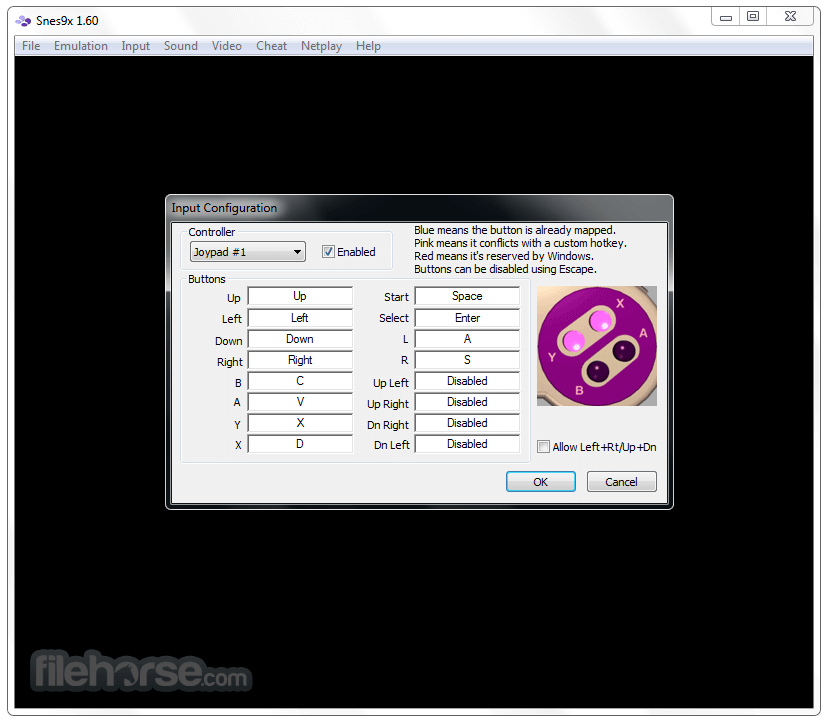
Configure Controls: Open the “Input” menu to customize controls. You can map specific keys to your gamepad or keyboard.
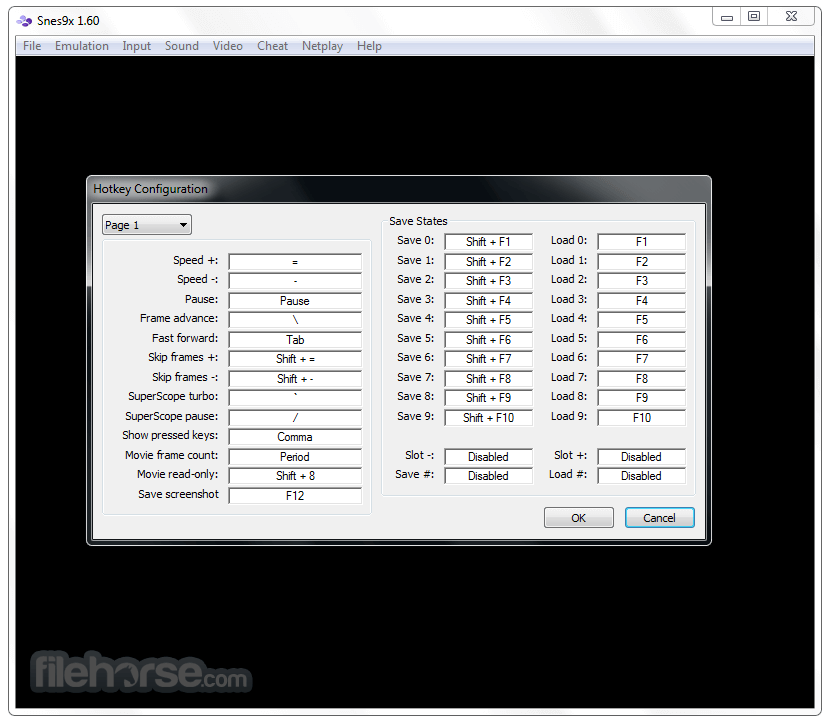
Save/Load States: Use the “File” menu to create or load save states, which allow you to save your progress at any point during the game.
Cheat Codes: To activate cheats, go to “Cheat” > “Game Genie, Pro-Action Replay Codes” and enter your desired cheat codes.
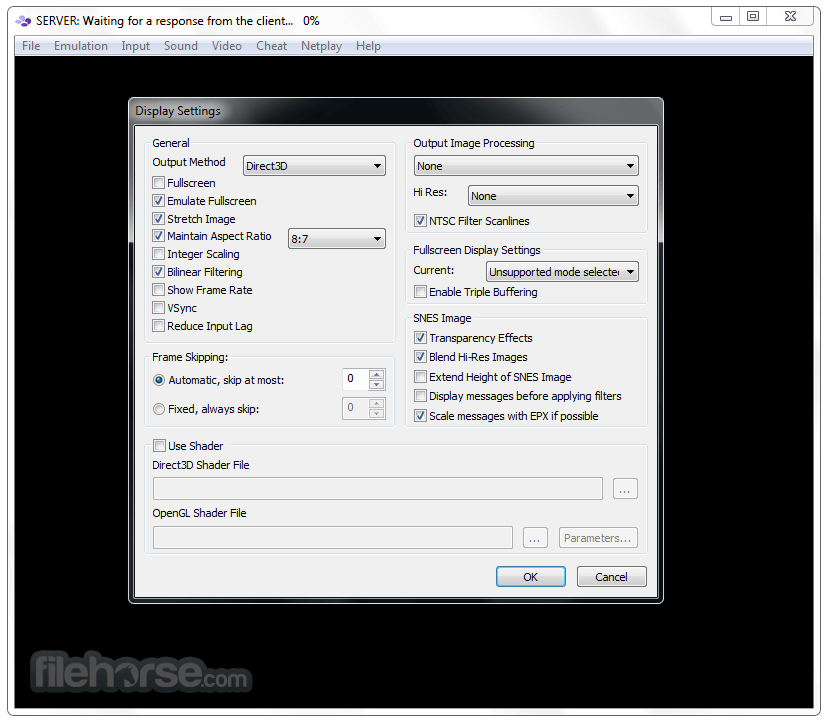
Full Screen Mode: Switch to full-screen mode via the “Video” menu for an immersive experience.
Alternatives
ZSNES: Known for its fast performance and unique interface, ZSNES is another classic SNES emulator. However, it’s older and may have fewer updates than this app.
RetroArch: A versatile multi-system emulator that uses “cores” to emulate different consoles. It has a core in RetroArch, providing additional features like shaders and recording options.
System Requirements
Download Snes9x (32-bit) Latest Version Why is this app published on FileHorse? (More info)
Snes9x 32bit is the result of well over three years worth of part-time hacking, coding, recoding, debugging, divorce, etc. (just kidding about the divorce bit). Snes9x is coded in C++, with three assembler CPU emulation cores on the i386 Linux and Windows ports.
Tons and tons of internal core changes were made to make the app way better than before, and work on more platforms than before.
Unfortunately, since the Windows port is radically different than every other port of the tool, and no one cared to maintain the Windows port, this release will not have a Windows port. However interested parties who have the necessary skills can make a Windows port of the source. However, if you do, please send the changes back.
The app team is not connected or affiliated with any mentioned company in any way. The opinions of the team do not reflect the views of the various companies mentioned here.
Companies and all products pertaining to that company are trademarks of that company. Please contact that company for trademark and copyright information.
How to Use
Load a Game: To load a game, select “File” > “Load Game” and navigate to the folder where your SNES ROMs are stored. Select a ROM file, and the game will begin.
Configure Controls: Open the “Input” menu to customize controls. You can map specific keys to your gamepad or keyboard.
Save/Load States: Use the “File” menu to create or load save states, which allow you to save your progress at any point during the game.
Cheat Codes: To activate cheats, go to “Cheat” > “Game Genie, Pro-Action Replay Codes” and enter your desired cheat codes.
Full Screen Mode: Switch to full-screen mode via the “Video” menu for an immersive experience.
Alternatives
ZSNES: Known for its fast performance and unique interface, ZSNES is another classic SNES emulator. However, it’s older and may have fewer updates than this app.
RetroArch: A versatile multi-system emulator that uses “cores” to emulate different consoles. It has a core in RetroArch, providing additional features like shaders and recording options.
System Requirements
- Operating System: Windows 11, 10, 8 or 7
- Processor: 1 GHz or faster
- RAM: 512 MB
- Storage: Minimal (10 MB for emulator files + additional space for ROMs)
- Graphics: Basic integrated graphics are sufficient
- High compatibility with a vast range of SNES games.
- Simple and easy-to-navigate interface.
- Save states and cheat support for enhanced gameplay.
- Offers graphical filters to improve visuals.
- Completely free and open-source.
- Outdated interface design.
- Lacks advanced features like recording or streaming.
- Requires third-party tools for netplay.
- No built-in ROM management system.
- Limited support for new technologies like Vulkan.
Download Snes9x (32-bit) Latest Version Why is this app published on FileHorse? (More info)
##
畫面截圖