
- 目前版本4.9.4
- 更新日期2026-02-24
- 檔案大小62.79 MB
- 檔案名稱SPlayer-Setup-4.9.4.exe
- 作業系統Windows XP / Vista / Windows 7 / Windows 8 / Windows 10 / Windows 11
- 支援語系English
- 授權型式開源軟體
- 開發商 Sagittarius Tech
- 軟體分類Windows 軟體 / 影片軟體
##
編輯短評
SPlayer 是一款主打輕量、簡潔的開源影音播放器,主要解決系統資源有限時仍能順暢播放多種常見格式的需求,支援 MKV、AVI、WMV、MP3 等檔案。它的最大辨識度在於介面極度簡化,任何使用者都能直覺操作,且執行時佔用資源低,適合老舊電腦或追求效率的環境。在 Windows 影片播放同類中,它屬於小眾但評價普遍不錯的選擇,開發團隊持續維護,不過更新步調較慢,並非主流首選。
這套軟體適合不想研究複雜設定、只想「打開就播」的一般使用者,尤其常用於臨時觀看影片或聆聽音樂的場合。與 KMPlayer 或 K-Lite Codec Pack 這類功能豐富、解碼器齊全的替代方案相比,SPlayer 犧牲了進階調整與格式支援廣度,換來更低的記憶體佔用與更直覺的操作。需注意的是,它僅提供英文介面,且目前只有 Windows 與 macOS 版本,若需要中文語系或更全面的編碼支援,可能要考慮其他工具。
##
軟體介紹
SPlayer 讓您播放多種媒體檔案格式,包括 MKV、VOB、OGG、3GP、WMV、AVI 和 MP3 等。
它是一款快速、小巧且簡單的多媒體播放器,能滿足一般電腦使用者基本媒體觀看的需求。它可與市面上較大型的播放器相媲美,例如 BS.Player、iTunes、Winamp 和 AIMP。
如果您正在尋找一款不佔用太多電腦資源的簡單多媒體播放器,那麼您會想要將 SPlayer 應用程式下載到電腦上。介面的簡潔設計能滿足各種經驗程度的使用者。您只需將影片或音樂檔案拖曳到播放器視窗中,即可開啟。
此軟體讓您建立播放清單,收錄喜愛的媒體檔案。所有最近播放過的檔案都能輕鬆重新載入。智慧字幕比對是另一個酷炫功能,可協助為您的內容建立字幕。
如果您想將內容音量提升到超過 100%,例如 1000%,也可以做到。其他酷炫功能包括全螢幕模式、視窗模式、快照產生器、頻道控制器相容性、循環模式、效能模式、品質模式、3D 模式、長寬比選擇、影像翻轉、著色器編輯器、GPU 加速開關、縮圖產生器,以及從影片中儲存影像的功能。
您有幾種 SPlayer for Windows 11/10 使用者介面選項,例如 Aero Effect 模式、透明度調整、DSM 轉換,以及標準與極簡檢視模式之間的選擇。
請做好準備,此播放器會佔用大量電腦系統資源。雖然沒有附帶說明手冊來指導您如何使用影片播放器,但這沒關係。新手也能輕鬆使用。對於想要在觀看媒體內容時擁有許多選項的人來說,這是一個絕佳選擇。
主要功能
廣泛格式支援
它支援多種音訊和視訊格式,確保與您遇到的幾乎任何媒體檔案相容。
高品質播放
憑藉先進的演算法和編解碼器,它提供高品質的音訊和影片播放,保留媒體檔案的完整性。
可自訂介面
使用者可以個人化播放器的介面以符合自己的偏好,包括調整面板、主題和版面配置等選項。
字幕支援
它提供全面的字幕支援,讓使用者能載入和自訂字幕,以獲得增強的觀看體驗。
串流功能
直接在應用程式介面內無縫串流線上內容,無需第三方外掛程式或應用程式。
它是一款快速、小巧且簡單的多媒體播放器,能滿足一般電腦使用者基本媒體觀看的需求。它可與市面上較大型的播放器相媲美,例如 BS.Player、iTunes、Winamp 和 AIMP。
如果您正在尋找一款不佔用太多電腦資源的簡單多媒體播放器,那麼您會想要將 SPlayer 應用程式下載到電腦上。介面的簡潔設計能滿足各種經驗程度的使用者。您只需將影片或音樂檔案拖曳到播放器視窗中,即可開啟。
此軟體讓您建立播放清單,收錄喜愛的媒體檔案。所有最近播放過的檔案都能輕鬆重新載入。智慧字幕比對是另一個酷炫功能,可協助為您的內容建立字幕。
如果您想將內容音量提升到超過 100%,例如 1000%,也可以做到。其他酷炫功能包括全螢幕模式、視窗模式、快照產生器、頻道控制器相容性、循環模式、效能模式、品質模式、3D 模式、長寬比選擇、影像翻轉、著色器編輯器、GPU 加速開關、縮圖產生器,以及從影片中儲存影像的功能。
您有幾種 SPlayer for Windows 11/10 使用者介面選項,例如 Aero Effect 模式、透明度調整、DSM 轉換,以及標準與極簡檢視模式之間的選擇。
請做好準備,此播放器會佔用大量電腦系統資源。雖然沒有附帶說明手冊來指導您如何使用影片播放器,但這沒關係。新手也能輕鬆使用。對於想要在觀看媒體內容時擁有許多選項的人來說,這是一個絕佳選擇。
主要功能
廣泛格式支援
它支援多種音訊和視訊格式,確保與您遇到的幾乎任何媒體檔案相容。
高品質播放
憑藉先進的演算法和編解碼器,它提供高品質的音訊和影片播放,保留媒體檔案的完整性。
可自訂介面
使用者可以個人化播放器的介面以符合自己的偏好,包括調整面板、主題和版面配置等選項。
字幕支援
它提供全面的字幕支援,讓使用者能載入和自訂字幕,以獲得增強的觀看體驗。
串流功能
直接在應用程式介面內無縫串流線上內容,無需第三方外掛程式或應用程式。
##
畫面截圖
##
更新日誌
4.9.4
This is a recommended update, which includes improvements to multiple features and functions, and fixes some issues with compatibility and the user interface.
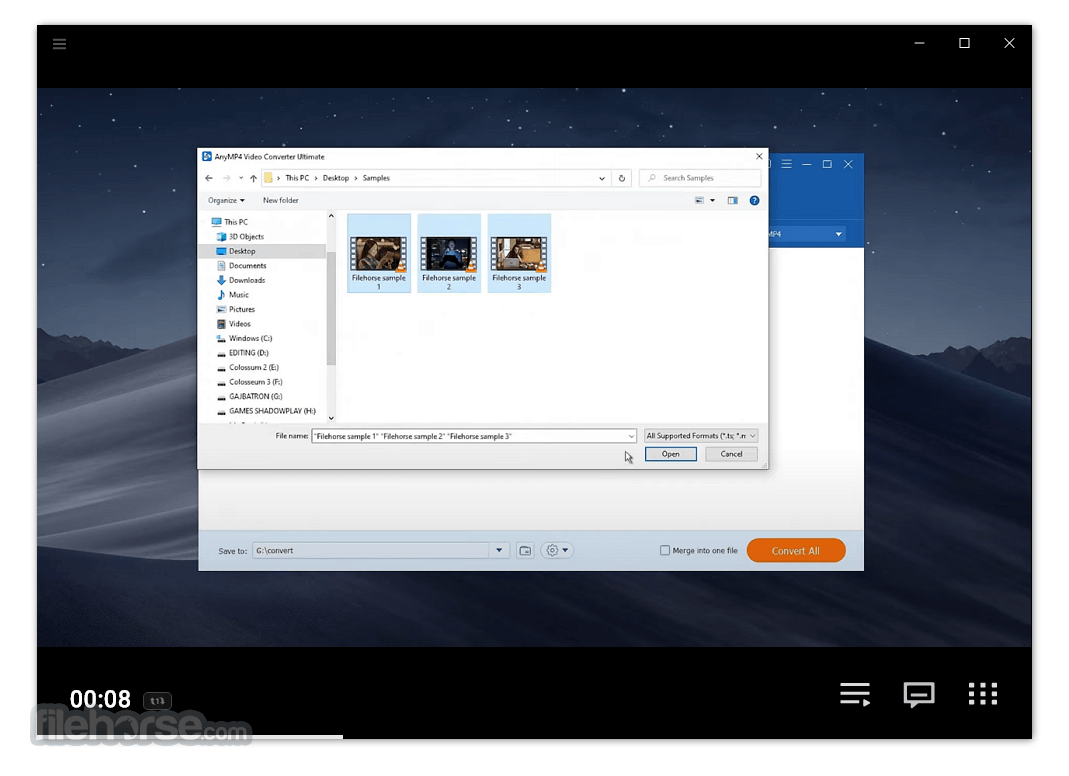
It features a clean and intuitive user interface, with a minimalist design that prioritizes ease of use. The main playback controls are prominently displayed, while additional features and settings are accessible via intuitive menus and icons.
Overall, the interface is user-friendly and uncluttered, ensuring a seamless experience for both novice and advanced users.
Installation and Setup
Installing this utility is a straightforward process that can be completed in a few simple steps. Users can download the installer from the official website or trusted software repositories like FileHorse and follow the on-screen instructions to install the software.
Once installed, it automatically detects media files on your system, making it ready for immediate use without any additional configuration required.
How to Use
Using this app is intuitive and straightforward. Simply launch the application and use the file browser to navigate to your desired media file. Alternatively, you can drag and drop files directly into the player window.
Once the file is loaded, use the playback controls to play, pause, rewind, or skip through the media. Advanced features such as subtitle customization and streaming can be accessed through the settings menu.
FAQs
Is SPlayer compatible with my operating system?
SPlayer is primarily designed for Windows-based systems and is compatible with Windows 7, 8, 10, and 11.
Does SPlayer for PC support streaming from online platforms?
Yes, it offers built-in streaming capabilities, allowing users to stream online content directly within the application.
Can I customize the appearance of SPlayer?
Yes, it offers various customization options, including skins, themes, and layout adjustments, allowing users to personalize their playback experience.
Does SPlayer require additional codecs or plugins for playback?
No, it comes equipped with advanced algorithms and codecs, ensuring comprehensive format support without the need for additional plugins or codecs.
Is SPlayer free to use?
Yes, the app is available as freeware, allowing users to enjoy its features without any cost.
Alternatives
While the program offers a comprehensive set of features, users may also consider alternative media players such as VLC Media Player, MPC-HC, MPC-BE, PotPlayer, and KMPlayer.
Pricing
The program is available as freeware, meaning users can download and use the software free of charge without any subscription fees or limitations.
System Requirements
Overall, it offers a compelling solution for users seeking a versatile and feature-rich multimedia player for their PC. With its wide format support, high-quality playback, customizable interface, and streaming capabilities, it stands out as a top choice in the crowded landscape of media players.
While its limited platform support may be a drawback for some users, its freeware status and robust feature set make it a worthy addition to any media enthusiast's toolkit. Whether you're watching movies, listening to music, or streaming online content, SPlayer delivers a seamless and immersive media playback experience.
Also Available: Download SPlayer for Mac
Download SPlayer Latest Version Why is this app published on FileHorse? (More info)
- Sign in to your account to get access to more features and functions
- Upgrade to the Premium Plan and get an exclusive experience
- Added support for exporting subtitles and translation results to SRT files
- Added more languages for Speech-to-Text and AI Translation (Beta): Japanese, Korean, Spanish, French, German, Italian, Portuguese, Czech, Russian, Indonesian, Arabic, Turkish, Romanian
- Added a new home page in the Browser Mode
- Added support for creating customized sites in the Browser Mode
- Added support for generating 3×3 and 4×4 video thumbnails
- Added support for copying the site address in the Browser Mode
- Fixed a bug where the subtitle font settings would be reset after restarting
- Fixed a bug where the number keypad was not working
- Fixed a bug where PiP mode is not available on specific sites
- Fixed a bug where the PiP window was not draggable
- Restyled and improved some interaction design
It features a clean and intuitive user interface, with a minimalist design that prioritizes ease of use. The main playback controls are prominently displayed, while additional features and settings are accessible via intuitive menus and icons.
Overall, the interface is user-friendly and uncluttered, ensuring a seamless experience for both novice and advanced users.
Installation and Setup
Installing this utility is a straightforward process that can be completed in a few simple steps. Users can download the installer from the official website or trusted software repositories like FileHorse and follow the on-screen instructions to install the software.
Once installed, it automatically detects media files on your system, making it ready for immediate use without any additional configuration required.
How to Use
Using this app is intuitive and straightforward. Simply launch the application and use the file browser to navigate to your desired media file. Alternatively, you can drag and drop files directly into the player window.
Once the file is loaded, use the playback controls to play, pause, rewind, or skip through the media. Advanced features such as subtitle customization and streaming can be accessed through the settings menu.
FAQs
Is SPlayer compatible with my operating system?
SPlayer is primarily designed for Windows-based systems and is compatible with Windows 7, 8, 10, and 11.
Does SPlayer for PC support streaming from online platforms?
Yes, it offers built-in streaming capabilities, allowing users to stream online content directly within the application.
Can I customize the appearance of SPlayer?
Yes, it offers various customization options, including skins, themes, and layout adjustments, allowing users to personalize their playback experience.
Does SPlayer require additional codecs or plugins for playback?
No, it comes equipped with advanced algorithms and codecs, ensuring comprehensive format support without the need for additional plugins or codecs.
Is SPlayer free to use?
Yes, the app is available as freeware, allowing users to enjoy its features without any cost.
Alternatives
While the program offers a comprehensive set of features, users may also consider alternative media players such as VLC Media Player, MPC-HC, MPC-BE, PotPlayer, and KMPlayer.
Pricing
The program is available as freeware, meaning users can download and use the software free of charge without any subscription fees or limitations.
System Requirements
- Operating System: Windows 7, 8, 10, or 11
- Processor: Intel Pentium 4 or equivalent
- RAM: 512MB or higher
- Disk Space: 50MB of free disk space
- Wide format support
- High-quality playback
- Customizable interface
- Streaming capabilities
- Freeware
- No longer updated on the official website
- Limited platform support (currently only available for Windows)
Overall, it offers a compelling solution for users seeking a versatile and feature-rich multimedia player for their PC. With its wide format support, high-quality playback, customizable interface, and streaming capabilities, it stands out as a top choice in the crowded landscape of media players.
While its limited platform support may be a drawback for some users, its freeware status and robust feature set make it a worthy addition to any media enthusiast's toolkit. Whether you're watching movies, listening to music, or streaming online content, SPlayer delivers a seamless and immersive media playback experience.
Also Available: Download SPlayer for Mac
Download SPlayer Latest Version Why is this app published on FileHorse? (More info)