- 目前版本10.2a
- 更新日期2026-02-12
- 檔案大小2.8 MB
- 檔案名稱stickies_setup_10_2a.exe
- 作業系統Windows 7 / Windows 8 / Windows 10 / Windows 11
- 支援語系English
- 授權型式免費軟體
- 開發商 Zhorn Software
- 軟體分類Windows 軟體 / 辦公商務
##
翻譯排程處理中,以下暫以英文原文呈現
軟體介紹
Stickies is a PC desktop utility I wrote to try to cut down on the number of yellow notes I was leaving stuck to my monitor. It is a computerized version of those notes.
The design goal behind Stickies is that the program is small and simple. The software will not mess with your system files or write to the registry. Stickies stores information in a single text-based ini file.
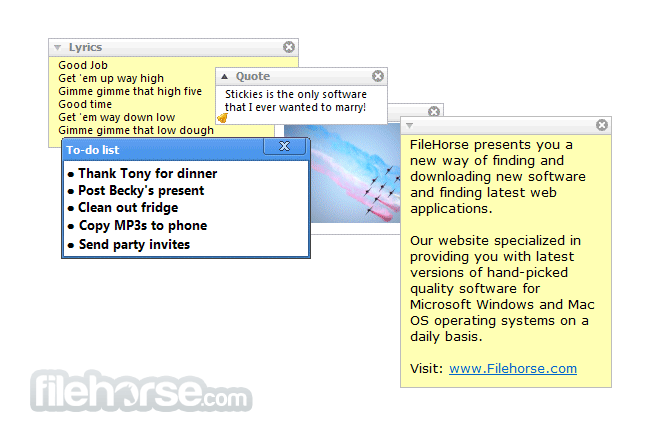
The tool will never support animated dancing figures or play "Greensleeves". They are instead yellow rectangular windows onto which you can put some text notes. Once created, they will stay on screen until you take them away.
Just like a real sticky piece of paper.
Features and Highlights
What is Stickies, and what does it do?
Stickies is a lightweight desktop notes application for Windows that lets you place sticky notes directly on your screen. You can use it to write reminders, to-do lists, quick thoughts, or important information. Notes can be resized, customized, set to stay on top, and even attached to specific applications or windows.
Is Stickies free to use?
Yes. Stickies is completely free for personal and commercial use. It does not contain ads, does not require registration, and runs efficiently in the background with minimal system resource usage.
Is Stickies safe to install? Some antivirus programs report malware.
Yes, Stickies is safe. The developer has publicly addressed reports that some antivirus products flag Stickies or its installer as malware. These detections are considered false positives. The developer has contacted antivirus vendors to review the issue and has rebuilt the executable on a clean machine to verify that the development environment was not compromised.
As always, users should avoid running software they do not trust. However, according to the developer, the application itself is clean. For users who prefer not to run the installer executable, a manual installation option is available via downloadable files on the official website.
What features make Stickies different from other note apps?
Stickies offers several advanced features beyond simple notes, including:
PROS
Download Stickies Latest Version Why is this app published on FileHorse? (More info)
The design goal behind Stickies is that the program is small and simple. The software will not mess with your system files or write to the registry. Stickies stores information in a single text-based ini file.
The tool will never support animated dancing figures or play "Greensleeves". They are instead yellow rectangular windows onto which you can put some text notes. Once created, they will stay on screen until you take them away.
Just like a real sticky piece of paper.
Features and Highlights
- Once on screen, it will remain where placed until closed, even through reboots
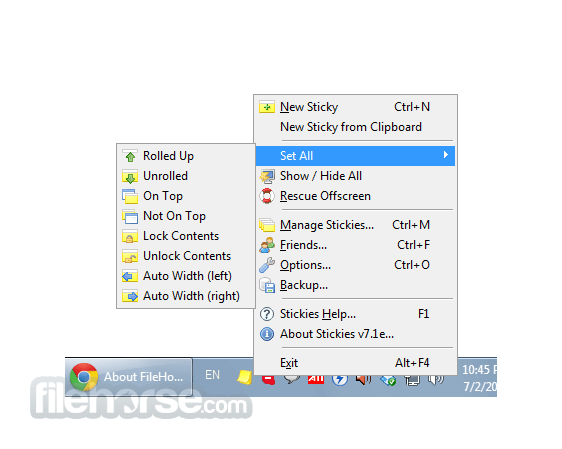
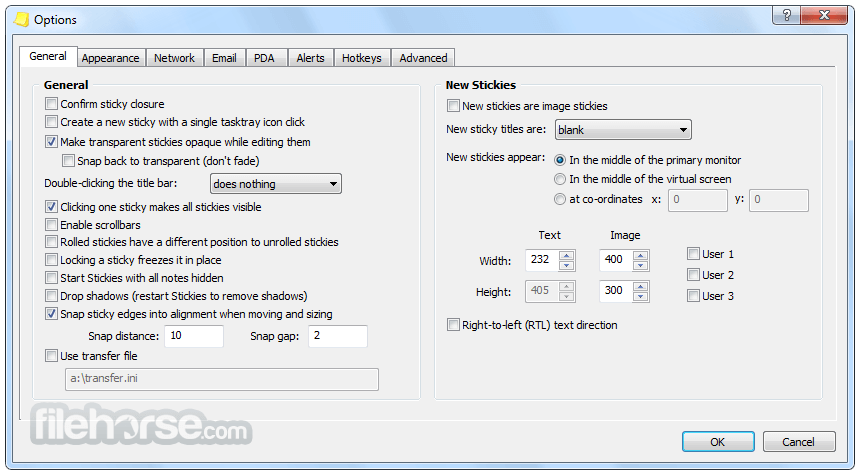
- The app's appearance can be customized; fonts, colors, and buttons may be changed, and styles saved. The program can be resized.
- It can store text or images
- It can snap to each other and to the sides of the screen to keep them neatly lined up
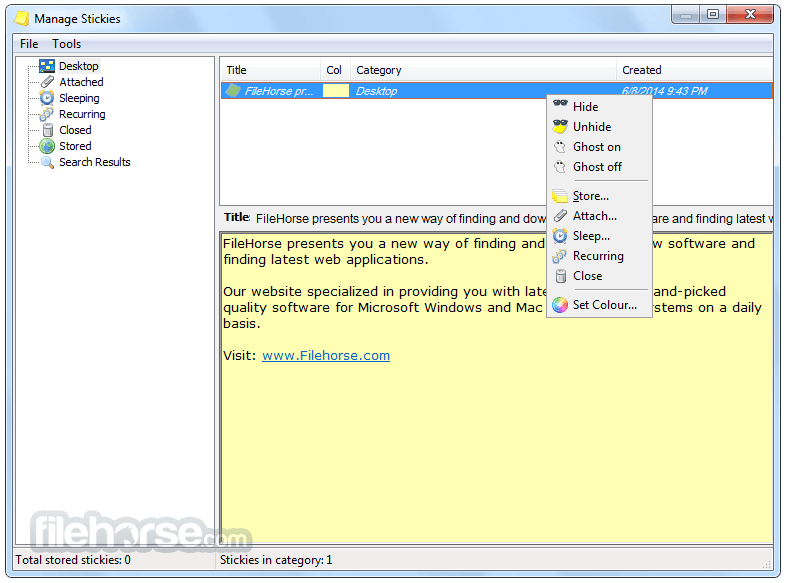
- It can be attached to an application, website, document, or folder, so they only show when it's on-screen
- It can be transferred from one machine to another either over a TCP/IP network connection or by using an SMTP mail server or MAPI client.
- It can be hidden for a certain period, until a specified date and time, or to wake every day, week, or month, to act as reminders.
- It can have alarms set to ensure you notice them at a point you choose
- International language, Unicode, and RTL text support
- It works with Windows 7, 8, 10, or 11
- The program is small and simple; it writes to a single text file and does not alter the registry
- AD network administrators can use Group Policy to control settings
- API to allow integration with other applications
- ...and Stickies is completely free!
What is Stickies, and what does it do?
Stickies is a lightweight desktop notes application for Windows that lets you place sticky notes directly on your screen. You can use it to write reminders, to-do lists, quick thoughts, or important information. Notes can be resized, customized, set to stay on top, and even attached to specific applications or windows.
Is Stickies free to use?
Yes. Stickies is completely free for personal and commercial use. It does not contain ads, does not require registration, and runs efficiently in the background with minimal system resource usage.
Is Stickies safe to install? Some antivirus programs report malware.
Yes, Stickies is safe. The developer has publicly addressed reports that some antivirus products flag Stickies or its installer as malware. These detections are considered false positives. The developer has contacted antivirus vendors to review the issue and has rebuilt the executable on a clean machine to verify that the development environment was not compromised.
As always, users should avoid running software they do not trust. However, according to the developer, the application itself is clean. For users who prefer not to run the installer executable, a manual installation option is available via downloadable files on the official website.
What features make Stickies different from other note apps?
Stickies offers several advanced features beyond simple notes, including:
- Alarms and reminders
- Note transparency and color customization
- Network synchronization
- Attachment to specific windows
- Backup and restore options
PROS
- Lightweight and low resource usage
- Easy-to-use sticky notes on the desktop
- Customizable notes with themes
- Set reminders for individual notes
- Free with no ads or pop-ups
- Limited note organization options
- No cloud sync or backup feature
- Basic design lacks modern UI
- Limited collaboration features
- No mobile app integration
Download Stickies Latest Version Why is this app published on FileHorse? (More info)
##
畫面截圖