⚠ 這是歷史版本頁面 — 查看 Subtitle Workshop 最新版本 →

Subtitle Workshop 6.2.7
v 6.2.7
Windows
開源軟體
7.62/10 (70)
- 目前版本6.2.7
- 更新日期2024-01-03
- 檔案大小25.46 MB
- 檔案名稱Subtitle_Workshop_6.2.7_setup.exe
- 作業系統Windows 7 / Windows 8 / Windows 10 / Windows 11
- 支援語系English
- 授權型式開源軟體
- 開發商 Subtitle Workshop Team
- 軟體分類Windows 軟體 / 影片軟體
##
編輯短評
Subtitle Workshop 是一款專為 Windows 設計的免費開源字幕編輯工具,主要用於建立、編輯與轉換字幕檔。它支援多種字幕格式,能處理時間軸同步、校正與翻譯等常見需求。輕量且介面直覺,是許多影片編輯與翻譯工作者的實用選擇。開發團隊長期維護,但近期更新步調放緩,使用者評價普遍不錯,在同類工具中屬於中堅選項。
這套軟體適合需要大量處理字幕的剪輯師、翻譯人員或業餘玩家,尤其當你需要在不同格式間轉換或微調時間軸時。相較於 KMPlayer 或 K-Lite 等播放或解碼工具,Subtitle Workshop 專注於字幕編輯,功能更深入,但介面僅有英文,且僅支援 Windows 平台。開源授權可自由使用,但若需要多語系介面或更頻繁的更新,可能需要考慮其他替代方案。
##
翻譯排程處理中,以下暫以英文原文呈現
軟體介紹
Subtitle Workshop is a free, robust, and feature-rich subtitle editing app for Windows, designed primarily for creating, editing, and converting subtitle files.
Originally developed by URUWorks, it has remained a popular choice among video editors, translators, and hobbyists due to its lightweight build, user-friendly interface, and extensive support for subtitle formats.
Whether you're syncing subtitles, correcting timing, or translating, Subtitle Workshop offers the tools to get the job done efficiently.
Main Features
User Interface
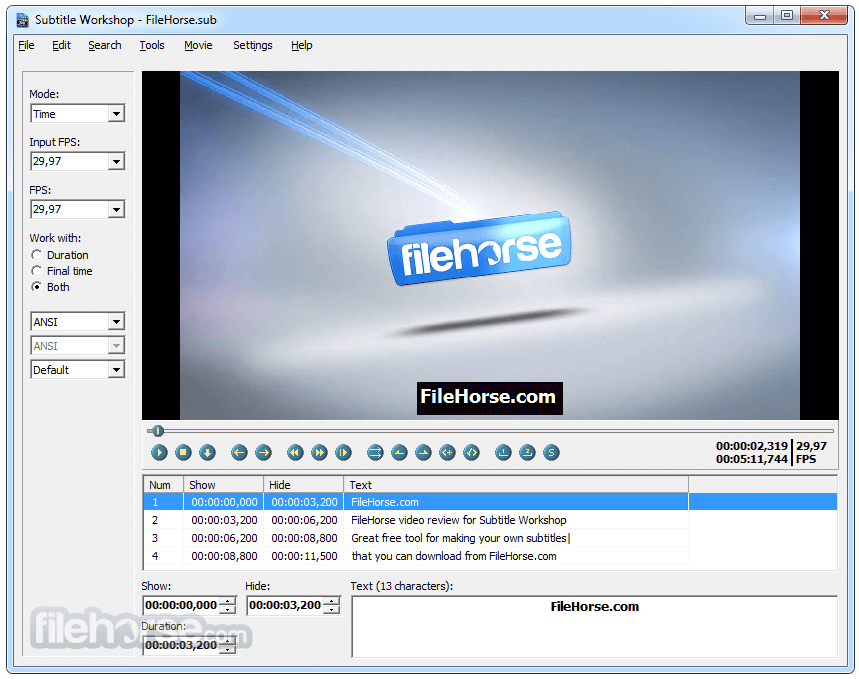
The tool sports a classic Windows-style interface. While it may not look modern, it’s highly functional. The interface consists of a subtitle list, video preview pane, timeline editor, and customizable toolbars.
The layout is intuitive for seasoned users, though beginners may face a slight learning curve initially due to the range of options available.
Installation and Setup
Installing this software is quick and straightforward. The installer is lightweight (under 10 MB), and setup takes only a minute or two. No third-party software or bloatware is included.
After installation, users can configure basic settings such as language, default subtitle format, and preferred video player for previews.
How to Use
Does Subtitle Workshop support Unicode subtitles?
Yes, it supports Unicode and other encoding formats, making it ideal for multilingual subtitle editing.
Can I sync subtitles automatically?
Basic auto-sync features are available, though manual fine-tuning is recommended for accuracy.
Is Subtitle Workshop still maintained?
While development is slower today, the latest versions are stable and fully functional for most use cases.
Can I translate subtitles within the software?
Yes, it includes basic tools for translation and editing side-by-side subtitle versions.
Does it work with all video formats?
It works with most common video formats, though for some formats, external codecs or players might be needed.
Alternatives
Aegisub - Popular for advanced subtitle typesetting and karaoke effects.
Subtitle Edit - Feature-rich editor with waveform and spectrogram support.
System Requirements
Subtitle Workshop is a timeless and reliable program for anyone working with subtitles on a Windows PC. Despite its dated interface, its deep feature set, format compatibility, and no-cost availability make it a standout choice among subtitle editors.
Download Subtitle Workshop Latest Version Why is this app published on FileHorse? (More info)
Originally developed by URUWorks, it has remained a popular choice among video editors, translators, and hobbyists due to its lightweight build, user-friendly interface, and extensive support for subtitle formats.
Whether you're syncing subtitles, correcting timing, or translating, Subtitle Workshop offers the tools to get the job done efficiently.
Main Features
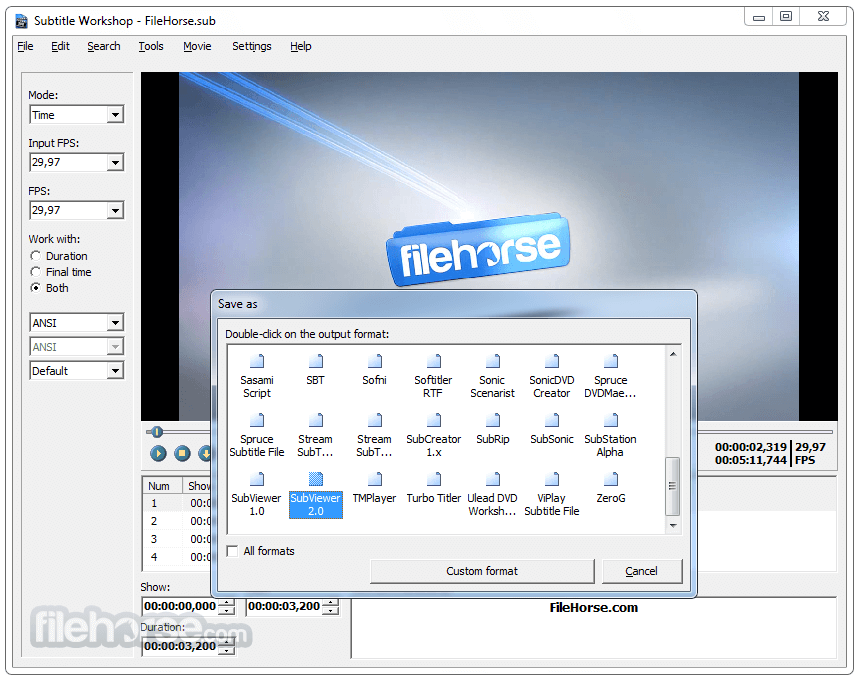
- Wide Format Support: Supports over 60 subtitle formats, including SRT, SUB, SSA, ASS, and TXT.
- Real-time Preview: Synchronize subtitles while previewing the video using internal or external video players.
- Advanced Timing Tools: Fine-tune start/end times, duration, and gaps with frame-level precision.
- Spell Check & Translation Tools: Includes basic spell-checking and support for dictionary integration.
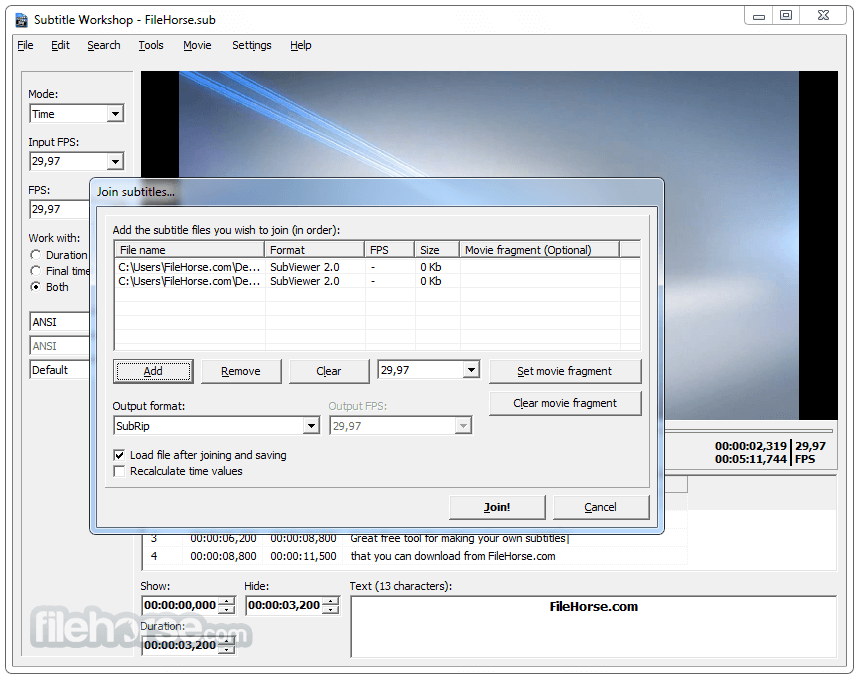
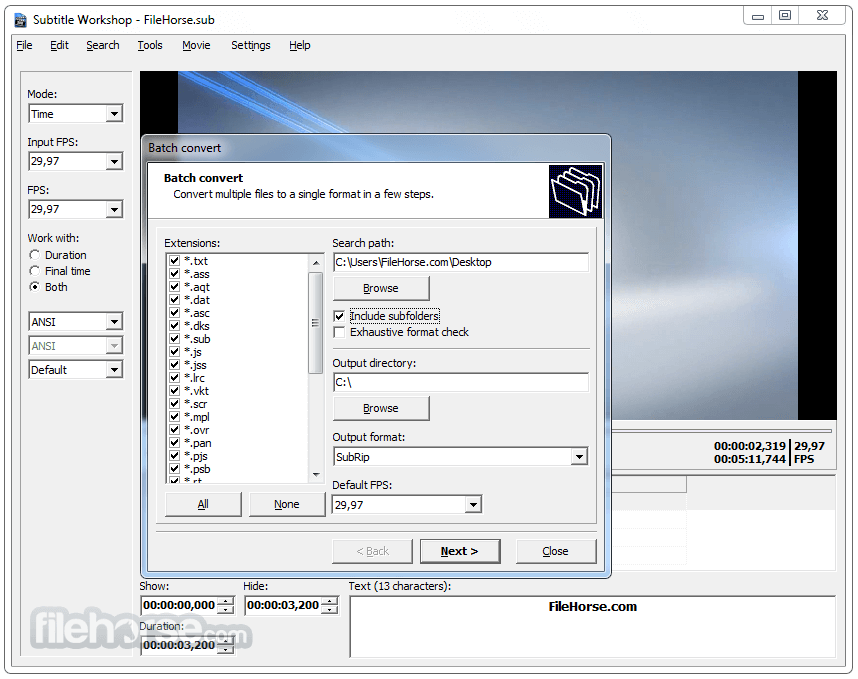
- Batch Conversion & Processing: Convert multiple subtitle files or adjust settings in bulk.
- Customizable Interface: Tailor the interface layout and keyboard shortcuts to your workflow.
- Text Formatting Tools: Easily change font styles, colors, and alignment for visual adjustments.
User Interface
The tool sports a classic Windows-style interface. While it may not look modern, it’s highly functional. The interface consists of a subtitle list, video preview pane, timeline editor, and customizable toolbars.
The layout is intuitive for seasoned users, though beginners may face a slight learning curve initially due to the range of options available.
Installation and Setup
Installing this software is quick and straightforward. The installer is lightweight (under 10 MB), and setup takes only a minute or two. No third-party software or bloatware is included.
After installation, users can configure basic settings such as language, default subtitle format, and preferred video player for previews.
How to Use
- Open your video file within Subtitle Workshop.
- Load or create a subtitle file.
- Use the subtitle list and timeline to adjust timings.
- Preview the video with subtitles to check for sync issues.
- Apply corrections or translations as needed.
- Save or export the subtitle file in your preferred format.
- For beginners, tutorials and user guides are available through online forums and documentation.
Does Subtitle Workshop support Unicode subtitles?
Yes, it supports Unicode and other encoding formats, making it ideal for multilingual subtitle editing.
Can I sync subtitles automatically?
Basic auto-sync features are available, though manual fine-tuning is recommended for accuracy.
Is Subtitle Workshop still maintained?
While development is slower today, the latest versions are stable and fully functional for most use cases.
Can I translate subtitles within the software?
Yes, it includes basic tools for translation and editing side-by-side subtitle versions.
Does it work with all video formats?
It works with most common video formats, though for some formats, external codecs or players might be needed.
Alternatives
Aegisub - Popular for advanced subtitle typesetting and karaoke effects.
Subtitle Edit - Feature-rich editor with waveform and spectrogram support.
System Requirements
- OS: Windows 7 or later (Windows 10/11 fully supported)
- RAM: 512MB minimum (1GB+ recommended)
- Processor: 1 GHz or higher
- Disk Space: Less than 20MB
- Free and lightweight
- Extensive subtitle format support
- Advanced editing and timing tools
- Batch processing available
- Highly customizable
- Lacks modern collaboration tools
- Occasional bugs with large files
- Limited support for newer video formats without external codecs
- Lack of new updates
Subtitle Workshop is a timeless and reliable program for anyone working with subtitles on a Windows PC. Despite its dated interface, its deep feature set, format compatibility, and no-cost availability make it a standout choice among subtitle editors.
Download Subtitle Workshop Latest Version Why is this app published on FileHorse? (More info)
##
畫面截圖
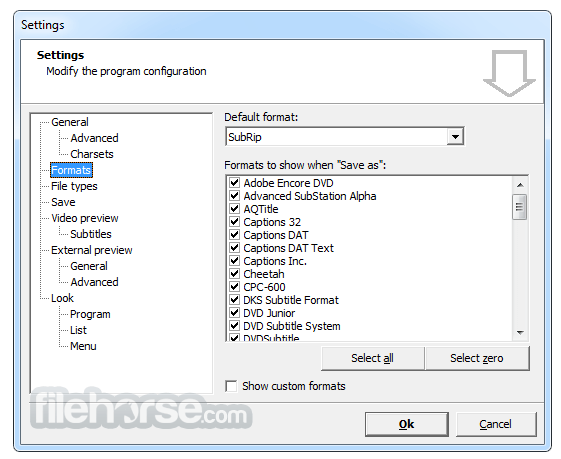
- 2026-05-26 Subtitle Workshop 6.3.5 7.15 MB
- 2025-02-24 Subtitle Workshop 6.3.4 13.05 MB
- 2024-11-29 Subtitle Workshop 6.3.3 13.11 MB
- 2024-09-09 Subtitle Workshop 6.3.2 27.34 MB
- 2024-08-06 Subtitle Workshop 6.3.1 27.33 MB
- 2024-06-03 Subtitle Workshop 6.2.12 27.18 MB
- 2024-04-26 Subtitle Workshop 6.2.11 27.46 MB
- 2024-04-11 Subtitle Workshop 6.2.10 27.43 MB